PAX Aries 8 SmartTablet POS: An Overview and Quick Reference Guide
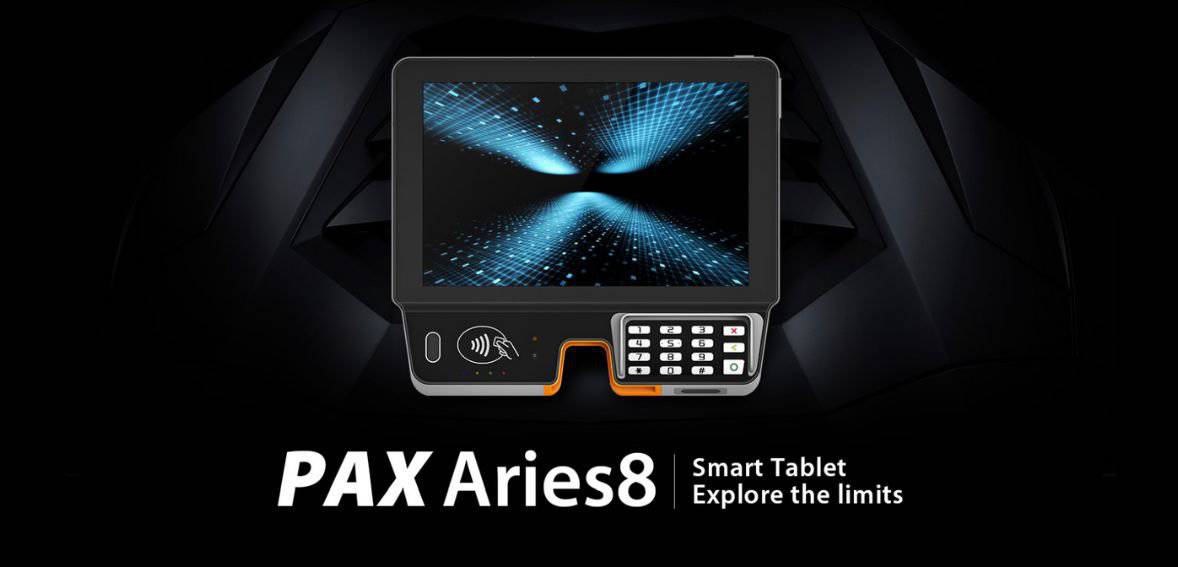
The PAX Aries 8 Android Smart POS system stands as an all-in-one payment solution meticulously crafted to meet the demands of high-volume environments. This next-generation, versatile tablet, the PAX Aries 8, fulfills a variety of roles, functioning seamlessly as a SmartPOI for payment transactions, a SmartPOS for retail operations, or even as a mobile device for physical store applications like POS line busting and product ordering. Its user-friendly design allows the PAX Aries8 to be easily mounted on industry-standard stands, integrated into unattended kiosks, or employed for mobile applications.
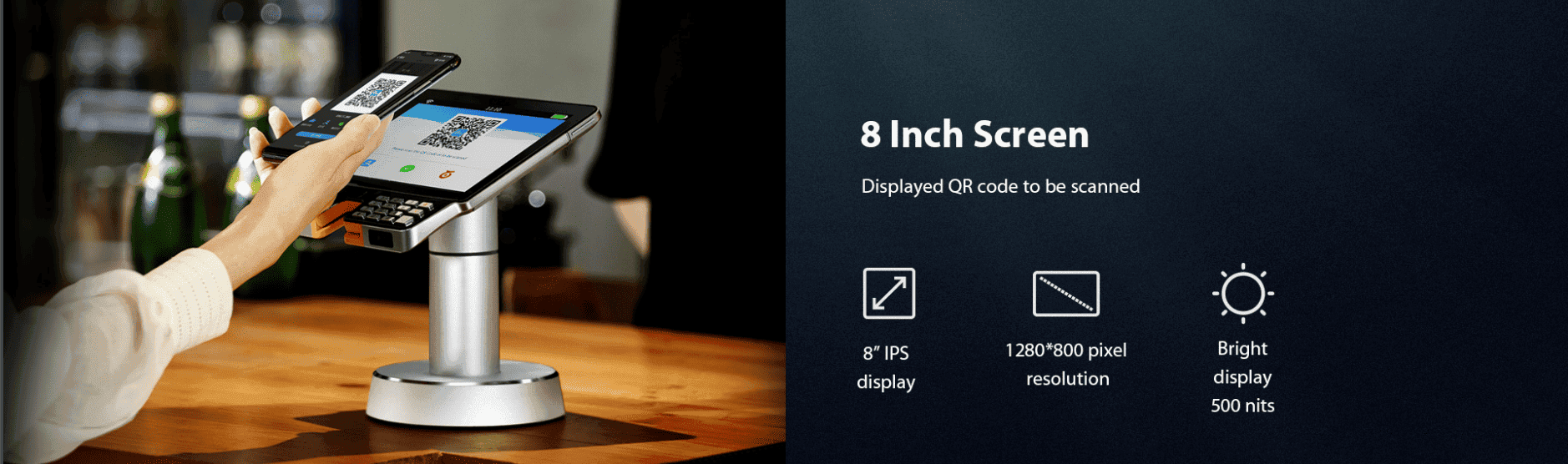
Equipped with a one-hand hold handle and an engaging 8-inch display, the PAX Aries8 is equipped to handle diverse tasks. Its embedded payment module not only caters to retail mobile applications such as POS line busting and ordering but also serves consumer needs, facilitating activities like bridal registry and self-service point-of-sale operations.
Paydroid, which is powered by the new Android version 7.1
Powerful Processor – Cortex ARM + A53
1GB of DDR RAM, Flash 8GB eMMC, Extended card slots for Micro SD (with 128GB extended memory)
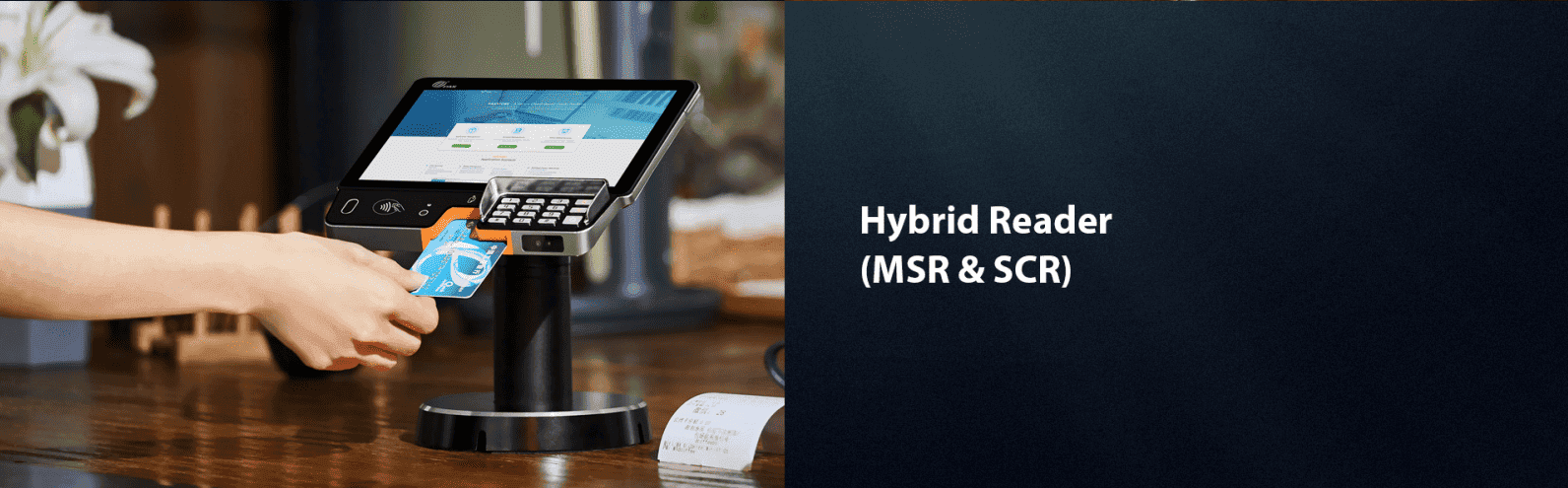
Hybrid Magnetic Stripe, Chip and PIN, and NFC Contactless card readers
Front-facing 8MP camera and Bottom Scanner (optional)
Display: WXGA 8″ IPS
WiFi (2.4 and 5GHz), 4G, Bluetooth 4.2, and Ethernet configurations
Battery: 3.6V and 3800mAH
SIM or SAM: 2x SIM + an additional 1x SAM, and 1x SIM, plus a 2x SAM (optional)
Positioning: GPS
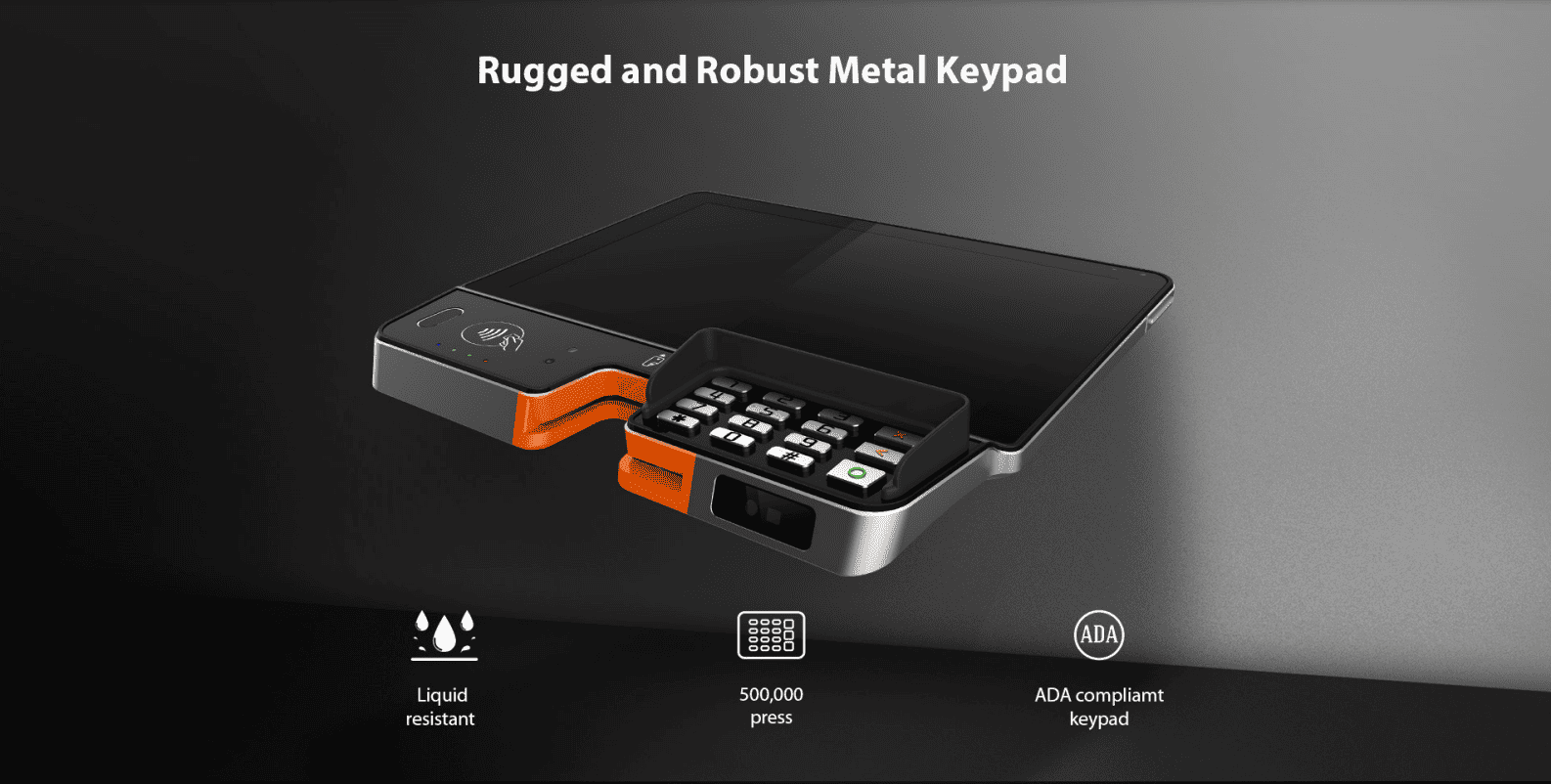
Buttons/Keys: 18 buttons, including the Power switch, Volume controls, Numeric keys, and Function keys
1 Speaker
1 USB Type C OTG, one audio jack, and 2×6 Pogo Pin
One 5V/2A adapter
Types Of Card Readers In PAX Aries 8
The PAX Aries8 Smart Tablet is equipped with the following types of card readers:
EMV Card Reader: To use, insert the card with the IC chip facing upwards. Then, push the card to the end of the card slot. Look for a blue light flashing and an icon displaying on the screen. Keep the card inserted until you are prompted to remove it.
Magnetic Stripe Card: To use, insert the magnetic stripe card into the card slot. Ensure that the magnetic stripe is facing downwards. Push the card to the end and then pull it out at a consistent speed to swipe the card.
Contactless Card Reader: For this reader, simply hold the contactless card over or under the keypad to initiate the payment process.
Tips For Using PAX Aries 8
Here are some tips for the installation and use of the terminal:
In case of any cable damage, it’s important to get a replacement.
Prior to inserting a card, check the inside and surroundings of the IC card slot.
If you notice any suspicious objects, please inform the relevant administrator.
Refrain from inserting unknown materials into any port on the PAX Aries8, as this could lead to severe damage.
If repairs are needed, it’s advisable to seek the assistance of a professional technician rather than attempting to fix it yourself.
Avoid exposing the device to excessively hot, dusty, or strong electromagnetic environments.
Make sure not to shake, drop, or vibrate the device.
Why Is PAX Aries 8 The Best POS System?
The PAX Aries8 is equipped with an inbuilt battery, allowing it to be detached from its base station or stand. You can attach it to the pistol grip stand, transforming it into an in-store payment device. Notably, it boasts a larger display compared to the Aries6, a front camera (8MP), and a QR and barcode scanner.
Primarily tailored for multilane retailers with high-volume sales, it leverages modern PED Devices that are PCI5 Certified, utilizing Android technology. These devices are seamlessly integrated into cash register systems in dual-lane merchant stores.
For added versatility, with an optional base station that can rotate, you can easily transform the Aries8 into sophisticated independent SmartECR terminals. Alternatively, you may connect a pistol grip handle for improved in-store mobility.
Experience a checkout process with the Aries8. It readily accepts various payment methods, offering the biggest touch screens that have an outstanding resolution. Witness improved consumer engagement and reduced checkout times.
Cookie Consent
We use cookies to enhance your browsing experience, analyze site traffic, and support our marketing.You can accept all cookies, reject non-essential ones, or manage your preferences below. Learn more in our Privacy Policy.
Cookie Preferences
Manage your cookie preferences below:
Essential cookies enable basic functions and are necessary for the proper function of the website.
Name
Description
Duration
Cookie Preferences
This cookie is used to store the user's cookie consent preferences.
180 days
These cookies are needed for adding comments on this website.
Name
Description
Duration
comment_author_email
Used to track the user across multiple sessions.
Session
comment_author_url
Used to track the user across multiple sessions.
Session
comment_author
Used to track the user across multiple sessions.
Session
Google Tag Manager simplifies the management of marketing tags on your website without code changes.
Name
Description
Duration
cookiePreferences
Registers cookie preferences of a user
2 years
td
Registers statistical data on users' behaviour on the website. Used for internal analytics by the website operator.
session
These cookies are used for managing login functionality on this website.
Name
Description
Duration
wordpress_logged_in
Used to store logged-in users.
Persistent
wordpress_sec
Used to track the user across multiple sessions.
15 days
wordpress_test_cookie
Used to determine if cookies are enabled.
Session
Statistics cookies collect information anonymously. This information helps us understand how visitors use our website.
Google Analytics is a powerful tool that tracks and analyzes website traffic for informed marketing decisions.
Contains information related to marketing campaigns of the user. These are shared with Google AdWords / Google Ads when the Google Ads and Google Analytics accounts are linked together.
90 days
__utma
ID used to identify users and sessions
2 years after last activity
__utmt
Used to monitor number of Google Analytics server requests
10 minutes
__utmb
Used to distinguish new sessions and visits. This cookie is set when the GA.js javascript library is loaded and there is no existing __utmb cookie. The cookie is updated every time data is sent to the Google Analytics server.
30 minutes after last activity
__utmc
Used only with old Urchin versions of Google Analytics and not with GA.js. Was used to distinguish between new sessions and visits at the end of a session.
End of session (browser)
__utmz
Contains information about the traffic source or campaign that directed user to the website. The cookie is set when the GA.js javascript is loaded and updated when data is sent to the Google Anaytics server
6 months after last activity
__utmv
Contains custom information set by the web developer via the _setCustomVar method in Google Analytics. This cookie is updated every time new data is sent to the Google Analytics server.
2 years after last activity
__utmx
Used to determine whether a user is included in an A / B or Multivariate test.
18 months
_ga
ID used to identify users
2 years
_gali
Used by Google Analytics to determine which links on a page are being clicked
30 seconds
_ga_
ID used to identify users
2 years
_gid
ID used to identify users for 24 hours after last activity
24 hours
_gat
Used to monitor number of Google Analytics server requests when using Google Tag Manager
1 minute
Marketing cookies are used to follow visitors to websites. The intention is to show ads that are relevant and engaging to the individual user.
Facebook Pixel is a web analytics service that tracks and reports website traffic.