
The HMS Agent & ISO Portal

Keep everything about your portfolio under one login. You can check all transactions, contacts with merchants, and your earnings.
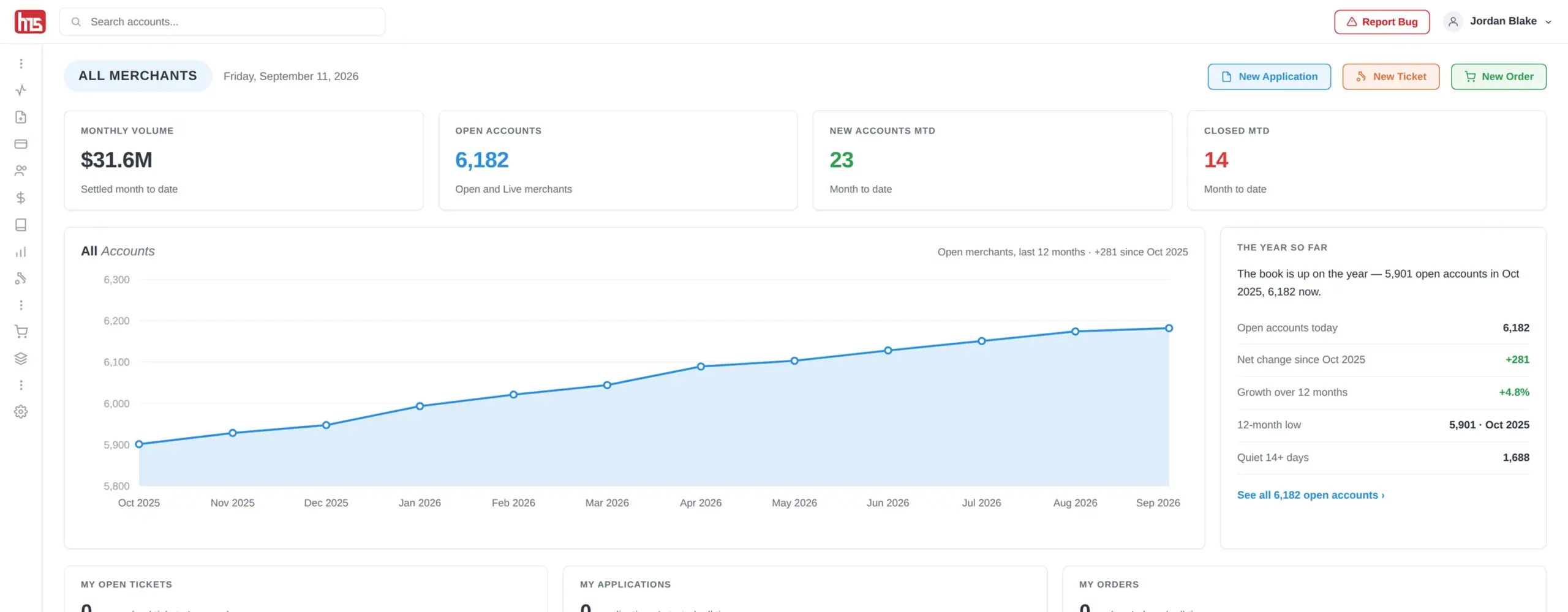
HMS Agent and ISO Portal dashboard showing merchant accounts, portfolio growth, applications, tickets, orders, and account activity
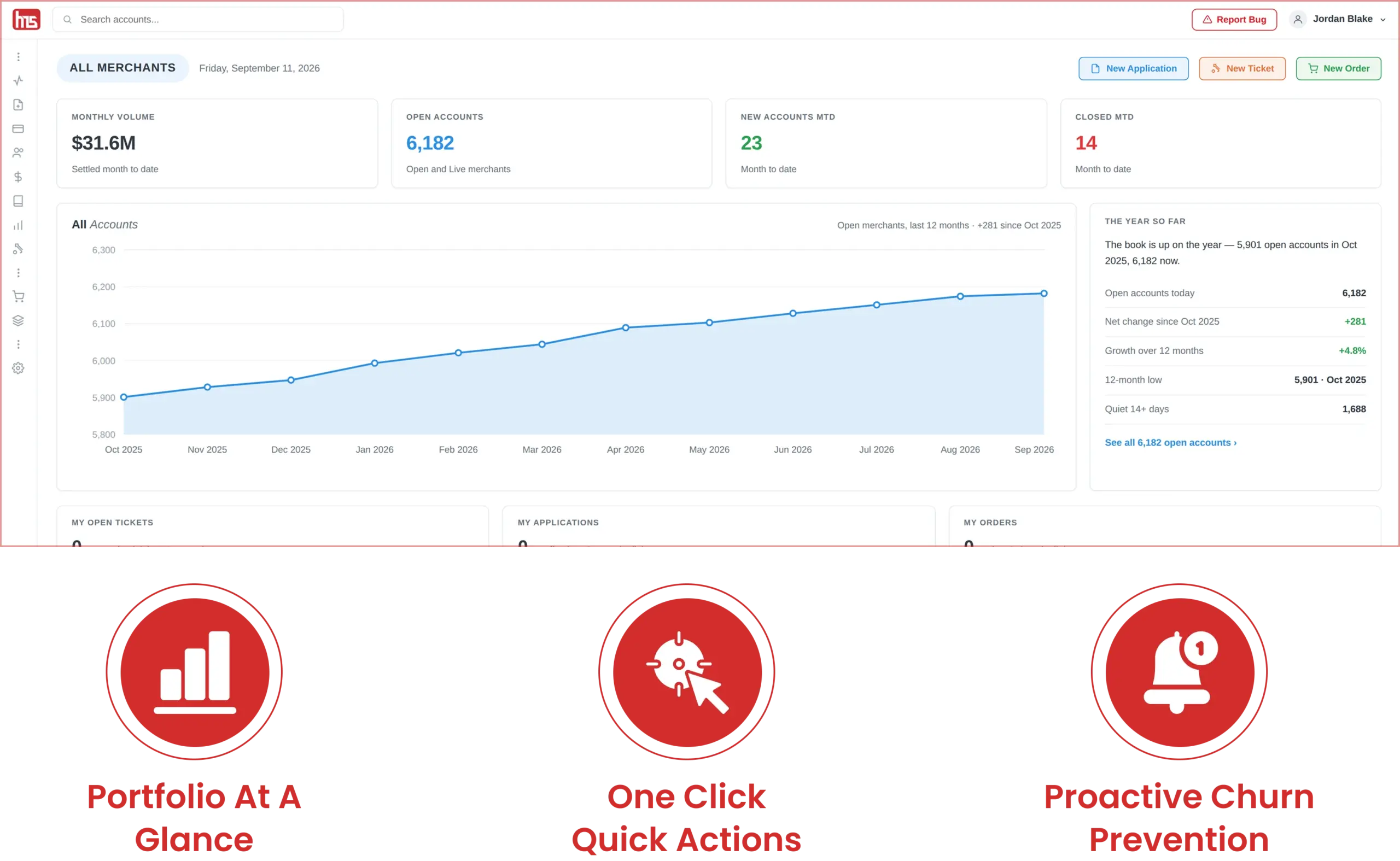
HMS Agent and ISO Portal dashboard showing portfolio growth, merchant accounts, quick actions, and proactive churn monitoring

Your Whole Portfolio at a Glance

When you log in, you’re not looking at a report. You’re looking at your business. The dashboard provides information on total volume for the month, open accounts, accounts created and closed this month, and a matrix of accounts that shows the trend of your portfolio so you can see the progress rather than the momentary state.
Meant for action, not just for viewing: Three one-click actions are available on the dashboard for creating new applications, support tickets, and equipment orders. You don’t have to dig through multiple layers of menus to initiate a new deal, open a support ticket, and order equipment; the dashboard is meant for creating, not just viewing.
Watch for trouble before your merchant calls you: Below the main view: Top Volume Merchants, Last Batch (how many of your merchants settled in the last 48 hours), and Gone Quiet — your open merchants with no batch in 14 or more days, naming the five most recent. That last one is a retention tool most portals don’t provide: a merchant appears there before they churn, so you can reach out before they leave.

Submit and Track Every Deal

Boardings begin and end in the same portal you work in. From your Dashboard, select New Application. From there, each deal is trackable with the account detail view. You can access the status, date opened, first and last batch dates, name of processor, and the account manager, all on one view.

Multiple boarding partners, single pipeline: Using multiple processing partners, including TSYS and First Data, HMS boards through multiple channels. The advantage of this approach is seen in the portal. For each deal you submit, no matter which boarding partner it may be with, you see it in the same pipeline view. This means you don’t have to switch between numerous logins to track the pipeline status of your deals.
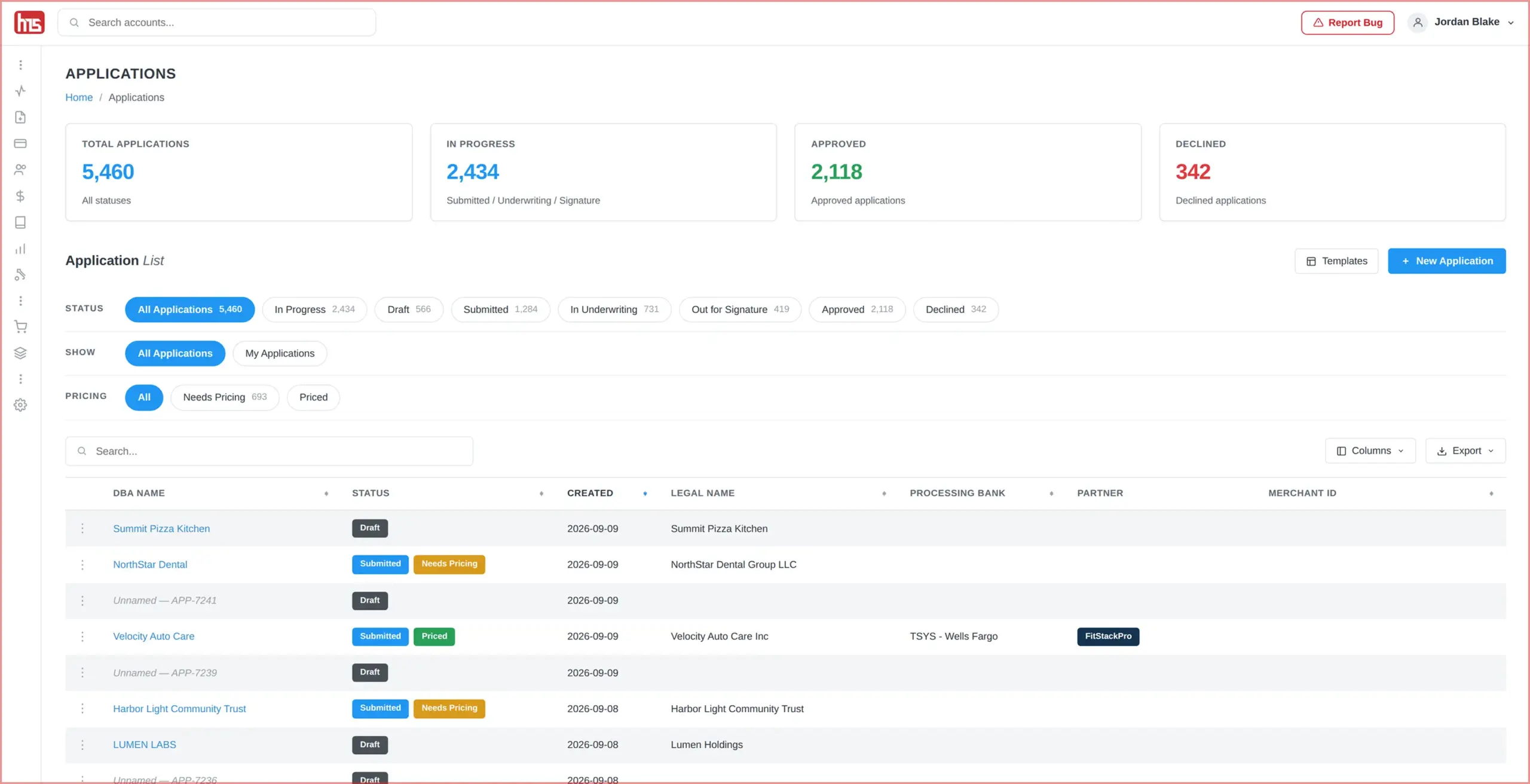
HMS Agent and ISO Portal applications dashboard showing deal status, processing partners, account details, and pipeline tracking
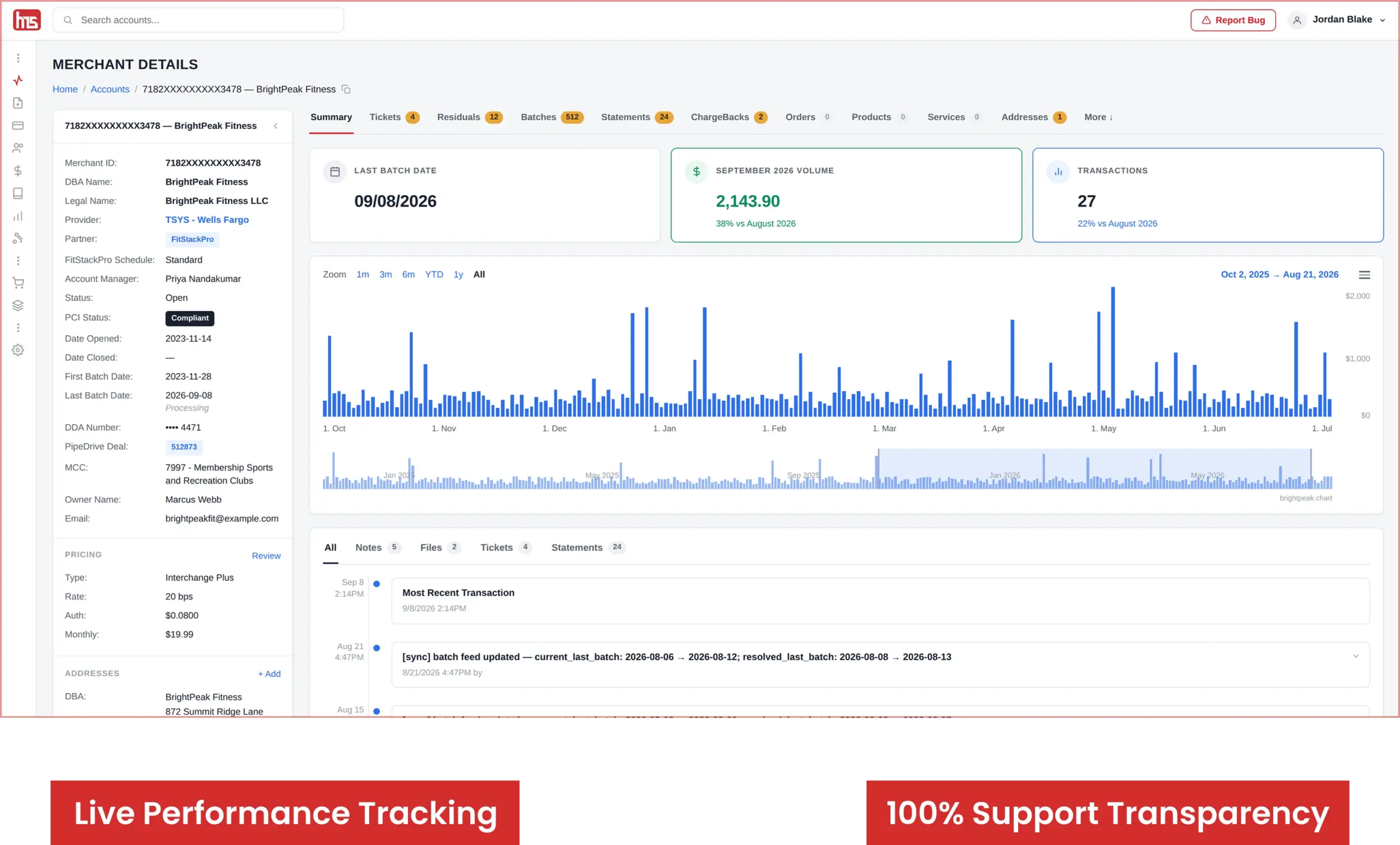
HMS merchant details dashboard showing transactions, residuals, batches, statements, chargebacks, tickets, and account performance

Know Every Merchant Like It’s Your Own

Open a single merchant record and you can see everything you want: tabs for Tickets, Residuals, Batches, Statements, Chargebacks, Orders, Products, Services, Addresses, and Contacts, plus a monthly volume chart with the month-over-month change. There is also the merchant’s MCC, processor, and account manager in the left rail.

Everything HMS knows, you know as well: There is no disconnect for what your support desk sees versus what you see. If a merchant calls HMS and HMS is able to see it, then you can see it as well — same record, same tabs, same history.
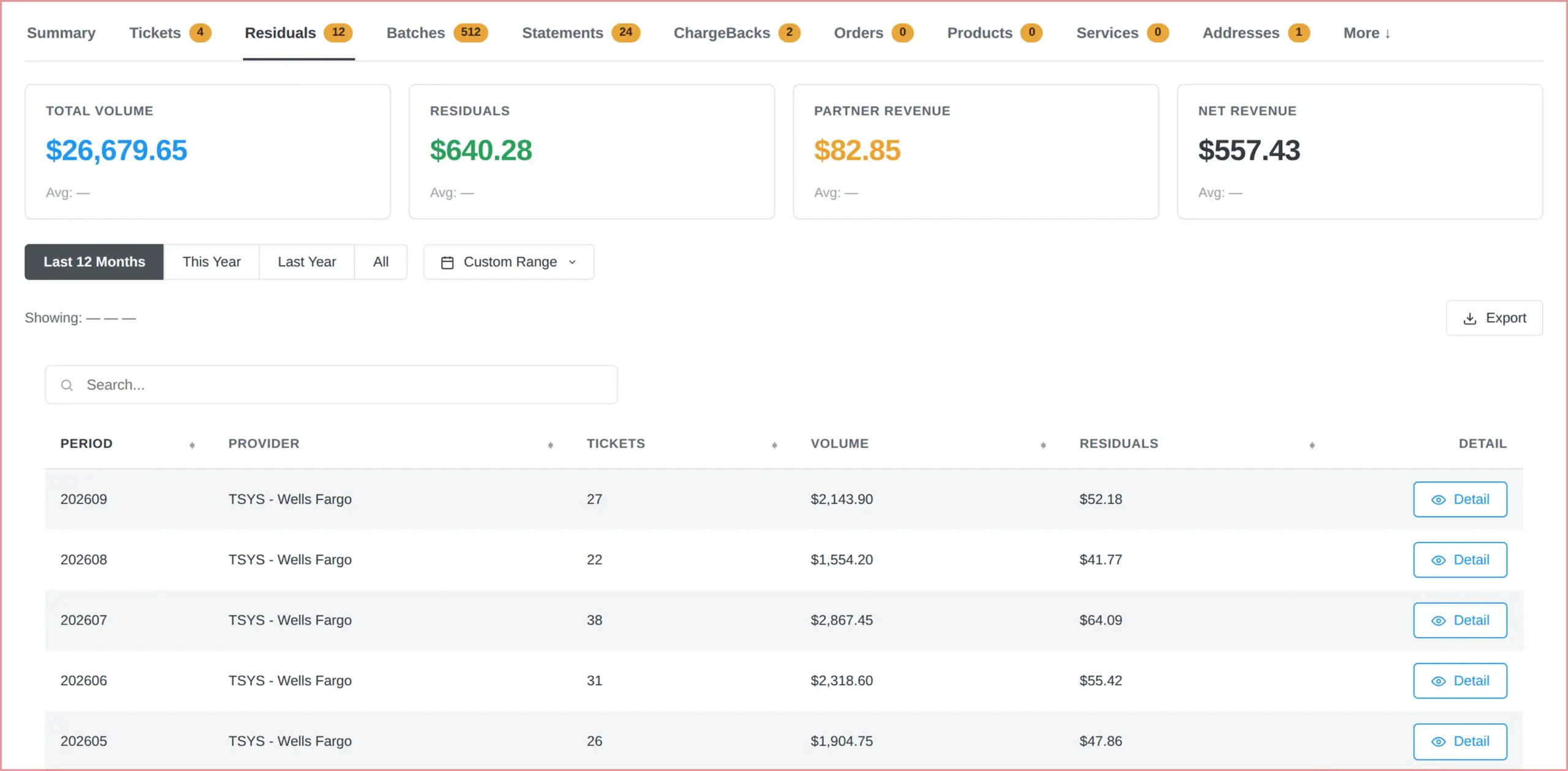
Residuals With Nothing to Hide

This is what HMS assures you on its main partner page, and this is where the portal demonstrates it. Expand any merchant on your Residuals page and that month breaks out by fee — the fee the merchant was charged, the volume it applied to, your buy rate, your split, and the residual it produced. Adjustments appear as their own labeled lines with a note, never buried inside a merchant row.
No end-of-month surprises: Everything that determines your payout is on the screen, so you can check the math yourself instead of trusting a statement. Many portals show a single number per merchant. This one shows you how it was built.
HMS residuals dashboard showing merchant volume, residual earnings, partner revenue, net revenue, fees, and detailed reports
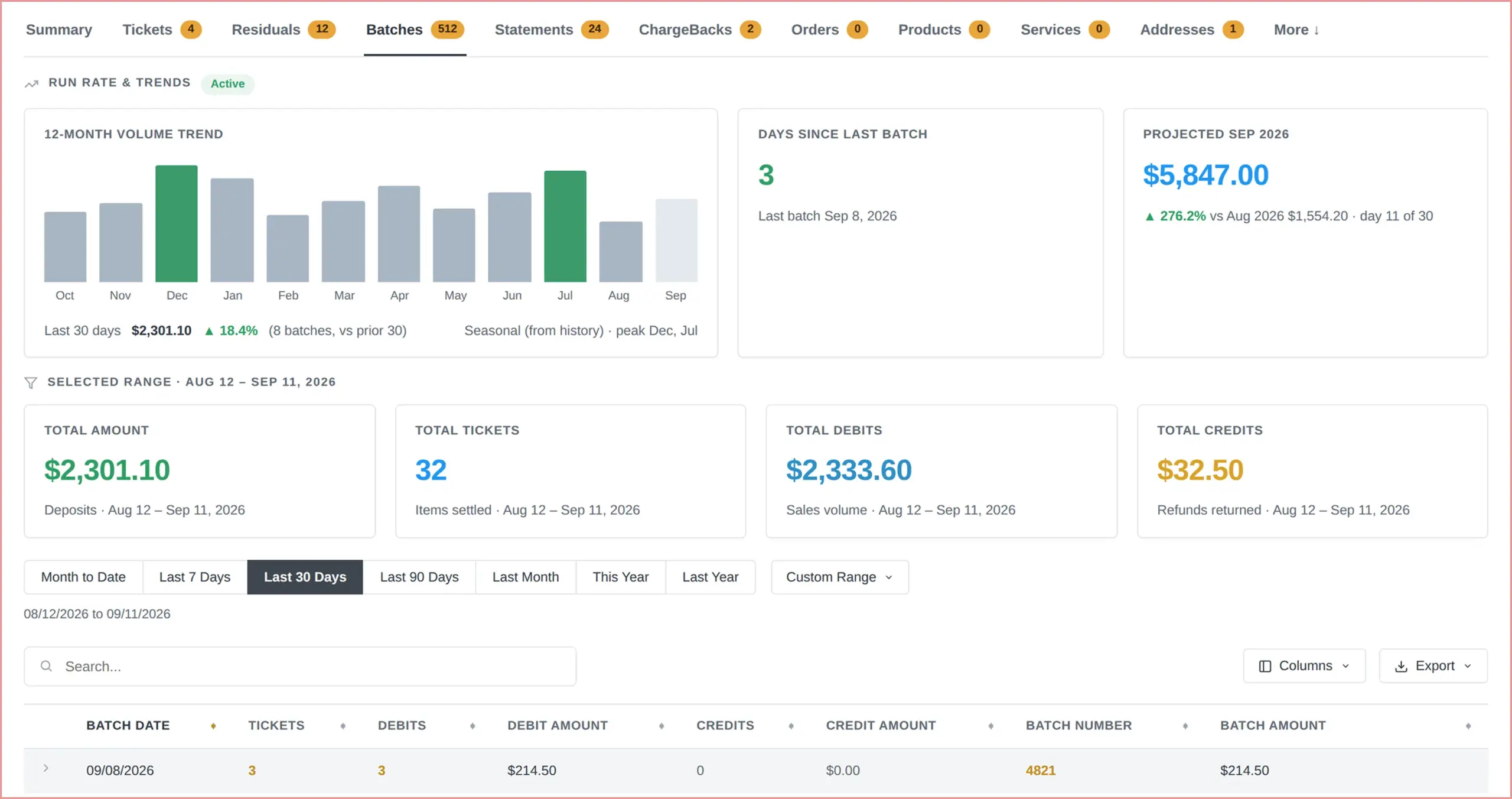
HMS batches dashboard showing settlement dates, ticket counts, debit and credit amounts, batch totals, and funding status

Watch the Money Move

Every batch and settlement, in detail: dates, ticket counts, batch amounts, batch numbers, debits, and credits. Data can be exported on a month-to-date basis or on a customized range basis. Batch, deposit, and chargeback data is refreshed every morning, so you’re never more than a day behind. This status allows a user to track a batch through the funding cycle until settlement, right from the portal.

You have the answer right in front of you: When a merchant calls you about a certain deposit, you never have to say, “I’ll check and get back to you.” The batch is right in front of you.

Order Equipment Without Leaving the Portal

Build an equipment order per merchant in the portal for quantities, pricing, shipping, and DBA/legal address, so that an order does not require an email chain or a separate system.

Order, support, and disputes, together: Equipment ordering sits alongside chargeback visibility and support ticket creation, putting all three tools on the same merchant record. These are the points in the business process with the most interaction: ordering, dealing with a dispute, and opening a ticket.
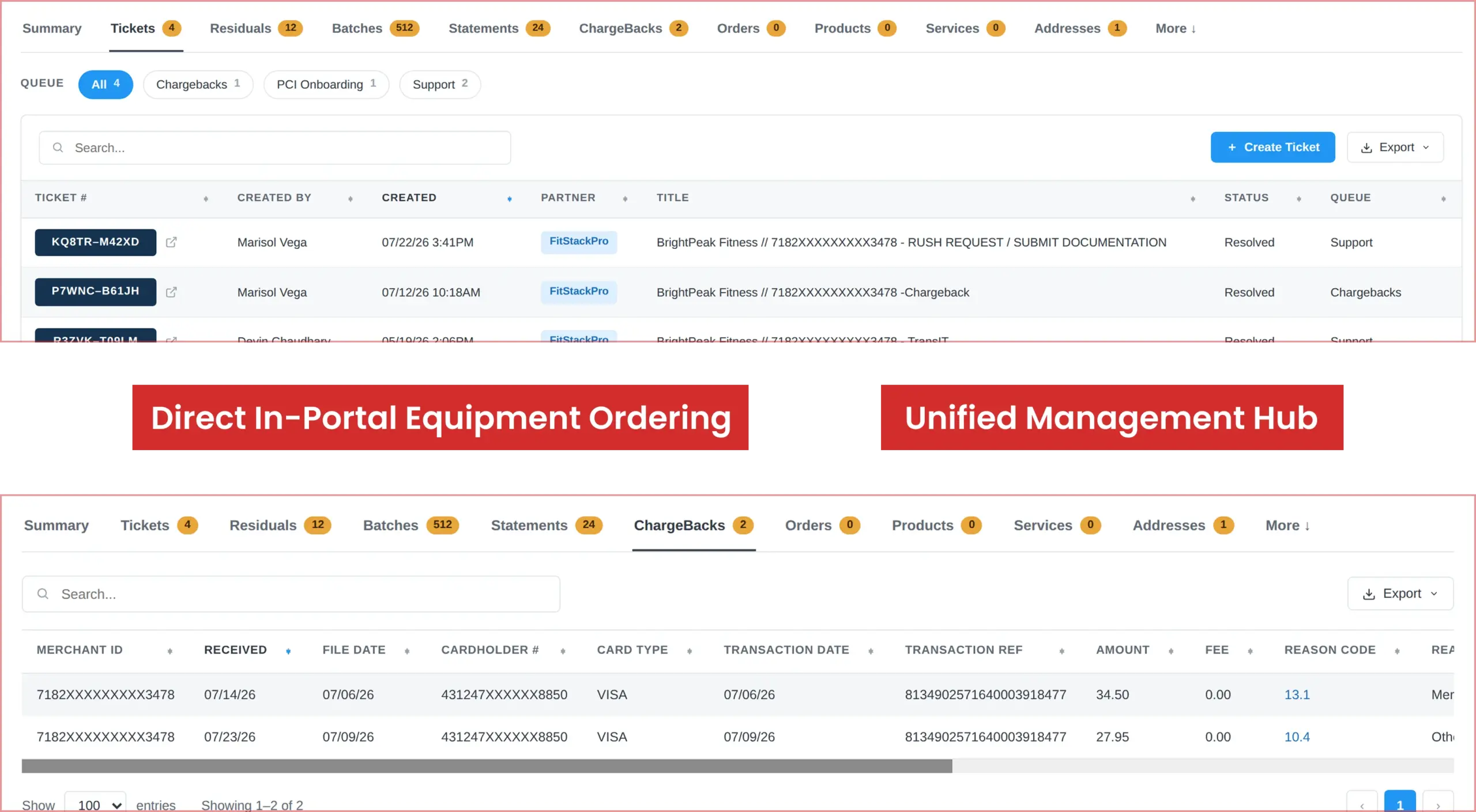
HMS Agent and ISO Portal showing equipment orders, chargeback details, order status, and merchant account management tools
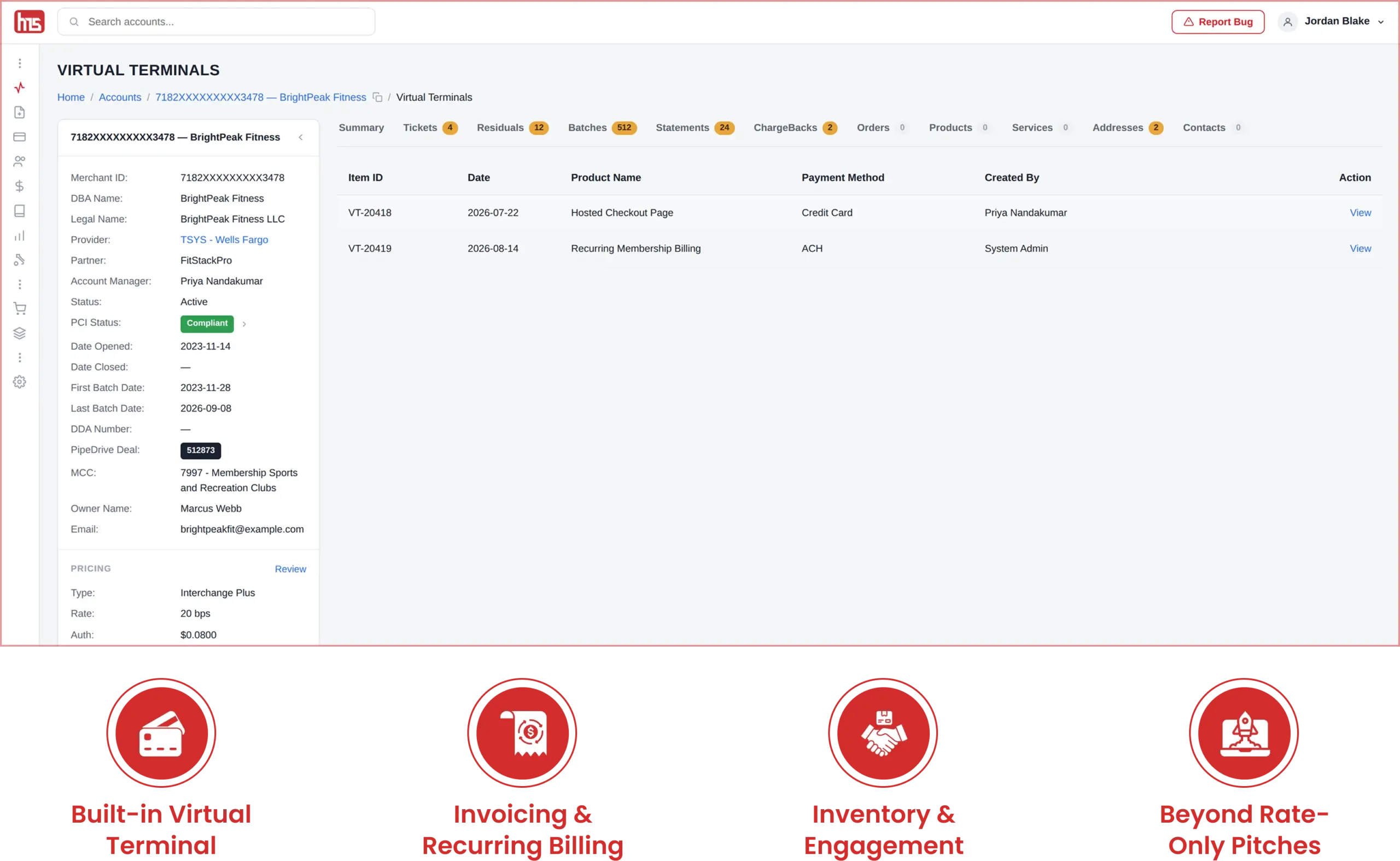
HMS merchant dashboard with built-in virtual terminal, invoicing, recurring billing, inventory, and customer engagement tools

Tools Your Merchants Will Thank You For

There are some features that really help sell HMS. When a merchant boards, they get these features, which are well worth showing. The merchant toolset begins with a Cloud POS dashboard along with a virtual terminal that allows for pay on the go, payment requests, itemized billing, refund requests, and pre-authorizations. Merchants also get the ability to do invoicing and set up recurring transactions. There are also inventory management tools and customer engagement campaigns.
A more compelling pitch goes beyond a more robust back office. Now you can sell a merchant-facing platform they use daily, not just a rate, to secure and keep the merchant partnership.

Start Your HMS Partner Application

Ready to grow your portfolio with Host Merchant Services? Complete the form to connect with our team.

"*" indicates required fields

This field is for validation purposes and should be left unchanged.
*

Frequently Asked Questions

How often does residual data update in the portal?
Residuals appear once a month, on the day HMS publishes that month, and your login opens on the most recent published month. Everything else updates daily — batches, deposits, transactions and chargebacks are pulled every morning, so merchant activity in the portal is roughly a day old. Only the payout data is monthly.
Yes, and you manage it yourself. An agent organization can hold as many logins as it needs, in two roles: Partner and Partner Administrator. A Partner Administrator can create a login for anyone already listed as a contact on the organization, and the new user gets a welcome email. Residual visibility is a separate switch set per person, so a new user can work applications, accounts, merchants, tickets and orders without seeing payout data. If you mean true sub-agents — each with their own split and their own merchants — that’s a separate agent record with its own schedule, which HMS sets up for you.
All of them. One login covers your whole book, regardless of which partner each merchant was boarded through. Wherever a processor’s file carries the full fee components, the portal breaks them out in full.
Fully web-based. Any modern browser, including phone and tablet — nothing to install, no VPN, no desktop client. Merchants get their own separate web hub, so you never have to hand out your own credentials to give a merchant visibility.
Full history. Residuals go back to April 2019 across the portal, and for your own book as far back as your first published month. The residual trend chart plots up to 36 months. A merchant’s Residuals tab opens on the last 12 months, but the filter and the export cover every month on file. Each merchant also holds its statements, chargebacks, tickets, orders, contacts, services and pricing.
Yes, in three places. The Gone Quiet card on your dashboard counts your open merchants with no batch in 14 or more days and names the five most recent, with a day count each. Last Batch shows how many of your merchants settled in the past 48 hours. And on any merchant, the Batches tab shows days since the last batch and a status — active, quiet, inactive or stopped — so a seasonal business reads as a pause rather than churn.

Get in Touch!

When you are onboarded as an HMS agent, you gain portal access; it is not a separate sign-up.