
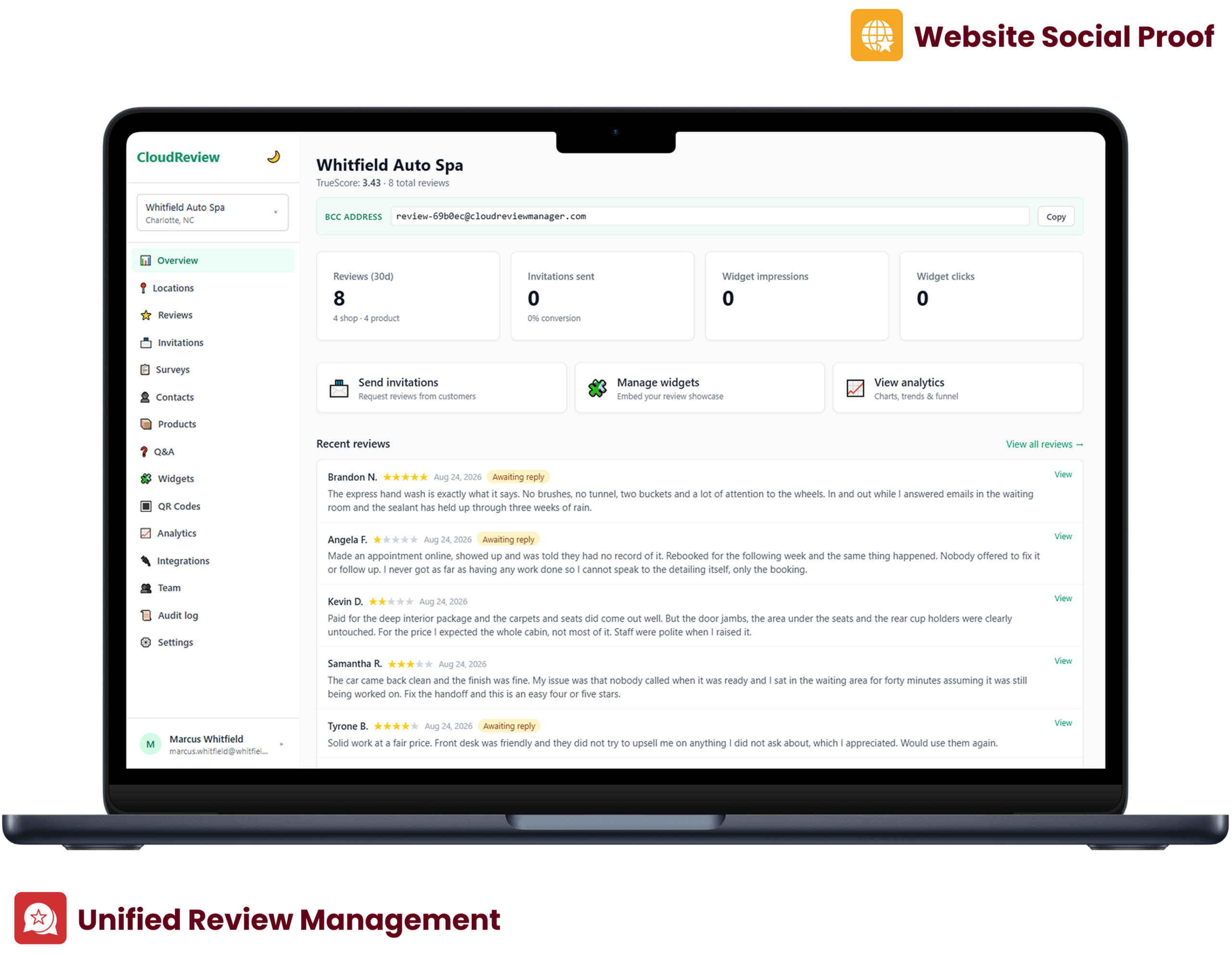
No plans, no tiers, and no per-review or per-location charges.
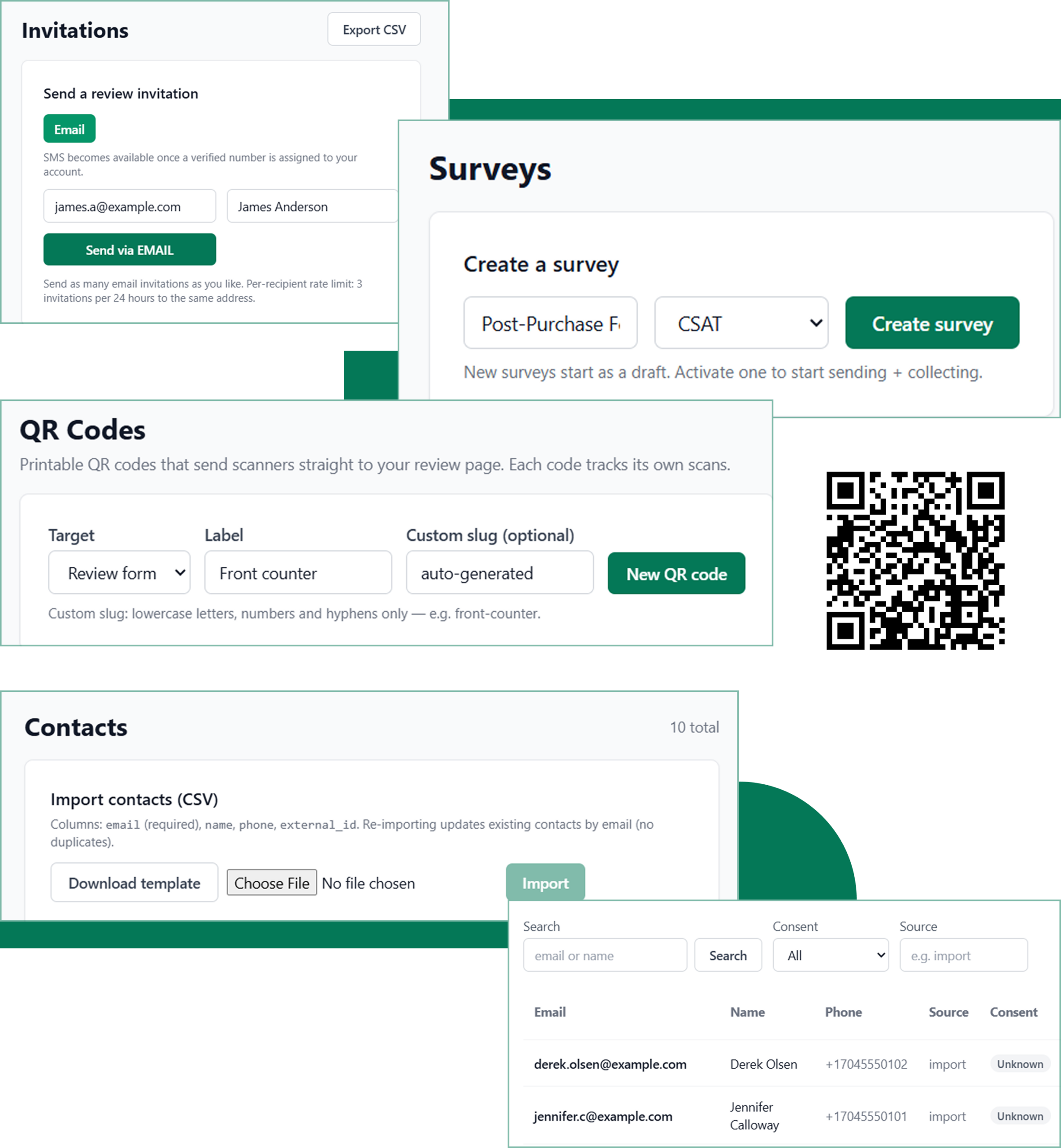
Send review requests via SMS, one-off surveys, or QR codes that link straight to the review flow.
The reviews inbox sorts what is awaiting a response and the flag queue helps manage the moderation decisions along with a record of why the decisions were made.
Control multiple businesses from one account with a business switcher.
Send review requests by SMS from a business number in a managed pool, with carrier registration handled for you.
Send one-off review and survey requests to any segment of your contact list.
Generate QR codes with custom slugs that can direct customers to the review form.
Store client contact details, with suppression lists and do-not-contact records kept for compliance.
Reviews are consolidated into a single list with filters for "Awaiting reply," bulk selection, and CSV export.
Respond to reviews publicly, or add private notes for staff.
Open any review in full and share it straight to your channels.
A product catalog with individual reviews for each product. The same functionality (view, flag, and respond) as the main inbox is available in the catalog.
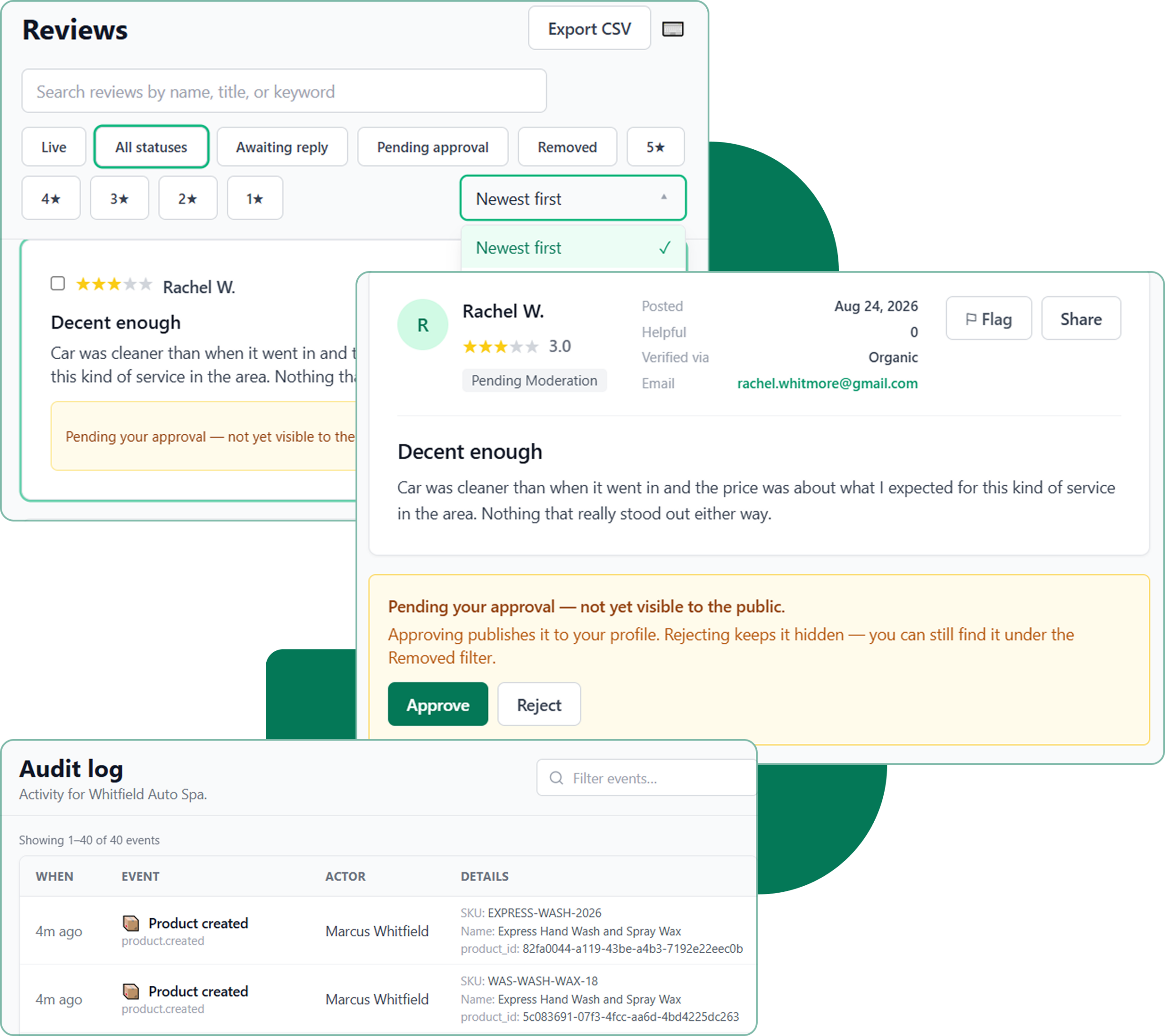
A flagged-reviews queue with the review title, reviewer, rating, and flag reason with single and bulk decisions.
Approve or reject customer photos with each decision captured in the audit trail.
Reviewers can appeal a moderation decision, and the outcome is recorded alongside the original.
Embed your reviews anywhere on your website.
Publish a hosted review page for your business, no website required.
Track impressions, clicks, and review performance for every widget you publish.
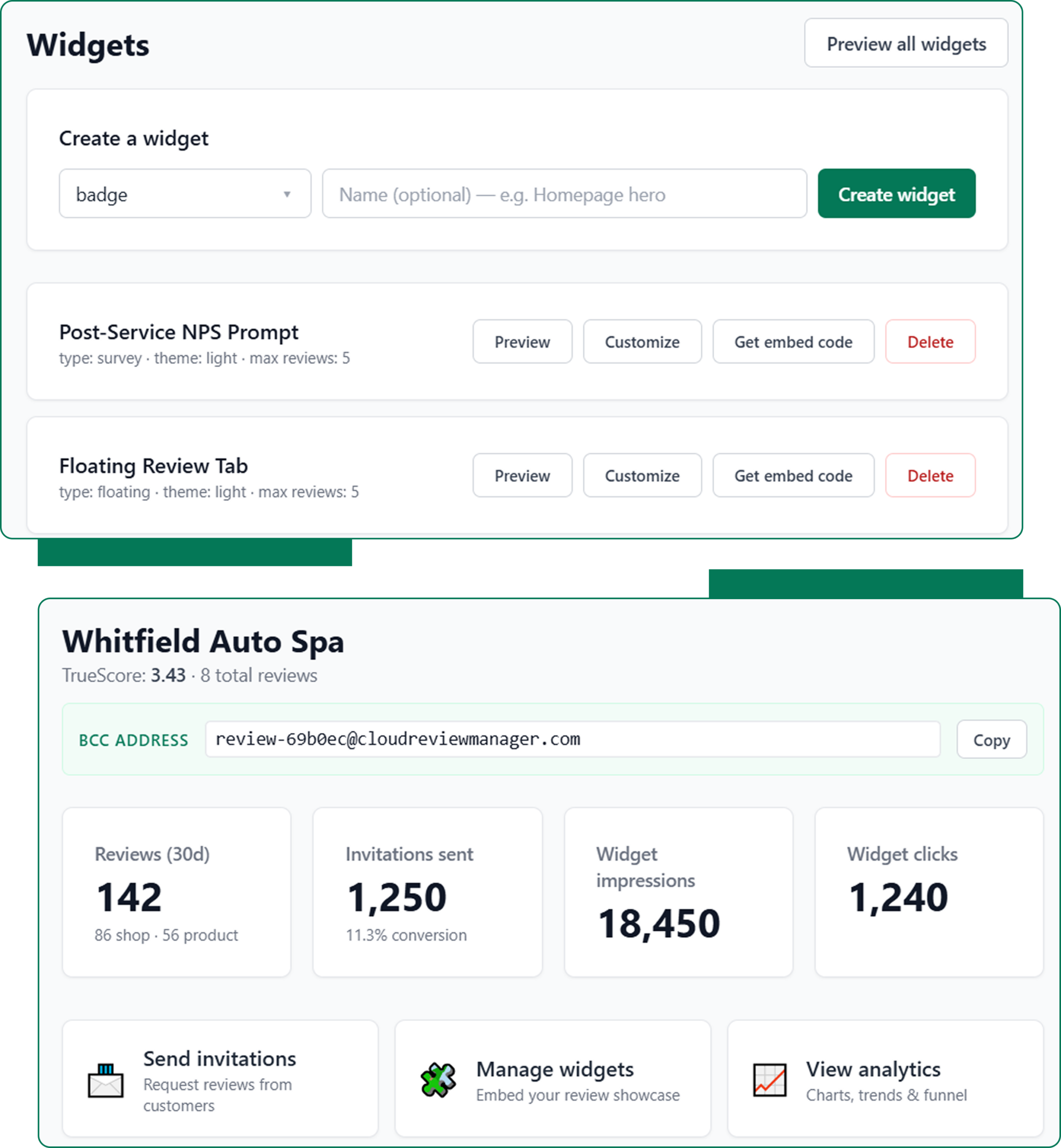
Owner, admin, and member roles with rank-based permissions on who can manage whom.
Paginated, searchable logs of key actions for compliance review.
Each business keeps its own reviews, contacts, and team.
Set up your account and create a team with role-based permissions. Then add the businesses you manage to the switcher.
Import your client list and enable suppression and do-not-contact lists.
Invite clients to leave reviews through SMS messages, conduct a quick ad-hoc survey, or display a QR code that clients can scan to leave reviews.
Display your review widget on your site or publish your public review page.
We use cookies to enhance your browsing experience, analyze site traffic, and support our marketing.You can accept all cookies, reject non-essential ones, or manage your preferences below. Learn more in our Privacy Policy.
Manage your cookie preferences below:
Essential cookies enable basic functions and are necessary for the proper function of the website.
These cookies are needed for adding comments on this website.
Google Tag Manager simplifies the management of marketing tags on your website without code changes.
These cookies are used for managing login functionality on this website.
Statistics cookies collect information anonymously. This information helps us understand how visitors use our website.
Google Analytics is a powerful tool that tracks and analyzes website traffic for informed marketing decisions.
Service URL: policies.google.com (opens in a new window)
Marketing cookies are used to follow visitors to websites. The intention is to show ads that are relevant and engaging to the individual user.
Facebook Pixel is a web analytics service that tracks and reports website traffic.
Service URL: www.facebook.com (opens in a new window)
OptinMonster is a powerful lead generation tool that helps businesses convert visitors into subscribers and customers.
Service URL: optinmonster.com (opens in a new window)