Residual Reporting for HMS Agents and ISOs

Know What You Earned, What’s Pending, and What’s Been Paid

Most agents reconciling residual payments work with a system that involves receiving a spreadsheet once a month, wherein incorrectly noted amounts are not traceable, and requires a call and a wait.

HMS works differently. Residuals are itemized to the fee level for every merchant, every month — each fee, your buy rate, your split, and the residual it produced. You don’t need to trust a final total. You can trace exactly how it was built.
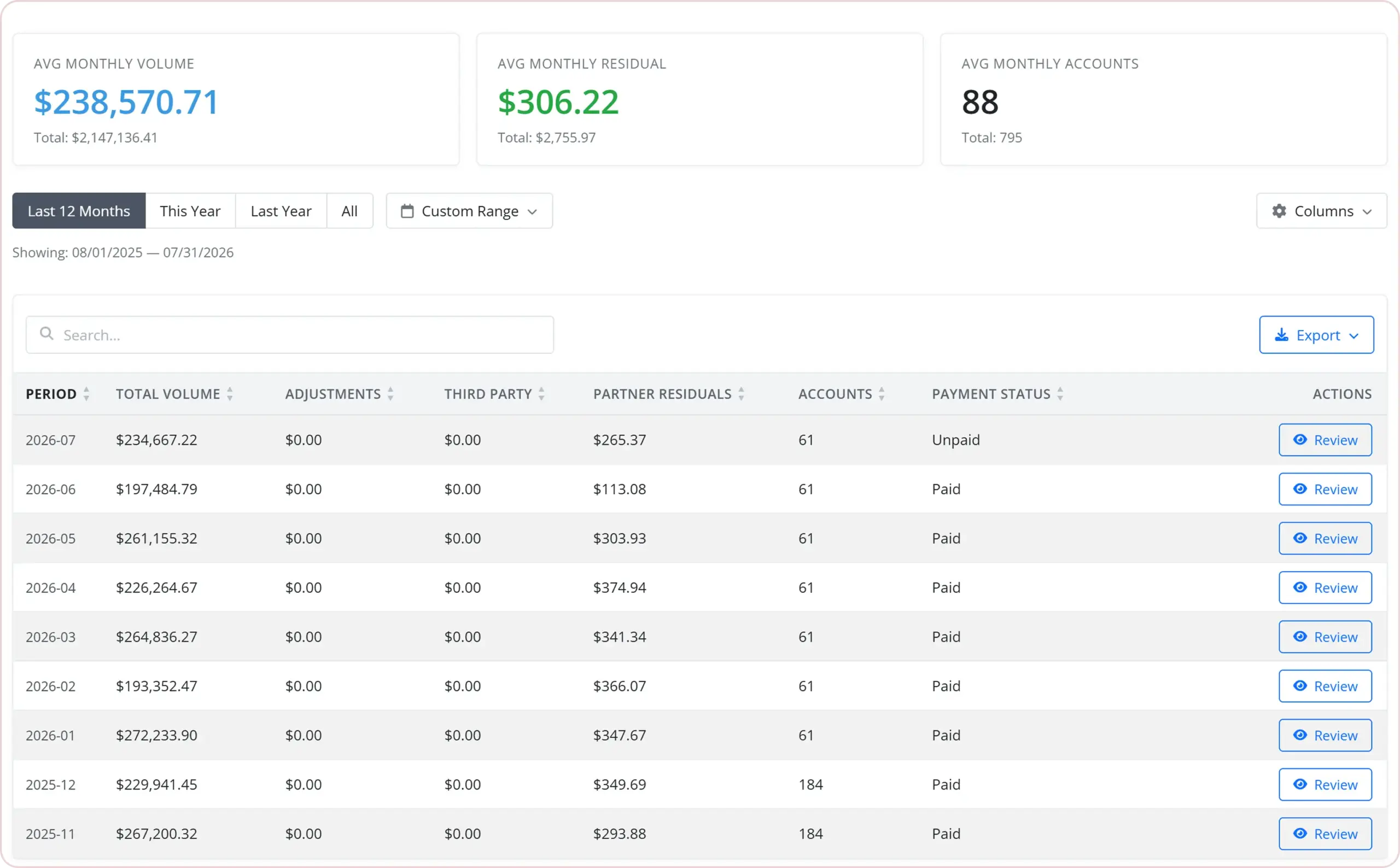
HMS residual reporting dashboard showing monthly volume, residual earnings, account totals, payout status, and detailed reporting
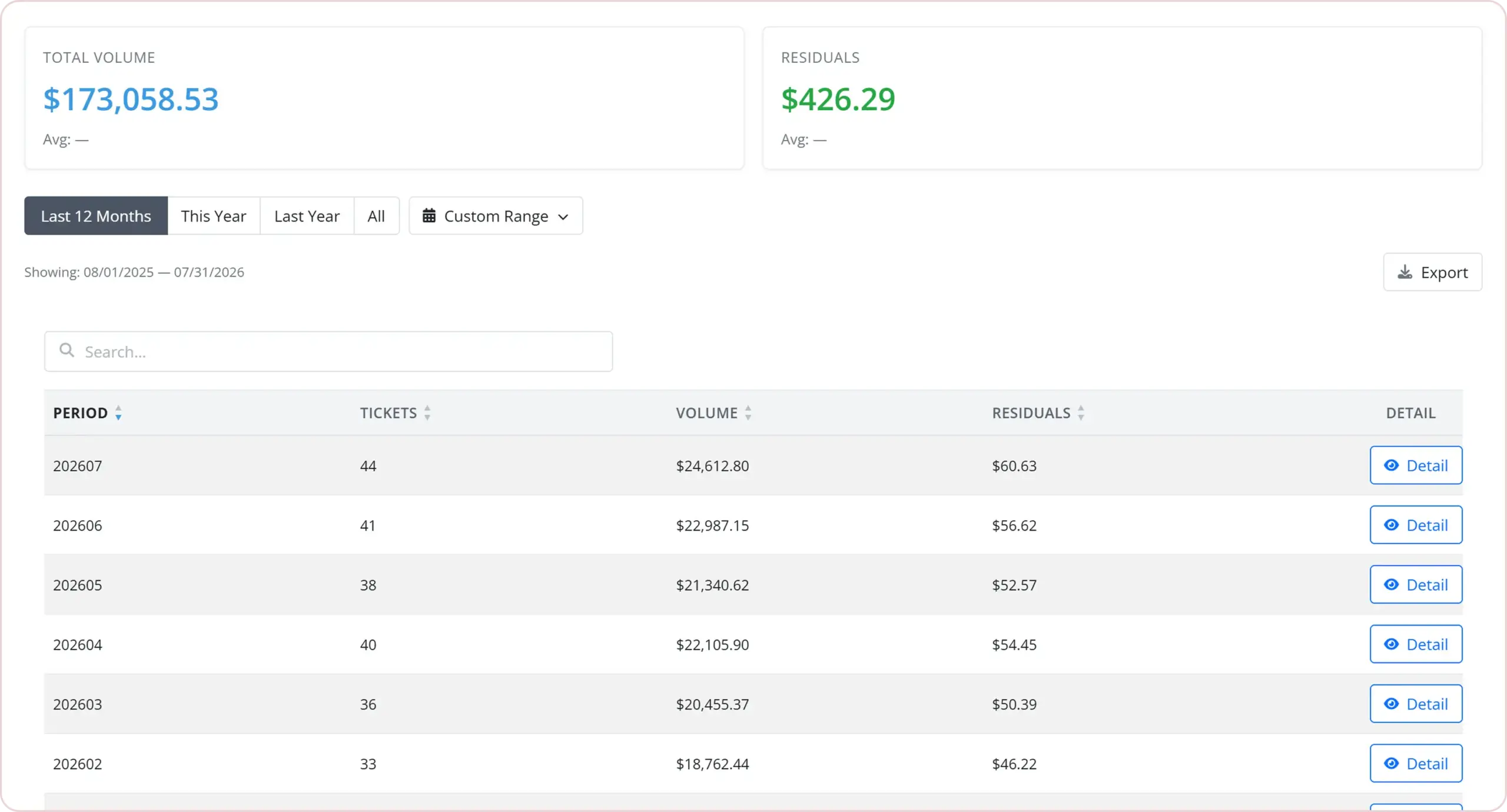
HMS residual reporting dashboard showing merchant volume, ticket counts, residual earnings, date filters, and detailed account reporting

Every Dollar, Itemized by Merchant

From your portfolio, you have total residuals across your entire book. Go into any merchant’s record, and under Residuals, that total breaks down to that specific merchant to show what that account individually earned without the need to cross-reference a different statement.
You can now review your portfolio in one easy sweep. There is no longer the need to match processor statements with your own spreadsheet merchant by merchant, as the portal already does this for you.

Drill Down From Portfolio to Fee Level

The trace path moves in a straight line from start to end:

Portfolio Total

total book residuals

One Merchant’s Residuals Tab

their portion of the total

The Fee-Level Breakdown

each fee the merchant was charged, the volume or count it applied to, your buy rate, your split, and the residual it produced
When a number looks wrong, you can check the activity behind it yourself in the portal before raising it with us.

See Pending Residuals Before Payday

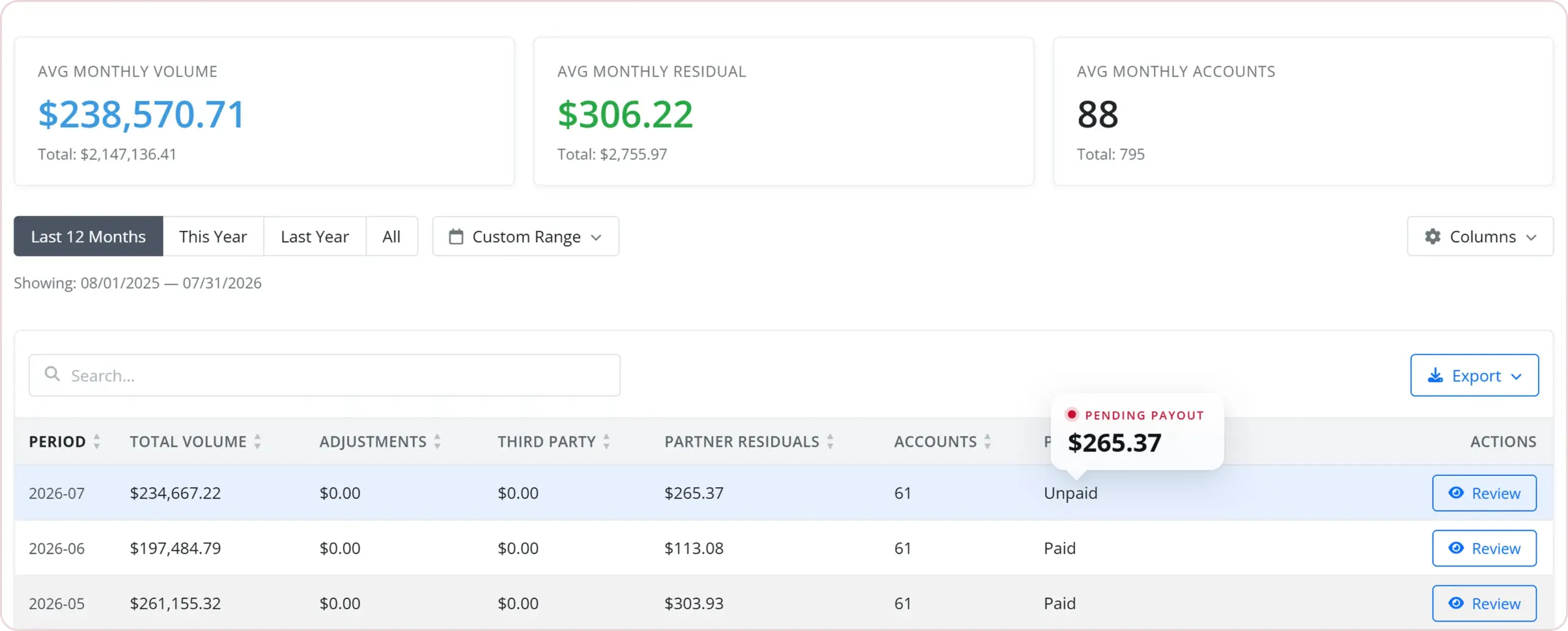
Every month on your Residuals page carries a payment status — Paid or Unpaid — and a payment date, right beside the figure. You can see what’s still owed before payday, and when it’s due.
HMS residual reporting dashboard showing pending partner residuals, payment status, monthly volume, and account totals

Protect the Residuals You’ve Built

Reporting tells you what you earned. The tools close to it help you avoid losing those earnings:

Chargeback visibility merchant by merchant helps you not get surprised by a dispute when the residual payment occurs.

The Gone Quiet card helps you identify a merchant with no batch in 14 or more days, so you can reach out before they leave.

Support tickets from the same screen help you create a ticket for an issue without navigating away from the record.

The reporting and retention tools do not exist as separate features; they are the same portal, because protecting residuals and retaining merchants are the same task.

Residual Reporting Questions, Answered

How regularly is residual data updated in the portal?
Residuals appear once a month, on the day HMS publishes that month. Your login opens on the most recent published month. Everything else — batches, deposits, transactions and chargebacks — is pulled every morning, so merchant activity is roughly a day old.
Once a month closes we begin calculating residuals for it, and payment goes out by the end of the following month, in practice usually around the 25th. So August activity is calculated once August closes and paid by the end of September.
Yes — each merchant record has a Residuals tab that shows that individual merchant’s residuals, and the portfolio view shows residuals across your entire book.
Expand any merchant row on the Residuals page and that merchant’s month breaks out by fee bucket. For each one you see the fee the merchant was charged, the volume or count it applied to, your buy rate, the gross, your split percentage, and your residual. Adjustments sit below the merchant list as their own labeled lines, each with an amount, frequency, type and note. The breakdown goes to the fee-bucket level per merchant per month, not to the individual transaction.
Yes. The Residuals tab on any merchant has an Export button that downloads a CSV for the date range on screen. For your full book in one file, ask HMS and we’ll run it for you.
Processor residual files arrive net of chargeback and adjustment activity, so a bad month lands as a lower residual on that merchant. Where commission was already paid on disputed volume, HMS books a residual adjustment against a later month. Adjustments can be one-time or recurring, carry a note, and appear as their own labeled line on the statement.
Open a ticket in the portal. A ticket can be raised directly against a merchant from that merchant’s page, which attaches the MID automatically. Include the month, the MID, and which line looks wrong — the fee-bucket breakdown usually identifies the disagreement before anyone at HMS looks at it. Calling still works, but the ticket is the record.