Posted: August 12, 2025 | Updated: October 29, 2026 at 10:44 AM
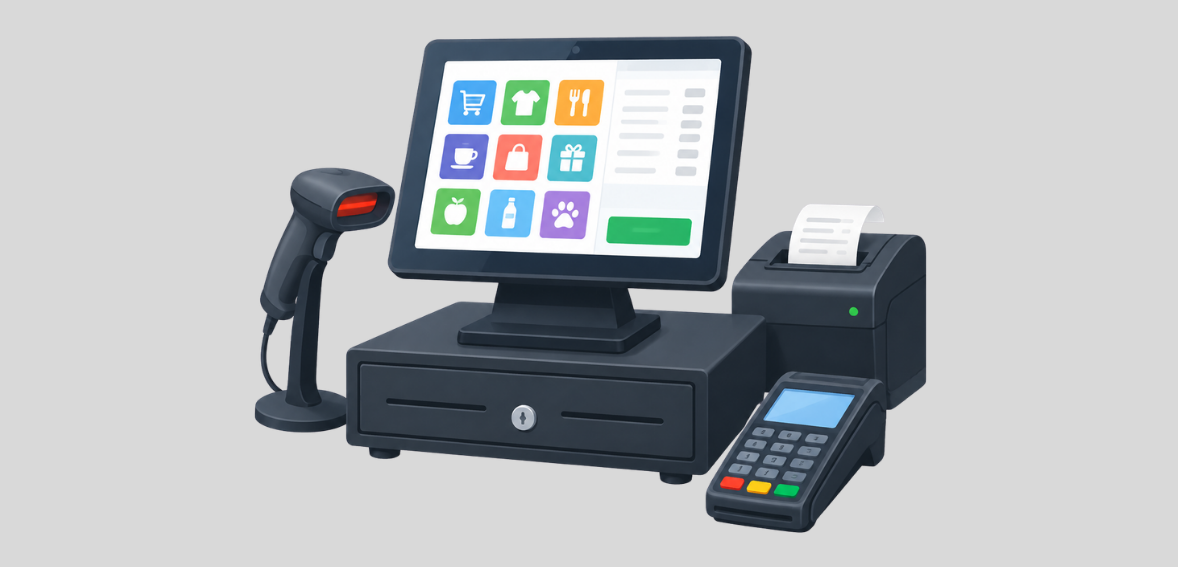
Today’s point-of-sale (POS) systems are sophisticated tools that replace cash registers and play a critical role in daily business operations for small and medium-sized businesses (SMBs). Beyond processing payments, a modern POS system can help business owners with daily operations, including tracking their inventory and helping them analyze and improve their business.
When looking for a POS system, it is vital that small business owners work with POS vendors who understand their business needs and operational flow to ensure that they select a solution that best meets their business needs. This guide evaluates popular point-of-sale systems for small businesses and explains factors business owners should consider when purchasing a POS system. It also provides price estimates of various POS systems.
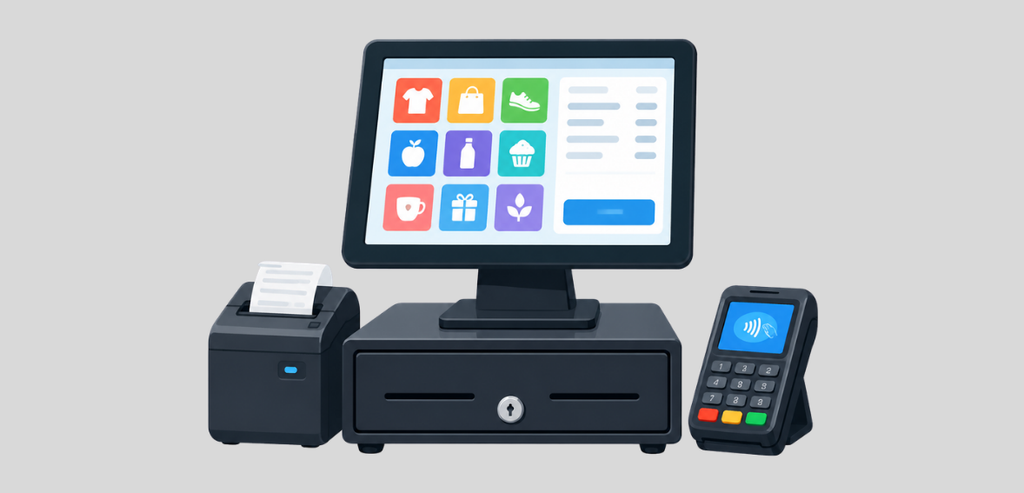
A POS system is the combination of hardware and software for payment processing. Common hardware includes a countertop terminal or a tablet or phone with a card reader. The software processes payment and gathers other data about the sale, for example, the sale price after discounts are applied or the sales tax.
Next-generation POS systems extend these abilities. The software and data are hosted on a remote computer, or a cloud computer. This allows the sales data to be updated and accessible from any device on the system. Because the sales data is available from any device, a member of your team can update product sale prices from a laptop and make the change available to the team from any other device. This flexibility reduces the administrative work of a small business team and allows them to work more with customers.
Small businesses cannot compete with large chains when it comes to IT staff and budgets. As a result, a small business owner often has to do his/her own IT support when it comes to point-of-sale system integration. A complicated or high-cost system can be a deal breaker for a small business. The right POS system can provide small business owners valuable data that they previously did not have. Small business owners are now able to analyze which items sell the most and which items do not sell. Knowledge like this can help a small business owner to make informed decisions like when to adjust staffing level based on expected demand.
While no two businesses are identical, some elements are almost ubiquitous. Think of them as support structures of a sound system. Cloud access, inventory control, flexible payment options, industry tools, reporting, and ease of use are a few example supports. A system is as strong as its weakest support.
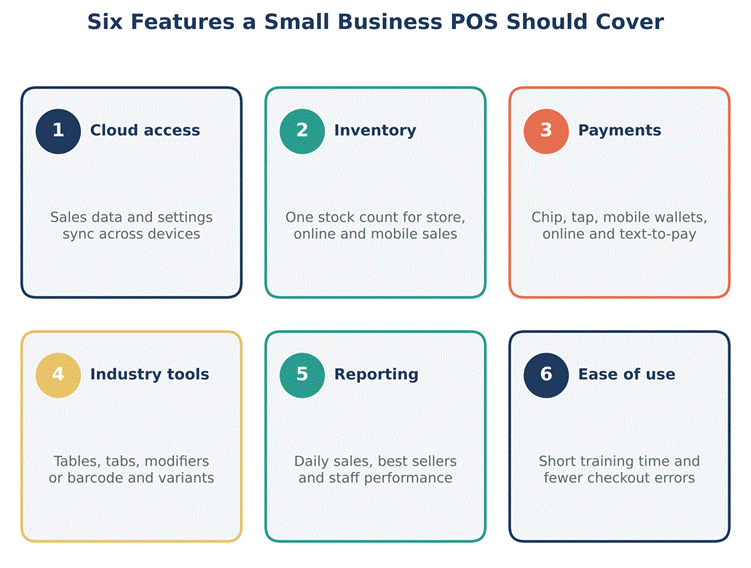
A cloud-based POS stores your data on secure remote servers. Data is synchronized across all devices and cannot be lost on a broken terminal. Most cloud systems work offline. They synchronize sales data once the internet connection is restored.
Look for a system that helps you track your inventory in real-time. The best systems will alert you when your inventory is low.
Customers expect to be able to pay however they want. The best systems will support chip cards, contactless payments, and mobile payments. They should also be able to process payments using a simple link or text message.
The best systems will help you track everything in your store and inventory and provide you with the tools to manage your sales and returns across multiple channels, whether in your store or through your website.
A cafe and a clothing store are two different businesses. A restaurant needs a point-of-sale (POS) system that provides table layouts, open and closed tabs, and checks that can be split and printed. Retail POS systems should be able to scan barcodes and ring up variants of a product. Systems should allow for the return of a sale. Service-based businesses should be able to manage appointments. Find a system that allows you to sell the way you want to sell.
Systems provide a way to summarize sales. Summarize sales by item or employee. Use sales reports to determine the best items to sell and the highest profitability items. Reports should provide a way to manage and simplify business processes.
Find a system that is easy for all of your employees to use. The systems should not require extensive training. The system should not take away from serving customers by requiring employees to spend a long time doing non-sales activities.
POS system pricing models may appear confusing at first glance. In general, costs comprise hardware costs, which include an up-front purchase or cost of leasing, soft costs, which are monthly or yearly fees, and a fee that is charged for each transaction.
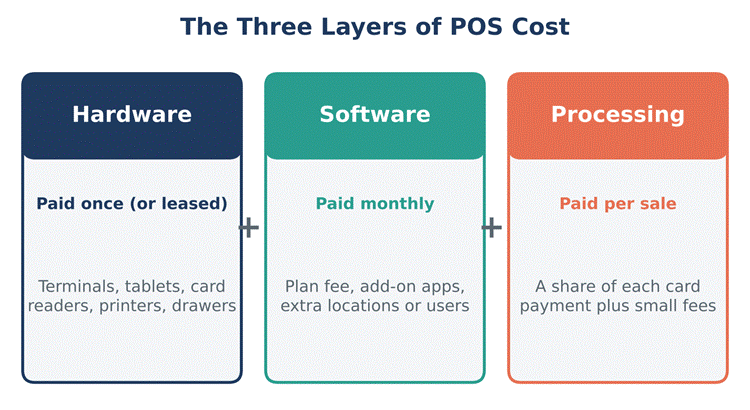
Plans differ from one software company to another. The least expensive plans charge monthly fees in the range of $40 to $50, while very advanced plans may cost several hundred dollars. You may be charged extra for additional users, add-on apps, and for use at multiple locations.
Ask about processing fee structures, and request a list of all fees. Watch out for contract length, early termination fees, and hardware that is tied to the processor. A low monthly fee may mean you pay more over time due to high processing fees.
There are other fees that you may not become aware of until you have started using the software. A contract may include an initial setup fee. A support contract may be mandatory. Hardware may require maintenance and support over its useful life. Ask about these fees.
Hidden Costs to Watch
Many costs are disclosed; however, there may be “Fine Print” clauses. These may charge for support or for maintenance of hardware. These costs must be fully disclosed before entering into a contract.
Host Merchant Services understands that different small businesses operate in different ways. This is why we provide different POS options. We want to give small businesses the tools they need to maximize their potential. The table below is a general representation of the business types Host Merchant Services can assist.
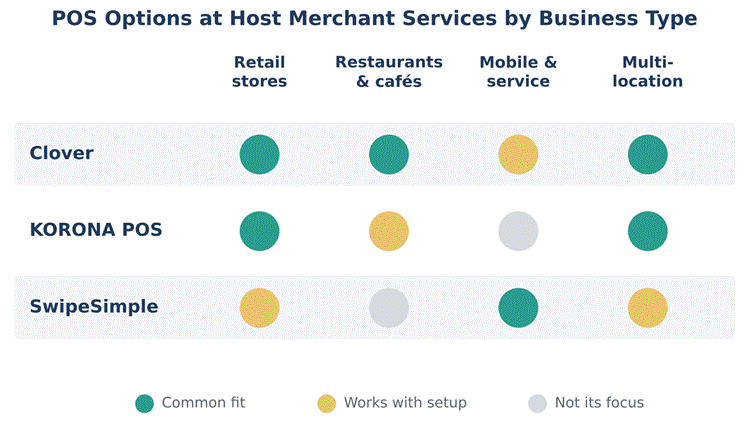
Here is a short summary of each option.
All options integrate with Host Merchant Services for payment processing. This means a single relationship for hardware and software. It also provides an opportunity to view the complete cost of ownership, because processing rates are quoted with the system costs.
The way you sell largely defines the features that are important to your business. This is why solutions by business type vary. What is important to you?
Retail
When it comes to selling, inventory is crucial. Look for solutions that help with scanning, variants, returns, and/or managing inventory across multiple sales channels. Customer insights and/or loyalty programs can also help strengthen your customer relationships.
Food and Drink Establishments
Efficiency is key, especially in food and drink establishments. Consider solutions to effectively manage your tables and/or tabs, and improve the flow of your kitchen. A portable solution to take and/or print orders could be beneficial. Point of Sale systems should also be able to manage your menu modifiers.
Service Businesses
If your business operates out of a single mobile location, a small card reader may be all you need. Invoicing and text-to-pay solutions can assist with billing later.
Multi-Location Businesses
When expansion is on the mind, consider a single solution to manage the core functions of your business. These solutions can help you save valuable time and consolidate functions across multiple stores.
Easier decisions are made with a clear process. A good process makes sure irrelevant factors don’t distract from the decision at hand. With small business purchases, these processes typically look the same.
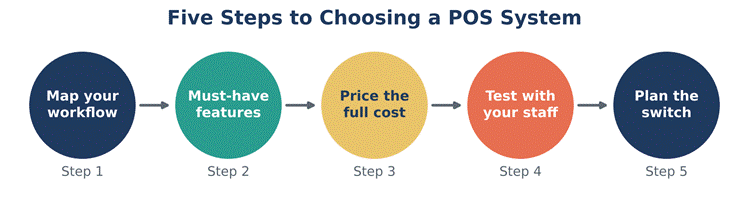
Step 1: Map Your Workflow
What is the process like for a customer to make a purchase at your establishment? Where do customers make payments? Who processes the payments? Where is the stock kept? Where do the lags or bottlenecks occur in the process? Where do you lose orders? Identify the problems the new system needs to address.
Step 2: Identify Your Must-Have Features
Make a features wish list and prioritize. Be clear about what you absolutely need and what you can do without. What features are essential for a Café? What features are essential for a Boutique?
Step 3: Calculate The True Cost
Think about the costs for the entire year. Think about the costs of the hardware and the software as well as the processing fees. Think about the add-on features, support and maintenance costs.
Step 4: Staff Evaluation
Your staff is going to use the system. Get a demo if you can. Evaluate system features based on feedback from your staff.
Step 5: Plan the Launch
Let your customers know about the new POS system and when you’ll be training your staff to use it. Make sure you let your customers know when the new system will be live. Get the support of your new POS system provider. Contact your POS provider to let them know your estimated launch date and to let them know when training will occur.
All POS systems manage sensitive card data, so security is mandatory. Look for EMV (chip card) support to reduce counterfeit card fraud. End-to-end encryption and tokenization offer security and simplicity for smaller operations.
Limited access by staff can be implemented with unique IDs and permissions. This not only helps in reducing errors, but also helps in tracing staff for further action. Security software used by a staff member can be automatically updated by the service provider.
You lose the ability to take payments when your POS is down. That makes support a major consideration when selecting your processor. Check to see if your support is available during your business hours, particularly if you take payments outside the norm like evenings and weekends. Find out how your support covers issues; is it by phone, chat or email?
The design of the POS system also affects reliability. Can your system take payments if the internet goes down? Is there backup hardware that would enable you to continue taking payments?
Support that quickly answers your questions and explains things in a clear manner is support worth having.
It is common for small business owners to go with the cheapest option when choosing a payment processing system. More often than not, those systems charge higher processing fees or lack useful features. Alternatively, some business owners spend more than they need to and don’t use all of the features of the new system. Creating a system of what you need and what it costs can help avoid these issues.
Another recurring issue is not thinking about contract terms and conditions. If things don’t work out, long contracts can leave you stuck with systems that don’t work for you. So can costly termination fees. The equipment that you buy can also limit the processors that you can use in the future. You should always read contracts.
While many systems don’t require a ton of training, it is often a good idea to train your staff to use the system. This training can reduce the number of support calls and helps staff work the system quickly. The minor investment can pay huge dividends.
Selecting the correct POS system for your small business is very important. A good POS system helps to eliminate theft and mistakes. A bad system creates a distraction and an additional cost.
You first need to identify your workflow and decide which features are absolutely required. Consider the true cost of ownership. The good thing about most POS systems is that they can be easily integrated with different systems. However, POS systems are only as good as the support and security measures that are in place.
Host Merchant Services has a few POS systems to offer, and each can be paired with a merchant account. We offer Clover, KORONA POS, and SwipeSimple. Take the time to compare your options and identify which system is right for your business, both now and in the future.
There are three costs associated with a POS system: hardware costs, monthly software costs, and costs associated with processing payments. Some software POS systems have a basic feature set that is offered free of charge. More robust feature sets can cost up to $200 or more per month. Processing fees vary, and are often a function of how much you sell. It is important to look at the annual costs associated with a POS system, as often the monthly costs of the system are low.
Many POS systems have an offline mode which allows the system to continue to capture sales even if the Internet connection is lost. As soon as the connection is restored, sales made in offline mode are transmitted to the POS system. It is prudent to confirm with your POS system provider the limitations of offline mode if it is of importance to your business.
This is largely dependent upon the nature of your business and the volume of sales you expect to process. Clover offers both retail and restaurant solutions. KORONA is designed for retail and distribution. SwipeSimple is designed for businesses that process sales via mobile devices. Host Merchant Services can help you make the correct selection based on your anticipated business needs.