
The terminal goes dark at 8:45 am on a Saturday. The store manager calls and the replacement unit’s serial number is nowhere to be found. Neither does anyone know which merchant ID that location is settling under. This is how a five-minute fix becomes a lost morning of sales.
There is no real hardware problem when dealing with payment terminals in multiple locations. This problem is actually a records problem hiding behind a hardware costume. Companies that do this well consider payment terminals like any other tracked company asset as opposed to a counter fixture. This guide will show these aspects in a business context.
It will include inventories, protocols to standardize devices, software updates without any interruptions to the business, spares, how to swap terminals when devices go down, security controls to meet PCI DSS, and how to properly remove terminals.
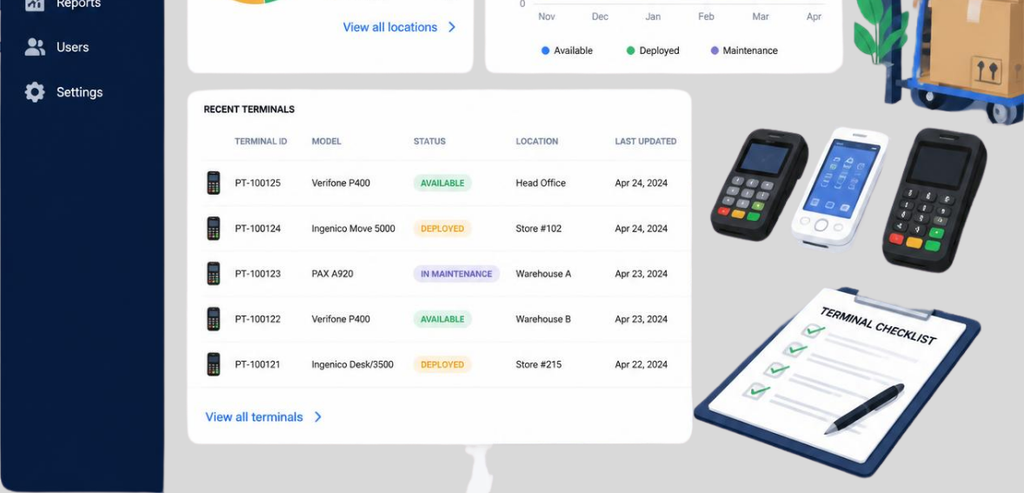
Every payment terminal fleet has to have one single system of record. That does not mean one sticky note at every register. Every device record has to have the serial number, model, place it is deployed to, the merchant ID (MID) and terminal ID (TID) that the device is programmed to, the version of firmware that the device has, the date of the end of the lease or warranty, and the last date the device was checked for tampering.
This may sound simple, but it is very important. A payment terminal is not just an electronic device. It has a specific software and merchant configuration. A terminal ID indicates a specific hardware unit and a merchant ID indicates the merchant that the hardware unit settles for with the card networks. One MID can have many TIDs that are directly associated with it, and that is how a three-register coffee shop or even a company with ten storefronts maintains traceability of each device back to a bank account and a specific risk associated with that bank account.
Some multi-location businesses maintain one MID across all their business locations to simplify settlement with the card networks. Others have a separate MID for each location to facilitate store-level accounting and to isolate risk at the store level. There is no one correct answer for the best business structure for a multi-location business. It depends on the legal structure of the business, whether the locations share a bank account, and how the finance team wants to manage location reporting.
Without a working inventory, the tasks downstream in this article cannot happen. You can’t send the appropriate spare part if you don’t know what model is at each location. You can’t investigate a tampering report if you don’t know which serial number was at that register last Tuesday. The inventory is the base upon which everything else is built.
The inventory is only useful if someone has it. A shared inventory in the form of a spreadsheet that is not owned becomes outdated in a few months, and usually prior to the first round of staff turnover in a location. A person, either at the head office or in a regional operations role, needs to approve any inventory transactions (addition, removal, reassignments) to maintain the inventory.
This step makes the inventory more current and less like what it looked like six months prior. An auditor also needs to only interview one person to verify all the changes that have been made, rather than a dozen store managers that have made numerous unverified changes to the inventory.
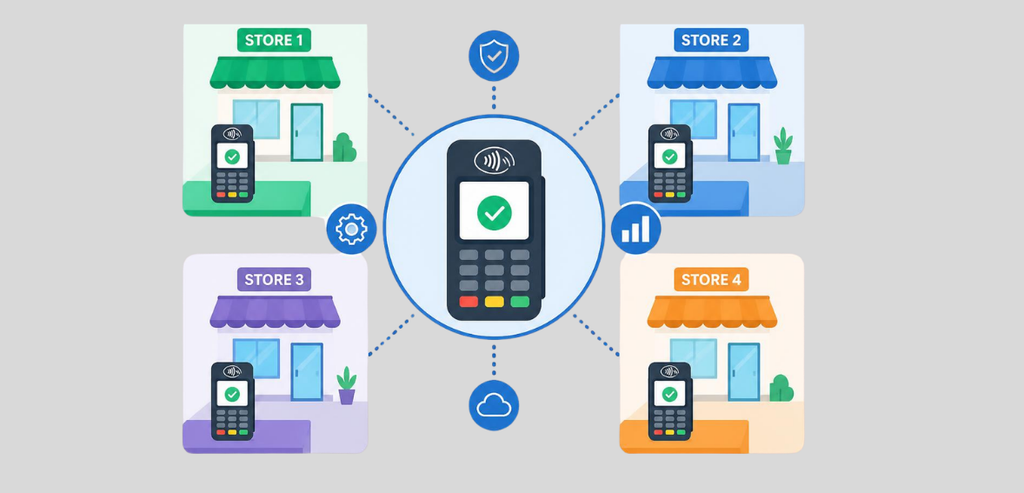
A support nightmare is what you build if you have a fleet of miscellaneous models purchased unit by unit by each store manager. With each model used you create a burden for yourself with spares, firmware updates, and training documentation you’ll need to maintain. With a few locations, you can afford some model variety in sales terminals. Once a business crosses over a handful of locations, model-specific support costs start to add up.
These manufacturers have most of the market share of the traditional counter-top and PIN-pad segments. Both build devices that comply with PCI PIN Transaction Security (PTS) regarding physical tamper protection and encrypted key security.
Clients often adopt a particular vendor for an entire hardware generation across multiple sites. It is common practice to use a single version of a technology in a location from top to bottom to avoid having to manage multiple versions of firmware for a distributed system.
Clover and PAX devices are notable in many retail and hospitality deployments for their flexibility and ease of application development. More specifically, PAX devices are typically provisioned via a terminal management system that is designed to automatically install apps and load encryption keys via Wi-Fi or Ethernet connections, possibly the biggest feature in managing a large deployment.
One helpful exercise is to freeze a list of approved models yearly after a review of what is currently being certified by the processor and card networks. New installations get the models on that approved list and exceptions, as with most things, should be documented rather than quietly tolerated. This exercise eliminates the slow, painful growth of one-off devices that makes an audit take a lot of time.
Standardization also helps develop a solid negotiating position with suppliers. A business purchasing twenty identical units typically gets better volume pricing, faster turnaround, and becomes a more predictable, committed business. This effect also helps develop supplier relationships because a focused order pattern helps a supplier better manage stock.
Just like other software, terminals need updates and patches. These can include new EMV configurations, key sets, and application updates and may be done with a full device reprogram when a terminal moves to a new merchant or new location.
These updates do not need to be done with a closing of the register during the business day. Newer terminal management systems (TMS) are able to send software updates over the internet connection of the terminal, and these updates typically happen during scheduled quiet hours of the business.
Updates that deal with encryption key loading require extra care because they are highly regulated and audited as these keys, when compromised, are a fraud liability. Remote updates via an approved TMS eliminate the need to ship a terminal to a secured facility for updates, and are a large time saver when a business manages a lot of distributed locations.
Updating many locations should always include staggering the updates. Roll out a configuration change or firmware update to a single location and allow normal settlement of all business day transactions. When updates are rolled out to a single location first, a bad update detected there is a minor inconvenience. The same bad update rolled out to the entire business is a system outage for the business.
Without a spare terminal, a location can only accept cash payments. Locations cannot afford to have long wait times to acquire a spare terminal from somewhere else, since card payments constitute the largest volume of transactions for most retail and service businesses.
There is no industry-wide agreed-upon ratio. As an estimate, smaller fleet sizes require larger spare buffer ratios, since the effects of a single terminal failure will be considerably larger for a small five-terminal fleet, compared to a large five-hundred terminal fleet due to delays in spare terminal shipment. Larger fleet sizes can operate with smaller spare ratios since terminal failures at different locations can be pooled, and terminals can be shipped from a central location to a different location within a day.
The location of spares is almost as important as how many you hold. Having a single central depot allows for easy auditing and tracking, but adds time to each swap with shipping. Having spares in each region or at each location reduces response time to swapping devices down to minutes, but causes more devices to be sitting idle and requires more inventory tracking, periodic inspection for tampering, and updates to firmware, even when unused.
Most multi-location businesses opt for a combination of strategies, leaving one or two spares at each location or cluster of locations, with a small central inventory for large surges or for replacing parts that take a long time to ship.
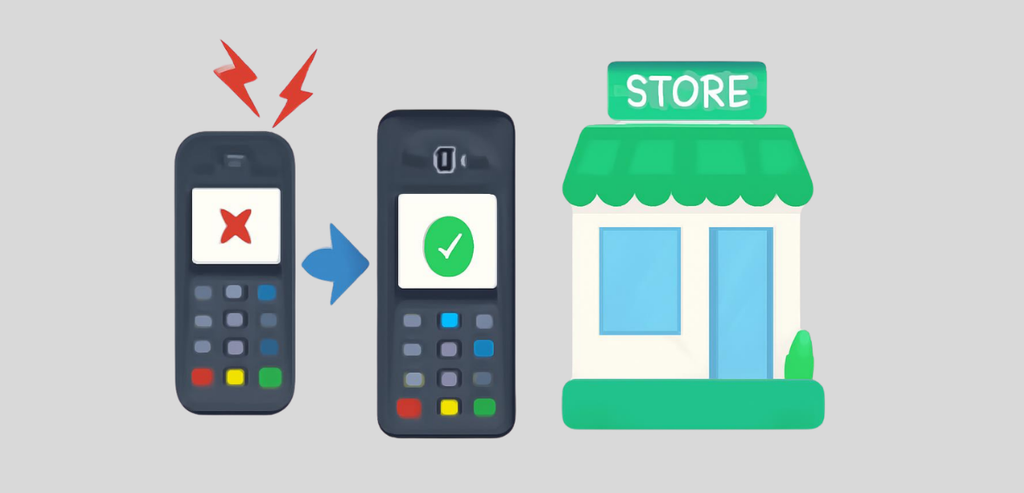
A documented sequence must follow a terminal failure, not an improvised one. First, the location confirms a terminal failure, as opposed to a failure of the network connection. It is surprising how many “dead terminal” calls have been caused by router or ISP problems. Next, the staff member logs the serial number of the terminal along with the reason for failure in the inventory system that tracks the fleet.
This is the only way to maintain a record of failed units, as this record shows if a particular model fails prematurely. The spare terminal is checked against the inventory record and provisioned for that location’s MID and TID. It is connected and tested with a small transaction before a register is opened to customers. Lastly, the failed unit is flagged in the inventory system and is not left in a status of ‘no record.’
The step that is skipped most often is updating the inventory record immediately after a swap is done. A swap that was done three weeks ago where the spare was never logged is a device that is unaccounted for and cannot be located during an audit. An auditor who finds an unaccounted-for terminal will consider this a security gap and not a recordkeeping gap.
To protect cardholder data, PCI DSS requires that point-of-interaction (POI) devices are secured against modification or replacement. The substitution of legitimate terminals has been observed in the past. Criminals would steal a terminal, modify it, and replace it back to the original location. This requirement mandates an organized approach to inspections. At every business location, an inventory record will be maintained. Personnel at that location will be tasked with several duties. The first is to match the serial number and assess the integrity of the terminal. The second is to assess if the seal has been tampered with. The third is to confirm if any of the cable(s) have been replaced.
To protect the data, PCI PTS-approved terminals are designed with tamper sensors. The sensors, if triggered, will erase the encryption keys. Those sensors do nothing, however, if the terminal has been swapped for a duplicate.
The final component required is a documented process for the transfer of the terminal. The form records the terminal number, who the transferring party is and the date of the transfer. A broken chain of custody will delay the assessment. This is the control a PCI assessor will ask about during an assessment.
Staff training completes both control loops. A tamper check relies on a person, and a person who has never been trained on what a compromised terminal looks like will just glance at the register and be on their way. Short training, even if it is just a shift briefing once a quarter for five minutes, can help staff genuinely look for things rather than just going through the motions of checking things off a list.
Jurisdiction-specific regulations on data handling and breach notification apply once a terminal or the data it touched is involved in an incident. These rules differ based on the state in which you are doing business. Treat any legal question that comes up during a security review as something to confirm with legal counsel or a PCI-qualified assessor and not something to be resolved with general guidance.
It is important to note that not all payment terminals are supposed to be thrown in a box for the recycler. Some payment terminals retain sensitive data. PCI DSS has media destruction regulations that state that anytime there may be sensitive data, electronically stored data is to be destroyed so that it cannot be recovered. Payment terminals can store sensitive data.
Either a secure wipe program is utilized or the device is physically destroyed. With solid-state drives, physical destruction is the only option. Repeated deletion passes cannot ensure that sensitive data is removed.
The best practice for a multi-location company is that all payment terminals, regardless of the reason for retirement, need to be processed the same way through a decommissioning checklist: retired terminals are documented and removed from active service, encryption keys associated with the terminal are removed, and a vendor that provides a certificate of destruction, that includes the serial number, method, and the date, is utilized.
This certificate is the documentary evidence that retired equipment was not discarded to a cabinet or landfill where the equipment remains with configuration data that is live and sensitive.
Managing terminals across multiple locations requires three habits: having an understanding of the location of every device, standardizing deployments, and documenting each terminal’s journey from deployment to destruction. None of these requires advanced technology.
Having an up-to-date inventory management system, keeping a small, well-distributed inventory of spare terminals, and having a clear and concise swap and destruction policy will help your business grow from three locations to thirty. With these habits, your fleet will never become a liability since it will be understood by everyone.
As long as you reprogram the terminal to the new location’s MID and TID before you move it, it is possible. If you move it without changing the MID and TID, you run the risk of transactions being settled to the incorrect merchant account.
There is no industry standard. Smaller terminal fleets should carry a larger number of spares. Larger fleets can carry a smaller number of spares.
They do not have to; however, as the size of the fleet grows, standardizing one or two terminal models can reduce the volume and complexity of firmware for each model.
Updates are conducted through a terminal management system, either through the processor or a fleet management system, and occur through a direct internet connection to a terminal.