Posted: September 14, 2026 | Updated: September 22, 2026 at 3:53 PM
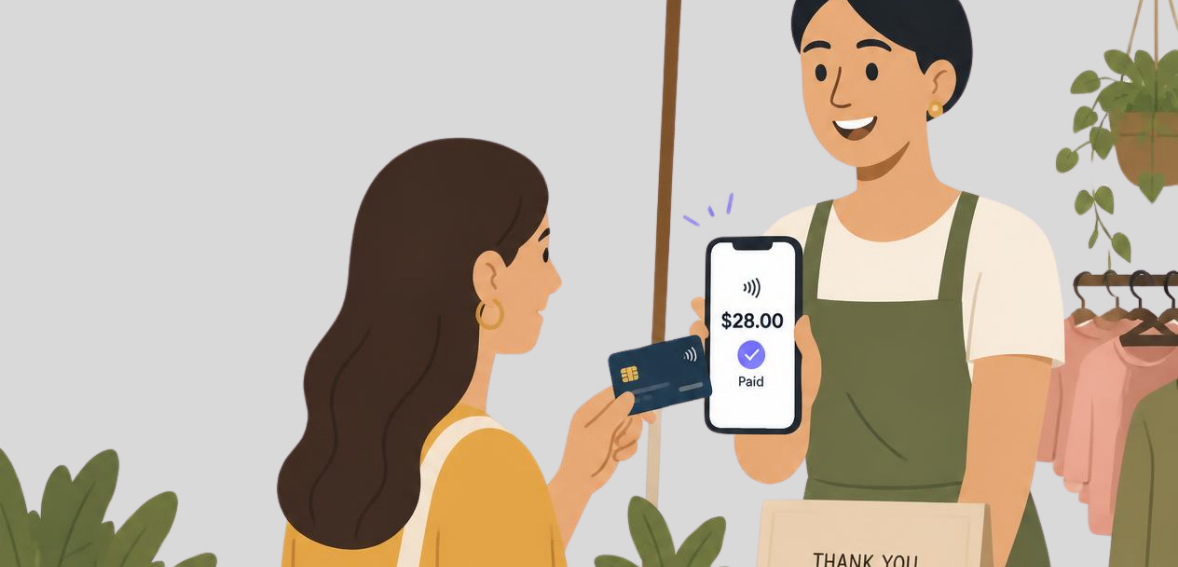
Not long ago, small sellers had to purchase a separate card reader to handle anything other than cash transactions. Now, with tap-to-pay technology, many smart devices can take a payment with the phone’s hardware. This technology is being adopted by larger retailers with tap-to-pay checkout counters. Since a phone has tap-to-pay technology, no card reader is needed; there are no cables to connect to a dock, and you do not need to charge a card reader since a phone already has many use cases and gets charged often.
This technology is most beneficial for sellers who operate booths at markets, fairs, and pop-ups because these types of sellers have a small amount of time to set up and a small amount of space for their selling booth. A seller who uses a phone to accept payments can set up quicker and carry less equipment. It also helps limit the number of pieces of equipment the seller has to manage during a selling transaction.
This article explains how a tap to pay phone works, what the steps are before a seller can accept payments at a market, and the money questions vendors ask most, including how long it takes for money to be available to the seller, what a digital receipt looks like, and how to issue a refund from a phone.
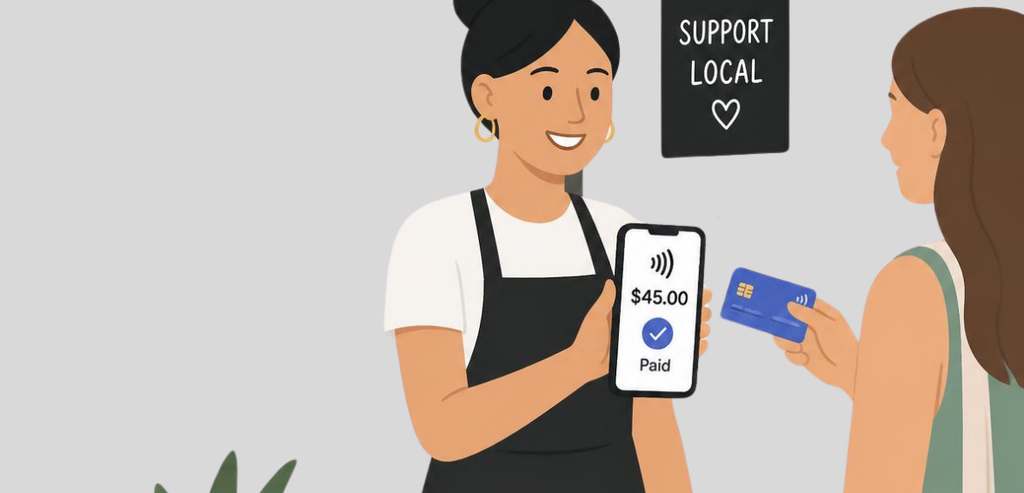
A week may not seem significant, but it can justify a major change in the payment systems at market stalls. According to Visa’s March 3, 2025 release, its Tap to Phone option had an increase of 200% in comparison to 2024, and around 30% of the users were private small vendors, which is the main clientele of vendors working at pop-up shops for the first time.
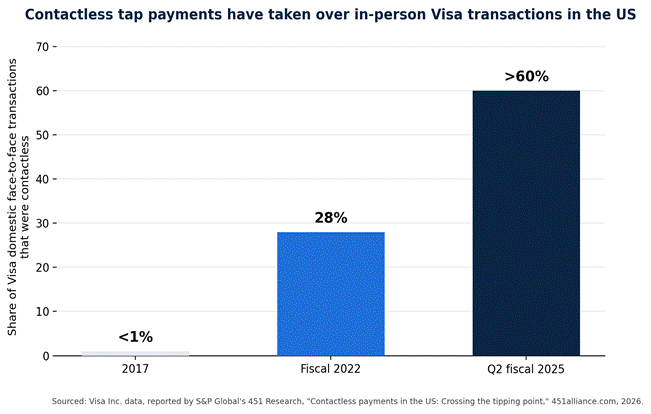
Visa’s own data on domestic face-to-face transactions shows how far tap payments have come in the U.S., especially: in 2017, less than 1% of Visa’s domestic transactions in the U.S. were tap transactions. By the end of 2022, that percentage was 28%. According to Visa Inc. data reported by S&P Global’s 451 Research, by the second quarter of fiscal 2025, this percentage had reached 60%.
The chart below shows the expansion based on Visa’s reported figures concerning the domestic face-to-face transaction share.
Accepted card methods have infiltrated cash-only markets. The USDA’s Economic Research Service reported that by 2018, at least one farmers market in 51% of U.S. counties accepted credit cards (having been at 48% in 2016). Independent research conducted by Cornell University’s market strategy extension program with ten meat farms at farmers’ markets in 2021 stated that buyers using cash paid on average $2.28 less per transaction than those using a card to pay for their goods.
Behind tap to pay is NFC technology, which is built into many new iPhones and Android devices. To take a payment using this technology, the vendor opens the payment app and enters the amount, and the customer brings their contactless payment card or digital wallet close to the phone. The phone and the card or wallet then communicate wirelessly to complete the payment. The payment app sends the payment credentials on to the processor, and the payment is processed.
For iPhones, Apple says Tap to Pay on iPhone has been reviewed by a security laboratory and is accepted by payment networks in the locations where it is available. Tap to Pay on iPhone uses the Mobile Payments on COTS standard in iOS 18.4 and later. Setting a passcode on the iPhone is also required. Android tap-to-pay implementation will vary depending on the payment app and the phone’s NFC hardware, and support will also vary by payment app.
A tap-to-pay phone can accept the same types of contactless payments as a POS system. With tap-to-pay, a vendor does not need to determine which payment network issued the card the customer presents. The phone reads the contactless payment the customer brings.
Payment networks assign processing limits to how much a single tap can process. Vendors do not set these limits. Published limits for Tap to Pay on iPhone are $50,000 for a digital wallet tap and $10,000 for a contactless card tap. On larger card taps, the issuing bank may ask the customer to enter their PIN on the phone’s display. A handicraft seller who participates in a flea market will rarely, if ever, come close to the tapping limit.
Some mobile point-of-sale (POS) systems include several payment methods.
Host Merchant Services (HMS) has created CloudPay Mobile as an addition to their point-of-sale (POS) app offerings. CloudPay Mobile has the Tap to Pay feature that works on both Android and iOS devices. CloudPay Mobile also provides the PAX card terminals, the ability to manually enter card numbers, and accept cash, all on the same POS. This ensures that vendors will not be locked into a single payment acceptance method for the duration of an event.
CloudPay Mobile has protections in place for duplicate charges. Should a payment be retried due to a dropped connection, the customer will not be charged twice. This includes taps, saved cards, kiosk sales, and invoices. CloudPay Mobile can also process payments for multiple branches and merchant accounts from a single device. This includes payment separation for each account as well as separation of staff and payment session accounts. All of this is offered for free for the vendor. Payment processing is how HMS makes its revenue.
Other processors create their iterations of Apple and Android’s tap-to-pay framework, and bundle it into a point-of-sale or invoicing app. The steps to set up each of these apps are largely the same, although there are slight variances in menu names.
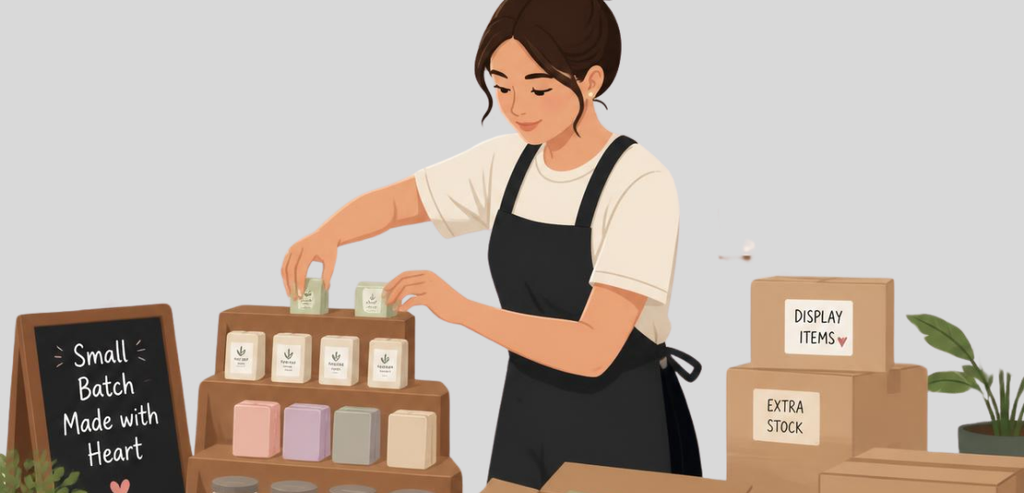
Getting tap to pay working on a market booth is a straightforward process that can be done in a day and once for the season before the first market.
Begin at home on a stable internet connection and download the payment app from the Apple App Store or Google Play Store. If you haven’t already, sign in to your account or create an account. Verify that NFC is set to on, under your phone’s settings.
Some Android phones have it set to off by default. Make or confirm a passcode on your device, as both Apple and Google’s tap-to-pay require a passcode before the feature is enabled. Develop a simple product catalog in the app; a short one is fine, so you can select items in the catalog as opposed to having to type everything at the table.
A test charge for a small amount, refunded almost instantly, verifies the merchant account is connected, the phone’s NFC reads a physical card, and a receipt is sent as expected. This should be an actual transaction, not a sandbox transaction, and should be done a week before the market, not at 7 am on market day. It’s a significant customer service mistake to do a test transaction in front of a customer ten minutes before market.
To process tap-to-pay transactions, a connection is necessary, either through Wi-Fi or cellular. Market connections and fairground connections, especially those that are indoors, underground, or have metal roofs that interrupt cell signals, are not very reliable. A vendor who has never worked that particular market/fair before should arrive as early as possible to test the signal strength at the booth location and not just in the parking lot.
Some payment applications offer a setting for offline transactions that will hold an approved transaction and process it when the device connects to the internet. Even though offline transactions are processed, payment is not guaranteed, and there is a chance the transaction will get declined later.
Some cards don’t always successfully tap the first time. Also, some customers don’t have contactless enabled. For a machine that only takes a tap, there is no solution if the card doesn’t tap. One of the best solutions is tap to pay with another way to accept payments in the app — for example, manual payment for cards that will not read, or a PAX terminal for chip and PIN where contactless does not clear the sale. Keeping a small amount of cash on hand for the unlikely situation of total system failure remains standard for all vendors.
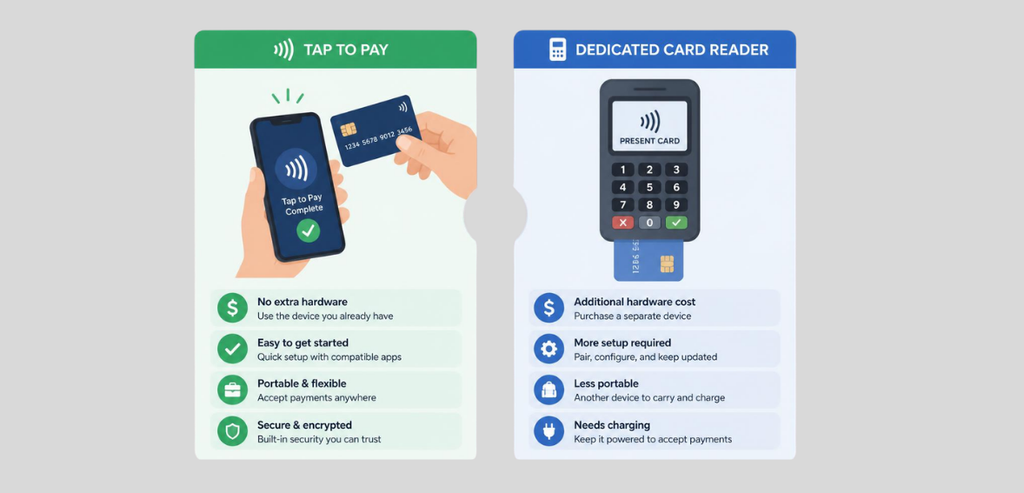
A number of vendors continue to like physical card readers that can be plugged in or paired to a phone to process transactions. Both the tap-to-pay and the card reader options process payment transactions via software that runs on the phone. The main difference is on the hardware side with regard to the different types of customer cards that each reads.
| Feature | Tap to pay on phone | Dedicated card reader |
| Extra hardware needed | None | Reader device, plus charging or batteries |
| Card types accepted | Digital wallets and contactless cards only | Contactless, chip insert, and magstripe |
| Setup at a new venue | App and phone only | Pair reader via Bluetooth each session |
| Best fit | Fast-moving stalls, small tables, pop-ups | High-volume booths, older customer cards |
Table 1. General comparison of tap-to-pay and dedicated card-reader setups for market and pop-up vendors.
There are no clear winners. A low-cost stand selling to an audience of young customers typically sees payment via card or digital wallet. With tap-to-pay available to buy a majority of items offered, most transactions are completed via card or digital wallet taps. A booth that offers different age ranges of customers benefits from having a chip-reading card machine.
When a sale is made with a credit card, the vendor does not receive the funds directly. The sale authorization is processed in real-time, but the sale is not considered complete until the batch of sales for the day is closed (or “batched”). Host Merchant Services says that sales closed or batched before a certain time, which ranges from 4 p.m. to 11 p.m. Eastern, will be processed for payment the next business day.
A batch closed after that time is not processed until the next business day, effectively delaying the payment by one more business day. Batches closed on a Sunday will be processed on Tuesday, since banks do not process transactions on Sundays. Many payment applications, such as CloudPay Mobile, are able to auto-batch at a certain time of the day, meaning a vendor does not need to close the batch themselves.
Receipts that are sent through tap-to-pay systems are digital by default. After a payment is processed, the app gives the customer the option to send the receipt through a text, email, or (if the store has a portable printer) by giving them a printed receipt. The receipt has the transaction amount, the time and date, the last four digits of the card, the approval code, and the name of the business.
Inside these systems, CloudPay Mobile, for example, keeps a record of the same transaction within a batch settlement log that can be searched by day and has information for each sale authorization code and the associated processor reference. This information can be used to aid in a customer refund dispute.
A refund for a tap-to-pay purchase is not made by tapping your phone against the card a second time. Instead, a refund is initiated from the payment application used to process the original payment. Once the merchant has located the original transaction in the application, they are able to issue a refund for the full or partial amount. The refunded amount is sent back to the same payment method used for the purchase and, along with the rules standard for card networks, is not permitted to be sent to a different payment method.
The time it takes for the refund to be processed and posted to the cardholder’s statement is mostly beyond the control of the merchant and will be dictated by the card issuer, which is usually a few business days rather than being instant. A refund made after a batch has been settled still processes normally; it simply appears as a separate transaction on a later statement rather than netting against the original sale.
Thanks to NFC technology, making phone-only tap-to-pay contactless payments an option is much more convenient for market and pop-up vendors. Since the technology is the same for customers as it is for vendors, it’s much easier to get started.
Unfortunately, some vendors are wary about getting started because they end up trying to set it up at the booth, instead of the week before. That’s when most vendors learn that it’s as simple as installing the app, running one test transaction, checking the signal at the venue, and making sure they have an alternative payment method.
The risk of losing potential sales is almost completely eliminated when setting it up before the first customer taps their payment card.
No, you don’t. ‘Tap to Pay’ works with digital wallets and contactless cards on supported Android and iPhone devices, and does not require any peripheral hardware.
Yes, Apple claims that Tap to Pay on iPhone has been assessed by an accredited security lab and approved for use by accepted payment networks.
If you’re using an iPhone, it needs to be an XS or later. For Android, it depends on both the payment app and the hardware NFC on the specific device.
If the payment batch is closed before the processor’s daily cutoff time, you can expect to see funds the next business day. A batch closed after the cutoff takes one more business day.