Posted: August 25, 2026 | Updated: September 22, 2026 at 3:53 PM
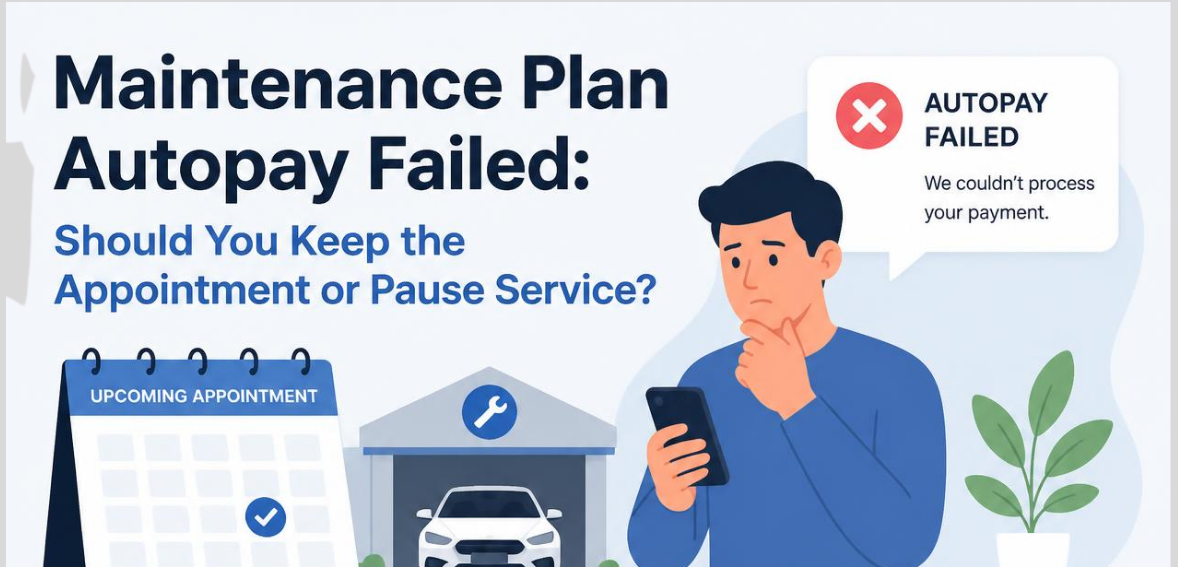
A dispatcher looks over the report for the day. There are a total of twelve stops. There are three flagged as ‘red.’ These three were flagged as ‘red’ because of a payment for a renewal agreement that failed. Loaded trucks combined with routed technicians provide a small amount of time to contact the customer before service has to be interrupted. This is the time when the best field service operations shine. An unsuccessful payment is not something to be recorded for posterity; it has more of an immediate impact on dispatch and collections as well as the customer.
The issue needs to be addressed in order to collect the payment and to not disrupt the customer. If the issue is not addressed promptly, the maintenance agreement can be lost. This article will review failed autopay and the logic for the ‘retry’ decision and the implementation of that logic in a workflow.
By 9 a.m., one declined charge affects three teams. Billing notices the decline code and balance that’s past due. Dispatch notices a scheduled stop with a technician who has already been dispatched. Unfortunately, customer service is out of the loop (and probably will never get a call). The lack of a single, unified system for any team to reference leaves everyone working with partial information. A technician may arrive to provide the requested service, and the account may still be on hold. This creates an even larger balance due from the customer.
In some cases, the technician is dispatched, and the customer is notified of the cancellation after the technician did not show up to provide the requested service. Neither outcome will improve the relationship or balance due. The receivables will always be impacted negatively if payment information is treated as just an accounting entry. Billing, dispatch, and customer service should all be on the same page. If that happens, the failed autopay calls can be resolved in about five minutes, instead of the hours each team will waste when they all work separately.
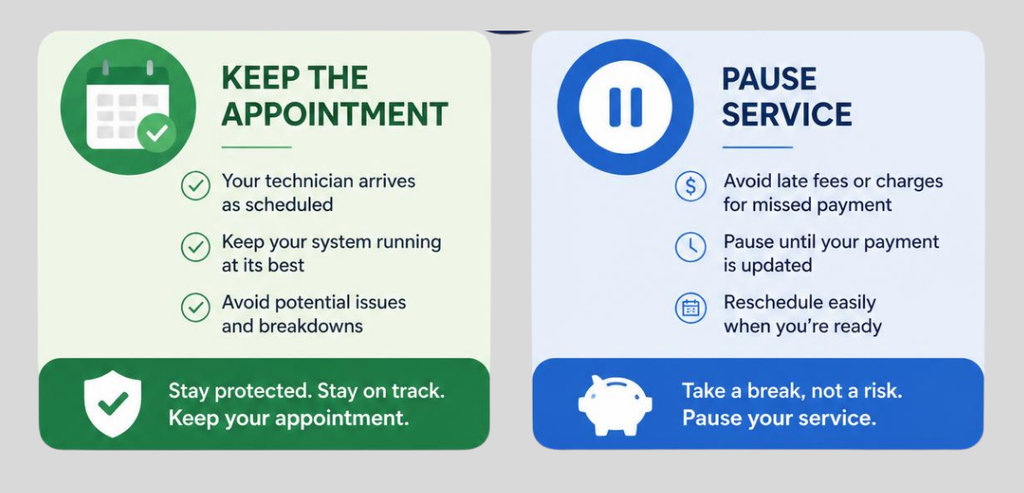
The main choice to make with a failed autopay situation is relatively straightforward, even though it can be challenging to enforce. It’s whether you send the technician to the site and collect the payment, or delay the site visit until payment is processed. When the amount at stake is small, a ‘hard’ decline can still mean proceeding with the service, collecting payment on site (a mobile card transaction or delivery of invoice with payment requested), and then ensuring the payment is processed same-day.
A ‘soft’ decline usually means proceeding with the service as well. A ‘soft’ decline of insufficient funds or an issuer’s temporary hold usually means the payment will clear within a day or two with no impact to the payment method.
A ‘hard’ decline is much more serious. An expired card or a closed account or theft of card records means the payment will not be resolved regardless of whether the system attempts to process the payment multiple times. Sending a technician to a site based on a ‘hard’ decline means an unrecovered payment and a wasted trip.
A much more useful rule for dispatchers is that a ‘hard’ decline means waiting for a new payment method; a ‘soft’ decline leans toward proceeding with the service. This is also dependent on whether or not the payment method has a clear history of timely payment over the last 12 months. An account with a ‘hard’ decline is much more problematic than an account with three declines in the last 60 days.
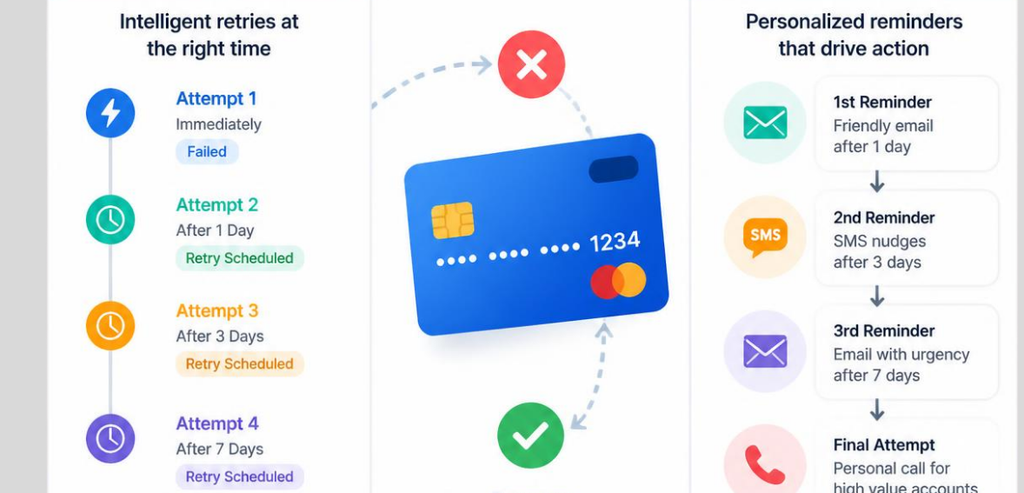
Card declines are a cost to merchants that cannot be avoided. Both Visa and Mastercard charge merchants for constant retries of the same card. Card network rules state that card declines can be classified into three categories: hard declines that must not be retried, soft declines that may be retried, and data-quality declines that require more accurate card data.
The emphasized part of the guidance is the timing. A retry that occurs a few minutes after the decline doesn’t have a good chance of changing the outcome because the original reason for the decline hasn’t changed. Retries are closely related to paychecks. A merchant that spaces retries over a payday week has a higher chance of authorization than a merchant that retries over a week span that is not related to paydays.
Visa has created decline categories to dictate retry permissions for the merchants. Decline codes associated with closed accounts or reported stolen cards fall into a category that does not allow any retries and result in an excessive retry charge in addition to the charge that was initially declined. For soft declines that allow retries, Visa’s published rules state that the merchant only has a set limit of attempts for a given card within a given thirty-day period. Beyond this limit, increased penalty fees apply.
When Mastercard declines transactions, they add Merchant Advice Codes, which function as instructions to assist with retries. One of these codes indicates that the account information has been updated, and doing a retry should be held until the card updater completes. Another code indicates that the payment has been canceled by the cardholder, and any attempt to retry should not be done.
For transactions where Mastercard has issued a do-not-retry code, they have a strict retry policy with a hard cap within a rolling window, and have increased the per-violation fee significantly under their Transaction Processing Excellence program. Published retry caps and fees have changed frequently in recent program updates, which indicates that a merchant should verify the values with its provider before establishing an automated retry policy.
Bank-account autopay offers different complexity. Per Nacha’s operating rules, a payment for a maintenance plan can be resubmitted twice if the payment was returned as uncollected funds coded R09 or if the payment was returned as NSF coded as R01. Both resubmissions must occur within the 180 days following the original transaction date.
To allow an account to refill, the first resubmission should occur three to five business days from the original transaction date. Returns coded as unauthorized, including stop-payment and revoked-authorization codes, cannot be resubmitted without a new signed authorization from the customer. The table below indicates how the 180 days for resubmission of a maintenance plan payment would be structured utilizing bank transfers.
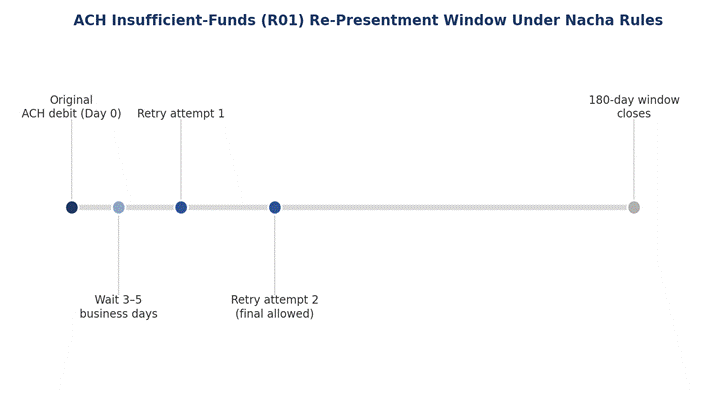
Nacha released R01 limits for re-presentment. The published re-presentment limits help define a retry cadence. The maximum number of retry attempts is two (“at most”), within 180 days from the original debit.
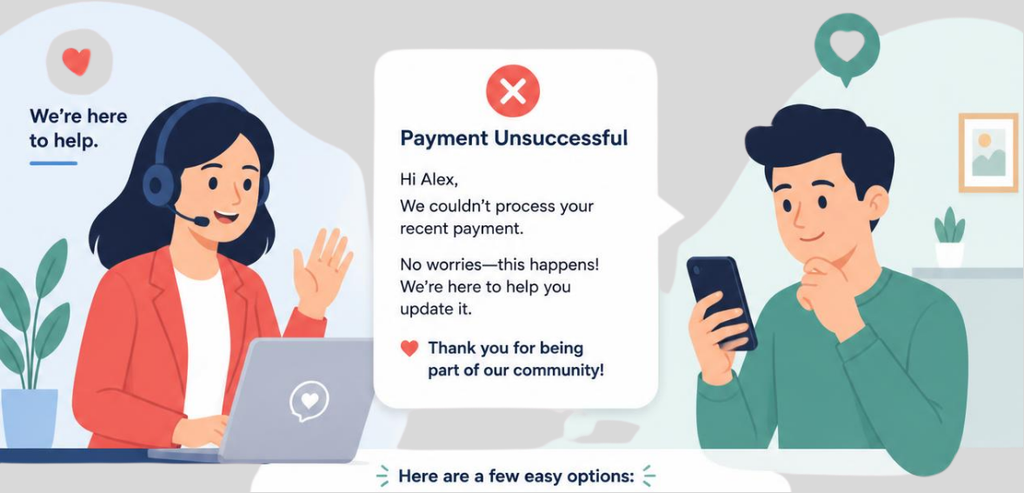
How a business chooses to explain a failed payment to the customer can either keep them as a customer or have them leave. One particular study on notification messages regarding failed payments shows customers tend to cancel on the spot if a message is sent that takes a demand-like tone, even if the reason for the failed payment was a routine case of an expired card. The first notification after a payment fails should assume that the payment failed due to a mistake on the customer’s part, not because of a deliberate act of failure to pay.
A simple notification of the attempted payment failing and a quick button to update payment information usually resolves the situation without the need for an escalation of notification message tone. Slightly firmer messages can follow, but messages that indicate payment failure and threaten to cancel the service if the first notification message is ignored will usually, and sadly, fulfill that threat. Retries made before any payment failure notification message is sent are silent and try to resolve the payment failure on their own without the customer ever having to see a payment failure notification message.
A maintenance plan behaves like any other recurring revenue product once autopay is activated, and the same leak applies. Subscription and recurring billing studies show involuntary churn, or customers who leave because a payment failed (as opposed to canceling), comprises 20% to as much as 40% of total churn across recurring revenue organizations. In other words, a substantial number (if not a majority) of cancellations are due to payment failures that were never addressed.
The revenue at risk accumulates and is never even apparent to the organization as a maintenance plan customer who churns in this manner rarely reports or complains about it. They simply stop getting billed, and the next scheduled visit is never made. Recovery data from billing platforms shows that a fixed, unoptimized retry schedule recovers about 50% of payment failures. However, a more advanced approach to the scheduling of the retries, timed to the issuer’s behavior, coupled with a short dunning sequence, substantially improves recovery.
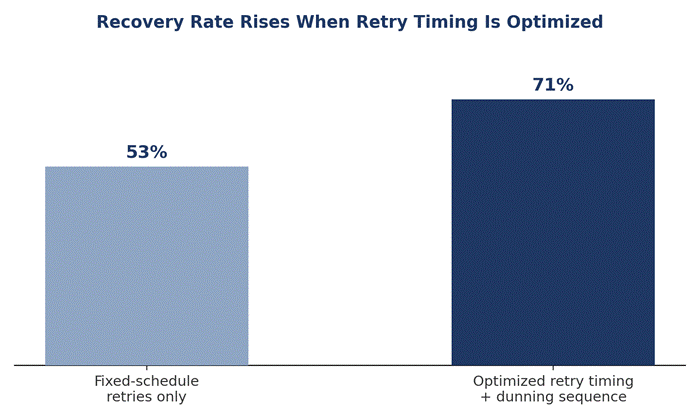
According to Recurly’s analysis of enterprise transaction data, recovery rate went from approximately 53% with fixed-schedule retries to 71% with optimized retry timing.
Most issues in the failed autopay morning come from systems that do not talk to each other. The billing system records a decline, and the field service management system sends the technician. If these systems talk to each other, or sync up, at different times, then a dispatcher is left to wonder whether that account is past due. To remedy this, a single status flag that shows current or past due needs to be set in real time in the billing system, the CRM system of the field team, and the dispatch system.
The status should be set to past due in the technician app before the technician leaves the shop. This status should be automatically cleared when a payment is processed. This status flag should not be left set to past due, which keeps the account on a freeze. The goal is creating a single source of truth and giving the various systems the ability to view this source.
Not every failed payment should automatically trigger an on-site collection attempt or another attempt to collect payment. Plans should move to a full pause after a hard decline has gone unresolved for a certain amount of time (usually between 7 and 14 days) with no new payment method provided after outreach. Repeated failures for the same account (three declines in a rolling 90-day window) should also be considered an indication that automated retries are not resolving the issue, and a manual review is required.
Any return that is coded as unauthorized under Nacha’s guidelines or any Mastercard or Visa response that is identified as do-not-retry should place the plan on hold, and not put the plan through another attempt, as repeating those requests may incur a penalty from the network in addition to the unpaid balance. A plan that is placed on hold retains the customer’s information and contract obligations, and will not allow any future requests for service until the customer provides a payment method that is valid.
The companies with the best systems for handling failed autopays don’t have the most responsive billing clerks. They’ve built a workflow around the decision. An advanced system looks at the decline code as soon as it arrives, classifies it as soft, hard, or data-quality, and then routes it to the appropriate spot. Soft declines go to a silent retry timed to the behavior of the issuer and, if applicable, to Nacha’s 180-day rule and two-retry limit for ACH. Hard declines skip retries and go to a notification to the customer to provide a new payment method.
When a workflow and system are built to handle the flags of the status changes, then dispatch has the ability to see the current status of the account and can decide next steps without any communication. Several failures are mitigated by the card-updater services provided by the major networks, since they automatically update the card information for situations where the original card has expired or was reissued. This helps reduce the number of customer-facing notices.
HMS Pay is an automated merchant account and payment gateway designed specifically for recurring field service billing can perform the entire sequence of decline classification, network-compliant retry timing, increasingly firm dunning notices, and live account status without manual interaction. Combined with automated dispatch and billing systems, this allows for a much higher degree of automation for a maintenance plan business processing dozens or hundreds of monthly recurring charges.
A failed maintenance plan autopay is not a singular choice. It is a series of decisions. Classify the maintenance plan charge decline. Decide whether to proceed with a visit and maintain the business operations or pause the visit, as the case may be. Retry within network and Nacha limits. Inform the customer of the declined payment in a non-collection agency tone. Also, keep the visit status known to both the dispatch and billing teams.
Most businesses lose out on recurring revenues due to cancellations caused by a single failed charge. The best approach is to treat each failed charge as a series of decisions to protect the maintenance relationship. The payment status will determine whether that visit should be made.
Look up the decline reason first. Soft declines can usually be cleared by a retry within a day or two. Hard declines require providing a new payment method.
For soft declines, yes, send a tech and request payment on-site. For hard declines, or if payment fails multiple times, delay the visit until payment is resolved.
Make sure to stay well below network limits and space attempts over a sufficient number of hours (at least 24). For bank transfers, Nacha only allows two resubmissions within 180 days.
Provide them with a straightforward reminder that payment failed, and allow them to update their payment information. Be firmer in the next follow-ups.
This can be done by enabling card updater, sending reminders about card expiration, and using intelligent retry logic. This combination reduces the number of notices a customer receives.