Salon and Spa Payment Processing, With the Booking Software Built In

Booking, client records and payments, together in Cloud Studio Manager.
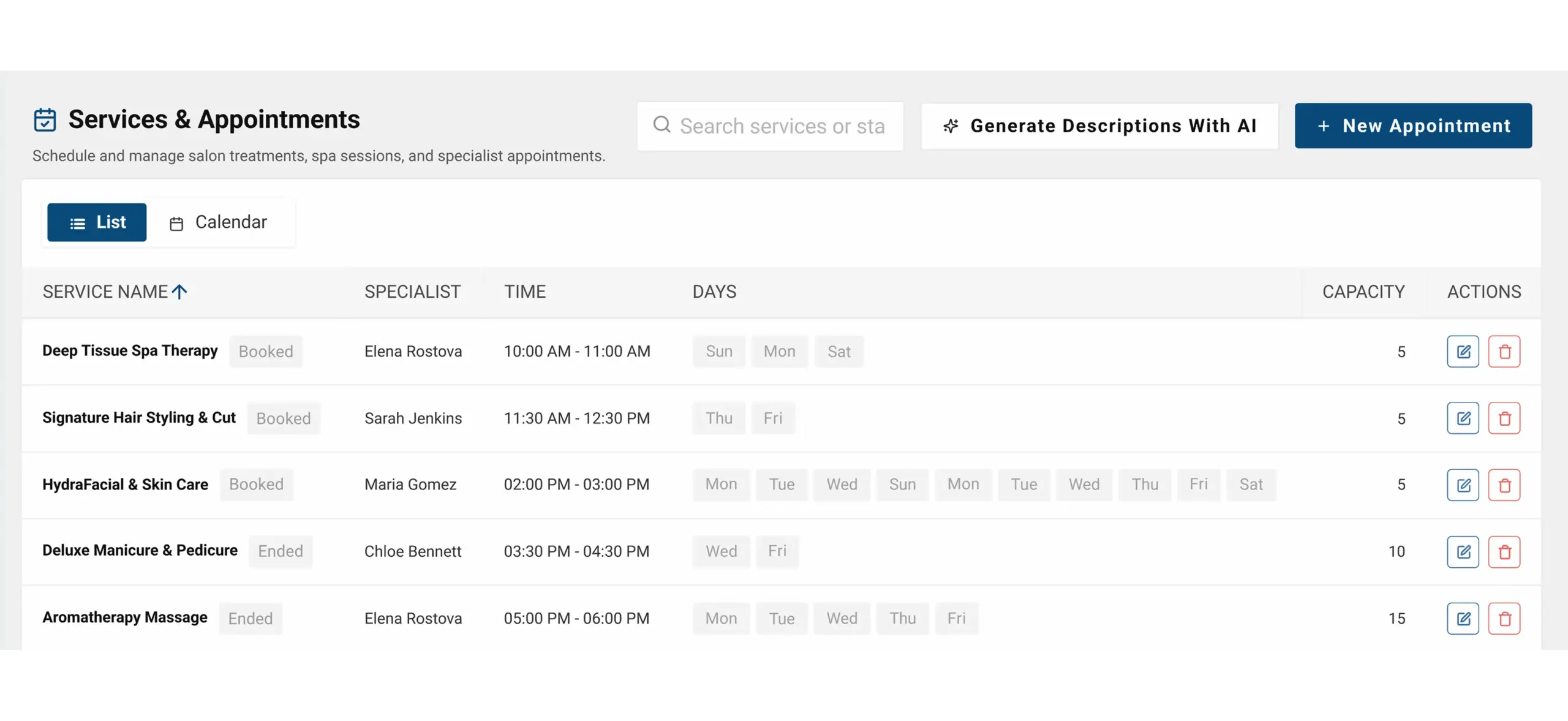
Cloud Studio Manager salon and spa appointment scheduling dashboard showing beauty treatments, specialist bookings, and integrated payment management

Less Juggling at the Front Desk

The phone is ringing as you check out a client. A stylist needs the last color formula and an appointment has turned into an empty chair. Meanwhile, your booking app, card terminal and spreadsheet each hold a different piece of the day and monthly software fees keep arriving on top of processing costs.
Cloud Studio Manager brings booking, client records, sales at the front desk and follow-up all together in one app. Offer your staff the information they need to prep for the next appointment and give them the means to handle a client checkout, as well as tools to address no-shows and promote the next visit.

Built for the Way You Work

Hair Salons

Day Spas & Wellness

Barbershops

Med Spas

Your business type changes the language across the app and emails. A salon sees Stylists and Stations—not Trainers and Studios.

Everything Your Front Desk Does, in One Place

Clients can make appointments without creating an account, through your website’s booking widget or by scanning a QR code. Multiple business locations can be managed from the same account, but each location can have different booking schedules and links. The software provides salon and spa POS systems and booking software, and allows clients to adjust their schedules, make online payments, and view service prices.

Set Prices That Complement Your Services

Choose from fixed, starting at, hourly, and range pricing. Set bundles and extras to increase the duration and price of appointments.

Create Space Around Your Appointments

Set buffers before and after your services to plan for prep and clean up.

Put Booking Policies Into Effect

Set a collection amount for flat or percentage deposits. Define a cancellation window. Set a grace period for charging for no-shows.

Keep Openings Available

Set waitlists for preferred services and providers. Set waitlists for preferred dates.

Ask for Confirmation Automatically

Reminders will be sent and appointments can be confirmed with a click of a button via text or email.
Teams can finalize visits with service and sales details all in the same system. Staff can also handle retail purchases and inventory, track commissions, and split tips all at checkout.

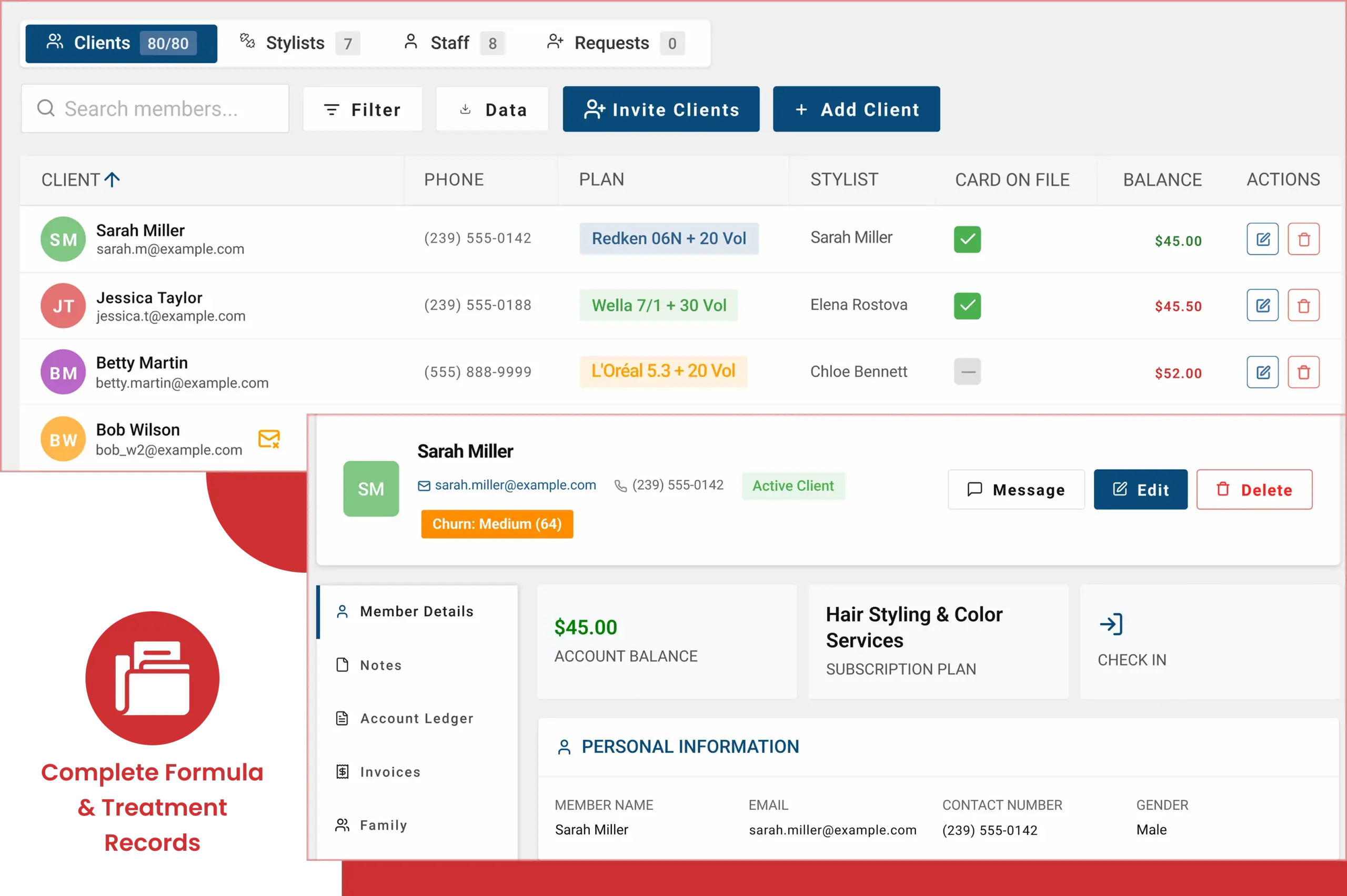
Cloud Studio Manager salon client management dashboard displaying customer profiles, stylist assignments, and treatment records

Any Stylist Can Pick Up a Returning Client and Get the Formula Exactly Right

“Same as last time” becomes tricky when “last time” isn’t documented. Be sure to add the client’s color brand, developer, processing time and formula history, along with their hair type and preferences.
Note products used for treatments and take before and after pictures. Adding client skin type, allergies, medications and previous treatment history to the file helps the next person preparing the client for treatment make more informed decisions.

Payments Built for Service Businesses

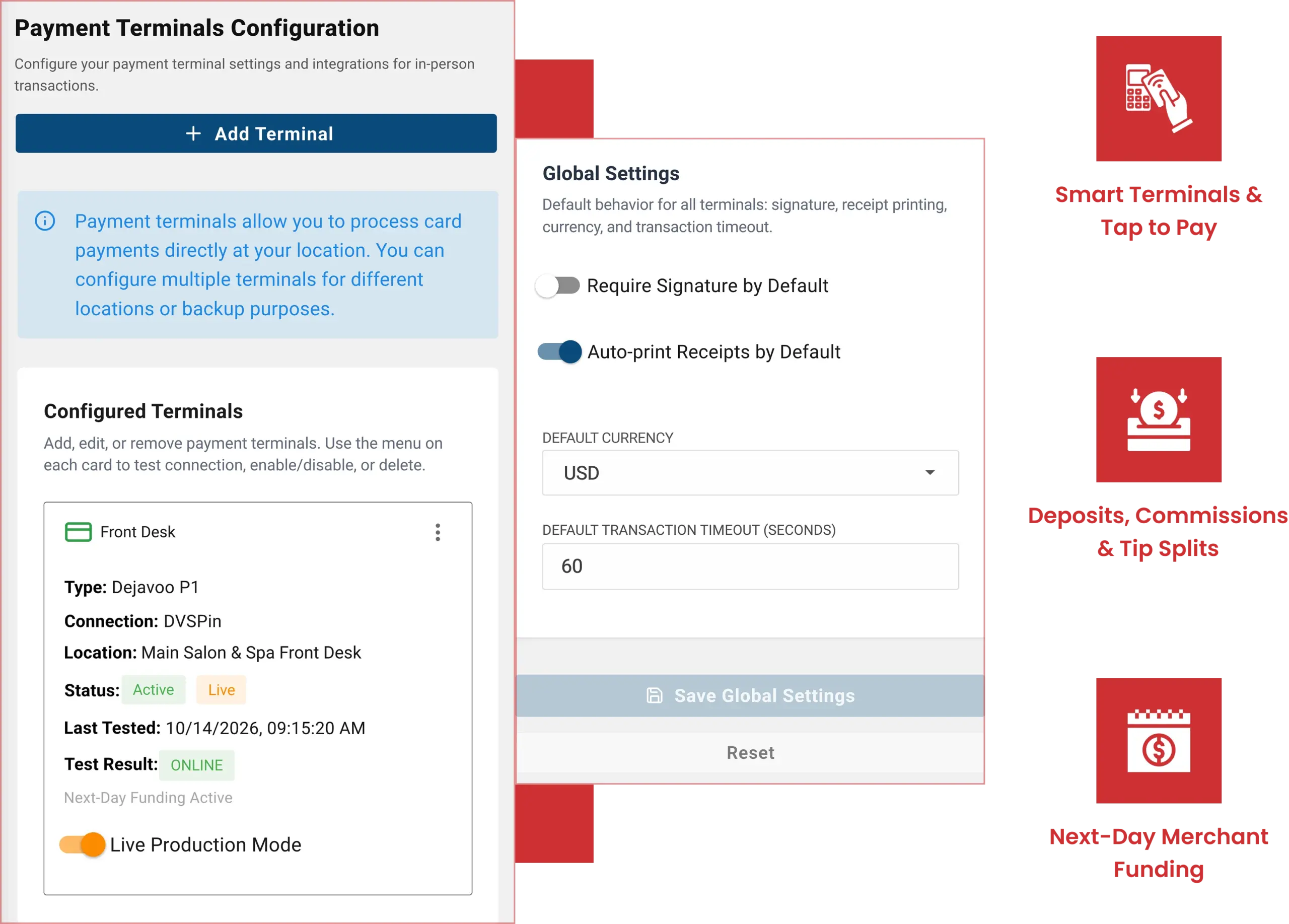
Credit and debit card payments, ACH payments, and point of sale systems are all available for salons and spas through HMS salon merchant services. The equipment includes countertop terminals, and tap to pay is available on iPhone and Android.
There are many features specifically for salons and spas to assist with payment processing. You can take a deposit at the time of appointment and process payment at the time of service. You can track commissions and automatically split tips among staff.
Next day funding is available on eligible accounts. See what is available when choosing your payment setup.
Cloud Studio Manager payment terminal configuration dashboard showing salon POS settings, card processing, and terminal management

Fill Your Chairs With AI-Powered Insights

There’s a difference in how you treat an opening next Thursday and a regular who hasn’t been in for months. Cloud Studio Manager gives your team AI insights to help them decide where to focus first. The system predicts risks and provides automated explanation for those scores. The system can also generate messages and suggestions based on the risks and score explanations for your team to review.

Check client churn-risk scores to see if client messaging is necessary to prevent a client drift-away.

Analyze no-show risk to prioritize staff attention on at-risk bookings.

Enable smart waitlist fill to automatically match clients waiting for an appointment with available appointments.

Review demand forecast to help set promotion and appointment availability intervals.

Use the AI booking assistant to draft campaigns and to generate product suggestions.

Nothing is sent to clients without staff approval. Your team reviews the wording and decides what goes out.
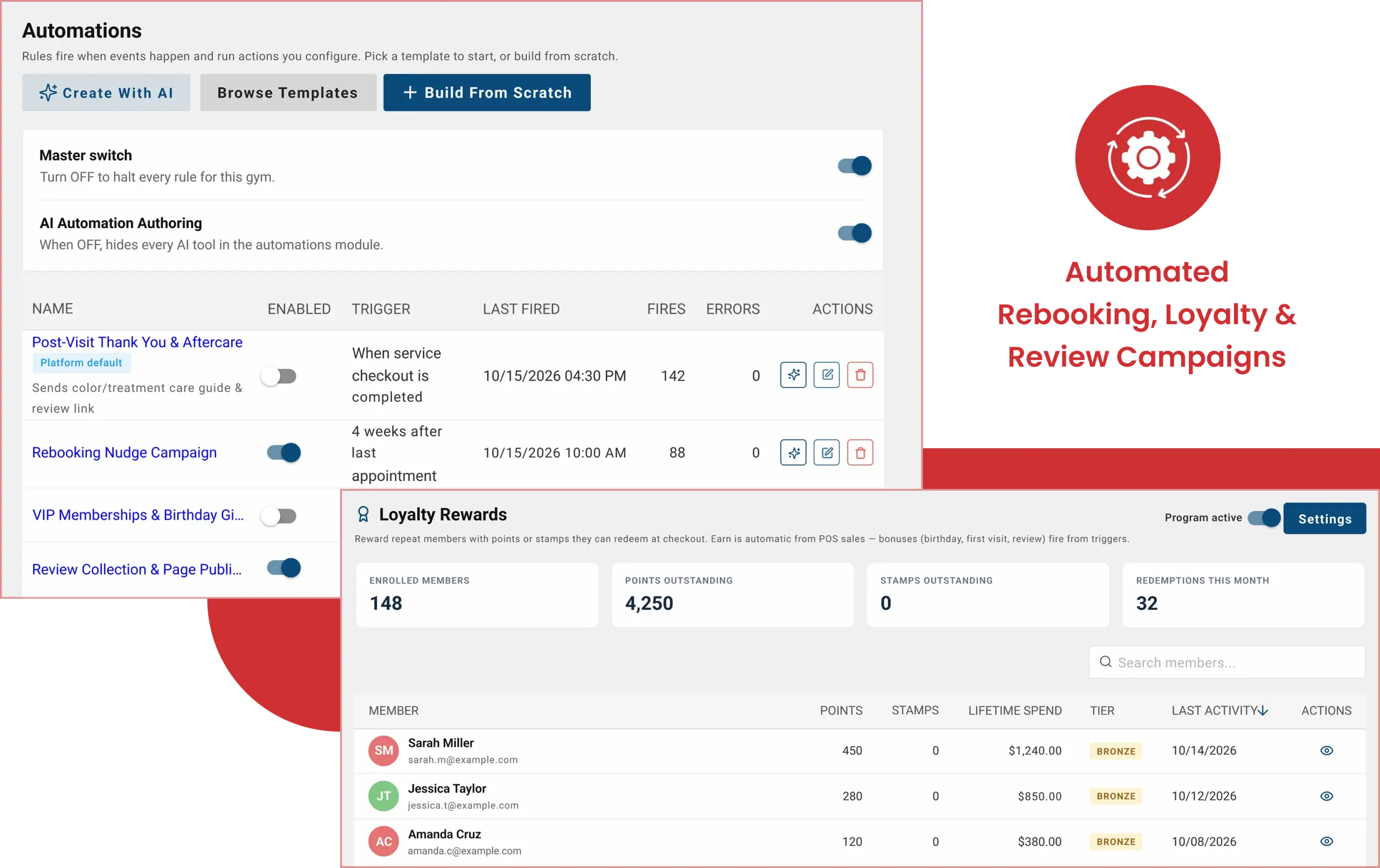
Cloud Studio Manager automation and loyalty rewards dashboards showing salon rebooking campaigns, client engagement, and reward tracking

Keep Clients Coming Back

Interactions shouldn’t end at the front desk. Send thank-yous with aftercare instructions and solicit reviews. Follow up with a nudge to rebook.
Offer clients reasons to stay involved with recurring memberships and packages, as well as a loyalty program. Both digital and physical gift cards enable clients to give the gift of a visit to a friend.
Client segments help you tailor emails and texts for marketing campaigns. With segments, you can also create marketing campaigns geared toward client review collection and publish them to your booking page.

Less Overhead, More Value

Cloud Studio Manager doesn’t charge monthly fees or have different tiers. Every feature in this software is provided at no cost to you, including booking and client record tools.
HMS uses interchange-plus pricing, which means card interchange costs and the processing company’s fees are separated. In flat-rate pricing, those fees are merged into a single rate for a transaction category.
Your best option to learn what HMS processing would cost you is to request a quote. You’ll see specific pricing and how your staff takes deposits, collects payments, and processes retail transactions.
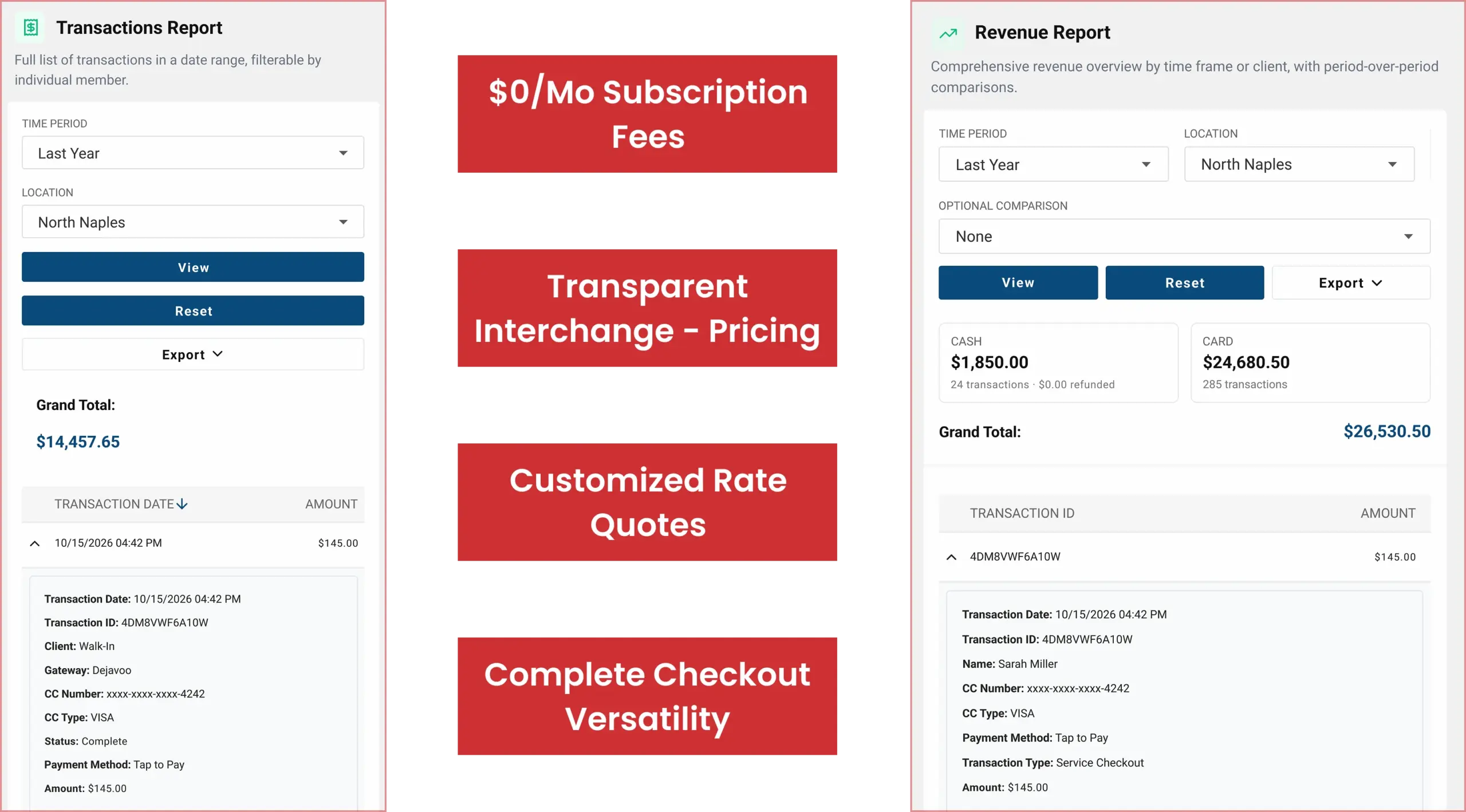
Cloud Studio Manager transaction and revenue reporting dashboards showing salon payment records, sales totals, and financial performance

Getting Started

1

Talk to Us

What do you want to tell us about your services and locations? What parts of the day make your front desk people do more work than they should?

2

Pick Your Setup

Select a business preset for your team and decide how you will process payments from the front desk (terminal or tap to pay).

3

Set Up Your Services and Your Team

Add the services you offer, price them, create add-on services, and add the profiles of the people who will provide the services. Set your availability, deposit amounts, cancellation and no-show policies and buffer times.

4

Train and Go Live

Train your team to do booking, client records, and check-in and check-out. Set up your policies and everyday procedures and then show your schedule to your clients.

Security

HMS can aid PCI-DSS compliance and provides tokenization. Tokenization is the process of replacing sensitive payment details with surrogate, or "token," values, which are used for payment processing.

Frequently Asked Questions

How Much Does the Salon and Spa Software Cost?
Cloud Studio Manager is $0 a month. There are no tiers or monthly subscriptions.
Yes, clients do not need an account to book online. You can add booking to your website by embedding a widget or use a QR code.
Yes, you can define the cancellation notice window and charge clients for no shows. You can also set deposits and define what percentage or flat amount the deposit will be.
Yes, Cloud Studio Manager helps track commissions and tip splits. This feature helps track what is owed, however it does not pay out commissions or run payroll.
You can save treatment history, before and after photos, product history and other client notes on the record. The color formula history saves the brand, developer, processing time and the date.
You can manage multiple locations through one account. You can set different booking hours for each location.

Let's Make the Front Desk Easier to Run

What happens between the first booking and the next visit? We’ll assist you in determining the appropriate setup for your services, your team and your payment requirements.