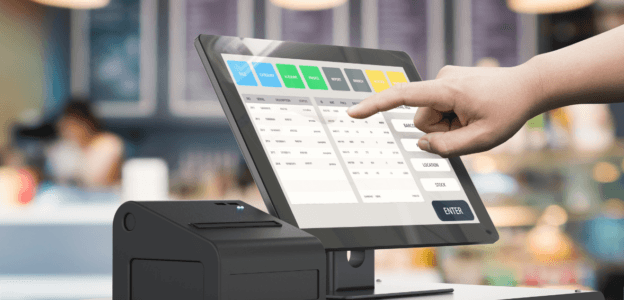
POS Permissions

Staff Permissions in Your POS: How to Control Refunds, Voids, and Discounts Without Slowing Service

You would be surprised to learn that every day, seemingly harmless POS permissions, such as a quick discount, are the largest vectors of internal shrinkage. Your business suffers an unnoticed, incremental loss of profit through small daily actions. These losses constitute the revenue leakage of your business. Internal shrinkage is the loss of inventory or cash directly caused by employees.

Most business owners have this illusion of control. They buy expensive POS systems but leave out default permissions active. Internal fraud is rarely a grand heist; losses occur in small, trickling amounts. Implementing permission control is often complex because there is an ever-present tension between keeping the checkout line moving and protecting the bottom line.

Smart POS permissions are not an IT configuration — they are a core loss prevention strategy. About 29% of the total shrinkage in 2022 was due to internal shrinkage or employee theft, compared with 36% due to external shrinkage. Imagine a busy Friday night at a restaurant: a manager yells their override PIN across the counter to clear a line, completely compromising the system’s security for the rest of the shift. While this may seem like an inevitable step, it can have bigger consequences when unauthorized staff members gain access to the master database.

If you suspect your restaurant is losing money but cannot yet identify the cause, there is a high chance the problem is shrinkage, internal or external. This is your sign to review staff permissions for your POS, reassign access based on roles and responsibilities, and establish rules for future access grants.

Decoding POS Permissions: Moving Beyond Roles

Staff Permissions in Your POS

You must have employed cashiers and managers in your business, but moving beyond the cashier vs. manager debate is important for defining actual POS permissions. To understand the standard access hierarchy, you must be aware of POS permissions and role-based access control (RBAC).

POS permission or access control refers to the digital rules that restrict the actions specific users can perform on the POS register. And, RBAC is the method of assigning permissions based on job titles rather than individual user accounts. Both concepts are important for operating a retail business’s POS, but you must move beyond simply dividing staff permissions and start viewing distributions as consequence-based steps.

The standard 4-tier POS architecture consists of four levels of employees: cashier, supervisor or keyholder, store manager, and system administrator. Tying your permissions to roles, such as in RBAC, is infinitely more scalable than customizing individual employee profiles. It is more practical to configure the same rules in your POS system for the cashier role than to set permissions separately for each cashier you hire. It also saves your business crucial time because, with RBAC, you only need to assign the appropriate roles to new hires, and the system will be configured accordingly.

With RBAC, you can prevent “permission creep” — a situation where a promoted employee retains permissions they no longer need. Additionally, you can implement the rule of one user per login. This is critical to prevent shared generic access to registers and mixing permissions between roles. For example, a manager must not be able to log in to the cash register and the computer in their office at the same time.

The Revenue Leakage Trinity: Voids, Refunds, and Discounts

Revenue Leakage

The three most heavily abused POS functions are voids, refunds, and discounts. As a business owner, you must understand how they are abused and why they need strict gating to prevent shrinkage in your business.

For this, you must first understand three key concepts: post-sale voids and line voids, sweethearting, and ghost returns. Post-sale void, as the name suggests, refers to the deletion of the entire transaction after the tender, while line void refers to the deletion of the entire transaction before the tender. Sweethearting refers to giving unauthorized discounts or free items to friends or family. This may seem like small, harmless gestures, but if all staff members started doing this, it could lead to significant internal shrinkage. The last concept is ghost returns, which means processing a fake refund and pocketing cash from the till.

Refunds are a major source of potential fraud at your cash register. Cash refund fraud works by balancing the register, but in reality upsetting your operational cash. This happens when a cashier issues a fake refund and balances the cash register. They pocket the cash, but the inventory is skewed, which would lead to future problems.

Voids are the reversal of funds from the merchant account before they are settled. There is a difference between honest mistakes, such as line voids, and deliberate fraud, i.e., post-sale fraud, which is used to pocket a customer’s exact change cash payments. You can understand the “exact change void” scam by the following example. Suppose a customer buys a $4 coffee, pays exact cash, and leaves. The cashier voids the sale and pockets the $4. At the end of the day, the cash register is perfectly balanced, but your business has suffered a $4 loss. Small losses like these slowly eat into your operational cash, leading to fatal consequences for the business.

Balancing Security with Speed of Service

Speed of Service

You must be wondering that locking down the POS will stop the lines from moving, which would eventually result in customer dissatisfaction and abandonment. To address these fears, you must first understand how velocity limits work and what threshold approvals are.

Velocity limits are system caps on the number of times an action can be performed in an hour or shift. On the other hand, threshold approvals refer to permitting actions up to a certain dollar amount before requiring an override.

Managers spending half their shift walking to registers to swipe override cards could lead to “alert fatigue”. To prevent this, thresholds must be set based on historical data and practical limits, while accounting for the nature and standard thresholds for businesses of the same type. For example, as a general rule, you can allow cashiers to void up to $10 or 1 item without a manager’s override, but require overrides for voids exceeding those limits.

It is well known that friction and delays in the purchase process can lead to customer dissatisfaction and abandonment. You must be careful of every second that your security protocols add to the purchase process. Your aim must be designing painless manager overrides. For example, you can use mobile POS approvals, wearable RFID tags, and biometric scanners to eliminate PIN sharing at every register.

There is a distinction between using “soft stops” and “hard stops”. Soft stops prompt the cashier to enter reason codes for specific actions, while hard stops require the manager to be physically present at the cash register. Your alert system must be designed so that soft stops and hard stops are used appropriately — if not, it could lead to customer embarrassment and eventual abandonment.

Blueprinting Your Access Architecture

After understanding POS permissions and revenue leakage, it all boils down to designing a POS architecture that can be implemented in your business. The ultimate goal is to design an architecture that can be set up at the store level and easily propagated up the chain to multiple franchises, providing hassle-free scaling. This begins by understanding the difference between global and local permissions. Global permissions refer to settings controlled at corporate headquarters that are applied immediately across all franchises. Local permissions are implemented at the individual store level. For example, a discount tied to a local festival must be applied at a regional store, while Christmas offers must be applied across all franchises.

Franchise owners must block local managers from changing global permission hierarchies to prevent losses. For example, a discount that increases sales revenue in a certain region might be an unnecessary cut to global profit margins. Your goal must be to integrate POS permissions into broader loss prevention strategies, such as camera integration and cash-handling policies. As important as it is to provide the appropriate access to new hires, it is also crucial to revoke those permissions the moment an employee quits your organization.

Lastly, you must not rely on generic permissions and thresholds. Your policy must be based on your business’s requirements. POS permissions are not one-size-fits-all; they vary widely by business type and customers served. For example, fine dining requires different workflows than retail apparel.

Audit Trails and Exception Reporting

Permissions are the shield that protects your business from shrinkage, but audit trails are the radar that can help you detect potential losses. An audit trail, also known as an audit log, is a permanent, unalterable digital record of every button pressed, by whom, and when. Exception reporting refers to automated reports that highlight behavior that falls outside normal parameters.

Setting up permissions is only half the job; the other half is monitoring the data for anomalies. You must generate daily or weekly exception reports. For example, a report of all cashiers with a void rating above 5% of gross sales could indicate potential fraud. However, these figures are generic and might differ heavily from business to business.

Another strategy is to use reason codes. This forces the staff to select why they are voiding or discontinuing, making them accountable for their actions. This is a great way to reduce internal shrinkage, as staff are held accountable for every action. You can also integrate POS audit logs with CCTV text overlays, so you can watch a video recording of the exact moment a high-value void occurred.

You must trust your staff, but verifying their actions is equally necessary in order to maintain discipline and accountability. This will increase transparency and reduce internal shrinkage in your business.

Conclusion

The core triad of revenue leakage in a retail business is voids, refunds, and discounts. These must be regulated with consistent policies and explicit ground rules, integrated into your POS systems, to prevent internal corruption. There are three core values that define the ideal POS model: visibility, accountability, and control. Visibility ensures knowing who does what, accountability introduces answerability for every action performed on the POS, and control refers to smart thresholds and RBAC.

You must not view permissions as an annoying IT chore; instead, consider them your frontline profit protection tool. Every unearned discount granted through your POS is profit lost to poor permission architecture. Thus, having an efficient permission architecture and consistent audits is the way to ensure sustained business growth.

Frequently Asked Questions

  1. What are POS staff permissions?

    POS permissions are digital access controls that dictate the actions that an employee can perform on the register based on their specific job role.

  2. Why is it dangerous for staff to share a POS login PIN?

    Shared PINs destroy accountability. Your system tracks all actions on the POS using each user’s unique ID. If a PIN is shared, it could skew all actions to a single ID, increasing the risk of fraud.

  3. How do I stop employees from giving unauthorized discounts?

    You must remove open percentage discounts and replace them with preset discounts. This prevents unauthorized discounts and the losses associated with it.

  4. What is the difference between a line void and a post-sale void?

    A line void simply removes an item before the customer pays, usually correcting a typo. A post-sale void cancels a finalized transaction — a method used predominantly in cash theft schemes.

  5. How can I control refunds without slowing down the checkout line?

    Refunds can be controlled by implementing threshold limits. You can allow cashiers to process low-ticket refunds independently, up to $10. Any refund exceeding the limit must be verified by the manager’s physical RFID tag.
MCCs

Merchant Category Codes Explained: Why Your MCC Affects Fees, Risk, and Approval

MCCs are not just boring compliance trivia. It is the foundation of a transaction that dictates profitability, survivability, and scale. To understand the importance of MCC in your business, you must first understand what a Merchant Category Code (MCC) is. MCC is a four-digit number used by credit card networks to classify a business by the type of goods or services it provides.

The biggest mistake most founders make is that they fixate on processor markups but completely ignore the 4-digit code that drives the base cost. MCCs represent a vast, highly segmented system for classifying business types. MCCs are the silent variable in payment economics. They control fees, risk appetite, and approval logic for payments received by your business, making it crucial to select the correct MCC.

Misclassification of business is rampant in the payment industry. Most businesses end up registering under the wrong MCC and suffer unnecessary hassle, higher processing fees, and more declines. This is a simple error that can result in tens of thousands of dollars in inflated interchange fees or lead to sudden account closures.

As of 2024, the Visa Merchant Data Standard Manual had 887 unique four-digit MCCs. On the other hand, the Mastercard Quick Reference Booklet features 876 MCCs. There are many merchant categories, and classifying your business in the right one for maximum benefit may seem daunting.

Understanding your MCC shifts your payment strategy from reactive troubleshooting to proactive margin control. This shift helps you focus on revenue growth and the business rather than stressing over declined payments, fearing account closures, or running into negative operational cash flow.

Merchant Category Codes: The Controlling Authority of MCCs

Controlling Authority of MCCs

As a business owner, you might have wondered about the origin of the MCC. This section will explain the hierarchy of who creates these MCCs, who assigns them, and how standardization works across networks. In order to understand the origin and regulations of the MCC, you must understand a few key terms: ISO 18245, acquiring bank, and card networks.

ISO 18245 is the international standard that provides the framework for retail financial services merchant categories. The acquiring bank or acquirer is the financial institution that processes credit and debit card payments for a merchant and assigns the MCC. Card networks, such as Visa, Mastercard, and Amex, maintain master lists of MCCs and enforce their use.

The card networks, such as Visa and Mastercard, establish the codes. Acquiring banks, also known as acquirers, assign these codes to specific business categories. In some cases, payment processors acting on behalf of the acquirers can also assign MCCs. The assignment happens during underwriting based on the business’s primary revenue driver.

Now, let us understand what happens when a business sells multiple things, for example, a SaaS company that also sells hardware. In such cases where a company has multiple lines of products for sale, the MCC is determined on the basis of the “predominant business” rule.

The onboarding process at modern aggregators, such as Stripe or Square, differs from traditional merchant onboarding. However, regardless of the processor, onboarding often results in generic, poorly optimized MCC assignments. There is a difference between generic codes and hyper-specific ones. For example, a generic 5999 Miscellaneous and Specialty Retail code offers general features, while hyper-specific codes such as 5812 Eating Places and Restaurants offer more perks and discounts.

How Do MCCs Dictate Your Interchange Fees?

How Do MCCs Dictate Your Interchange Fees

An interchange fee is the wholesale cost of processing a credit card transaction, paid to the card-issuing bank and set primarily by the card network, card type, and the MCC. After learning about interchange pricing, you must understand the interchange-plus pricing model. Interchange plus pricing is a transparent pricing model that separates the base interchange, also known as the network cost, from the processor’s markup.

MCC is the primary modifier for interchange rate tables. Certain MCCs qualify for highly discounted rates, such as charities, utilities, supermarkets, B2B, and Level 3 data. Generic or miscellaneous MCCs almost always default to the highest possible interchange brackets. Now, this is very important for you as a business owner because operational cash is the backbone of any business, and having your business registered under the wrong MCC can lead to massive revenue leakage. You must proactively monitor your MCC code and register under the very specific category your business falls under to prevent unnecessary costs that could be easily avoided with an informed decision.

For example, a B2B software company can save millions annually by ensuring its MCC qualifies for Level 2 or Level 3 processing data rates, rather than being lumped into general retail by an automated onboarding process and a generic MCC registration.

The impact of MCCs on reward card processing costs is more than you realize. Premium cards often penalize certain categories more than others, which means you do not want your business lumped in with general retail and penalized for transactions that could have been easily avoided with the right MCC.

Understanding High-Risk vs. Low-Risk Classification

High-Risk vs. Low-Risk

This section will explain how MCCs serve as a proxy for risk, influencing underwriting decisions, reserve requirements, and monitoring. For that, you need to understand what high-risk MCC means and the concept of rolling reserves.

High-risk MCCs are categories that are statistically prone to high chargebacks, fraud, or regulatory scrutiny. Some examples of businesses that fall under the high-risk MCC category include travel, crypto, adult, and nutraceuticals. Rolling reserves are a percentage of processing volume held back by the acquirer to cover potential chargeback losses. This is a common practice for high-risk businesses given their high chargeback ratios. The acquirer holds a percentage of your funds as security; these funds are intended to cover possible chargebacks.

You might wonder why card networks even care about risk, since after all they are just intermediaries in the payment processing cycle. The answer to this question is brand reputation and financial liability. The card networks are always cautious about their brand reputation, as acquirers tend to tie up with them based on their history, and users also choose the card network that is more trusted and rewarding.

Another reason networks care is that it is a significant financial liability if things go wrong. For example, if the merchant goes bankrupt, the acquirer must absorb the chargeback liability, which is a significant loss. There is a difference between financial risk and reputational risk. For example, airlines selling tickets months in advance is a financial risk, but an acquirer processing payments for adult entertainment is a reputational risk.

Now, let us understand how processors use MCCs to set dynamic chargeback thresholds. The chargeback threshold for every business differs depending on the nature of the goods and services they sell. The chargeback threshold is not a one-size-fits-all number and must be calculated meticulously for each business. This is where your MCC comes into play. Different MCCs are assigned different thresholds by the processors, and having the right MCC becomes crucial to protect yourself from being unnecessarily penalized for exceeding the threshold in the wrong category. For example, a 1% chargeback rate might be fatal for a SaaS company, but normal for a subscription box.

Having the wrong MCC can subject you to damages exceeding the wrong thresholds. The MATCH list, formerly known as the Terminated Merchant File, is a confidential, non-public database maintained by Mastercard. It contains the names of merchant accounts that were revoked due to threshold failures. It serves as a blacklist of businesses whose accounts were revoked earlier for these reasons. This makes registering the right MCC crucial for your business.

Why Your MCC Dictates Payment Success

The authorization rate is the percentage of submitted transactions approved by the issuing bank. Another concept you must understand as a business owner is issuer risk models. These are automated algorithms used by the customer’s bank, such as Chase and Bank of America, to approve or decline a card swipe based on the likelihood of fraud.

Issuing banks rely heavily on the MCC and location data to train their anti-fraud models. Corporate cards, such as Brex, Ramp, and Amex Corporate, use MCCs to enforce spend controls on the businesses. For example, blocking MCC 5813 Bars/Taverns prevents employees from using the company card at these locations. Health Savings Account (HSA) and Flexible Spending Account (FSA) cards only work if the merchant has a specific medical or pharmaceutical MCC.

Apart from declines due to code mismatches, there are also some anomalies. Cards can also be declined if the user’s purchase behavior does not align with the historical demographic data for an MCC.

Misclassifications, Holds, and Shutdowns Due to Wrong MCCs

In this section, you will learn about the operational disasters a business could potentially face when the merchant’s actual business activities drift away from their assigned MCCs. This can be understood after knowing two main concepts: underwriting mismatch and transaction laundering.

An underwriting mismatch occurs when a business’s live processing volume and inventory do not match the MCC for which it was approved to sell. This can be understood as a “bait and switch” fraud. For example, an account was approved to sell coffee, a low-risk transaction averaging $5 to $20. An underwriting mismatch occurs when this business suddenly starts seeing average order values of $1,000, which is commonly the price of an average espresso machine. This mismatch puts you under the radar of a bank audit.

Another key concept to understand is transaction laundering. It refers to the illegal processing of payments for a hidden business under the MCC of a legitimate business. Payment processors run automated web crawlers and test transactions to ensure your business is MCC-compliant.

Usually, the immediate consequence of an MCC mismatch is a hold on the merchant’s account and freezing of the funds. This is because the acquirers face regulatory fines from card networks for miscategorizing merchants. Since the acquirer won’t absorb the loss, they freeze the merchant’s funds and use them to cover their losses.

Conclusion

After understanding how MCCs affect your business, you must have realized that they are not just a compliance checkbox. You should stop treating your MCC as an afterthought. It is the fulcrum of your payment economics — it dictates your wholesale costs, fraud thresholds, and your customer conversion or approval rates.

Payment processing is not just a utility you plug into; it is a strategic function. Understanding the network rules is how you protect your margins and scale without friction.

Frequently Asked Questions

  1. What is a Merchant Category Code (MCC)?

    An MCC is a four-digit number assigned by credit card networks, such as Visa and Mastercard, to classify a business based on its primary goods or services.

  2. Can I change my Merchant Category Code?

    Yes, but you cannot change it yourself. You must request a reclassification from your payment processor or acquiring bank, usually by providing evidence proving your primary business model has changed.

  3. Why does my MCC cause my payments to be declined?

    Issuing banks use MCCs in their automated fraud detection models. Having an MCC historically associated with high-risk business often results in higher decline rates.

  4. What is a high-risk MCC?

    A high-risk MCC is a category that card networks have identified as having statistically higher rates of chargebacks, fraud, or regulatory audits.

  5. Is it illegal to use the wrong MCC?

    Intentionally using an incorrect MCC to secure lower rates or bypass high-risk restrictions is known as transaction laundering or miscoding. It is a violation of network rules and will result in permanent bans and heavy fines.

Card Testing Attacks

Card Testing Attacks on E-Commerce Stores: How to Spot Them Before They Become Chargebacks

Card testing is not just a minor nuisance; it is a precursor to devastating financial loss and operational damage. Card testing attacks are automated processes where fraudsters use scripts to test the validity of stolen credit card numbers on a merchant’s payment gateway. Every transaction incurs a processing fee for your business. These charges, referred to as authorization fees, are the micro-costs incurred by payment processors each time a card is processed, whether the payment is approved or declined.

Most business owners buy into the false illusion of safety that zero chargebacks mean zero fraud. This is a myth. Zero chargebacks do not mean zero fraud; fraud can happen without chargebacks and cause massive revenue leakage. Card testing is the “reconnaissance phase” of the fraud cycle. Card testing causes dual bleeding for any business. Every card transaction that touches the business will incur a processor authorization fee. This is only one aspect of the danger. Every card that is tested and found to be working will eventually be used to make purchases from your business, resulting in chargebacks. Chargebacks cost your business the transaction fee and an additional chargeback fee, which are deducted from your operational cash.

Automated bots have commoditized these attacks. Earlier, hackers used to manually attack every business website one at a time. With advances in technology, automated bots can launch DoS and DDoS attacks at scale across multiple websites simultaneously. This means that even if you have a low transaction volume, your business is equally likely to be attacked. The probability may even be higher, since most small e-commerce stores lack enterprise-level security features.

Proactive detection is the only way to protect merchant accounts and profit margins. You should be aware of the latest cybersecurity developments and understand key concepts relevant to your business to ensure the security of your sensitive data.

What Are Card Testing Attacks?

What Are Card Testing Attacks

Now, let us understand the fundamentals of card testing attacks. You must first understand the two main concepts: carding forums and BIN attacks. Carding forums, or simply carding, refer to dark web communities where bulk stolen credit card data is bought and sold. Next, BIN (Bank Identification Number) attacks involve generating variations of card numbers based on the first six digits (the issuer code) to find valid combinations.

Card testing attacks are not meant to steal data or cause chargeback damages to your organization. The primary goal of any card attack is validation. The hacker wants to sort the “live” cards from the dead ones, from the list of card details they have.

Traditional fraud consisted of buying high-value goods from businesses and issuing chargebacks. Those were immediate losses that could be flagged easily based on purchase patterns. For example, the hacker would maximize the purchase amount. Modern fraud has evolved into a much subtler form of data theft. Unlike their traditional counterparts, they do not rely on the data of a single stolen card. Automated scripts and bulk-stolen data from card forums enable attackers to conduct multiple attacks against businesses simultaneously. Card testing validates the details of stolen card numbers by performing very small/zero-dollar checks to determine whether transactions are authorized.

Charities and digital goods merchants are historically the prime targets of these attacks. This is because these businesses have low-friction checkout pages and lower security, making them low-hanging fruit for attackers.

The Anatomy of Card Testing Attacks

This section aims to break down the attacker’s operational flow to show how easily these attacks can be scaled through automation. For this, we need to understand what botnets and scripting tools are. Botnets, as the name indicates, are networks of infected computers used to launch automated scripts from thousands of IP addresses. Scripting tools are software that automates filling out checkout forms and submitting payment requests at superhuman speeds.

Now, let us understand the various phases of a card attack on a business. The card attack begins with data acquisition. It includes sourcing raw, untested data from carding forums that must be validated during an attack. The next step involves target selection. Hackers scour the internet for small businesses or charities with low security barriers and frictionless, non-secure payment portals to execute the card attack. The third phase of a card attack is execution. In this step, distributed bots are deployed to cycle through cards at lightning-fast speeds. The last step of a card attack is harvesting. After processing thousands of card transactions, the details of cards that received a positive authorization response are collected.

Automated scripts and botnets have increased the speed of these attacks. While traditional attackers ran scripts on personal computers via VPNs and the dark web, the modern approach involves using infected computers to conduct these attacks on behalf of the hacker. The large number of these bots increases the number of cards that can be tested per minute, enabling much faster, stealthier attacks.

Why E-Commerce Stores Are Prime Targets

E-Commerce Stores Are Prime Targets

Let us now understand the systematic vulnerabilities an attacker looks to exploit in modern e-commerce platforms. The first thing you should understand is guest checkouts. Guest checkouts are purchasing flows that do not require account creation or email verification. While this is an important step to reduce friction for legitimate, first-time visitors, it also serves as a gift to attackers looking to exploit this vulnerability.

Next, you must understand what zero-auth or $1 auth transactions are. Zero auth refers to pre-authorization pings used to check whether a card is valid before charging the full amount.

Optimizing your websites for conversion means guiding visitors from product view to the checkout page in the fewest possible clicks. To minimize clicks, many e-commerce stores offer guest checkout. However, this inadvertently optimizes your website for fraud as well. Digital goods, such as SaaS, gift cards, and donations, are the easiest targets because they lack shipping address validation.

Another danger most e-commerce stores face is the use of custom checkout APIs. These APIs lack rate limiting, i.e., a cap on the number of requests processed per minute, making them an ideal target for attackers looking to exploit vulnerable networks. Having fragmented tech stacks, such as separate CMS, gateway, and processor components, creates security loopholes that are an open invitation for attackers to launch a card testing attack on your website.

Early Warning Signs of Card Testing Attacks

Early Warning Signs of Card Testing Attacks

In this section, we will provide a tactical checklist for fraud analysts and operators to spot attacks in real time. You must first understand velocity checks and AVS in order to better understand the symptoms of a card attack. Velocity checks monitor the speed and volume of transactions for a single user, IP address, or BIN. An Address Verification System (AVS) is a tool that verifies whether the billing address entered during checkout matches the cardholder’s bank file.

The first indication of a card testing attack is unusual spikes in checkout traffic without a corresponding marketing campaign. You should not ride high on the illusion of sudden overnight discovery, and proactively try to spot if the spikes indicate a card testing attack is underway. Higher volumes of micro-transactions, typically from $1 to $5, or identical cart values, are a major indication of a card testing attack on your website.

Another signal of a card testing attack is a dramatic increase in authorization failure rates. If you see high percentages of card transactions being declined, it is a strong signal that your website is under a card testing attack. In the previous sections, we discussed how hackers try various combinations of card numbers whose issuer code (the first six digits) is known. If you spot sequential card numbers being attempted in rapid succession, then your website has been compromised.

Another indication of a card testing attack is a single successful card transaction. An attacker has the “bingo” moment of successful transaction after multiple failed attempts. Card behavior anomalies, such as skipping product pages and hitting the checkout API directly, are almost a sure indication of a card testing attack on your website.

From Testing to Chargebacks: The Domino Effect

Chargebacks are a forced reversal of funds initiated by the legitimate cardholder’s bank due to unauthorized use. The MATCH (Member Alert to Control High-Risk Merchants) list is a blacklist for merchants terminated by processors for excessive fraud. This section explains how card testing attacks ultimately lead to chargebacks. When a card testing attack is executed on an e-commerce website, a list of card details is checked for payment authorization, and a list of cards that return a positive transaction response is returned. This data is then used for purchasing goods and subscriptions online. Since these cards are stolen, the legitimate owner of the card will issue a chargeback when they see unauthorized and unknown transactions on their bank statements.

Card testing attacks are a part of the “validation pipeline.” Once a card is validated on your site, it may be used for large fraudulent purchases immediately after the card details are validated. Chargebacks are not limited to reversing the sales amount from your bank accounts. It incurs additional costs for the business, such as a chargeback penalty that typically ranges from $15 to $35. This may seem like a small amount, but it is a massive operational cash leak on low-ticket sales.

You should proactively look for signs of card-testing attacks on your website, because exceeding thresholds has consequences. Exceeding the 0.9% to 1% chargeback ratio brings you into the radar of card networks. The penalties include higher processing charges and elevated subscription fees, and in rare cases, permanent revocation of a merchant account.

Conclusion

A card testing attack is an invisible leak that leads to chargeback floods and processor bans. E-commerce stores are low-hanging fruit for attackers, particularly because of optimizations to improve conversion rates, such as guest checkouts. Security should be viewed as an enabler of growth, not a cost center. Confident fraud prevention enables merchants to accept more legitimate orders. The cost of implementing proper friction, rate limits, and ML scoring is negligible compared to losing your merchant account altogether.

Frequently Asked Questions

  1. What is a card testing attack?

    A card testing attack occurs when fraudsters use automated bot scripts to rapidly test stolen credit card numbers on an e-commerce checkout page to see which ones are active and have available funds.

  2. How do card testing attacks affect my business?

    Even if transactions fail, merchants are charged non-refundable authorization fees for each attempt. When a card is validated, it is used to make purchases from your store, which eventually result in chargebacks.

  3. How can I block bots without hurting real customers?

    You can use invisible tools such as reCAPTCHA v3, device fingerprinting, and backend machine learning to assess risk silently.

  4. Is an AVS mismatch a guaranteed sign of card testing?

    This is not always true. Legitimate customers make typos or move without updating their bank. But thousands of AVS mismatches during sudden traffic spikes are almost a guarantee of a card testing attack.

  5. Why do fraudsters target e-commerce stores for card testing?

    These stores are optimized for increasing conversion rates. They implement strategies such as guest checkouts, which eliminate the need for email or mobile verification, making them an easy target for attackers.

Chargeback Alert

Chargeback Alert Services Explained: When They Save Money and When They Do Not

Chargebacks can be a significant pain for businesses. They are sudden, unexpected, and directly eat up your operational cash, regardless of whether the dispute is settled in your favor or not. To tackle this problem, you need to implement chargeback alert services in your business, and this article will tell you exactly how you can implement these systems in your business.

Revenue leakage refers to the combined loss of product/service, transaction amount, and penalty fee. And chargeback alert services are early warning mechanisms designed to intercept disputes before they are finalized.

Chargebacks are an unavoidable cost of doing business online. Every business experiences chargebacks at some point. The problem arises when chargeback rates exceed a certain threshold, threatening merchant accounts. Businesses often throw money at prevention tools without understanding their specific dispute profiles. Every business has different needs, and understanding your business’s niche requirements is crucial when deciding on chargeback alert mechanisms to protect against chargebacks.

Chargeback alert services are powerful, but they are not a universal cure. Instead, they are situational financial tools that come in handy when the business faces an unavoidable crisis.

The Chargeback Baseline: What Are They and Why Do They Hurt

Chargeback Baseline

According to 2025–26 industry estimates, friendly fraud represents 75% of all chargebacks. This is a significant increase from previous years. For your reference, friendly fraud accounted for just 34% of total merchant losses in 2023. Let us start by examining the chargeback lifecycle to understand how chargebacks actually work.

After a transaction is completed, the settled amount becomes vulnerable to chargebacks. If the customer wants, they can file a complaint with their issuing bank or card company and issue a chargeback. Upon receiving such a complaint, the issuer initiates a dispute. The merchant must then respond within a specified time window. The merchant provides the comprehensive documentation and evidence of the transaction, and the complaint is resolved by the issuer.

But here is a catch. If the merchant loses the dispute, the transaction amount, plus a chargeback fee, is deducted from the merchant’s account. However, regardless of the outcome, even when the merchant wins the dispute, the chargeback fee is deducted from the merchant’s account. This means that every chargeback incurs a fixed cost for the merchant, regardless of whether the dispute is settled in the customer’s favor or the merchant’s.

The base chargeback fees are typically $15 to $35. Every chargeback comes with a hidden cost, including the base chargeback fee, the cost of goods sold (COGS), and the time spent defending it. A chargeback can be issued for various reasons. For example, chargebacks are sometimes issued in cases of true fraud, i.e., when a stolen credit card is used by a malicious actor.

However, apart from genuine fraud, there is one type of chargeback that represents a massive revenue loss for the business and must be contained at all costs — friendly fraud. Friendly fraud refers to a situation in which a legitimate customer disputes a valid charge. These could occur for a variety of reasons, such as forgetfulness, buyer’s remorse, purchases made by family members, or malicious intent.

You cannot control chargebacks due to malicious intent, but friendly fraud due to genuine reasons can be avoided. Most friendly fraud cases are a symptom of a larger operational flaw in your business. Problems such as poor product descriptions, slow shipping, and poor customer support could lead to friendly chargebacks.

Chargebacks are not something you must ignore as a small business owner. When chargeback rates exceed a certain threshold, card networks respond with heavy penalties, higher processing rates, and higher subscription tiers. In some cases, consistently high chargeback rates could lead to the merchant account being permanently revoked.

The Mechanism of Chargeback Alert Services

Chargeback Alert Services

There are two major chargeback alert services available today. These are offered by the major card networks, namely Ethoca by Mastercard and Verifi by Visa. This section aims to demystify the technology behind these chargeback alert services and help you better understand network flows.

Chargeback alerts act as a delay mechanism. Think of these alerts as a “pause button” that delays the official chargeback to provide the merchant a chance to recover their losses. Alerts give merchants a 24- to 72-hour window to resolve the issue before it becomes an official chargeback.

You must understand the concepts of issuers and network alerts to better understand chargeback alerts. Issuer alerts are the alerts generated directly by the issuing bank when a customer calls to complain. And network alerts are triggered at the card network level.

When chargebacks were processed in the traditional way, the merchant remained unaware of the chargeback for a very long time, until it was too late to cover their losses. Modern alert mechanisms notify the merchant as soon as the customer lodges a complaint about a transaction they want to issue a chargeback for.

A typical chargeback cycle begins with the customer calling the bank to lodge their complaint regarding a specific transaction they want to issue a chargeback for. Next, the bank pings alert services, such as Ethoca or Verifi, which send alerts to the merchant and the payment gateway. The merchant responds to the chargeback alert, and depending on the outcome of the dispute, either suffers a chargeback or does not. After resolution, the bank cancels the dispute.

There is no alert network on the market that covers 100% of the global issuing banks, which limits these alert services for merchants.

What Happens When You Get an Alert?

Before diving into the nitty-gritty of the alert processes, there are two main concepts every business owner must understand: auto-resolution and blacklisting. Auto-resolution is when the software automatically refunds the transaction upon receiving an alert. And, blacklisting means adding the offending customer’s details to an internal blocklist to prevent future fraud.

Now, let us go through the alert lifecycle step by step. The first step in an alert cycle is the alert itself. When a customer lodges a complaint with the issuer, an alert is received. As soon as the alert is received, the merchant must locate the transaction on their systems.

The next step involves the financial decision. You have a few options, and the decision depends on the time chargeback amount in question and the time required to dispute it. Mostly, the merchants issue a full refund to satisfy the alert. The third step is the most important step — the operational action. You should cancel the subscription, halt the shipment, or revoke all digital access. The last step of the alert lifecycle is to update the network. The merchant informs the alert provider that the refund was issued to close the loop.

Chargeback alerts are important because missing the time window can result in double the losses. You may end up paying the alert and getting a chargeback, nevertheless.

When Chargeback Alerts Save You Money?

When Chargeback Alerts Save You Money

This section highlights specific business profiles and scenarios where paying for alerts can yield a high return on investment (ROI). The key to understanding how chargeback alerts save you money is chargeback monitoring programs and high-risk merchants.

Chargeback monitoring programs are punitive measures by the card networks for excessive disputes and often carry massive fines. The most vulnerable category of merchants is the high-risk merchants. Merchants whose industries are prone to disputes, such as information products, supplements, and adult travel, are at higher risk of chargebacks than others.

Now, let us understand how chargeback alert services can help you save money in your business. Imagine that you are nearing the 1% chargeback ratio threshold and need an immediate reduction to avoid losing processing capabilities. In such a case, alerts help you to refund angry buyers immediately, saving the chargeback fee on every refund and limiting losses to the cost of goods sold (COGS).

When the cost of the alert is a tiny fraction of the potential loss of merchandise and dispute fees, it is a wise decision to implement chargeback alert services rather than sit and wait for chargebacks in the traditional way. Alert services save you money when your business has inherently higher average order values (AOV).

For digital goods or SaaS, COGS is zero. This makes refunding the amount to dissatisfied customers a better choice. It saves your chargeback ratios and avoids the chargeback fees. This is a perfect example of exceptionally well-operational efficiency. For subscription-based businesses, alerts signal the need to cancel future recurring billing, preventing sequential chargebacks from the same user.

When Chargeback Alert Services Do Not Make Financial Sense

Chargeback alert services can save you a lot of money, but they are not useful in every business. This section explains the businesses in which alert services are an operational overhead rather than an investment. To understand the scope of alert services, you must understand the concept of margin erosion and double dipping.

When the cost of prevention tools erodes your business’s profit margins, it is called margin erosion. Double dipping is the combination of alert pricing and chargeback fees. If you are paying the alert fees, refunding the amount, but still receiving a chargeback, it does not make sense to continue paying for an alert software.

Alerting services do not make sense for businesses that have low margins or low AOVs. For example, if your product is $10, paying a $35 alert fee to refund a $10 purchase is a financial disaster. This is mathematically worse than just taking the $15 chargeback fee. Some chargebacks are almost guaranteed to be settled in favor of the merchant, for example, a B2B SaaS with signed contracts. Auto-refunding friendly fraud that you could have easily won through the representation of proof does not make sense.

If you think that alerting services could cover for bad customer support, then you are wrong. Alerting services are the last resort for reducing chargeback expenses, but in the majority of cases of friendly fraud, a good support staff can clear up the customer’s confusion and save you a refund, too. Lastly, if your dispute ratios are too low, for example, below 0.1%, then it does not make sense to pay for an alert software separately.

Conclusion

Chargeback alert services are a powerful defensive tool, not a substitute for good business operations. Most cases of friendly fraud arise from confusion, and having a strong support staff and appropriate measures in place could save you the entire COGS. You must treat alerting services as a last resort, issuing timely refunds to prevent chargeback fees from eating into your profit margins. Nevertheless, optimized business operations remain a necessity for sustained business growth.

Frequently Asked Questions

  1. Are chargeback alerts the same as fraud alerts?

    No, fraud alerts are different from chargeback alerts. Fraud alerts happen before or during a transaction. Chargeback alerts occur after the transaction, upon the customer’s complaint to their issuer.

  2. Can I fight a chargeback if I receive an alert?

    Usually, no. The purpose of an alert is to resolve the issue by issuing a refund to avoid chargeback fees. However, once it becomes a standard chargeback, you can dispute it.

  3. Do chargeback alert services cover all credit cards?

    No, alerting services cover only those issuing banks that are willing to participate in the alerting network. Ethoca and Verifi cover most global banks, but some smaller regional banks may still be left out.

  4. What happens if I refund a transaction but still get a chargeback?

    This is known as “double dipping”. You must submit proof of the refund (ARN – Acquirer Reference Number) to your payment processor immediately to have the chargeback reversed without penalty.

  5. Are chargeback alert fees refundable?

    No, once an alert is triggered and delivered to your system, the network will charge you a fee for the alert, regardless of whether you successfully avoid a chargeback.

Merchant Descriptors

Merchant Descriptors Explained: How the Right Billing Name Can Reduce Friendly Fraud and Support Calls

Merchant Descriptors are the names of the billed items listed on an itemized bill. These are not merely names of the services provided; they are the cross-referencing proof for the homeowner to check in the future. The risk of chargeback increases when the payer fails to recognize a payment they made a month ago. For example, if your bill describes an emergency pipe change vaguely as “plumbing services”, then after a month or two, the homeowner might not remember what they paid for, prompting them to issue a chargeback.

You must have realized that descriptors are a seemingly minor technical detail, yet they directly affect businesses’ operational processes. Getting your descriptors right is the first step towards avoiding chargebacks. Incorrect billing descriptors cause significant operational challenges, including revenue loss, higher dispute rates, and increased stress on support teams.

The Unseen Leak in Revenue And Support

Leak in Revenue

To minimize the risk, you must optimize your billing descriptors, which depend on two main factors: transaction confusion and friendly fraud. Transaction confusion occurs when a cardholder does not recognize a legitimate charge. This is often due to two main causes: wrong billing items and DBA mismatch. DBA stands for “Doing Business As” and refers to the name of your enterprise and the name to which your merchant account is registered.

Transaction confusion is the primary cause of friendly fraud, i.e., unintentional chargebacks filed when customers fail to recognize transactions on their account statements. The modern consumer frequently reviews their bank statements on mobile apps. With an increasing number of digital transactions, it becomes difficult to track every dollar spent. Paired with skepticism about online fraud, a consumer panics when they see a transaction on their statements that they don’t recognize.

A dispute filed via a banking app takes just three clicks; the customer response is not delayed while the panic subsides, which means any slight inconvenience could be a trigger for issuing a chargeback. Most businesses treat billing descriptors as a “set it and forget it” compliance checkbox; however, they are tools for future-proofing your sales against potential chargebacks. Optimizing your merchant descriptors is the lowest-effort, highest-ROI tactic for chargeback prevention and CX strategy.

Decoding the Merchant Descriptor: What It Is and How It Works

Decoding the Merchant Descriptor

The merchant descriptor is the text displayed on a customer’s credit card or bank statement to identify a purchase. Let us first understand how data travels through the billing cycle. The payment process starts through a payment gateway. When the card is tapped or dipped on an EMV card reader, the data is tokenized and transmitted to the payment gateway. The payment gateway transmits the data to the acquiring bank. The acquiring bank transfers the data for verification to the card network. Once the transaction is verified by the card network, the request is sent to the issuing bank. The issuing bank, often called the issuer, is the customer’s bank that issued the credit card. The card network charges a processing fee on every transaction. The issuing bank approves or declines the transaction request. It is the issuer that ultimately decides how the descriptor is formatted in their app or statement; this makes it important for you to align your descriptors so they appear as desired on the issuer’s statements. Upon approval of the request, the funds are debited from the customer’s account.

Having detailed, clear descriptors is necessary because issuers often truncate or reformat data to fit their legacy UI constraints. This mangles your descriptors and confuses the customer. Another key concept to understand here is DBA. DBA stands for “Doing Business As”. It is the brand name the customer knows, which often differs from the legal entity’s name. You must register your merchant account under the same name as your DBA to avoid transaction confusion and reduce the risk of friendly fraud.

There is a difference between the authorization descriptor and the settlement descriptor. The authorization descriptor is often referred to when the job is still pending, while the settlement descriptor is mentioned once the work has been completed.

Now, let us discuss the problems associated with defaulting to the parent company’s legal entity name during account setup. Imagine this: a customer walks into your store and makes a purchase. Now, after a month, the customer is reviewing his account statement and finds an unfamiliar name next to the purchase amount. The customer recognizes you by your brand name, but they may not remember your legal entity or parent company. They panic and issue a chargeback through their bank’s mobile app, and you end up taking a loss.

Understanding Static, Dynamic, and Soft Descriptors

This section will categorize the technical tools available to merchants and explain to you when to deploy each. First, you need to understand basic concepts such as static, dynamic, and soft descriptors.

Static descriptors are fixed names applied to every transaction processed by the merchant account. These are the best descriptors for single-product SaaS, physical retail, or brands with a singular, distinct identity. It is the easiest descriptor to set up in the payment system and has the least chance of getting distorted in the issuer’s UI constraints.

Next are the dynamic descriptors. These descriptors are configured via API on a per-transaction basis, allowing for item-specific details. This is the gold standard for multi-product lines, aggregators, or variable billing. These descriptors allow appending order numbers or specific product names.

The last type of descriptors is soft descriptors. It is the temporary name shown while a transaction is in “pending” status. You might have guessed that, since they are temporary, soft descriptors are the riskiest descriptors to use. Most often, they are the prime culprits for support calls. The customer does not remember the “temporary” name, leading to confusion during later transactions. Pending charges sometimes look different than actual charges, such as fewer characters passed in the auth message.

You must understand how to align soft and hard descriptors so you can avoid confusion for your customer when they see their account statements.

The Ripple Effect: Friendly Fraud, Chargebacks, and Support Overload

Friendly Fraud

Poor descriptors cause operational damage to your business. Customer confusion directly leads to significant financial losses. This section will help you connect the dots and understand the relationship between confusion about account statements and the issuance of chargebacks. You must understand three main concepts: first-party misuse, dispute ratio, and network monitoring programs.

First-party misuse is the industry term for friendly fraud. It is the chargeback issued on a legitimate payment, intentionally or unintentionally, by the customer. The percentage of total transactions that result in a chargeback is known as the dispute rate. It is a crucial health metric for your organization that measures the optimization of your payment processes.

Network monitoring programs, such as Visa Dispute Monitoring Program (VDMP), often increase restrictions on your business if your chargeback rate rises. If your chargeback rate exceeds 1%, most card networks impose restrictions and higher processing costs on every transaction. In some cases, your entire merchant account may be revoked.

You can optimize chargebacks by taking some essential steps. Starting off, you should address the support burden. If a customer sees an entry on their account statement and thinks, “What is this charge?” This will confuse them and trigger chargebacks. It is a low-value, high-cost support ticket.

Transaction confusion leads to bank calls. Banks default to opening a dispute. When this happens, the merchant incurs the chargeback fee, which is often $15 to $25. The merchant usually loses the COGS and the revenue. High dispute ratios risk merchant account closure or placement in expensive high-risk processing tiers. Another challenge is the particular vulnerability of recurring bills to descriptor-based disputes.

Anatomy of a Perfect Descriptor & Compliance Constraints

This section will provide the exact, actionable formula for building a compliant and highly effective descriptor for small business owners. An ideal descriptor consists of three components: prefix, suffix, and special characters.

The first 3-7 characters of the descriptors that act as brand identification are the prefix of the descriptor. Mostly, it is used to indicate the DBA of your organization. All the remaining characters detailing the specific purchase or contact info of your business are the suffix of the descriptor. Some card networks impose limitations on the characters that can be used in a descriptor. Card networks prohibit special characters, such as exclamation marks and question marks, from being used in descriptors.

A rule of thumb while defining a descriptor is the 22-character rule. Most descriptors that are under this length are sufficient to clearly state the item lines and maximize statement clarity for the customer. You should always lead the descriptor with a customer-facing brand name or DBA. You should remove the organization classification (e.g., LLC or INC) from the descriptors, as it is not particularly important to customers.

Including a contact number or a short URL in your receipts is the ultimate safety net for your business. It intercepts customer panic; they feel that the confusion can be cleared if they can reach your support teams, which drastically reduces the urge to issue a chargeback because the customer remembers they made the transaction.

You should use secondary fields, such as city or state, effectively. This information is usually very crucial for any customer to remember where they spent their money. You can also use it for other purposes. For example, acquirers allow it to be used for customer support URLs.

Lastly, you must stay up to date with your card network’s latest rules and mandates. Card networks such as Visa and Mastercard update their terms biannually, and staying informed about these changes is crucial for remaining compliant and avoiding unnecessary charges.

Conclusion

The process of issuing chargebacks and friendly fraud is not an immediate decision. It is the cascading effect of various factors that culminate in a decision to issue a chargeback. With everything available on the mobile itself, the customer does not have time for their panic to subside; your descriptors must be detailed and clear enough that the customer can recognize, at first glance, the goods or services they paid for. The right billing descriptors can help optimize business processes, improve customer satisfaction, and reduce the probability of chargebacks.

Frequently Asked Questions

  1. What is a merchant descriptor?

    A merchant descriptor is the text string that appears on a customer’s credit card or bank statement to identify a transaction.

  2. What is the difference between a DBA and a legal business name in billing?

    A legal business name is the official entity registered with the state, while a DBA is the brand name customers actually know.

  3. How many characters can a merchant descriptor have?

    Most card networks allow up to 21 or 22 characters for the primary merchant descriptor. Some networks provide additional fields for phone numbers, URLs, cities, or states.

  4. Why do my customers not recognize my charges?

    This is most probably due to confusing descriptors. If your issuer’s UI changes how descriptors appear on statements, and the customer cannot recognize the charges, they may forget they paid your business.

  5. Can I put a phone number or URL in my merchant descriptor?

    Yes, you can, and you should put a phone number or a URL in your merchant descriptors. It is a lifesaver because, when a customer is in panic after failing to recognize a payment, the option to resolve it with the company first reduces the risk of a chargeback.

Failed Card Payments

Soft Declines Vs Hard Declines: What Failed Card Payments Really Mean for Small Businesses

The payment landscape is changing significantly on a daily basis. Failed card payments are not just a technical glitch; they are a massive revenue leak. But it is definitely solvable. You should understand key concepts such as revenue leakage and involuntary churn. Many businesses focus obsessively on top-of-the-funnel conversions but ignore the bottom-of-funnel payment failure rate.

Involuntary churn is driven by failed payments, such as expired cards or false fraud positives, and consistently accounts for 20-40% of total SaaS churn. This represents a significant revenue loss, and most businesses fail to optimize it. Failed payments do not just result in lost sales. Recurring models erode the customer’s average lifetime value (LTV).

You must understand voluntary churn, which means the customer actively canceled their subscription. This is very different from involuntary churn. When the customer’s credit card is declined, it is not their fault. You must understand the difference between soft declines and hard declines, as the first step to closing this revenue leak.

For example, the founder spends thousands on ads to acquire a customer, only to lose them silently in month two, because the debit card had a $0 balance on a Sunday. This is a massive loss for the business, which could have been avoided with intelligent optimization of payment processes.

The 3-Second Journey of a Card Payment

Journey of a Card Payment

This section provides a simple explanation of the baseline transaction flow to help you understand who actually declines the payment. Before that, we want you to understand the key concepts of payment processing. There are four main parts of the payment cycle: the payment gateway, the payment network, the issuing bank, and the acquiring bank.

The payment gateway is a digital checkout software that securely transmits the customer data to the payment processor. The infrastructure that routes the transaction between the merchant’s bank and the customer’s bank is the payment processor, such as Visa or Mastercard. The issuing bank is the bank that issues the credit card to the customer, while the acquiring bank is the merchant’s bank that receives the funds once the transaction is approved.

Once a customer clicks “Pay” on the payment portal, the payment details are transmitted to the payment gateway. The gateway then sends the data through the card network to the issuing bank, which decides whether to approve or decline the transaction based on factors such as available funds, card status, and fraud risk. If the transaction is declined, the payment cycle stops. Otherwise, once the transaction is approved, the issuing bank sends back a positive response. The response travels back down the chain to the merchant. The acquiring bank then settles the funds in the merchant account.

What is a Payment Decline?

Payment Decline

This section will help you understand what payment declines actually are and how you can optimize your processes to prevent them. The key concepts to understand here are decline codes and authorization responses.

A decline code is a specific two-digit alphanumeric response from the bank that explains exactly why a transaction was blocked. An authorization response is the final “yes” or “no” message sent by the issuing bank after evaluating the transaction risk and available funds.

A decline is an API response indicating that the issuing bank or processor will not authorize the transfer of funds. These responses come in the form of two-digit alphanumeric codes, called decline codes. For example, code 05 means “Do Not Honor,” and code 51 means “Insufficient Funds.” Declines are not personal rejections. They are simply algorithmic safety measures.

If you misclassify these codes, it will lead to either lost revenue, such as from giving up too early, or network penalties from trying too hard. Of the dozen decline codes, only a handful account for the majority of declined transactions. Understanding the reasons and workings of these commonly encountered codes is necessary to optimize your operations to handle these declines.

What Are Soft Declines?

Not every soft decline is fatal for the business. Most of them are temporary, highly recoverable, and worth fighting for. There are key concepts you must understand to better understand soft declines, such as insufficient funds, velocity limits, and network downtime.

Insufficient funds, or NSF, is a common decline trigger indicating that the customer’s bank account does not have enough money to cover the charges. The fraud-prevention rules that block transactions impose velocity limits: if too many purchases are attempted within a short time frame, those requests are declined.

Another roadblock to payment processing is network downtime. These are brief network outages at the bank or processor level that prevent the transaction request from being completed. Although you can optimize NSF and velocity-limit-based declines, network outages are largely out of the scope of any business owner. It is a choice you make when selecting your payment processor to minimize outages.

A soft decline is a transaction that failed due to temporary issues. The card is valid, the account is real, but circumstantial friction prevents authorization, which in turn blocks the transaction. Common triggers for soft declines include insufficient funds (NSF), processor downtime, and unusually large purchase volumes that trigger temporary fraud blocks.

However, you must not view soft declines as lost revenue. In fact, most of the soft declines are highly recoverable with the right strategy. A soft decline might be approved tomorrow without any customer intervention; therefore, it should not be treated as a hard-and-fast decision, but rather as a temporary halt to your payment.

What Are Hard Declines?

Hard Declines

Now, you understand what soft declines are and what common triggers lead to soft declines. It is time for you to understand hard declines. A hard decline is a permanent payment failure where the issuing bank absolutely refuses the charge, meaning the credit card cannot be used again for that purchase.

You should note that we defined soft declines as temporary halts and hard declines as permanent blocking of payment requests. There are several reasons for hard declines, such as expired cards, lost or stolen cards, and invalid CVVs. A decline indicates that the card has expired, and the customer must enter their replacement card details to proceed with any transaction. These are expired card declines. Sometimes, the customer’s credit card may get lost or stolen. The customer reports this theft to their issuing bank, which in turn blocks the card for any future transactions. In such a case, all transactions on these cards will be blocked, and the customer must enter a replacement card in the system to resume successful transactions.

In simple words, hard declines are transactions that failed due to a permanent, unresolved issue with the payment method. The issuing bank is explicitly saying not to try that card again. Common triggers for hard declines include expired cards, lost or stolen cards, and invalid CVVs. A CVV is a 3-4 digit number on the back of a credit or debit card. The purpose of the CVV is to prove physical possession of the card during online orders. It ensures that the card data is entered by the card’s legitimate owner and that the details are not stolen from the dark web.

A crucial insight for business owners like you: retrying hard declines is not just futile; it actively hurts your merchant account standing. If your account is flagged for multiple hard declines, the banking network will impose penalties. In extreme cases, banks revoke the merchant account altogether.

Failed Card Payments: Soft Declines vs Hard Declines

This section explains the difference between soft and hard declines. We will distinguish between soft and hard declines based on three main criteria: root cause, resolution path, and system action.

The root cause is the underlying reason the transaction was declined in the first place. The resolution path is the specific sequence of actions required to fix the decline and successfully capture the revenue. And lastly, the automated response your payment software should trigger, such as queuing a retry or halting future attempts.

The first difference between soft and hard declines is that their nature varies greatly. Soft declines are temporary and highly recoverable, whereas hard declines are caused by permanent, unresolvable issues with the payment system. Regarding system actions, a soft decline must be automated and safely retried using carefully designed algorithms. On the other hand, retrying hard declines is futile and must be stopped immediately.

Soft declines often require no customer intervention because the system can retry and resolve the issue in most cases. However, for a hard decline, customer intervention is necessary. For example, a transaction declined due to NSF can be retried within 7-15 days, depending on the likelihood of approval; whereas a transaction decline due to an expired card requires the customer to re-enter card data on the payment portal.

The most common decline codes for soft declines are Code 51 (NSF) and Code 05 (Do Not Honor). For hard declines, the most common are Code 04 (Pick Up Card) and Code 14 (Invalid Card Number). The strategy for handling soft and hard declines is also different. Soft declines are handled by optimizing payment processes and implementing smarter retry algorithms. Meanwhile, hard declines require customer intervention, making communication the most important aspect of handling them.

You should treat soft declines as an indication to try the payment method again, whereas hard declines mean that any further retries are in vain.

Conclusion

Soft declines and hard declines are not inherent business failures. In most cases, soft declines can be addressed by optimizing payment processes, whereas hard declines can be addressed through effective communication. The difference between soft declines and hard declines dictates your approach towards handling them. The first thing you do as a business owner is to shift your mindset towards these declines. Viewing them as permanent roadblocks will lead to lost revenue that could have been recovered through efficient processes.

As a business owner, you have to treat declines as a data and operations problem, rather than a cost of doing business. Improving your optimization and communication workflows can help minimize losses from soft and hard declines, respectively, and boost your organization’s long-term revenue.

Frequently Asked Questions

  1. Do I pay transaction fees on declined card payments?

    Yes, most payment processors charge processing fees on all transactions, including declined payments. This is why it is important to implement smart algorithms to handle declines, as unchecked declines can lead to significant revenue leakage.

  2. Can I keep retrying a hard decline to see if it goes through?

    No, usually hard declines are caused by permanent and unresolved issues, such as expired cards, lost/stolen cards, or invalid CVVs. Retrying hard declines is a waste of operational cash on the processing fees of payments deemed to fail.

  3. What is the difference between a decline and a chargeback?

    A decline stops the transaction before the money moves. A chargeback happens after a successful payment when the customer formally disputes the charge with their bank.

  4. Can I automatically prevent card expiration declines?

    Yes, by enabling an “Account Updater” service through your payment gateway, which automatically fetches new expiration dates directly from Visa and Mastercard.

  5. Should I email customers as soon as their card is declined?

    You can email your customers immediately for hard declines, but for soft declines, you must wait. You should first let your automated system retry the payment based on algorithms, and email only if it still fails.

Seasonal Business

Seasonal Business Playbook: Payment and Operations Strategies for Peak Periods

Imagine a store packed with customers, online orders piling up faster than you can fulfill them, the phone ringing nonstop — and then your payment system freezes, transactions time out, and customers leave.

This is not a hypothetical scenario but a real-life reality for thousands of seasonal businesses every year. Retailers during the holidays, beach shops during the summer, tax preparers during tax season, and vendors at festivals all face this during peak seasons. The tough news is that much of this could be avoided.

Peak season is critical for a small seasonal business because it can determine whether it generates enough revenue for the entire year. It is not always the businesses with the biggest budgets or the flashiest ads that succeed during peak seasons.

What most of them do to survive and thrive is prepare their payment systems, operational procedures, and teams in advance, before the pressure hits. This playbook gives you all the strategies you need to accomplish that when the busiest days arrive.

Strategy 1: Map the Revenue Calendar and Know Your Business’s Peak Period

Know Your Business’s Peak Period

If your goal is to optimize anything, you need to first know when everything is happening. Most business owners understand approximately when their sales will peak. Very few take the time to differentiate between peak sales months, peak days of the week, and peak hours of operation.

Use CRM technology to break down the data you have available. Once you understand how to interpret the data, build a revenue calendar. It is a document outlining projected sales, staffing levels, estimated shipping and delivery dates, and marketing campaigns. Share these documents with all departments throughout the year so that you and your management team can serve as an accurate source of information.

Strategy 2: Build Payment Infrastructure for Your Peak Periods

Build Payment Infrastructure

As a seasonal business owner, your payment processing infrastructure should be able to handle the worst day imaginable — the busiest day of your year, with the highest transaction volume and most chaos. If it works that day, it can handle anything.

Scalable Processing Capacity

You need to verify with your payment processor that there is no cap on your acceptance volume that could flag your account for unusual activity during busy times. Contact your payment processor at least 60 to 90 days in advance of your peak season and provide them with copies of your transaction history from prior years. This helps ensure that any potential volume limits are changed well in advance. Trying to make changes the week before you plan to process at high volume will result in significant damage to your business.

Backup Hardware is Non-Negotiable

Having backup hardware is essential. Under no circumstances should a peak-season business operate with a single terminal. You should always have at least one additional terminal available for immediate deployment. Mobile credit card terminals are also a great option for giving your employees flexibility, enabling them to process sales anywhere in the store. With mobile payment capability, you can quickly add checkout capacity without the cost of installing additional fixed terminals.

Offline Processing Capability

A payment system that can queue and store transactions when the internet goes down is an absolute requirement for businesses today. Disruptions in internet service are more common than most people think, and when your system comes to a halt due to a lost connection, you create an environment where customers cannot make purchases. There are also many instances of customers losing confidence in your business because you cannot accept payments via their preferred method.

Payment Method Coverage

The rise in contactless payments, digital wallets, and other online payment solutions means that a merchant’s ability to accept diverse payment methods will remain an important differentiator in the retail marketplace. Merchants that added contactless payment capabilities before peak shopping periods have reported that their customers can check out 30-40% faster than before. This translates into shorter checkout lines and a higher volume of transactions processed per hour.

Strategy 3: Prepare a Pre-Season Timeline

Pre-Season Timeline

You need to prepare in advance. Being the top business during peak season means getting your operations and products ready well before you need them.

90 Days Before the Season

Audit and upgrade all of your technology. Check that all your payment processing setups are up to date. Make sure that your POS software is on the latest version. Also, confirm that your processor meets uptime SLAs during peak volume.

60 Days Before

Hire all the people you need for peak season. The best seasonal employees disappear quickly, so hire them early. Train your new hires on more than just their job duties. Your employees need to be trained to respond to crisis situations without panicking — an employee freezing during a crisis can be as costly to your business as a terminal going down.

30 Days Before

Run a test to see how your site performs under stress. Simulate your anticipated high-volume transactions, run through all possible refund scenarios, and test checkout using as many devices and browsers as you can to identify weaknesses before customers do. This is also the time to test your host’s ability to handle traffic spikes. For example, a site that performs efficiently with 200 users can crash at 2,000.

1–2 Weeks Before

Make final adjustments and confirm everything is working properly. Everyone on your team should be aware of and understand all protocols, and know when and how to escalate issues. Make sure your payment processor’s emergency customer support number is posted clearly at each register. Do one last check of your checkout process from the customer’s perspective, both in-store and online.

Strategy 4: Keep Cash Flow Healthy During the Rush

Keep Cash Flow Healthy

An increase in your revenue does not always result in a corresponding increase in your available cash, especially when processing deposits takes longer than expected. Timing is critical during busy times of the year. The first thing you should do is confirm your payment processor’s funding timeline prior to peak season.

For instance, with the right payment processing partner, next-day deposit funding can deliver a very significant operational impact by enabling you to pay employees for overtime hours, restock product inventory quickly, and pay supplier bills in real time.

To get a more accurate picture of your actual performance compared to your plan during the seasonal months, keep your operating account separate from your seasonal revenues account. By doing so, you will be able to see the actual performance of the season without the worry that spending from reserved funds has skewed your numbers. In addition, you can set automated low-balance alerts on your accounts to ensure that you are never caught short on payroll or payments to suppliers.

Negotiate payment terms with your key suppliers before the season starts. This will provide you with the flexibility needed to adjust your business if you experience slower-than-anticipated cash receipts in any given week.

Additionally, create forecasts of your returns and refund ratios based on your historical data, so you are not caught off guard by a higher-than-expected volume of returns immediately after the peak season. Tracking your return rates by product and service type will help you identify problem areas before returns pile up.

Strategy 5: Make Sure All Operations Work Together

All Operations Work Together

Operating simultaneously in both physical and digital formats creates omnichannel stress during high seasons for every business. Customers expect the same experience whether they shop in person, buy through your website, or use curbside pickup. To perform well during high seasons, your operations need to work in sync with your customers, not in competition with them.

A unified inventory management system is the first step to creating a positive relationship with your customers. If you sell an item online that you do not have in stock at your warehouse, you have severely damaged the trust your customers have in you.

Find an inventory management platform that syncs your inventory across all channels in real time. If you oversell during a high-selling period, you will create returns, disputes, and chargebacks, which will lower your profitability and hurt your reputation.

To maximize revenue during high sales periods, you need an optimized online checkout process. Peak sales periods create significant traffic on e-commerce sites and increase cart abandonment rates. Every additional step in the checkout process, every slow-loading page, and every confusing form field represent lost revenue.

The best checkout flows have three steps or fewer between the shopping cart and the confirmation page. Make sure your checkout process works well on mobile devices, since most holiday shoppers will research and buy products on their phones. If your mobile checkout is clunky, you are missing out on significant revenue.

Conclusion

During peak seasons, businesses generate enough income to sustain themselves during off-peak periods. Businesses that do not prepare properly lose customers permanently, incur chargebacks that negatively impact their processing rates, and leave revenue for the competition to collect.

Take the time to prepare early by auditing your payment systems with an honest assessment of what is working and what needs improvement. Prepare your team to handle customer needs before the peak season pressure hits. Work with a processor that values customer satisfaction and offers transparent processing rates, timely funding, and reliable 24/7 customer service.

Through advance preparation for peak seasons, you not only survive but thrive during the busiest times of the year.

Frequently Asked Questions

  1. Can my processing limit actually block transactions during peak season?

    When your sales volume exceeds historical averages, your payment processor may flag your account. To avoid this, contact your payment processor in advance for a temporary limit increase. Provide the previous year’s sales numbers as a supporting document for the request.

  2. How can I reduce fraudulent credit card purchases during the holiday season?

    Consider implementing velocity controls that flag suspicious activity without automatically declining transactions. Set your own threshold levels based on past data and use Address Verification System (AVS) and Card Verification Value (CVV) checks for all online orders.

  3. Should I offer buy now, pay later (BNPL) payment options during the holiday season?

    If your average sales price is high, you should consider offering BNPL to reduce buyer hesitancy at checkout and potentially increase order sizes. But you will want to weigh processing fees before deciding if your merchandise mix supports this option.

  4. What should I do if my payment processing system fails during peak periods?

    Each point of sale should have a written failure protocol posted that includes your processor’s emergency contact number and instructions for switching to a backup terminal. All employees should practice the protocol before the start of the peak season.

  5. How do I minimize chargebacks for holiday gift purchases?

    Ensure that your merchant name descriptor is recognizable on customers’ bank statements. Email customers a purchase confirmation that includes transaction details with clear contact information, since many customers will contact you directly before disputing purchases.

Small Business Taxes

Tax Season Survival Guide for Small Business Owners: Payments, Deductions, and Deadlines

Feeling stressed during tax season is completely normal for any small business owner. Your stress is justified because the risks of being unprepared are substantial, and there is widespread confusion. Small business tax preparation is the process of organizing financial data to accurately report income and claim legal deductions. This guide explains how to navigate the stress of tax season and offers proven strategies for preparing small business taxes.

Tax season often feels like a penalty for being an entrepreneur. The unnerving dread of something going wrong is unshakable. The root cause of panic, however, lies in messy accounting records, confusing payment platform reports, and last-minute scrambling. According to a survey by the National Small Business Association (NSBA), more than a quarter of small businesses spend over 100 hours on tax preparation.

Reactive filing can lead to missed deductions, overpaying the IRS, and increased audit risks. There is a huge difference between a business owner who spends April frantic with a shoebox full of receipts and the owner who clicks one button on their customized payment software.

Small Business Taxes Demystified

Small Business Taxes Demystified

This section will explain the core mechanics of small business taxes. We will strip away all the complex accounting technicalities and explain the fundamental equation of small business taxes so that you understand what the IRS actually taxes. You need to first understand some core concepts — gross income, deductible expenses, and taxable profit.

Gross income is determined by every dollar that enters the business before any expenses are taken out. It refers to the total amount of money received, regardless of expenses incurred. Deductible expenses are the costs required to run the business. The IRS allows you to deduct these costs from your income when filing your taxes. Taxable profit, also known as net income, is the actual amount left after deducting operational expenses from the gross income. The net income of any business is the amount that is taxed by the IRS.

The IRS does not tax all the money you collect; it only taxes the profits. But you need to explicitly list the expenses on your tax returns. It is your responsibility to file taxes and deduct expenses from your gross income, so that you are taxed on profit only. According to the NSBA, a large majority of small businesses overpay on federal income tax. Ignoring business expenses is costly — you need to track them systematically.

If you are not tracking your business expenses, you are leaving deductible returns on the table, and even worse, paying taxes on the expenses you incurred. Ignoring expense tracking leads to last-minute scrambling for receipts and expenditure proof, and you end up paying taxes on your gross income, which is a massive financial leak.

The IRS is not obligated to separate your gross income into expenses and profits. You are accountable for deducting the expenses when you file your tax returns. If you cannot prove the validity of an expense with satisfactory proof, the IRS assumes your income is taxable. This makes it even more crucial to track business expenses and maintain sufficient documentation for filing.

You should also understand how the IRS taxes your income — the rules differ for sole proprietorships, LLCs, and corporate entities.

Understanding 1099-K Reporting and Payment Processing Taxes

Understanding 1099-K Reporting

After gaining a good understanding of how small-business income is taxed, it is important to understand the 1099-K forms issued by the IRS. There is widespread confusion about these forms and their impact on small-business taxes.

The 1099-K form is an IRS information return form used to report payment card and third-party network transactions. A key concept to understand here is payment processing tax reporting. It is the mechanism by which platforms such as Stripe, PayPal, or Square report your gross transaction volume to the IRS. You also need to understand reconciliation — the act of matching the gross amount reported on a 1099-K with your actual bank deposits and accounting records.

The 1099-K form is a way for the IRS to ensure that digital income does not remain hidden. There are several myths surrounding the 1099-K form. The biggest misconception business owners have is treating the amount reported on the 1099-K as their taxable income. This is a myth. The amount on your 1099-K form is actually your gross volume, not your taxable income.

The IRS has explicitly detailed the charges you are not obligated to pay taxes on. Refunds, chargebacks, sales tax collected, and the payment processor’s own fees are exempt from tax under the 1099-K. Understanding the 1099-K form is important, but the filing workflow is equally important. You should reconcile your 1099-K amount so the final amount matches your actual revenue. You can do this by deducting platform fees and refunds as expenses.

After the passage of the “One Big Beautiful Bill Act” in July 2025, the 1099-K threshold for tax year 2025 has been restored to the pre-2021 standard of $20,000 in gross payments and 200 or more transactions. Keep the reporting thresholds in mind while filing your tax returns, and always check the current IRS rules before filing.

The Business Tax Deadlines of 2026 You Should Not Miss

Business Tax Deadlines of 2026

The business tax deadlines of the year 2026 are the specific dates by which federal returns must be filed or extensions requested. If your business is not able to file taxes within the given deadline, then you need to file a filing extension. A filing extension is an IRS form that grants extra time to file the paperwork, but not extra time to pay the taxes owed.

The major deadlines for businesses under various categories are as follows. For partnerships (Form 1065) and S-Corporations (Form 1120-S), the deadline was March 16, 2026. For sole proprietors, single-member LLCs (Schedule C), and C-Corporations (Form 1120), the deadline is April 15, 2026.

Now we need to address the myth of extension filing. You should file an extension to prevent a late-filing penalty, but you still need to pay the taxes before the April deadline. Although the extension will protect you from late-filing charges, you will still be charged late-payment interest if you exceed the April deadline. To avoid late-payment interest charges, pay your taxes before the April deadline, regardless of whether you have filed for an extension or not.

Mastering Quarterly Estimated Taxes

This section explains the “pay-as-you-go” tax system in the United States and helps business owners avoid massive, unexpected year-end tax bills and underpayment penalties. First, you need to understand the concept of quarterly tax estimation. Quarterly estimated taxes are four payments made throughout the year to cover income tax and self-employment tax. Self-employment tax is a 15.3% tax on Social Security and Medicare contributions for individuals who work for themselves.

An important rule in tax filing is the safe harbor rule. The safe harbor rule is an IRS guideline that saves you from the underpayment penalties if you pay a specific percentage of your previous year’s tax liability.

You might be wondering, who needs to pay these quarterly taxes? Generally, anyone who expects to owe $1,000 or more in taxes for the year needs to pay quarterly taxes. The standard quarterly deadlines are April 15, June 15, September 15, and January 15. Your quarterly taxes can be calculated in two ways: by projecting your current-year income or using the safe harbor rule.

Essential Tax Deductions for Small Businesses

Essential Tax Deductions for Small Businesses

Now that you understand quarterly taxes and tax deadlines, you should know some essential tax deductions that every small business should claim. Tax deductions for small businesses are IRS-approved expenses that lower your taxable income. Before going to the list of tax deductions every small business should claim, it is important to know the distinction between ordinary and necessary expenses. IRS Publication 535 divides expenses into two categories — ordinary expenses and necessary expenses.

Ordinary expenses are expenses that are common and accepted in your trade or industry. Necessary expenses are those that are helpful and appropriate for your business’s growth. The important condition is that these expenses, related to carrying on a trade or business, must be directly related to profit-motivated activities rather than personal use.

Now, let us discuss some of the essential deductible expenses every small business should claim. Common categories include software subscriptions, marketing and advertising, contractor fees, business insurance, and legal or professional fees.

The Home Office Deduction: You can claim a deduction on your home office, but you need to be compliant with the “exclusive and regular use” rule, or you might face penalties.

You should also deduct transportation and vehicle expenses. For this, an understanding of standard mileage rates and actual expenses is important. You need a documented mileage log to claim these deductions.

Some lesser-known deductions every small business should claim include bank fees, credit card processing fees (which tie back to the 1099-K section), continuing education, and startup costs. These deductions are often overlooked, but they can add up to meaningful savings on your tax bill.

Building a Bulletproof Small Business Write-Off Strategy

A small business write-off is another term for a deduction, often used for physical assets or bad debt. Audit risk is the likelihood that the IRS will request proof of your tax claims. The golden rule of write-offs is that documentation is your only defense. A simple bank statement is not enough to prove your claim. You need itemized receipts showing the purchased items to claim deductions for your business expenses.

You should not aggressively claim deductions. Claiming deductions on personal lifestyle expenses, such as regular clothing or personal cell phone bills, can result in an audit and scrutiny from the IRS. Instead, take a conservative approach toward claiming deductions. Claim expenses that are profit-motivated and related to the business, and show itemized receipts as proof.

A bonus strategy to lower current-year tax liability is to accelerate end-of-year purchases. For example, make a business purchase in December instead of January; this will lower your current-year tax liability on the purchase.

Conclusion

Navigating business operations and tax filings during tax season is a stressful task for any small business owner. Managing deadlines, understanding payment reporting, and rigorously tracking deductions are important for claiming tax deductions for your small business.

Tax season reflects your year-round systems. Good systems mean a stress-free, efficient tax season, whereas inefficient systems can lead to unnecessary stress and massive revenue leaks from taxes on operational expenses. This guide has provided you with an understanding of taxes on small businesses and proven strategies to maximize your tax deductions and have a stress-free tax season this year.

Frequently Asked Questions

  1. Do I have to report income if I didn’t receive a 1099-K?

    Yes, you must report all income to the IRS, regardless of whether you received a 1099-K form. The form is just for verification, but the IRS requires you to report your business’s actual tax liabilities.

  2. What happens if I miss a quarterly estimated tax payment?

    You may face an underpayment penalty and accrue interest on the amount owed. To minimize the damage, make the payment as soon as possible.

  3. Are credit card processing fees tax-deductible?

    Yes, credit card processing fees charged by platforms such as Stripe, PayPal, or Square, as well as traditional merchant accounts, are considered ordinary and necessary expenses that can be deducted.

  4. How long should a small business keep tax records and receipts?

    Generally, you should keep tax records and receipts for 3 to 7 years, as this covers the standard IRS audit look-back period.

  5. Is it better to take the standard mileage rate or deduct actual vehicle expenses?

    It depends on your vehicle and driving habits. Standard mileage is easier to track with just a mileage log; actual expenses, on the other hand, often yield a higher deduction for expensive vehicles but require meticulous receipt tracking.

What is the CFPB

CFPB’s Future Under the New Administration – What Small Businesses Should Watch

With a change in political administration comes a shift in federal agencies’ priorities. This article will explain the what is the CFPB and its future under the new administration, with a focus on trickle-down compliance — how rules aimed at massive banks eventually alter the tools and costs for local businesses.

While the CFPB focuses on consumer protection, small businesses sit at the intersection of being merchants, borrowers, and users of fintech. This means they are affected by these rules both as users and business owners.

Small businesses are increasingly turning away from traditional bank financing, relying heavily on non-bank lenders and digital payment processors. This trend has accelerated in recent years, as the majority of small businesses have chosen non-conventional lenders over legacy institutions. Data indicates that small businesses prefer these institutions due to their speed, ease of access, and ability to process alternative data, such as real-time cash flow.

Small business owners often have a false sense of security regarding consumer laws. New CFPB directors have historically reversed or paused previous administrative rules with high frequency. With a partisan shift in administration, major leadership changes have consistently resulted in first-year reversals of predecessor policies, as seen in 2017, 2021, and 2025.

Changes to the Consumer Financial Protection Bureau (CFPB) will redefine access to credit, payment processing fees, and compliance burdens in 2026.

What is the CFPB, and Why It Matters to Small Businesses

Small Businesses

This section will explain what the CFPB actually is and the scope of its work, and then dig into why the CFPB affects small businesses and how your business is impacted by its policies.

The Consumer Financial Protection Bureau, also known as the CFPB, is a federal agency that oversees financial products and services. The CFPB’s core mandate is to prevent predatory, deceptive, and abusive financial practices. In other words, the CFPB’s ultimate goal is to protect consumers from financial crimes.

You might be wondering: if the CFPB is meant to protect consumers, why should you care? This is a common question for many small business owners. Small business owners sit at the intersection of consumer and merchant roles in the payment process. Small business owners are often treated as “consumers” by regulators when taking out personal guarantees for business loans.

The CFPB mandates are important for you as a small business owner because the CFPB regulates the vendors that small businesses rely on for their payment processing. The vendors could be your bank, credit card networks, or payment apps. All these organizations fall within the CFPB’s scope.

The Dodd-Frank Act (2010) created the CFPB. It includes Section 1071, which amends the Equal Credit Opportunity Act (ECOA) to mandate small-business data collection. The CFPB’s policies have had a profound impact on small businesses since its creation, especially in access-to-capital cases.

CFPB’s Future Under The New Administration – What is Changing?

CFPB’s Future Under The New Administration

Now, let us discuss the new mandate and how it has changed policies for small businesses. This section will explain the high-level policy trajectory for the CFPB’s 2026 outlook, free of political influence. You need to understand two main concepts: the difference between deregulation and enforcement, and the rulemaking pause/review.

Deregulation is easing rules to promote growth, while enforcement is strict policing to prevent harm. These are not discrete categories; they exist on a spectrum. A rulemaking pause or review is the standard procedure where new leadership freezes pending regulations for reassessment.

A shift in policy direction is expected from the newer leadership following the recent administrative transition. The previous leadership preferred aggressive rulemaking, whereas the newer leaders are expected to move toward market-driven compliance. If historical data is any guide, the likelihood of a freeze or review of rules enacted late in the previous term is high. There is also an expected shift in enforcement strategies — for example, prioritizing clear industry guidance over regulatory lawsuits.

However, there is a trade-off. A lighter regulatory touch may lower costs for financial providers, but those savings are not always passed down to the merchants. Financial regulation in 2026 is expected to focus on unwinding complex mandates while maintaining basic transparency.

Key Areas of Potential Regulatory Change

Three major areas are expected to undergo regulatory changes under the new policy: junk fees and fee transparency, non-bank financial institutions, and consumer data rights (open banking).

Let us understand each concept. Junk fees refer to hidden or surprise charges in financial services. Fee transparency means that every fee levied on a transaction must be disclosed explicitly in the account statement. Non-Banking Financial Institutions, or NBFIs, are tech companies that offer financial services without a traditional bank charter — for example, digital wallets that provide banking services. Consumer data rights are rules that dictate how financial data can be shared or controlled.

The effects of policy changes to these three key areas of payment processing will be significant. There has been an ongoing push against “junk fees” for a long time. Changes to these policies will impact credit card swipe fees and consumer surcharging models. Additionally, payment processing oversight is on the radar. The CFPB’s push to treat tech giants and digital wallets — such as Apple Pay, PayPal, and others — like traditional banks will significantly impact policy terms. The likelihood of the new administration altering this approach is high.

Let us discuss an important rule: Section 1033, also known as the Data Protection Rule, which was formulated to accelerate the transition to open banking in the United States. The rule requires financial institutions to share consumer data securely only with authorized third parties. The implementation phase of this rule is set to start in April 2026. The rollout of open banking rules means businesses that use third-party financial apps to manage cash flow may face changes in policy.

Easing up on these CFPB regulations might give merchants more breathing room — more flexibility in how they charge their customers. However, it is a double-edged sword. Less oversight might also allow processors to increase hidden fees on merchants themselves.

Spotlight on Lending Rules

Spotlight on Lending Rules

This section will look at the single biggest direct impact the CFPB is set to have on small businesses — the regulation of commercial credit and Section 1071.

Section 1071 is a rule that requires lenders to collect and report demographic data on small business loan applicants. Some small businesses opt for alternative financing, such as merchant cash advances (MCAs) and revenue-based financing, which are often used by businesses that cannot get bank loans.

The intent behind Section 1071 was to ensure fair lending practices, but the realities of business differ from that vision. In practice, lenders claim it increases the cost of issuing loans, making the process more complex and harder for businesses to get approved. The new administration is likely to handle merchant lending rules in a way that is more conducive to lending activity — for example, delaying compliance dates and narrowing the scope of who must report.

The new policies will directly impact access to credit. It will be interesting to see whether easing the rules makes it easier for a local business to secure a loan. Another key point to watch is whether the new administration will aggressively regulate alternative financing. It remains to be seen if the CFPB continues expanding its reach into Merchant Cash Advances (MCAs) or backs off, but for now, this crucial but expensive funding avenue remains lightly regulated.

Indirect Effects via Fintechs and Processors

Now we will explain the secondary impacts of CFPB’s actions. Small businesses do not interact with the CFPB directly; they interact with the vendors. Here is how policy changes at the CFPB level trickle down to affect small businesses.

To understand the impact, you need to grasp the concepts of trickle-down costs and de-risking. When a B2B vendor faces a regulatory fine or compliance cost, they pass the expense to their users via higher subscription fees — this is known as trickle-down cost. This is similar to how gas prices go up when the supplier has to pay higher costs. De-risking is when financial providers drop small business clients in “risky” industries to avoid regulatory scrutiny. This means that small businesses that are prone to chargebacks or generally riskier will find it harder to find a payment provider.

Modern small business tech stacks — Stripe, Square, Shopify — are heavily scrutinized by the CFPB. If the CFPB penalizes a payment processor for fraud, the processor may de-risk and mass-cancel accounts of legitimate small businesses to play it safe.

The change in administration is expected to stabilize the fintech market, resulting in more predictable software and processing costs. However, there is a risk of decreased innovation. When fintechs spend their budget fighting regulators, they are not investing in building new tools for small businesses.

Small businesses should also be aware that less oversight may mean fewer recourse options if a payment aggregator suddenly freezes their funds.

Risks, Opportunities, and Preparedness for Small Businesses

There is a real opportunity for small businesses to capitalize on this rapid change in CFPB policies. The central focus is on easier access to capital. This is an ideal time to start shopping around for credit lines in 2026, as lenders may loosen underwriting standards when compliance burdens drop.

This opportunity comes with its own risk — vendor instability. Start diversifying payment processors to avoid cash flow interruptions if one processor faces regulatory issues. Do not depend entirely on a single processor; distribute liability among multiple providers so that cash flow is maintained.

Review your customer fee structures. If consumer protection rules shift, ensure that your own customer billing — surcharges, subscriptions, and so on — remains transparent to avoid local state-level scrutiny, even if federal scrutiny drops. At this stage, as a small business owner, you can also leverage open banking. Start preparing to use new data-sharing capabilities to integrate accounting and banking software in your business more efficiently.

Conclusion

The CFPB is not just a consumer watchdog. It is the architect of the small business financial ecosystem. Stop viewing regulations as a political issue or restriction; shift your mindset to see them as a third-party risk management issue. This will help you see opportunities that other small businesses miss and ensure the long-term growth of your business.

Frequently Asked Questions

  1. Does the CFPB directly regulate my small business?

    No, the CFPB does not directly regulate small businesses. It is responsible for protecting consumers from harmful financial practices. But the regulations it imposes to achieve this have a trickle-down effect, which indirectly affects small businesses.

  2. What is happening to the CFPB’s Section 1071 small business data rule?

    Under the new administration, the Section 1071 rule is likely to face delays or review. This is similar to what happened with many rules in the past, which were either reversed or reassessed upon a change in administration.

  3. How do CFPB rules affect my credit card processing fees?

    The CFPB heavily scrutinizes payment networks and digital wallets. It does not directly increase or decrease processing fees, but vendors typically do not absorb the excess costs and most likely pass them down to small businesses that use their services.

  4. Are Merchant Cash Advances (MCAs) regulated by the CFPB?

    The CFPB has recently attempted to bring MCAs and alternative B2B financing under tighter scrutiny. A change in administration may pause these efforts, leaving MCAs lightly regulated.

  5. If consumer protections are rolled back, do I still need to worry about compliance?

    Yes, even if federal CFPB enforcement softens, many state-level regulators enforce their own consumer and commercial financial protection laws. Transparency in the billing process is the safest bet.

Fraud Small Businesses Face

Fraud Prevention for Small Business: Protect Your Revenue Without Slowing Down Sales

Most business owners are concerned about fraudulent payments. But overcorrecting for this fear has its own hidden losses. It could lead to lost sales due to overly strict security filtering. One of the major causes of these losses is false declines. A false decline is a legitimate transaction blocked by overly aggressive fraud filters.

Imagine this: a VIP customer makes a large, legitimate purchase from your business. During checkout, their credit card is declined because your security filters are too strict. The friction and embarrassment that come with that would lead the client to abandon your business forever.

Small businesses are prime targets because hackers assume they lack enterprise security. This means more attempts by hackers to break into your systems, steal your money, or disrupt operations. Fraud small businesses face are of many types and they can implement strict measures to prevent fraudsters from stealing from them, but this is a double-edged sword. On the one hand, fraudsters find it difficult to break into your systems; on the other hand, false alarms can lead to legitimate payments from good customers being declined. This could result in losing good customers.

Payment fraud protection should be a revenue optimization strategy, not a firewall that blocks out good customers. The right way to approach it is to think of it as a set of security measures that protect your money from fraudsters while keeping the checkout experience smooth. It is a structural necessity, not just a risk control mechanism. This article will detail fraud prevention for small businesses. We will also discuss strategies to protect your revenue without alienating customers.

Types of Payment Fraud Small Businesses Face

Types of Payment Fraud Small Businesses Face

Before we dive into strategies to secure your business from fraudulent payments, it is important to understand the types of payment fraud small businesses face. You need to first understand how card payments actually work so you can identify the threats your business faces.

There are three main types of fraud that can occur for small businesses: card-present fraud, card-not-present fraud, and friendly fraud.

Card-present (CP) fraud is often difficult to detect because the card is physically present in the store, making it harder for staff to determine whether it is stolen, cloned, or legitimate. Card-not-present (CNP) fraud occurs online or over the phone using stolen card details. Both types of payment fraud occur due to stolen card data — either the card is physically stolen or cloned, or the card data is leaked on the dark web.

A modern consumer enters their card details on various websites. If a data breach occurs at any of these organizations, the consumer’s card data is exposed. In most cases, even after damage-control efforts, sensitive information appears on the dark web and is exposed to attackers for exploitation. Due to card data being easily available on the dark web, CNP fraud is surging. At the same time, the tactics behind CP fraud are evolving.

The last type of fraud small businesses face is friendly fraud. Friendly fraud, also known as first-party fraud, occurs when a legitimate customer makes a purchase but later disputes it with their bank, claiming that they did not authorize the payment or that the order did not arrive. In most cases, friendly fraud is buyer’s remorse disguised as a chargeback. Sometimes fraudsters hack a legitimate customer’s account to use their payment methods. This is known as an account takeover (ATO), and the purchases made during such periods are usually without the customer’s consent.

Friendly fraud has become a dominant type of dispute in e-commerce. 40% to 80% of all fraud losses and 61% to 75% of all chargebacks are due to friendly fraud.

Attackers often target small businesses with weak security protocols to test massive lists of stolen credit card numbers. This is known as card testing. In this method, your business is specifically targeted for weak defenses, and stolen credit card data obtained from the dark web is checked in bulk to identify those that can be exploited. This can lead to sudden surges in processing fees when a large number of cards are processed through your payment system, resulting in significant losses for small businesses.

Securing the Storefront: EMV Chip Fraud Prevention

EMV Chip Fraud

The first step toward fraud prevention for small businesses is securing the physical POS systems in your store. EMV chips play a critical role in determining who absorbs the chargeback risk during physical card-present payments. It is crucial to discuss the liability shift of EMV chip cards before proceeding to the technical details of how EMV chips work. The EMV liability shift states that if a merchant swipes a chip card rather than dipping or tapping it, the merchant is liable for the fraud loss, not the bank.

A simple action, such as swiping the card rather than dipping or tapping it, can shift liability significantly. EMV chip technology creates a unique, single-use transaction code that cannot be reused even if the payment is intercepted. EMV (Europay, VISA, Mastercard) enforced this technology to prevent card fraud. It is mandatory for merchants to use EMV-compliant POS to ensure that the issuing bank absorbs the chargeback risk. A merchant that fails to follow the rules has to absorb chargeback losses.

With contactless payment methods such as NFC/Tap-to-Pay gaining popularity, the risk of card fraud is somewhat reduced. These methods upgrade consumer data security and the customer experience. A customer can simply tap their card or phone to pay for purchases, and the data is encrypted at the source, preventing the actual credit card data from being transmitted over the network. Since a unique code is generated for each transaction, the chances of fraud are significantly reduced.

You can start implementing safety features in your small business by auditing your POS terminals to ensure features such as fallback-to-swipe are restricted. You cannot treat this as an optional step. If you rely on swiping cards because contactless or dip payment methods are a bit glitchy, you could risk depleting your operational cash to cover chargebacks you could have prevented.

CNP Fraud Prevention for E-Commerce

CNP Fraud

Worldwide card-not-present (CNP) fraud losses are projected to grow significantly. Estimates indicate they will reach $28.1 billion by 2026, up 40% from approximately $20 billion in 2023. Due to the explosive growth of e-commerce and digital wallets, CNP fraud is expected to remain the dominant form of fraud in the e-commerce landscape over the coming years. Liability for CP fraud can be shifted to the issuing bank through EMV chip payment methods, such as dipping or tapping. In a CNP transaction, the risk is much higher, and the merchant holds almost all the liability.

Online fraud prevention requires an entirely different mindset. There are numerous ways CNP fraud can occur. Even worse is its invisible nature. Hackers do not look like shoplifters; they blend right in with legitimate customers, making it difficult to identify fraudulent transactions. To protect your business against CNP fraud, you need to secure your payment gateways and implement tokenization.

Tokenization is an encryption technique in which sensitive information, such as a 16-digit card number, is replaced with a meaningless, unique digital token during transmission. This protects sensitive card data from theft during transmission, and since unique tokens are generated for every transaction, fraudulent payments using the same token can be easily blocked.

An important factor to monitor is the velocity-to-volume ratio of transactions on your website. If too many transactions are being processed too fast, it is a definite red flag that needs to be intercepted and stopped.

Fraud Detection Tools for Small Businesses

Fraud Detection Tools

There are three methods to verify transactions: Address Verification Service (AVS), Card Verification Value (CVV), and 3D Secure. These methods protect customer data and your business’s credibility.

Address Verification Service (AVS) checks whether the billing address entered matches the one on file with the bank. Card Verification Value (CVV) is a unique 3–4-digit code on the card that verifies the card’s physical possession. AVS and CVV are non-negotiable foundation layers for your small business because they ensure that the delivery was made correctly and the card was in the owner’s possession at the time of payment.

3D Secure is a security protocol that shifts the liability of chargebacks back to the issuing bank without adding additional friction. It is now mandated by major card networks, such as VISA and Mastercard, for every merchant that accepts card payments. You can also use IP address tracking and geolocation services to match the billing address and identify any potential fraud.

Setting Fraud Rules Without Hurting Conversions

Now we arrive at the core of our article — strategies to prevent payment fraud without slowing down sales. The key to achieving effective fraud prevention is risk scoring. Risk scoring is the method of assigning a numeric value (0–100) to a transaction based on hundreds of data points to determine the likelihood of fraud.

Having “hard rules” on transaction processing has hidden dangers. If the rules are not strict enough, attackers will find workarounds; if the rules are too strict, they may start flagging legitimate transactions as fraud. Both outcomes are unfavorable for your small business. Focus on implementing dynamic risk scoring instead of binary approve/decline rules.

You can set up manual review queues for moderately risky transactions instead of automatically declining them. An effective method of transaction handling is whitelisting. Whitelisting fast-tracks your loyal, returning customers for frictionless checkouts.

Regularly review your payment data. For example, if 90% of flagged orders turn out to be legitimate, then your filters are too tight. This is important because complicated and frictional checkout processes are a major cause of cart abandonment. A complicated checkout process causes 17% to 22% of online customers to abandon their carts.

Conclusion

It is quite possible to lower the risk of payment fraud without affecting sales. However, as a business owner, you should understand that there is no single tool that stops all fraud. It requires a layered approach, distinct tools, and a distinct mindset to tackle different types of fraud.

Fraud management is not optional; it is an engine for revenue optimization and customer trust. You can start optimizing your fraud prevention policy by auditing your sales and flagged payment data. Analyze your chargeback reports, then implement a dynamic security policy rather than rigid pass/block filters. In this way, you can reduce fraud without losing customers.

Frequently Asked Questions

  1. What is the difference between AVS and CVV?

    AVS checks if the numeric part of the billing address matches the bank’s records. CVV is the 3- or 4-digit security code on the card that proves the buyer physically possessed the card during checkout.

  2. Am I financially responsible for a chargeback?

    In a card-not-present (online) transaction, the merchant bears the liability for fraud and pays both the lost revenue and a chargeback penalty, unless protected by layers such as 3D Secure.

  3. Do I need expensive software for small business fraud prevention?

    No, most modern payment gateways (like Stripe, Shopify, or Square) have built-in fraud detection tools. You can start by optimizing built-in settings before migrating to dedicated software.

  4. What is a safe chargeback ratio?

    Most payment processors require you to keep your chargeback ratio below 1% of total transactions. There are penalties and extra charges if you exceed these rates.

  5. Why are legitimate customers getting declined on my site?

    This is most likely due to overly strict fraud filters. This can happen if your gateway is set to auto-reject transactions with a slight AVS mismatch or an out-of-state IP address.