Restaurant businesses operate on razor-thin margins of 3% to 9%, and adding a payment processing fee of 1.5% to 3.5% per transaction further shrinks those margins. The sheer volume of transactions that restaurants process is around 100-500 transactions per day for full service, which means that even a 0.2% fee difference could translate into thousands of dollars.
Restaurant businesses process a high volume of payments every day, and the amounts depend on the type and scale of the restaurant. It can range from $10-$15 for a Quick Service Restaurant (QSR) to $30-$60 for full-service restaurants. The transaction amounts are not very large, and if a flat fee is levied on each one, then it can result in a major chunk of money lost to processing.
Tipping is yet another complexity. It creates variable authorization amounts, i.e., pre-authorization, and final settlement. The discrepancies in these add to the sheer complexity that no other retail vertical faces at such a scale.
How Payment Speed Affects Turnover
You might have noticed that it can take about four to eight minutes per table in old restaurants to do the payment, waiting in line, running cards, or printing receipts. Tableside and contactless payments can cut down this time to under 60 seconds, providing a major revenue boost per shift.
The preferred payment methods are constantly changing. According to a recent report, 70% of online adults use digital payments in the U.S. Customers expect digital payment options to be available. If it is not available, then it creates friction and a negative perception about the business. This assumption is further reinforced by the omnichannel options available for restaurant services, such as take-out, dine-in, or home delivery, making online payments crucial for a consistent experience. Other forms of restaurants, like ghost kitchens and hybrid models, demand a unified payment infrastructure.
Types of Restaurant POS Systems
Countertop POS Systems
These are fixed terminals placed at certain places in the restaurant, such as the host stand, bar, or cashier counter. The person behind the screen enters the orders, payments are processed at the station, and the card readers are either integrated or used as peripherals. Countertop POS is best suited for QSRs, fast casual, cafes, and bars, with centralized ordering.
These systems have a lower upfront cost, but require the server to make more trips back to the station, which slows down table turnover in full-service environments. During rush hour, such a system creates a bottleneck due to multiple servers sharing a single terminal, increasing steps-per-transaction and impacting performance. Some common countertop POS are Clover Station, Toast POS terminal, and Square for Restaurants.
Countertop restaurant POS systems are durable, offer full-screen functionality, and are easier for the staff to learn.
When a terminal goes down, the whole payment system is disrupted because it is dependent on a single central terminal. They are not a good fit for full-service dining rooms, and they also limit tableside upsell opportunities.
Tableside POS (Handheld)
Servers carry handheld devices, such as tablets or purpose-built handhelds, to take orders and process payments at the table. These devices are connected to a Kitchen Display System (KDS), where the entered orders are transmitted and printed out. These devices are best fit for full-service restaurants, upscale casual, and high-volume brunch operations.
The best part about tableside POS is that it eliminates multiple server trips per table, reduces order errors, and updates KDS in real-time. It is estimated to increase table turn speed by 15%-20% and enable easier upsells. It also increases tipping rates by prompting the customer to tip while paying.
Tableside POS gives faster service, increased order accuracy, and integrated tipping. But it is expensive hardware, has a steep learning curve, and is potentially more prone to breakage or loss.
Mobile POS (mPOS)
mPOS systems are smartphones paired with a card reader via Wi-Fi or Bluetooth technology. It is very affordable, with an entry barrier as low as $49, and the software is often free or very inexpensive. Such a system is best suited for food trucks and low-volume diners. They are not designed to handle high-volume operations or complex table management, but provide decent inventory tracking and a kitchen integration system.
mPOS is low-cost, portable, and easy to set up, but provides limited reporting, no KDS integration, and is not scalable beyond small operations.
Self-Service Kiosks
These are freestanding or counter-mounted touchscreens. The customer can browse the menu and place orders themselves, and the order will be relayed to the KDS, without any need for server interaction for order or payment. Commonly used at airports, food courts, or stadiums.
Self-service kiosks can theoretically replace 1-2 human cashiers; customer support staff and regular maintenance are required.
McDonald’s documented a 15%-20% increase in average check size via kiosk upsell prompts when compared to ordering at the cashiers.
Most self-service kiosks support EMV chips, contactless/NFC, and mobile wallets for payments. Cash kiosks also exist, but change management is very complex in them.
Kiosks reduce labor costs, increase order accuracy, and handle rush-hour volumes without needing a proportional increase in staff. But they come with a high upfront cost, as the average kiosk costs anywhere from $3,000 to $10,000. Also, it requires a reliable internet connection to function and regular maintenance.
Choose the Right POS System for Your Restaurant Today
From countertop to tableside and kiosks, HMS helps you find the perfect POS setup to improve speed, accuracy, and customer experience.
Why Accepting Every Payment Type Matters
EMV Chip Cards and the Liability Shift
EMV stands for Europay, Mastercard, Visa standard. EMV chips generate a unique transaction code on every use, preventing counterfeit card fraud.
Since October 1, 2015, counterfeit card-present fraud liability shifts to the party using the less secure technology.
For restaurants that still use a swipe-only terminal, this means that every fraudulent transaction is a guaranteed loss. Chip dips are slower, taking around 8-12 seconds, whereas chip taps are very fast, around 1-2 seconds, which can boost transaction speeds during rush hours.
Contactless and NFC Payments
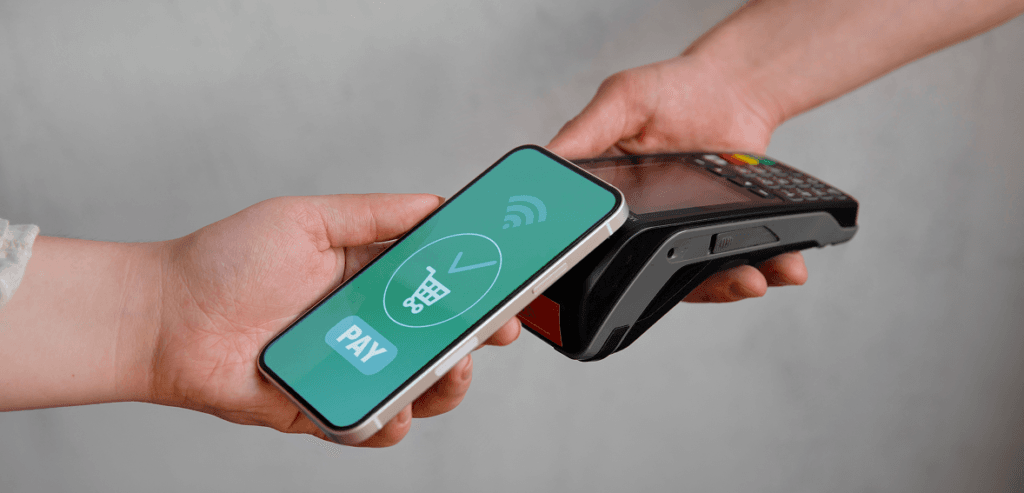
NFC stands for Near Field Communication. NFC transactions allow payments via just a tap. Devices such as cards, mobiles, or wearables with this technology communicate wirelessly within a 4 cm range. NFC transactions are lightning fast when compared to chip dip transactions that take around 8-12 seconds to process.
NFC payments gained momentum post-pandemic era, because people preferred contactless payments over handing over or swiping their cards. In the U.S., contactless payment usage at restaurants grew from 20% to more than 50% between 2019 and 2023.
NFCs require specialised hardware that is compatible with the new technology. Older terminals lack it; an upfront hardware upgrade cost is imminent.
Mobile Wallets
Mobile wallets work on the principle of tokenization. Tokenization works by replacing the actual card number with a one-time device token, which is transmitted via NFC to the terminal. Since there is no actual card data involved, it massively reduces the risk of card data theft at the terminal. The consumer expects mobile wallets to be accepted at any restaurant. Apple Pay has 500M+ users globally, which means this growing demand is an expectation, not a differentiator anymore.
QR Code Payments
There are two types of QR payments that are used by merchants: static and dynamic QR codes.
In the static QR code, the customer scans the QR, then they are redirected to a payment page where they enter their card details. In dynamic QR codes, a unique code is generated per transaction, and a live bill is printed out.
QR Codes can be used for tableside payments, online ordering, and delivery payments, as they do not require any special hardware. Its adoption grew manyfold post-pandemic, as many restaurants adopted it for its ease of setup.
Accept Every Payment Type Your Customers Expect Today
From EMV and contactless to mobile wallets and QR payments, HMS helps you deliver faster, secure, and seamless payment experiences across every channel.
Tip Management and Adjustment Best Practices
Pre-Authorization and Post-Authorization Tip Workflows
There are two models used for tip adjustment: pre-auth and post-auth tip adjustments.
In the pre-authorization tip adjustment, the card is authorized for an estimated amount, either food plus tips or food only. Tips are added manually after the meal, and the final charge is submitted at the batch close.
In the post-authorization tip model, the processor holds the authorized amount while the tip is collected on paper or screen and is keyed into the system. The batch is then adjusted accordingly to include tips before settlement.
Most processors in the market allow tip adjustment for up to 24 hours after original authorization, while some may have time limits of up to 72 hours after the transaction.
There is an important point that must be kept in mind here: card networks allow tip adjustments of up to 20% above the original authorization without triggering a dispute. But if the tip amount exceeds 20% of the original amount, then it creates chargeback exposures.
Legal Compliance Considerations
Several states in the U.S. have strict rules regarding the acceptance of tips and regulations on automatic gratuity disclosure. In states such as California or New York, the tip amount must be clearly itemized on the receipt. The IRS classifies gratuity as a service charge (i.e., employer income) rather than a tip (i.e., employee income). So, the payroll tax implications differ in this aspect. In several jurisdictions, surcharges on card usage do not apply to tip amounts.
The CFPB recommends that you not use forced tipping prompts in your payment interface to get tips from customers. Restaurants are not allowed to use such “dark practices” to force the customer to tip.
Impact on Batching and Settlement
Staff Trust and Payroll Implications
Online Ordering and Delivery Payment Integration
Payment Flow Architecture for Online Orders
The first and foremost consideration in designing a payment flow is the customer journey. A customer browses through the menu, selects desired items, and enters the payment information. The payment is tokenized and then processed. A confirmation is sent, and the order is routed to the KDS.
For most common models, the money is charged at order confirmation, not at delivery. And if an order is cancelled, it is refunded. In case of online orders, all the orders go through a payment gateway before the processor, which adds latency and a per-transaction fee.
Online ordering expands the PCI scope of a restaurant as card data is entered through an interface, not just a physical terminal.
POS Integration and Kitchen Routing
First-Party and Third-Party Ordering Platforms
On third-party ordering platforms such as DoorDash or Uber Eats, the restaurant pays the platform a 15%-30% commission per order. The payments are processed entirely by the platform, and the restaurant receives a net payout, not the gross amount.
Orders that are received through first-party platforms, such as a website or app, the restaurant owns the whole payment relationship. It saves on the commission and has to pay only the processing fee. First-party platforms are also a great way to build customer loyalty and trust.
There is a huge difference in revenue generated from orders received via third-party and first-party platforms. Suppose an order for $30 is received online via a third-party, with a 25% commission. This means a fee of $7.50 is to be paid. Same order when received through a first-party channel requires only a processing fee of 2.5% to be paid, i.e., only $0.75 is lost. That is a clear $6.75 margin.
While first-party apps save revenue and build customer relations, additional marketing investment is required to drive consumers away from big platforms to first-party apps.
Fee Structures and Margin Erosion
Sync Issues and Operational Risks
Managing Chargebacks and Fraud in Restaurants
Card-Present and Card-Not-Present Risk
In card-present payments, EMV chip transactions provide strong dispute protection. They provide excellent protection, and in the majority of “unauthorized” disputes, the merchant wins due to the chip transaction evidence.
In card-not-present transactions, there is no chip evidence. This means the merchant is left to bear the brunt of collecting proof. The primary sources of evidence in such cases are Address Verification System (AVS) and CVV matching.
A healthy merchant chargeback rate should stay below 0.5%. If this exceeds 1%, then it triggers card monitoring programs.
Prevention Strategies
There are a few strategies that can be implemented to safeguard your case in case of chargeback disputes that may arise in the future.
Financial and Operational Impact
Chargebacks must be effectively mitigated and managed as they can lead to major financial losses and operational impacts on the business.
Protect Your Restaurant from Chargebacks and Fraud Today
Reduce disputes, secure every transaction, and stay compliant with a payment solution designed to safeguard your revenue and reputation.
Choosing the Right Processor: What Restaurant Owners Should Look For
How Host Merchant Services Serves Restaurant Businesses
After understanding payment processing and POS models for restaurant businesses, the choice comes down to selecting the best software provider for your business. Host Merchant Services gives you the ideal software solution you need to take your restaurant business to the next level. HMS offers a wide range of features and a one-stop solution for all your restaurant business needs.
HMS brings together transparency, support, and flexibility in a way that makes sense for restaurant businesses, especially those managing in-store payments, online ordering, and catering payment workflows.
Conclusion
Every restaurant business requires payment processing in modern times. It is wise to understand the needs of your business and the concepts that will help you make a better choice. You can make or break a deal worth thousands of dollars in revenue, just by making an informed choice. Another thing in restaurants is the customer experience. It is of utmost value, and having a good grasp of what POS systems are used in which case helps you choose a better option to enhance the user experience and keep them coming back.
This guide aims to give you an overview of everything involved in choosing a payment processor for your business and how HMS offers a one-stop solution.