Donor Platform

Donorbox vs Givebutter vs Funraise: Real Cost for Small Nonprofits

There is no absolutely free software available in the market. Every software product that markets itself as a $0 subscription almost always carries hidden charges. Net donation revenue is the actual amount deposited into the nonprofit’s account after deducting platform and processing fees. Freemium pricing is a model used by software companies that charge $0 upfront but monetize through transaction fees or paywalls for premium features.

Nonprofits frequently select a donor platform based on the advertised “$0 monthly fee.” It makes you completely overlook the fact that transaction and platform percentages can cost you thousands of dollars in the long run. Nonprofits are now opting for “donor-covered fees” and “donor tips” to cover their credit card processing fees. This has fundamentally changed how nonprofits approach revenue.

Platform pricing plans are intentionally complex — mixing flat-rate, percentage-based fees, and separate payment processing fees, which makes comparison between multiple platforms difficult.

Why Donor Platform Costs Matter More Than You Think

Why Donor Platform Costs Matter

Donor platform costs are a critical aspect of nonprofit revenue because they compound. Compounding fees refer to the concept that small percentage cuts taken from recurring monthly donations add up to massive revenue leaks over the long term. On the other hand, effective cost refers to the true cost of a platform. It is calculated as the final cost incurred by the nonprofit after adding up the subscription fee, transaction cuts, and payment processing fees charged by the platform company.

Recurring donations are the lifeblood of nonprofits. Percentage-based cuts on every transaction capture a significant portion of the recurring revenue, silently draining it without the staff even noticing the leaks. Most nonprofits try to avoid paying for software. In a bid to save $99 per month in software fees, nonprofits opt for free software without realizing that the actual costs of free software are actually twice or even three times the subscription fees of a paid option.

Another challenge with free software is building donor trust. High fees directly impact donor trust — if a donor pays $100 to a nonprofit, they will be frustrated to know that only $93 reached the mission. This loss of trust could result in a fall in donation volumes. Also, high transaction fees create a ceiling on your nonprofit’s growth. Nonprofits rely on increasing transaction volumes to achieve successful growth; high transaction fees mean your processing costs increase in proportion to your transaction volume. The success of fundraising campaigns depends on the volume and average donation amount, but transaction-based software caps it because your software costs also scale aggressively instead of remaining fixed.

Upgrading to a paid monthly plan with a 0% transaction fee is often a better alternative to free software. It helps you budget your software costs and keeps operational costs more predictable.

Quick Overview of Donorbox, Givebutter, and Funraise

Before diving deep into the most popular nonprofit management software, let us take a quick look at their market positions, ideal user bases, and core philosophies. There are two key concepts you must understand here: plug-and-play widgets and all-in-one CRM. Plug-and-Play widgets are simple forms that embed directly into an existing website, such as WordPress or Squarespace, without requiring a whole new tech setup. On the other hand, all-in-one CRM is a platform that not only processes donations but also actively manages donor profiles, email marketing, and ticketing in one place.

Donorbox is a powerful, lightweight form builder. It is designed to seamlessly integrate into the nonprofit’s existing website. The primary focus of Donorbox is recurring giving and global payment methods.

On the other hand, Givebutter positions itself as an all-in-one, community-focused platform. The primary features of Givebutter are forms, peer-to-peer campaigns, and event ticketing. It also features a “donor tip” that keeps the software free for the organization.

Funraise is built for bigger nonprofits. It provides a robust, data-heavy CRM and fundraising suite meant for organizations scaling up. It caters to needs such as deep reporting, automation, and enterprise-grade tools.

While Donorbox is often the primary choice because of its simplicity and setup, Funraise is the go-to choice for large nonprofits that need more advanced tools to track donor data and market their campaigns. Givebutter, on the other hand, is seen as a better choice for peer-to-peer fundraising. Revenue-wise, Donorbox and Givebutter dominate the $0-$1M revenue space, while Funraise often targets nonprofits netting around $500k-$5M.

Although these comparisons hold, none of the platforms is “inherently better” than the others. These platforms cater to different needs and must be seen as different phases of a nonprofit’s growth rather than a single lifetime choice.

Pricing Models Explained: Platform Fees, Processing Fees, and Donor Tips

Pricing Models Explained

The vocabulary of donation pricing is complex for nonprofit owners. Understanding the pricing models and their significance is crucial to making the right choice. A platform fee is the percentage the software company charges to cover the cost of its own servers. On the other hand, the payment processing fee is a non-negotiable fee charged on every transaction. Usually, it is a percentage of the transaction amount or a flat-rate fee. A donor-covered fee is a checkbox on the checkout page that asks the donor to cover processing fees, so the full amount of the donation goes to the charity.

Almost every transaction involves two cuts: the first is the platform fee, which the software provider charges to cover its own server and operational costs to keep the software running. The second is the payment processing fee, charged by payment processors such as Stripe or PayPal.

Payment processing fees are non-negotiable; they are charged by every payment processor. With IRS exemptions such as 501(c)(3), nonprofits can secure lower processing rates. On the other hand, platform fees vary significantly and are completely controlled by the software company. Nonprofits must read the fine print here, as the platform fees can typically range from 0% to 5%.

The “optional donor tips” are yet another method for securing credit card processing fees from donors. The donor covers the processing fees so that the donated amount reaches the charity.

Donorbox: The Lightweight Setup for Small Nonprofits
Donorbox

Image Source

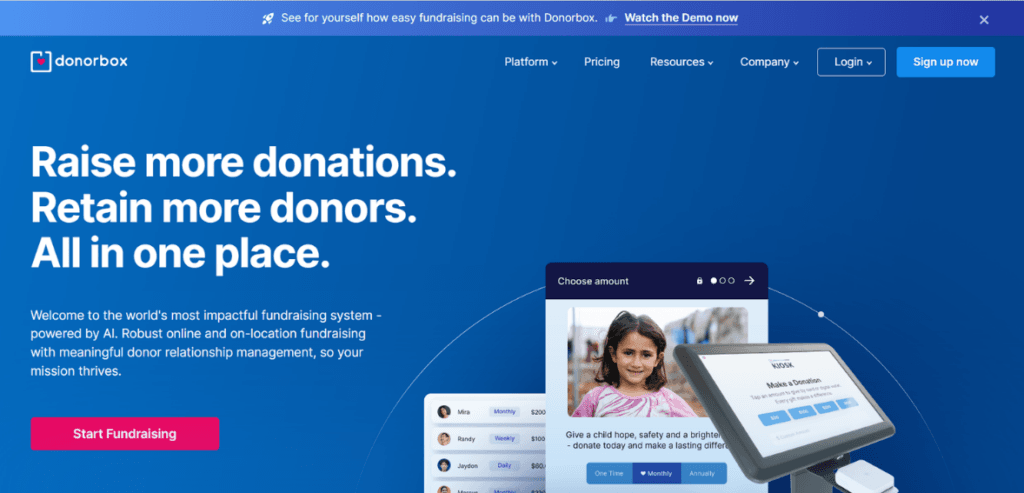
Donorbox is a powerful, lightweight platform designed for small nonprofits. The simplicity and fast setup of Donorbox make it an excellent choice for small nonprofits. Let us dissect the cost breakdown of subscription tiers to understand the pricing and the effective cost for a nonprofit.

The Standard Plan is Donorbox’s entry-level tier with no monthly fee. Donorbox markets the “Standard Plan” as “free to start” but charges a baseline platform fee in addition to the standard payment processing fee.

Donorbox charges a higher platform fee, typically around 2.95%, on its Standard plan, which makes it quite expensive. Donorbox also provides add-on purchases for premium features such as event ticketing, memberships, or peer-to-peer fundraising. The add-on charges are applied as extra percentages on top of the platform fees. Donorbox allows nonprofits to ask their donors to cover the processing fees. However, if the donor refuses, the nonprofit absorbs the high processing costs.

Its “Pro Plan” introduces a flat subscription fee of around $139- $150 per month, while the platform fee is significantly lower at around 1.75%. This acts as a safety net for high-volume fundraisers. Although it does not provide an all-in-one CRM, it easily integrates with popular platforms to streamline operations.

Givebutter: The “Donor Tip” Model

GiveButter

Image Source

Givebutter introduces a donor tipping model into its software. At checkout, donors are provided the option to enter any amount they’d like to give directly to Givebutter to keep the software free. These donor tips are optional but can help the nonprofit save on platform fees. With its tipping model, Givebutter provides truly free software. It does not charge a monthly subscription and can operate with a 0% platform fee, relying on donor tips to cover software costs.

If a nonprofit feels embarrassed to ask its donors for tips, it can disable donor tips on Givebutter. However, Givebutter will charge a platform fee ranging from 1% to 5%, depending on the campaign type. Apart from donor tips, standard payment processing still applies to every transaction, though Givebutter offers reduced rates for ACH transfers, which are highly beneficial for major gifts and recurring giving.

Although the pricing is very transparent, the checkout sometimes feels cognitively heavy to the donor. However, Givebutter provides an impressive suite of robust features — a basic CRM, event ticketing, peer-to-peer fundraising, and email/text campaigns, which makes it an incredibly cost-effective choice.

Funraise: The Heavyweight Champion

Funraise provides a premium, feature-rich model for large nonprofits. Funraise offers a subscription-based model and an enterprise-grade CRM. It is structurally different from Donorbox and Givebutter, as it operates as a SaaS platform with prices ranging from $99 to $150+ per month, often billed annually. For smaller organizations, such as those with revenue under $1M, it occasionally offers entry-level tiers. These are not easily accessible; these tiers are highly gated and often carry platform fees of up to 5% on top of payment processing costs.

The cost of Funraise includes advanced features such as automation, intelligent donation amount suggestions, donor self-service portals, and custom deep reporting. These features provide the organization with an information edge that allows it to design campaigns and plan outreach to maximize donations.

Although Funraise is feature-packed software, it is not the best choice for volunteer-led or small nonprofits. This is because it requires a greater financial commitment, making it an overhead burden for organizations accepting only a few monthly gifts. The ROI of Funraise entirely depends on the size of the organization using it. Since costs remain nearly fixed for the higher tiers, nonprofits with high transaction volumes can benefit from it.

Conclusion

After a detailed review of all three nonprofit management platforms, Donorbox is the best choice for small nonprofits and volunteer-led organizations. It allows for seamless embedding and fast setup. Givebutter is the ideal choice for nonprofits that are just starting out and cannot pay for separate software. For very large nonprofits that require enterprise-grade features, Funraise is the right choice. The goal is not to find software with absolutely $0 fees, but rather to find software that fulfills current needs.

We keep our nonprofit payment articles together in Nonprofit Payment Resources; see it for more on donor platform costs.

Frequently Asked Questions

  1. What is the cheapest donation platform for a nonprofit?

    Givebutter is technically the cheapest software for small nonprofits. With its donor-tipping model, the software remains truly free for a nonprofit.

  2. Does Donorbox charge a monthly fee?

    Donorbox’s Standard plan does not charge a monthly fee; it charges a platform fee of around 2.95% plus add-on percentages for advanced features. The Pro plan introduces a flat monthly subscription of around $139-$150, with a reduced platform fee of around 1.75%.

  3. What is a donor-covered fee model?

    The donor-covered fee model is a pricing model in which the nonprofit asks its donors to cover its payment processing fees.

  4. Is Funraise good for small nonprofits?

    Funraise is a feature-packed, enterprise-grade platform that provides advanced features required for nonprofit management and reporting. However, for small nonprofits, it is an expensive overhead to carry, making it a bad choice for small organizations.

  5. Can I avoid Stripe or PayPal fees as a nonprofit?

    Although you cannot avoid payment processor fees entirely, your status as a nonprofit allows you to get some discount on the payment processing percentages. With the IRS 501(c)(3), payment processors allow you to claim discounted processing rates on your donations.


Total Cost of Ownership

Jobber vs. ServiceTitan vs. Housecall Pro: Real Cost for Small HVAC Shops

Most software companies advertise low rates on their websites. They typically start at $29 to $59 per month, but this covers only one user and offers minimal features. Most business owners buy them without realizing that the actual costs incurred are much higher.

The total cost of ownership (TCO) of any software refers to the true amount you have to pay every month to manage your business through the software. The TCO of software is often higher than the starting plan offered by the provider, as it requires additional features crucial to operating the business, but are only available as add-ons or higher-tier perks.

The sticker price refers to the low starting monthly fee advertised by the company on its homepage to attract customers. Most business owners buy into the illusion that the sticker price is the true operational overhead; they often end up paying twice or three times the sticker price just to keep the software running for their business.

Choosing the right software is crucial for any small business, as switching to enterprise-grade software too soon can burn through operational reserves. In this blog, we will compare the three most popular HVAC business management software platforms and see whether they deliver the promise of a true, low-cost solution.

Software Costs Matter More Than You Think

Software Costs Matter More Than You Think

Most business owners consider software to be an admin expense. This is a grave mistake; management software is not just an “admin expense”; it’s a recurring operational expense your business pays periodically.

Modern HVAC business management software is delivered as SaaS. SaaS, or Software as a Service, means the business will have access to the software for a monthly fee. This means that software is a recurring cost, rather than a one-time cost of purchasing a CD-ROM.

HVAC revenue is highly seasonal; every operational expense must be accounted for. A massive, fixed monthly software bill can drain your cash reserves during the slow shoulder seasons. Operational overheads such as fleet insurance and software costs are constant and recurring. These fixed business costs are incurred every month regardless of the revenue generated. This means that operational overheads must be carefully chosen.

Most management software locks you into constraints such as minimum user counts, meaning if a technician quits, you’ll still be paying for their software until the contract renews. With low profit margins, typically around 10-15%, HVAC businesses must manage software meticulously.

Another factor to consider is the software’s ability to automate non-billable hours, such as chasing unpaid invoices. As the number of trucks increases, the software rarely scales smoothly. This means that crossing a specific threshold forces you to pay much more.

A Quick Overview of Jobber, ServiceTitan, and Housecall Pro

Field Service Management (FSM) is a category of software that serves trade businesses by handling functions such as scheduling, dispatching, and invoicing. This software is designed to specifically handle tasks related to on-field service businesses. The target market for these software companies is small- to medium-sized businesses seeking to scale, making them an affordable option. However, before settling on a single choice, it is necessary to consider the pros and cons of each option to understand what each offers.

Jobber is designed for simplicity and ease of use. This makes it ideal for solo operators and small teams who want a digital schedule and easy invoicing without needing a dedicated IT team to manage the software.

ServiceTitan is the heavyweight champion of enterprise solutions. It is designed for multi-million dollar service businesses and residential replacement shops. These businesses require features such as deep data reporting, commission tracking, and massive call center capabilities — all of which are provided by ServiceTitan.

On the other hand, Housecall Pro is a software platform that occupies the middle ground. It offers stronger marketing and flat-rate pricing tools, making it an ideal choice for growing businesses, such as those with 2-10 trucks, looking to standardize their operations.

Choosing the right software depends on the size of your business, your goals, and your current requirements. Understanding your needs and software features is necessary to make the ideal choice.

Understanding Various Pricing Models: Total Cost of Ownership

Various Pricing Models

Let us understand the billing mechanics of these software providers. For this, you need to understand two key concepts: per-user pricing and tiered/bundled pricing.

In the per-user pricing model, you pay a fee for every individual employee who needs a login. On the other hand, tiered/bundled models allow you to pay a flat rate that includes a set “bucket” of users.

Per-user models penalize growth because each new hire adds overhead for the company. On the other hand, tiered/bundled models are ideal for small teams because they offer more predictable pricing.

Add-on modules refer to features that are locked behind a paywall. They are very common in software that advertises a low sticker price to attract more customers. The implementation fee is another massive one-time setup charge that covers data migration and training, which prevents you from casually canceling.

Lastly, you must also understand the difference between annual and month-to-month contracts. Annual contracts lock you in for a period of 12 months, with penalties for early termination of the contract. Monthly contracts give you the flexibility to cancel if cash flow tightens.

Real Cost Breakdown for Small HVAC Shops

Jobber: Real Cost Breakdown for Small HVAC Shops

Jobber is the simplest and easiest-to-use software available in the market. Ideal for solo operators and small teams looking to digitize their schedules and automate invoicing, it serves as a perfect tool.

Jobber uses a tiered pricing model. Its 2026 pricing is highly accessible, starting at $29- $49 per month for the “Core Plan.” This tier provides you with basic quoting and invoicing to replace pen-and-paper billing.

The “Connect Plan”, starting at $89-$139 per month, covers up to 5 users and unlocks automated reminders because stopping even one customer “no-show” pays for a whole month of the software.

The “Grow Plan”, priced at $149–$199 per month, covers up to 10 users and introduces Job Costing. Job costing is a feature that tracks materials, labor, and time against a specific invoice, telling you whether a job was profitable.

The “Plus Plan” jumps significantly, priced at $499- $599 per month for 15 users, adding AI tools and dedicated support, which is often overkill for small businesses. While Jobber bundles its users, exceeding a tier’s limit means an additional $29 per user per month.

ServiceTitan: Real Cost Breakdown

ServiceTitan is the most feature-rich service management software. It introduces features such as custom quoting, but contract lock-ins are often unfavorable for merchants.

ServiceTitan refuses to publish its pricing online; it has a dedicated sales onboarding process after which the price is finalized. Industry data from 2026 indicates that costs hover between $245 and $398 per technician per month. Since ServiceTitan bills you per technician, your costs are directly proportional to the number of technicians using the software.

ServiceTitan requires upfront implementation fees, ranging from $5,000 to $15,000+ for small shops. This means that you need a loan or huge cash reserves just to get the software working. Also, its advertised pricing rarely includes its famous “Pro” modules, such as Marketing Pro and Dispatch Pro, meaning the features come at an additional cost.

Additionally, ServiceTitan enforces a strict 12-36 month contract. This is crucial because if your sales drop during the cold season, you have no way to downgrade or pause your massive software bills without incurring a penalty.

ServiceTitan is not the ideal software for smaller businesses. However, it is the best overall enterprise-grade software solution for businesses with net annual profits of $1 to $2 million.

Housecall Pro: The Middle Ground

While Jobber is very simplistic and easy to use, it lacks more complex features. On the other hand, ServiceTitan is too expensive for small businesses. This is where Housecall Pro comes into the equation. Often regarded as the middle ground option between simplistic software and a massive enterprise-grade solution, Housecall Pro features a tiered pricing model.

Housecall Pro’s 2026 pricing is tiered, starting at $59- $79 per month for its “Basic Plan.” Limited to a single user, this plan offers a cheap entry point for dispatching and mobile credit card processing.

The “Essentials Plan”, which is priced at around $149-$189 per month, allows access for up to 5 members. This is where the software becomes truly useful, as it unlocks QuickBooks integration. This means that you no longer have to rely on manual accounting work.

The “MAX” plan uses hidden custom pricing for larger teams consisting of more than 8 members. This plan is well-suited for teams that require advanced API reporting, which places it in direct competition with larger systems. Adding users beyond your plan’s limit costs an additional $35 per person per month, which makes it more expensive to scale than Jobber.

However, the additional user cost is not what makes Housecall Pro expensive. The true cost trap of Housecall Pro lies in its Add-Ons — features such as Flat Rate Price Book (often ~$149/mo extra) and Vehicle GPS tracking ($20/vehicle) silently drain your cash reserves and nearly double your monthly bill.

Hidden Costs Most HVAC Owners Miss

Apart from the software and its own hidden add-on costs, there are other hidden cash bleeders that most business owners fail to notice. Payment processing fees and data migration charges are often overlooked costs that account for a significant share of your budget.

Payment processing fees are the percentage or flat-rate charges per transaction that the software company charges when a customer pays an invoice via credit card through their app. Credit card processing fees are often locked into the software’s native payment processor, meaning the company’s share is already built into the gateway’s processing fee.

Another high cost is data migration. Data migration is a tedious process that consumes significant office time and labor. Also, purchasing new devices to implement the software in the field and training the staff on complex software are additional costs to the business.

Conclusion

Software pricing in the HVAC industry is often deceptive; the sticker price is almost never the true cost of ownership. The true cost includes implementation and add-ons, which amount to a significant sum. For small businesses, Jobber and Housecall Pro are the ideal choices. ServiceTitan is an all-inclusive software solution, but it is ideal for businesses that net millions of dollars in profits. You should always buy software for your current requirements; buying software for a company you want to be in the next five years will eat into cash reserves and become an operational overhead rather than a smart optimization.

We keep our contractor payment articles together in Contractor Payment Resources; see it for more on software costs for small HVAC shops.

Frequently Asked Questions

  1. Is ServiceTitan too expensive for a 2-man HVAC shop?

    Yes, with expensive plans and a huge upfront implementation fee, ServiceTitan is too expensive for small teams. It is only suitable for multimillion-dollar service businesses that can afford large upfront fees without a line of credit.

  2. Does Jobber charge per user or a flat rate?

    Jobber uses a tiered flat-rate model that includes a specific number of users per plan. However, if you exceed the user limit of your tier, you pay an additional fee per user per month.

  3. Which software has the lowest starting price for a solo HVAC owner?

    Jobber generally has the lowest starting price for solo operators and small teams. It provides the basic features that are required for a solo HVAC owner just starting out.

  4. Are there hidden fees with Housecall Pro?

    The base subscription of Housecall Pro does not carry any hidden fees. However, it charges additionally for premium features such as Flat Rate Price Books and Vehicle Tracking, which add up to a high monthly cost.

  5. Do I have to sign an annual contract for HVAC software?

    You do not always have to sign an annual contract for HVAC software. Jobber and Housecall Pro offer flexible month-to-month payment options that let you pause or downgrade your software as needed.

Damage Deposit Holds vs Damage Charges

Damage Deposit Holds vs Damage Charges: What Rental Businesses Get Wrong

Damage Deposit Holds vs Damage Charges is one of the most important concepts rental businesses need to understand to avoid unnecessary costs and inefficient deposit management. A security deposit is the most delicate aspect of a rental business to handle. Managing security deposits is by far the most mismanaged task in rental businesses. It is often treated as an afterthought, despite the severe legal risks it poses.

Among the many ways to manage security deposits, many rental businesses default to treating them as standard sales charges. They collect the deposit from the customer and simply refund it when the time comes, as with other ordinary charges. A security deposit is a sum of money the landlord collects from the tenant before move-in as insurance against excessive damage to the property, beyond normal “wear and tear.”

Switching to a “hold” model for your deposits is a wiser decision because it eliminates the overhead costs of moving money in and out of the business. Treating security deposits as standard transactions only results in net overhead, which compounds across multiple properties.

Moving actual cash creates a chain reaction of negative events; with every move, costs essentially come out of your operational reserves. Processing fees, manual data reconciliation, and customer anxiety are some of the most common outcomes of moving cash in your business. Moving cash creates a lot of operational friction. The time, labor, and software costs incurred by the business to manage these processes are unrecoverable.

Authorization Holds vs. Captured Charges

Authorization Holds vs. Captured Charges

A pre-authorization hold is a temporary freeze that the customer’s bank places on a certain amount of funds in the customer’s account. These frozen funds are reserved for the merchant and are not transferred. It matters because the merchant secures a security deposit without incurring the overhead costs of moving the funds. Every credit card transaction happens in two distinct phases. The first step is authorization, or auth, which involves the merchant asking the bank whether funds are available and freezing them in the customer’s account. The second step is capture, in which the merchant requests the frozen funds to be transferred to their merchant account.

Here is when the fundamental difference between a deposit and a hold comes into play. A damage deposit “charge” executes both steps, i.e., auth and capture, transferring funds from the customer’s account to the merchant’s account and charging a processing fee. On the other hand, a deposit “hold” only executes authorization. The funds are checked and frozen in the customer’s account itself, and the capture is not initiated.

Now, the captured charge must be refunded at the end of the lease, at move-out. This means that when the rental property passes the pre-move-out inspection, the rental company must refund the deposit to the customer’s bank account. A processing fee is charged on the transaction amount and deducted from the merchant’s operational reserves. For a damage “hold”, a void is requested at the time of move-out. A void is a command that the merchant sends to the customer’s bank, instructing the bank to unfreeze the funds and make them available to the customer.

Damage Deposit Holds vs Damage Charges: Why Capturing Deposits Costs You Money

Merchant processing fees refer to the percentage or flat rate that payment gateways, such as Stripe, Square, or Authorize.net, charge a business to facilitate a transaction. Earlier, if a merchant issued a refund to the customer, payment processors also refunded the processing costs back to the merchant.

Over time, rules have changed, and nearly all major payment processors have eliminated fee refunds. This means capturing deposits is no longer harmless. It costs you twice, once when you capture the deposit and once when you refund it.

It matters because processing fees compound across all rental units, creating a significant overhead for the business. Moreover, this money is being charged directly from your operational reserves, which means this is an unrecoverable cost.

The solution to this is pre-authorization holds. They entirely bypass payment capturing, meaning the funds are secured, and you do not have to pay a processing fee unless and until you capture the security deposit to cover “excessive damages.”

Debit Cards vs. Credit Cards

Debit Cards vs. Credit Cards

There are fundamental differences between placing a hold on a checking account and setting a credit limit. Credit limits are a pre-approved line of credit from a bank. Freezing funds in the credit limit does not impact the customer’s actual bank balance. When a merchant places a pre-authorized hold on a customer’s credit card, the customer’s credit limit is reduced by the amount of the hold. This is barely noticeable to a customer paying their credit card bills regularly.

On the other hand, when a hold is placed on a debit card, the customer’s available balance decreases. This means the frozen funds remain in the customer’s account but are reserved for the merchant; the customer is not allowed to spend them. If a customer is not careful enough, it may lead to bounced checks or overdrafts on their other bills.

When a hold is placed on the customer’s checking account, they become hypersensitive to release timelines. This is because a debit card “hold” ties up liquid cash. For the entire duration of the hold, the amount is inaccessible to the customer. To prevent customer frustration, you must train your staff to educate customers and warn them about the freeze on their funds during the holding period.

Time Limits on “Holds”: Navigating Card Network Drop-Off Windows

Pre-authorization holds are not forever. They expire after some time. A drop-off window refers to the maximum number of days a card network, such as Visa or Mastercard, allows a pre-authorization hold to remain valid before automatically releasing the funds back to the customer. Pre-authorization holds are temporary by design, so card networks do not allow merchants to hold funds indefinitely.

For standard retail, the typical drop-off time is 7 days. After 7 days, the hold automatically expires. This means that the funds are automatically unfrozen, and the merchant can no longer capture them. But for businesses that require long-term holds, such as rentals, extended authorization windows are available. For specific Merchant Category Codes (MCCs), card networks grant extended authorizations, often lasting up to 30 days, to accommodate longer rental periods.

Managing Customer Expectations

Managing Customer Expectations

There are inevitable delays in returning funds to the customer’s account, even after the merchant has revoked the hold. Banking apps usually take 3 to 5 days to reflect these changes. However, this does not mean that the customer is entirely satisfied; most customers expect the funds to show in their bank account the minute the return process is complete.

Unlike refunds, which are reflected more directly as money returned, holds take longer. Release propagation delay is the time it takes for the customer’s issuing bank to process the merchant’s void command. Although the delay is entirely the bank’s, the customer often blames the business.

To handle these objections, you must train your front-desk staff to explain how voids work to customers. This is crucial because an angry customer and a bad review eventually harm the reputation of your rental business. The front-desk staff must clear all doubts the customer has regarding holds and voids. Effective communication is the key to managing customer experience.

The front-desk staff must be able to explain that the funds will appear in 3-5 business days and that the bank’s processing time is responsible for the delay. The blame must be shifted away from company policy and onto the actual procedural delays banks cause. By ensuring proactive communication and automated follow-ups, you reassure customers and improve their overall experience.

Assessing Damages: Transitioning a Hold into a Charge

Rentals always carry the risk of being damaged. When a rental is returned damaged, the merchant may cover repair costs from the frozen funds. However, there are strict legal regulations while transitioning a hold into a captured charge.

Partial capture is a payment processing feature that allows the merchant to capture a fraction of the originally authorized hold amount. Crucially, businesses should only utilize “partial capture” to take the exact cost of the repair or replacement, immediately releasing the remaining balance to the customer. Capturing the full deposit when only a fraction is required is a bad practice. This is because processing fees are charged as a percentage of the transacted amount, so capturing the full funds incurs excess processing costs that are charged to the merchant.

To prevent excess costs, the business must follow a strict Standard Operating Procedure (SOP) before capturing the funds. Damage documentation refers to the timestamped evidence required to prove that the customer damaged the rental property during their possession. It is crucial that damages are well documented to prevent excess charges.

Automating the Process Through Rental Management Software

Managing pre-authorization holds manually is a disaster. Logging into separate software to check account statements and matching them to rental accounts on spreadsheets consumes admin time and labor.

To mitigate errors and time costs associated with manual reconciliation, modern businesses have integrated payment gateways into their rental management software. Payment gateway integration refers to connecting a payment processor, such as Stripe, directly into the operational software that tracks rental inventory. This is crucial as it allows you to sync operations with payment information.

With an integrated system, you can automate data entry for each rental account as soon as payment is made. It links the transaction ID directly to the customer’s profile, ensuring real-time reconciliation.

Automated triggers are system rules that execute a sequence of actions in response to specific events. Automation ensures deadlines are always met — meaning no charges come as a surprise to the customer.

Having software also keeps communication active, which means propagation delays do not stir panic in the customer, thus improving their experience.

Conclusion

There is a fundamental difference between holds and charges. Holds freeze the money, while charges move the money between accounts. Capturing funds without any real requirement burns through operational reserves. Upgrading your legal vocabulary is the first step towards a robust company policy. Automating pre-authorization holds with modern rental software is the highest-ROI operational fix you can implement to sustain growth in your rental business.

Frequently Asked Questions

  1. What is the difference between a damage deposit hold and a charge?

    A hold means a temporary freeze on the requested funds in the customer’s account. On the other hand, a charge means transferring the security deposit from the customer’s account to the merchant’s account and refunding it after the rental is returned.

  2. How long does a pre-authorization hold last?

    Pre-authorization holds typically last around 7 days. For rentals that require extended holds, card networks provide a drop-off window of up to 30 days.

  3. Why does a deposit hold take so long to release on a debit card?

    When a hold is released, the merchant immediately sends the void command to the customer’s bank. The issuing bank takes 3-5 business days to clear the pending freeze from checking accounts.

  4. Can I charge more than the pre-authorized hold amount?

    No. If damages exceed the hold amount, you must capture the full hold and invoice the customer separately for the remaining balance.

  5. How do I automatically release deposit holds?

    You use rental management systems that integrate with your payment processor. This way, you can send void commands immediately upon the expiration of the rental period.

P2P fundraising

Why Peer-to-Peer Fundraisers Raise Less Than Donor Pages on the Same Platform

Primary nonprofit donation pages yield higher conversion rates than peer-to-peer pages. The typical conversion rate for a primary nonprofit donation page ranges from 15% to 20%, while the average conversion for P2P fundraising pages can dip below 5%. Most nonprofit owners assume that traffic is the sole criterion for evaluating the effectiveness of a donation campaign.

It is crucial to note that the context of a website visit is as important as the number of visits. In fact, the website traffic is not always directly proportional to the donations received. Peer-to-peer donations refer to the percentage of visitors to an individual volunteer’s page who successfully make a financial gift.

Direct donations from donor pages have a higher conversion rate than P2P websites. This is because the donor visits a donor page with higher intent. P2P fundraising can be understood as delegating the “ask” of donations to the supporters. The conversion rates on P2P pages are very low because the organization loses control over the pitch context that drives donations. This leads to highly variable donor readiness when visitors click the link.

Donation is an impulsive decision; a person is most likely to donate when there is a temporary surge of emotion following a good pitch. This high usually lasts only a very short time, so process optimization plays a huge role in determining whether the donation is successful. Often, the standard nonprofit software configuration treats all P2P pages the same as the main donor page. This means a donor has to go through the tedious process of filling out and verifying details on the nonprofit’s main website. Since traffic on P2P websites is already low-intent, conversion rates are even lower.

P2P fundraising: The Gap in Donor Intent

The Gap in Donor Intent

Donor intent refers to the psychological readiness and explicit goal a user has to give money before they open a webpage. In other words, donor intent refers to the likelihood of a donor to make a successful donation. Donor intent and traffic warmth are two factors that affect donor conversion rates.

The main donor pages of a nonprofit organization attract visitors who usually arrive with the explicit goal of making a contribution. Traffic on a P2P page does not indicate high intent. Most of it is interrupt-driven traffic that came across the page while checking their social media. They usually come to explore the page out of curiosity, not philanthropy.

The P2P donors are essentially cold traffic for the nonprofit. Cold traffic refers to traffic that has no prior connection to the nonprofit. On the other hand, warm traffic is already familiar with the cause and trusts it. The majority of P2P traffic donations are made based on personal acquaintance with the individual rather than on a commitment to the cause. Since P2P donors lack deep organizational loyalty, a nonprofit is more likely to lose them. Minor inconveniences in the payment method are enough for them to abandon the donation altogether and move on. Treating P2P donors like traditional donors is a fundamental flaw. These two are totally different demographics and mindsets, and must be addressed separately.

Brand Familiarity and Security Signals

Trust signals are cues, such as professional branding and proven impact reports, that demonstrate a nonprofit’s commitment to the cause. They build trust in users’ minds, proving that the website is legitimate and safe to enter credit card data. Brand consistency helps ensure that potential donors can identify your nonprofit’s web pages, maximizing online donations.

P2P platforms often use different URLs instead of the charity’s main web address. For cautious first-time visitors, this creates unease. They grow suspicious and are more likely to abandon the donation. An individual’s page that lacks the charity’s primary logo or clear tax-deductible language is more likely to be met with donor distrust. For “cold” traffic, this is a huge concern as they have no proof that the money is going to a registered nonprofit rather than a personal bank account.

Every visitor forms a perception of a website on their first visit. Merely having the nonprofit’s logos and brand messaging is not enough for a P2P page to inspire trust. If the P2P page is basic, unbranded, or takes a long time to load, more donors are likely to abandon the donation. The “halo effect” of a nonprofit is not enough for the visitor to trust your website. Moreover, social proof elements are often missing from individual pages. A new visitor is likely to assume the page might be broken or untrustworthy if no previous social records are displayed.

Why Standard Checkout Flows Kill the “Impulse”

Why Standard Checkout Flows Kill the “Impulse”

To understand why P2P pages have significantly lower conversion rates, we must first grasp the concepts of form friction and form abandonment. Form friction refers to any unnecessary step, confusing instruction, or additional address field present in the payment form. It matters because form friction must be minimized to get more donations. On the other hand, form abandonment occurs when a user begins filling out a donation form but leaves the page before completing the donation. Form friction is a critical factor that significantly impacts form abandonment.

Standard nonprofit CRMs (Customer Relationship Management) ask a massive amount of personal information from donors. Information such as a physical address, phone number, or specific address fields must be filled in on a nonprofit’s web page before a donor can make a payment. This makes the checkout experience grueling and long. A nonprofit already has established brand value; most of the traffic that visits them is high-intent “warm” traffic, and the donors go through the checkout process regardless of how long or complex it is.

On the other hand, P2P pages are like personal websites. The traffic on P2P pages is already low-intent; bombarding them with fields asking for personal details seems intimidating. A visitor is skeptical of sharing so much information on an individual’s website. P2P pages that implement standard checkout pages experience higher form abandonment rates.

With every field the donor needs to fill, the cognitive load increases. After a tipping point, where the cognitive load exceeds the impulse to donate, the donor finally abandons the checkout process entirely. Nonprofits prioritize data collection over revenue collection on P2P pages; this is a big mistake. The ultimate goal of P2P pages is to maximize the donations received. Therefore, they must be designed so that the checkout process takes no more than a few seconds.

Boilerplate Participant Pages: The Cost of Generic Storytelling

Boilerplate content refers to standard, generic text provided by the nonprofit that auto-populates on the fundraiser’s page when they create an account. This content relies heavily on institutional language. Boilerplate content lacks a warm, friendly tone, making your P2P page seem like any other one the user comes across. Pages that feature generic text and stock photos often get disregarded by users. Due to a lack of emotional appeal, donors do not feel the impulse to donate, resulting in lower conversion rates.

The distinctive characteristic of an effective P2P page is personalization. It is what separates your P2P page from other generic P2P pages. Personalization refers to updating the page with custom photos, personal anecdotes, and individual reasons for fundraising to make it unique. When a user sees a story on a P2P page, they are motivated to donate. The reason you care, or why the user should care, must be evident on your page. Lacking a story means turning down potential donations.

Optimizing the Mobile Experience

Optimizing the Mobile Experience

Modern-day donors use their smartphones to donate to a nonprofit. Mobile devices account for a major share of online donations, meaning that mobile optimization significantly affects donor behavior. Most nonprofit P2P pages make the mistake of leaving their web pages unoptimized for mobile devices. Mobile-responsive design must be the first priority for any P2P page. The webpage must automatically adjust its layout, text size, and elements to fit the device’s screen dimensions.

The primary source distribution of P2P campaign links is social media. Apps such as Instagram, WhatsApp, or Facebook bring a lot of traffic to P2P pages. This means that most of the traffic on your web page comes from mobile devices. A lack of mobile responsiveness makes the website difficult to navigate. Every time a donor faces friction with the user interface, it increases the chances of form abandonment.

Poor UI/UX and lack of mobile responsiveness increase the bounce rate on your P2P page. Bounce rate refers to the percentage of visitors who land on your website and leave without taking any action. Having a simple, easy-to-navigate design that all users can use is a must. A truly optimized mobile design keeps the call-to-action visible at all times, uses automatic field formatting, and includes “finger-friendly” button designs.

Missing Payment Technologies: The Silent Killer of Conversion Rates

The biggest killer of your P2P page’s conversion rate has to be the lack of payment technology. Modern consumers pay for most of their utilities and bills through digital wallets, such as Google Pay and Apple Pay. These platforms securely store the user’s credit card information, allowing instant payments without entering card details.

P2P pages can maximize conversion rates by offering lightning-fast payment methods. Donation is an impulsive decision driven by a temporary spike in emotion following a good pitch. Once the person sees your campaign and lands on your P2P page, the next step is to ensure they donate. A person scrolling on their smartphone might be on their bed or couch, in an office, or simply waiting in line for their coffee. To maximize your chances of securing a donation, you must implement digital wallets on your P2P page.

Digital wallets bypass the physical credit card entirely; the donor does not need to have their credit card physically present to make a donation. Since people trust digital wallet transactions, the hesitation to enter card details on an unfamiliar website is also eliminated.

Conclusion

P2P traffic is inherently colder; most visitors land on your page out of curiosity rather than commitment. An ideal P2P page can communicate the nonprofit’s mission as well as the individual’s personal motivation for working for the cause. You should stop treating your P2P checkout like a deep donor-cultivation tool; instead, it must be seen as a quick revenue boost. The entire focus of a P2P page must be on maximizing donations. By changing the approach to P2P pages and positioning them as quick donation collectors, nonprofits can increase revenue from P2P pages.

Frequently Asked Questions

  1. What is a good peer-to-peer donation conversion rate?

    Main page conversion rates typically range from 10% to 20%. Keeping this in mind, a P2P page with conversion rates ranging from 5% to 8% is a solid benchmark for a healthy P2P page.

  2. Why do people abandon donation forms?

    People abandon donation forms for a variety of reasons. It could be due to payment inconvenience, such as a lack of digital wallets, or due to design features, such as a lack of mobile optimization, excessive information fields, or a generic website design.

  3. Should P2P pages use the same giving tiers as the main website?

    No, P2P pages must be simple. Main page websites are meant for planned donations. On the other hand, P2P pages are meant for impulse donations, which means giving tiers should be lower and simpler to prevent decision fatigue and sticker shock.

  4. How can I get my volunteer fundraisers to raise more money?

    You can provide them with simple P2P page templates that let them share why your nonprofit matters to them.

  5. Why does a $0 goal bar hurt fundraising?

    People often hesitate to be the first to give money. A campaign with zero dollars raised lacks social proof, leading visitors to unconsciously question the page’s legitimacy or momentum.

Related reading on peer-to-peer fundraising results: Nonprofit Payment Resources.

Weather-Cancellation Chargebacks

How Party Rental Companies Stop Weather-Cancellation Chargebacks

Chargebacks are a nightmare for any rental business. Not only do they cost you the money you earned for providing the services, but they also eat up the operational reserves of your business. Chargebacks are a forced reversal of funds initiated by the customer’s bank. They withdraw funds from your merchant account and charge an additional fee while the dispute is being investigated.

Weather cancellations are unpredictable. You cannot predict the weather with 100% accuracy. So, rental companies can only prepare themselves for unforeseen circumstances. Weather-cancellation chargebacks must be prevented, as they cost the company in two ways. The first is the loss of the transaction money plus an additional chargeback fee, and the second is the opportunity cost. When you take money from a client and hold their slot, you reserve a place on the calendar and turn away clients who ask for the same date. This is an invisible loss the business suffers when the first customer for whom the slot was held cancels their reservation, leaving your business with unrented equipment and zero revenue.

A chargeback is not just a lost sale; it is a lost opportunity, lost revenue, and a loss of potential clients that were turned away while the booking was upheld. This means the business is being constantly drained of operational resources and opportunities. Since weather events are unpredictable, you cannot rely on reactive dispute management. You should put in place the exact policy to follow in the event of an unforeseen weather event before it happens.

What Are Weather-Cancellation Chargebacks and “Friendly Fraud”?

What Are Weather-Cancellation Chargebacks

Friendly fraud refers to when a legitimate customer uses the bank’s chargeback process to force a refund for a transaction they actually authorized. This often occurs due to dissatisfaction or buyer’s remorse.

In the party rental industry, weather-related chargebacks are considered friendly fraud. This happens when the customer realizes that their outdoor event was ruined by bad weather, such as rain. The customer issues a chargeback because they get angry that the merchant didn’t refund them for the inconvenience. The most common reasons for chargebacks include customers claiming that the merchant didn’t deliver the rented equipment.

Friendly fraud of this type occurs mostly because the customer feels entitled to a refund when the event doesn’t go as planned. However, this is wrong because the merchant still rented out the equipment. In such claims, the banks inherently favor the customer. This is especially tricky for the merchant, because the burden of proof doesn’t rest on the customer; it lies with the merchant.

Chargebacks are particularly complex for the rental company; they bypass the merchant’s internal refund policy entirely, and the merchant does not learn until the funds have already been removed from their account. It is crucial for the merchant to distinguish between friendly fraud and legitimate fraud, as the defenses for each require fundamentally different approaches.

Building a Bulletproof Weather Cancellation Policy

Building a Bulletproof Weather Cancellation Policy

The foundation to protecting your company from unforeseen chargebacks is to establish terms and conditions as your primary line of defense. The crucial aspect of developing such policies is to formulate clauses that banks will actually uphold. Having generic “no refund clauses” doesn’t cut it. For protection against weather-cancellation-based chargebacks, a strict no-weather-cancellation clause must be implemented in your terms of service. A weather cancellation clause is a specific, isolated section of the rental contract that dictates exactly what happens to the customer’s money if an adverse weather event occurs.

Establishing a hard cut-off deadline is the next step. It forces the customer to commit. It prevents losses to the company by ensuring that the money is secured once the delivery truck has arrived at its location. Hard cut-offs prevent last-minute cancellations, which are a major source of loss for rental companies. In such an event, the company incurs operational expenses in addition to the transaction amount.

Your policies must clearly outline the financial outcomes derived from the number of days before the event. This means that a clear percentage-based cancellation policy must be implemented. The security deposit must also be managed properly to ensure it covers losses incurred during the idle period. Creating graduated refund tiers ensures that charges and refunds are fair and uniform for every customer. Informing the customer before payment is also a crucial step and will be discussed in later sections.
Non-Refundable Retainers vs. Deposits: The Payment Semantics that Win Disputes

There is a fundamental distinction between deposits and non-refundable retainers. Deposits are a partial prepayment toward a final physical product or service. Their essential function is to reserve a service in advance and confirm a slot. Deposits are inherently refundable in case services or goods are undelivered. On the other hand, a non-refundable retainer is a fee paid solely to secure the equipment for a specific date. This is legally recognized as a payment for reserving inventory and turning away paying customers.

In legal matters, the terms used in your policies dictate how you can defend your case. Using the word “deposit” in your terms of service actively harms your case. Deposits are refundable, which means your case against a chargeback is already weakened. A “non-refundable retainer” aptly describes the amount taken to reserve the equipment. This means that the customer is not just paying for the tent, but also paying you to turn away potential paying customers.

Stating the percentage breakdown of non-refundable retainers in your policies makes it clear to the bank exactly what portions of the funds remain uncontested. Even if a business chooses to refund a customer out of goodwill, using the “retainer” language gives the business discretion to act of its own accord rather than make decisions under pressure.

Digital Paper Trails: E-Signatures and Check-Box Consent

E-Signatures and Check-Box Consent

E-signatures are legally binding digital sign-offs captured via software. This is far more secure and verifiable than a physical signature on paper. Most companies implement clickwrap agreements. These agreements are used to ensure that the customer consents to all your policies before proceeding with payments. Clickwrap agreements refer to digital barriers in proceeding to payment, such as ticking the checkbox that reads “I have read and understood all terms of service.”

Verbal agreements might hold for the moment, but are not verifiable later. Relying on verbal agreements is guaranteed to lead to legal troubles in the future. It is more important for you to maintain proper documented proof of activities and agreements because, in the face of a dispute, the burden of proof lies on the merchant. The clickwrap agreement at the digital checkout requires the customer to explicitly acknowledge the weather policy, thereby serving as definitive proof.

Implementing digital signatures must be accompanied by logging backend data, such as IP addresses and timestamps, to verify the credibility of the digital proof. Using Address Verification System (AVS) checks during credit card transactions helps protect your company from fraudulent use of stolen credit cards.

Proactive Communication When Bad Weather is Forecasted

Incorporating a weather policy into your terms of service protects your business, but customers are retained by building trust and maintaining credibility. You should defuse emotional tension for the customer when bad weather is forecast; it prevents panic surges and delays the angry decision to call their card company to issue a chargeback.

Pre-event weather check-in is a standardized outreach via text or email sent to the customer 48-72 hours before their event when bad weather is forecast. This forces a dialogue with the company. A dialogue is often your best shot at resolving impending disputes. Additionally, good-faith efforts are crucial. They refer to documented proof that the merchant tried to resolve the issue and accommodate the customer. Good-faith efforts are viewed favorably by banks in disputes.

Customers usually panic when they see weather forecasts predicting bad weather, but do not hear back from the merchant. If the customer feels abandoned, their panic surges, and they become more likely to issue chargebacks. Sending proactive, automated texts or emails 48-72 hours before the event assures the customer that you are willing to resolve doubts and accommodate genuine reasons.

Saving Revenue Through Rescheduling: The “Rain Check” Strategy

Saving Revenue Through Rescheduling

Rain check, also known as store credit, is the practice of holding the customer’s already paid funds in their account for future use, rather than returning the cash to their credit card. Offering a rain check neutralizes a chargeback. This is because even if the customer files a dispute alleging that the merchant refused services, the merchant can prove it offered equivalent value in the form of store credit. For rain checks to be successful in preventing losses, they must have strict expiration dates. An expiration window is a strict contractual time limit on a rain check that prevents the merchant from incurring indefinite liabilities.

A rain check plays a critical role in preserving the business’s operational cash flow. It protects you from the devastating impact of chargebacks. But you cannot carry an indefinite liability in the name of a rain check; it will lead to future losses and unpredictable cash flow. The terms of the rain check must be explicitly stated in the terms of service. The most important points include the scope of store credits and the expiration window.

Ensuring Safety Within the Limits of the Contract

The legal safe limit for wind speeds is typically 15-20 miles per hour for inflatables and temporary structures. On the day of the event, rain is an adverse weather event, but winds exceeding the legal safety limit are a direct safety hazard. This can be substantial ground for a merchant-initiated cancellation.

The rental contract must explicitly state that the merchant reserves the unilateral right to refuse delivery of the rental in the event of hazardous weather, such as winds exceeding safe limits. But merely stating this clause isn’t enough. The contract must also lay out the next course of action. It must state the exact refund or store credit policies that apply to merchant-initiated cancellations.

To win a chargeback in this scenario, you must provide proof of a safety hazard. Documenting the National Weather Service wind forecasts on the day of delivery serves as irrefutable evidence.

Conclusion

Winning weather-cancellation chargebacks is not about fighting the bank after the funds are reversed. It is about laying down the terms and policies in such a way that protects your revenue. Vocabulary is an important aspect that shifts the liability. Party rental owners can reclaim their revenue by building policies that leave banks no choice but to rule in their favor.

Frequently Asked Questions

  1. What is the difference between a deposit and a non-refundable retainer?

    Deposits are seen as partial payments toward a final product, and are often refundable if the product is undelivered. On the other hand, a non-refundable retainer reserves the equipment and turns away other customers, and is not refundable to the customer.

  2. Can a customer file a chargeback if they signed a weather cancellation policy?

    Yes, a customer can issue a chargeback for almost any reason, regardless of any policy they signed. The burden of proof lies on the merchant to prove that the customer is actually violating the signed contract.

  3. Do banks accept verbal agreements as evidence in a dispute?

    No, in any legal dispute, verbal agreements do not hold up in court. Only written and signed agreements hold in case of disputes.

  4. Why do I need to capture an IP address when a customer signs a contract?

    Capturing IP addresses and timestamps provides verifiable proof that the customer signed the digital document from their own device.

  5. How does offering a “rain check” help prevent chargebacks?

    Offering a documented rain check or store credit proves to the bank that you made a reasonable, good-faith effort to accommodate the customer. In disputes, your documented offer of a rain check will often invalidate their claim.

Job Deposit

How Plumbers Collect Job Deposits Before the Truck Rolls

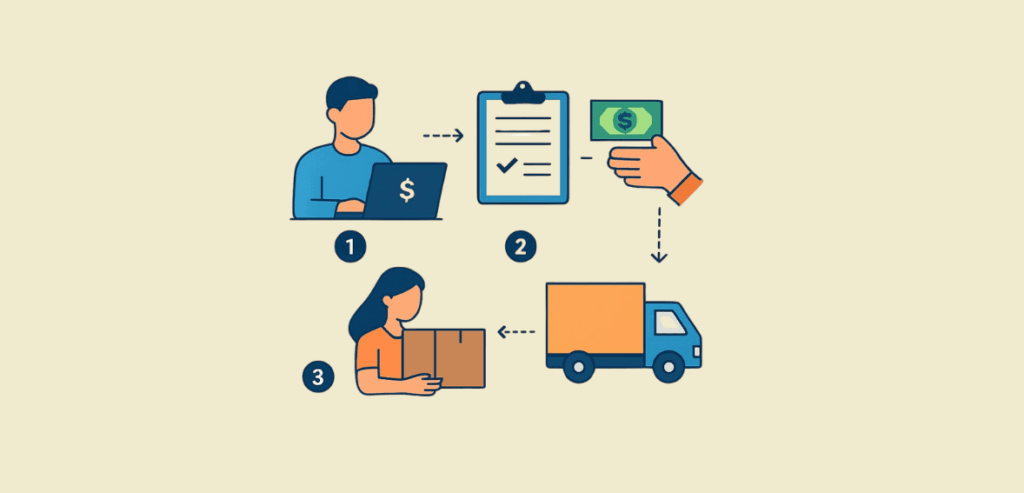
A vast majority of plumbing businesses are moving away from arrears billing towards collecting a job deposit. A truck roll is the physical act of dispatching a technician and a fully stocked vehicle to the customer’s location. Truck rolls carry a built-in cost, including fuel, labor, maintenance, and service, that is incurred by every plumbing business.

A plumbing company spends an average of $150 to $300 per truck roll, dispatching a vehicle and technician to the job site. But not every prospect leads to a successful trip. Some of them turn out to be tire-kickers. “Tire-kicker” is the industry term for prospects who call for a service or quote but have no real intention of committing to the job.

To protect your revenue margins, it is crucial that you manage your truck roll costs and ensure that the maximum number of trips yield revenue. One way to ensure a truck roll does not go to waste is to collect money from the prospective client before the truck even leaves your garage. Last-minute cancellations leave gaping holes in your revenue. The daily dispatch descends into chaos, leaving the technicians idle while the company loses out on potential revenue from prospects willing to commit.

What is a Job Deposit and Why It Matters

What is a Job Deposit

A job deposit is a partial upfront payment collected from the customer before your company dispatches a technician. Cash flow is the net amount of cash credited to and debited from your business account. It dictates whether you will be able to make next week’s payroll on time. A negative cash flow indicates declining health for a business.

A job deposit acts as insurance; by filtering out non-committed prospects, it makes sure that truck rolls are not wasted. Tire-kickers often find it easier to call for services and abandon the call at the last moment when no consequence is attached to it. It acts as “skin-in-the-game,” meaning that the prospect is financially invested in the appointment and is significantly less likely to cancel.

Upfront customer capital investment enables you to purchase expensive plumbing equipment and spare parts, such as water heaters and copper pipes. It preserves the company’s operational reserves. It also filters out potential tire-kickers, because people don’t usually abandon calls they have paid for.

Holding payments until the final invoice is issued makes it psychologically more favorable for the customer. They are not surprised by the full bill at once and have to pay only the remaining amount.

When Plumbers Should Collect Deposits

When Plumbers Should Collect Deposits

Large installation jobs, such as water heater installations, sewer line replacements, and full repipes, require a substantial upfront reserve to cover the high costs of equipment and spare parts. When such a job is canceled at the last moment, after the technician has arrived at the job site and all the materials have been purchased, it results in significant, unexpected losses that the business did not anticipate.

The first mistake is relying on the prospect’s verdict regarding the problem. A homeowner will panic and mistake a joint leak for a broken pipe. To prevent the cost of a full truck roll or expensive parts, the plumbing company must charge a small diagnostic fee. A diagnostic fee, also known as a dispatch fee, is a small, flat fee charged simply to drive to the prospect’s house and assess the severity of the problem.

Some repairs require special-order parts. The parts are unique, custom-made items, such as high-end fixtures, that the plumber cannot easily obtain on the market. These need to be ordered in advance and custom-made to meet the job requirements. You must decide when to charge a deposit. Charging deposits for expensive repairs helps protect you against tire-kickers. At the same time, charging upfront deposits for basic, low-cost maintenance calls would create unnecessary friction for customers. The decision to charge a deposit must be made carefully; you must be able to distinguish potential loss-making calls from basic ones.

How Much To Charge as a Deposit

There are two ways you can charge a deposit. The first model is a flat fee, and the other charges a percentage of the full invoice amount. Percentage-based deposits charge a fraction of the total estimated job cost. The industry standard typically sits at 30% to 50%. On the other hand, flat-fee deposits are a set, unvarying dollar amount regardless of the total job size.

Knowing when to charge a flat fee and when to charge a percentage is key to minimizing revenue losses from last-minute cancellations. A 50% deposit is the industry standard for large installations, as they typically involve buying expensive parts. For mid-level jobs where material costs are lower but you still need substantial insurance against abandonment, a 30% deposit of the total estimated labor cost is appropriate.

Flat-fee deposits are best used as a dispatch or diagnostic fee to secure the appointment before the quote is sent. It typically ranges from $49 to $150, depending on the job and driving distance.

How Deposit Collection Works Before Dispatch

How Deposit Collection Works Before Dispatch

The workflow for the job begins with sending a digital estimate to the customer via email. The customer reviews the estimate and approves it if satisfied. Estimate approval is the process of the customer digitally or physically signing the estimate, agreeing to the scope of work, and the price.

You can implement deposits in your plumbing business by setting up software constraints. A dispatcher gate is a procedural stop in the workflow where a dispatcher cannot assign a technician to a job until a certain condition, such as payment of a deposit, is met.

The customer opens your website and clicks on the estimate. After checking it to their satisfaction, they click “Approve” and proceed with the deposit. Only after the payment has been approved is the option for dispatching a technician enabled. For payments not completed within a set time frame, the estimate automatically expires, releasing the calendar spot and making it available to other prospects.

Payment Methods: Card, ACH, and Online Invoices

Automated Clearing House (ACH) is an electronic bank-to-bank transfer that typically carries much lower fees than credit cards. However, the disadvantage of ACH is that it takes a few days to clear. So, if you need instant funds in your merchant account, ACH is not the right option.

Estimate approval is followed by deposit payments. Deposit payments are now accepted online. The choice of invoicing and payment methods greatly affects the effectiveness of your processes. Most modern plumbing businesses use invoices with built-in QR codes or send text-to-pay links via SMS to ensure faster payments. The prospect does not have to click on a PDF, then go to another website, enter card details, and then pay. With built-in payment in your invoices, you ensure customers can pay the deposit as soon as they review the estimate.

After finalizing the invoicing options, the next step is choosing a reliable payment method. The ideal strategy is to provide both ACH and credit card payments. Credit cards are the fastest-moving payment methods; funds are credited to your account within 2-3 business days. The fees, however, on credit card transactions are higher, typically ranging from 2% to 3% per transaction. ACH transfers have significantly lower processing fees, typically $0.25 to $0.50 per transaction. They take around 5-7 business days to settle funds in your account.

However, limiting yourself to a single payment method is not recommended. Reducing payment options when there is massive competition in business means turning customers away right when they are at your door.

Using Software to Automate Deposit Collection

Field service management software is used by plumbing businesses to automate the collection of deposits. Field Service Management (FSM) software is an all-in-one platform that integrates all the management services required by service businesses, such as plumbers, electricians, or cleaners.

FSM centralizes all processes, such as estimating, depositing, and final invoicing, into a single digital file, eliminating manual bookkeeping. Automation enables dispatchers to set rules that dictate the scheduling and assigning of jobs to technicians. Good software has features that automatically reschedule and reassign jobs and calendar slots to newer jobs. By automating your deposit collection workflows, you free the technician from debt-collector mode, allowing them to use their time productively to acquire new customers.

Good software automatically generates a full invoice based on the technician’s diagnosis and updates payables after deducting deposits from the total. Integrated software platforms feature real-time dashboards that allow business owners to see their business health, cash flow status, and technician performance all in one place.

Handling Customer Pushback and Building Trust

Not every customer will be happy with the service you provide. Customers express their dissatisfaction, and leaving them unattended could put you at risk of chargebacks. Objection handling is the process of calmly and logically addressing a customer’s concerns to alleviate their fears and close the sale. New prospects are often skeptical of depositing money up front before the technician actually arrives at the job site. The trust and credibility of a business depend on customer perception. Sending the right trust signals, such as professional branding, clear contracts, and reviews, is crucial to securing customers.

Customers usually push back on deposits. They do so because they think the business will take their money and abandon the service altogether. Building trust through clear, professional communication is vital. You can train your sales staff to articulate sales hooks better. For example, instead of asking for a job deposit, it is much better to ask the customer to “Reserve their spot.” Moreover, you should maintain transparency with the customer, showing them that their deposits are being used to purchase materials for the repair job they requested.

Conclusion

Job deposits are about mutual commitment and protecting cash flow. It is not just an optional step in your service workflow; it has become a survival strategy. Most businesses fail due to poor cash flow, so protecting it is of utmost priority. You can leverage modern software to deliver uniformity and fairness for all prospects, ensuring a frictionless, professional experience. Clear communication and robust documentation prevent chargebacks and build deeper customer trust. Understanding how plumbing companies use job deposits will help you protect operational reserves and ensure sustained growth for your business.

Frequently Asked Questions

  1. Is it normal for a plumber to ask for a deposit?

    Yes, it has now become a standard industry practice to ask for a job deposit. It is necessary to ensure truck roll costs are protected, and low-commitment customers are filtered out.

  2. Can a customer refuse to pay a job deposit?

    Yes, a customer reserves the right to refuse to pay a job deposit. However, it is the plumbing company that reserves the discretion whether to provide the service after the deposit has been refused.

Are plumbing job deposits refundable?

This depends entirely on your company policy. There is no hard rule on it; it is mandatory to explicitly state the refund clause before the payment of the job deposit.

How do deposits prevent “no-shows” for plumbing contractors?

When a customer pays upfront, they have financial “skin in the game.” They are significantly less likely to forget the appointment, hire someone else, or turn the technician away at the door.

Should I take a credit card or ACH for a job deposit?

A credit card is highly preferred for accepting job deposits. This is because it clears faster, allowing you to schedule the service after 2 to 3 days. On the other hand, ACH doesn’t clear for a few days and poses a risk of losing the deposit if the transaction fails.

Related reading on job deposits for plumbers: Contractor Payment Resources.

Text-To-Give Vs QR Codes

Text-To-Give Vs QR Codes: What Actually Converts At Fundraising Events

Nonprofit organizations spend months planning for fundraising events. The success of a fundraiser depends on the amount of donations it receives. In other words, the conversion rate determines the success of a fundraiser. The window to secure a donation is very small. A mere 30 to 60-second emotional appeal, followed by a split-second impulsive decision to donate, constitutes a successful donation.

Live event fundraising refers to the high-stakes process of raising money in person during a specific, limited time window. For example, a gala dinner or a charity walk. The primary reason nonprofits lose money at these charity events is not a lack of donor appeal; it is the friction in the payment process that overshadows a potential donor’s impulse.

Between Text-to-give Vs QR codes, the most common payment methods for nonprofits worldwide. Most nonprofits make the mistake of defaulting to either tool without evaluating the mechanics of each and how it aligns with the fundraiser’s venue. Understanding the mechanics of each tool helps you move beyond the mechanical payment process and map out the exact user experience; it helps because attention is the most valuable asset in the modern economy. A better UX provides better results than relying on random guesswork.

What is Text-to-Give

What is Text-to-Give

Text-to-give is an SMS-based donation method where a user texts a specific word to a designated phone number to receive a secure donation link. Simply put, the donor sends a preset text, and a payment link is sent to them. Text-to-give works by instructing the donor to open their native messaging app, type a designated keyword, and send it to a provided shortcode or standard phone number.

Shortcodes are 5 or 6-digit phone numbers used by platforms to handle high-volume, automated text messaging. Once the text is successfully sent to the shortcode, the system instantly replies with an automated SMS containing a direct link for the donation payment.

Early text-to-give systems used cellular bills as the platform for accepting donations. When the user typed in shortcodes, the desired amount would be charged to them on their cellular bill at the end of the month. Modern text-to-give, on the other hand, almost universally routes to secure web forms for credit cards or digital wallet processing. This method is universally usable — everyone knows how to send a text, and it requires zero app downloads or complex technical instructions.

However, the success of text-to-give relies entirely on the simplicity of the preset keyword. A single typing mistake in a complex keyword renders the whole process useless. Nonprofits end up losing the donation entirely.

Understanding QR Code Donations

QR Code Donations

Apart from text-to-give, QR codes are also widely used for donation payment at nonprofit fundraisers. Quick Response (QR) Codes are scannable, two-dimensional barcodes that store digital data. Most commonly, QR codes are used to store website URLs. The payment method via a QR code is very simple — the user opens their camera app, scans the QR code, and is automatically redirected to the web form that accepts donations by credit card or digital wallet.

Older smartphones required users to download third-party apps to scan and read QR codes. This made them more complex to use than text-to-give. However, modern smartphone companies provide native camera scanning. This means users can scan a QR code using the built-in camera app without needing to download any third-party apps.

QR codes are versatile and accurate. First, they do not carry the risk of misdirection. A QR code guarantees that the person scanning it is directed to the correct website. Second, QR codes uniquely qualify as physical collateral at events. They can be printed on paper, table tents, catalogs, or badges to provide immediate digital entry points to the donors.

The core advantage of a QR code is that it eliminates the possibility of typing mistakes. The process is as simple as taking a picture, making it almost error-free for everyone. However, successful scanning depends on a few conditions. The code must be big enough, the room must have adequate lighting, and the donor must be physically close enough to scan it properly.

How Donors Actually Behave At Live Events

It is crucial for a nonprofit to map the target audience’s psychology at a fundraiser to establish operating procedures that maximize donations. This can be understood by two key concepts: impulsive giving and cognitive load. At live events, most donations are made on impulse. They are driven by the temporary spike in emotional inspiration rather than being planned, calculated tasks. Cognitive load refers to the complexity of your payment processes. It is the total mental effort it takes the donor to realize their impulsive decision to donate to the nonprofit.

During live events, donors are present in an environment with extremely high levels of distraction. They are surrounded by food, drinks, music, friends, and stage programs. This limits their patience; any task that requires mental effort above a certain threshold is a buzzkill — almost guaranteed to be abandoned. Now, the question is: how do you get a person to donate in such a volatile environment?

Donations are primarily emotion-driven; the peak of emotion typically lasts up to 5 minutes after a powerful speaker or impact video is presented. This means that the payment method must be quick and easy for the donors to use, or they will abandon the idea.

Another crucial detail is the physical posture. Most live events have the attendees standing — this means that the donation task must be easily completed with one hand. The other is usually engaged in holding drinks or eating.

Text-to-give Vs QR codes – Conversion Friction: Steps, Speed, and Attention

Conversion Friction

Conversion friction refers to any unnecessary step, confusing instruction, or extra required field that slows down a user and prevents them from completing a donation. It is the silent killer of event fundraisers. Meanwhile, digital wallets are mobile payment services, such as Apple Pay or Google Pay, that securely store a user’s credit card information and allow them to pay without physically carrying the card.

In an event fundraiser, each additional tap, swipe, or required form field reduces the final number of successful donations. Earlier, we discussed how event fundraisers are distracting; this means that every step must be carefully drafted in order to minimize the time and mental effort required to complete the donation.

The text-to-give method is inherently longer. The user is required to send a text, then fill in the details in the form they are redirected to. On the other hand, QR codes are faster. The user can scan, enter the amount, and pay in less than a minute. However, text-to-give can be retried many times by the user, whereas QR codes can trigger psychological stress and embarrassment when the user tries multiple times, and the QR code doesn’t scan. This often leads to abandonment of the donation altogether.

To optimize payment times, integrating digital wallets into the final landing page is mandatory for both methods, as it bypasses the friction of donors physically pulling out their credit cards. This is because donors usually have only one hand free, and forcing them to use complex, clunky methods may increase abandonment rates.

Text-to-Give: Strengths and Limitations

The greatest strength of the text-to-give method is that it does not depend on distance. The keyword can be announced on the stage or displayed on table tents and screens. Everyone in the audience can act simultaneously, regardless of the number of attendees. It also captures the donor’s phone number, which is crucial information that allows the nonprofit to follow up the next day about the donation if the donor abandons the payment form.

The primary disadvantage of text-to-give is typing errors. Donors frequently misspell the keyword when texting the shortcode. Also, autocorrect failures can happen. It is when a smartphone’s operating system automatically changes a typed keyword to a different word, causing the automated system to reject it. Text-to-give incurs higher ongoing costs and technical setup, as platforms must lease the shortcode and pay per-message carrier fees, which eat into the ROI for smaller nonprofits. It is the ideal solution for hybrid, virtual, or broadcast events because attendees can act regardless of their physical location.

The Pros and Cons of Using QR Codes

QR Codes carry a visual call-to-action. By using visual graphics and design to prompt immediate action from the user, they increase traffic to the payment form. QR codes offer the fastest possible initiation speed of any given method. They bypass all typing, spelling, and memorization errors and take the donor from physical space to the digital form in under three seconds.

They are highly cost-effective and often entirely free to generate, meaning even the smallest nonprofits can implement them without affecting their ROI. QR codes are made to integrate seamlessly within a physical event’s design. They allow for silent, self-paced giving via table tents, auction paddles, or volunteer badges.

The major limitations of a QR code are physical. The code needs to be big enough to be easily visible. Another challenge is that it requires adequate lighting to scan properly. Moreover, QR codes require the user to be close enough to scan them. QR codes do not capture any data until the form is submitted. This means the nonprofit has no way to follow up on a payment abandoned by the donor; payments abandoned via the QR code are lost donations.

Conclusion

The technology of both text-to-give and QR codes aids in donor conversion. However, an understanding of the mechanics and the specific use cases and limitations of each is necessary for you to implement them effectively at live fundraisers. While text-to-give offers distance freedom, QR codes offer a low margin of error. But the tech cannot solely take you from a scan or text to a successful donation. The success of a donation also depends on optimizing the mobile form. Matching the payment method to your audience is one way to increase conversion rates. You can increase the effectiveness of live fundraisers by implementing the right technology.

For more on text-to-give versus QR codes and other nonprofit payment questions, see Nonprofit Payment Resources.

Frequently Asked Questions

  1. What is cheaper, QR codes or text-to-give?

    QR codes are free to generate and implement. Text-to-give carries a shortcode lease and pay-per-text carrier fees. This means that for small nonprofits, QR codes are the recommended payment method.

  2. Do I need a special app for QR codes?

    Modern mobile phones are equipped with the technology that allows users to scan QR codes using their native camera app. This means that you no longer require third-party apps to scan QR codes.

  3. Can I use both text-to-give and QR codes at the same event?

    Absolutely. Moreover, using both payment methods is considered ideal for live event fundraisers, as it spreads the load and accommodates each donor’s convenience.

  4. Do these donation methods accept Apple Pay and Google Pay?

    These methods are just a gateway to the payment form. In reality, your payment form dictates the payment methods or digital wallets that are acceptable.

  5. What happens if a donor types the wrong text-to-give keyword?

    In such cases, the automated system will not recognize the command. The donor will either receive an error message or no response at all, often resulting in abandoned donations.

Sunday Night Strategy

Why Cleaning Companies Bill on Sunday Night to Cut Card Declines

Cleaning companies operate under cash flow uncertainty; you finish a job, mail the invoice, and wait for the funds to be settled in your account. However, if the payment gets declined for some reason, it throws your administrative staff into chaos. They are forced into a reactive, debt-collection mode rather than dispatching technicians to newer service locations.

Payment declines occur when a customer’s bank refuses to authorize a transaction. This leads to invoices being unpaid. For a cleaning company, the billing day is not just an administrative chore; it is a crucial decision that determines subsequent cash flow.

Roughly 40% to 50% of small businesses have their invoices settled past the due date. Having your revenue trapped in unpaid invoices hinders cash flow, which in turn affects your payroll. Most cleaning companies shift to a Sunday night billing cycle rather than initiating it on random weekdays. The logic behind this is to leverage the customer’s peak account balance.

The Hidden Costs of Failed Payments in the Cleaning Industry

Hidden Costs of Failed Payments in the Cleaning Industry

Every failed payment is a hit to your operational reserves — that is the evident effect of late payments. Apart from that, late payments indirectly create problems in your business that eventually cost more than an unpaid balance.

Failed payments trigger a cascading failure that affects the accounts department and then spreads to the administrative teams. A meager 42% of the small businesses in the United States are paid on time. This means that late payments are “normal” for small businesses, as a majority of them suffer. Every failed payment sets off a domino effect that steals your administrative hours and profits.

Payment declines are the direct cause of involuntary churn. Clients simply ignore payment failure notifications and let the service lapse. This is because, in the customer’s mind, it is easier to sign up for a new service when needed than to go through the hassle of opening the app and updating payment details. Such lapses not only cost direct revenue but also disrupt the cleaner’s schedule. By causing routing gaps, they lead to wasted drive time and frustrated employees.

When payment backlogs pile up, your financial reputation takes a hit. It distorts cash flow forecasting, making it difficult for you to predict next month’s budget and payroll coverage.

What Is a Recurring Billing Day

A recurring billing day refers to a single, standard day of the week or month when your business automatically charges all active members for services rendered or upcoming services. This is a crucial decision for your business, because the cash flow depends on it.

You can charge the customer on the same day you rendered the service. However, it is not a good practice, as it creates unpredictable cash flow and unexpected payment declines. Instead of having the complete portfolio report, your staff is forced to chase individual payments.

The solution to scattered billing is consolidated billing. It enables predictable cash flow, allowing you to budget your expenses accordingly and settle the payroll for the next month. Consolidated billing refers to the process of grouping multiple services into a single, predictable charge. This is better because every customer receives a single itemized invoice for the services provided, rather than individual receipts that get lost.

Moreover, standardizing the billing process streamlines your accounts receivable to a single day each week. The added predictability smoothly aligns your business’s payables, ensuring revenue gets settled in your account before the payroll and rent due dates.

A single-day revenue strategy centralizes your revenue collection, so administrative staff can manage everything related to payments consistently. This also helps you see the business’s weekly financial health. Billing your customers on a fixed day creates predictability for both your staff and your customers. The customers aren’t surprised by random billing notifications on days they don’t expect, which creates a sense of security. For your staff, it creates a predictable inflow of customer tickets. They can prepare themselves for the aftermath of the invoicing cycle and serve customers better. This creates trust and credibility for your business.

The “Sunday Night Strategy”

The Sunday Night Strategy

Sunday nights are considered the best strategy to initiate billing cycles. As a business owner, you must understand the psychology and timing behind choosing Sunday night over all other days of the week. Most card declines are due to a single reason: insufficient funds. Insufficient funds, also known as NSF (Non-Sufficient Funds), is a decline code triggered when a bank declines your payment because the customer’s account has insufficient funds. Put simply, when the customer’s account falls short of the amount required to pay you, the payment is declined, and an NSF (non-sufficient funds) decline code is returned.

Processing payments late Sunday night increases the likelihood that your charge will be approved. In other words, the chances of the payment getting declined are the lowest. Choosing Sunday night is not a random decision; it is driven by customers’ wallet share drain.

Wallet share drain is a concept in which a consumer’s available cash depletes steadily throughout the week as they pay for groceries, dining, and entertainment. The funds in the customer’s account keep draining throughout the week, so hitting a payment invoice mid-week is more likely to be declined, since the customer’s account might not have sufficient funds in the first place. Sunday billing secures your revenue before the customer spends it through the week.

Hitting your bill on Fridays or Saturdays is also not favorable. Looking at customer psychology, they have worked all week and are looking forward to spending on entertainment on Fridays and Saturdays. Hitting payment on these days could trigger NSF or fraud alerts. Moreover, people usually plan the week ahead on Sunday. Most prefer settling utility costs and bills before they spend money on unnecessary items. This means your payments are more likely to be authorized.

Bank Clearing Cycles and the Mechanics of Batch Processing

Batch processing is a system in which a payment gateway aggregates individual transactions into a single “batch” and submits them to the banking network for processing at the end of the day. When the cleaning company triggers a charge on Sunday night, the payment gateway batches those charges into a single batch, and they become the first in line to be processed the next morning on Monday.

Banks generally do not clear settlements on weekends, so your payments will not be cleared until Monday, even if you bill them on Friday nights. Sunday night billing ensures your invoice is the first to be settled; the charge is authorized while the customer sleeps, securing revenue before the consumer starts spending on daily purchases.

Usually, there is a 24 to 48-hour delay between the charge being authorized and the funds being captured. Billing on Sunday nights ensures that funds are settled into your account by Tuesday or Wednesday, ensuring you can make the late-week payrolls and rent on time.

Aligning Your Billing Schedule With Client Payroll Cycles

Aligning Your Billing Schedule With Client Payroll Cycles

Semi-monthly payroll is one of the most common payment schedules for employees. This means that the customer’s account shows the highest balance on the 15th and 30th of every month. A vast majority of W-2 employees receive their direct deposits on Friday mornings. This means you are most likely to get your payment declined as NSF if you try to charge a customer on Wednesday or Thursday, because that is when funds are lowest.

For commercial cleaning clients, their accounts department typically clears all vendor bills and accounts payable on Fridays. This makes Sunday billing the best option. It aligns with the automated clearing and doesn’t get trapped in the corporate bottleneck.

Aligning your billing schedule with peak liquidity in people’s accounts ensures your funds are secured as utility expenses before the start of a new week. This positions you as a backend utility payment, rather than an interference with the discretionary expenses of the week.

Managing Service Schedules: Handling the Risk of Idle Periods

Once your cleaning company standardizes its payment cycles to trigger on Sunday nights, you cannot bill jobs on every day of the week with the same strategy. For a job completed on Monday or Tuesday, waiting to bill the customer on Sunday night is too risky. You might be asking the exact same question: how do you secure revenue without alienating the customers or taking on too much risk?

Your billing process must include two billing models: arrears billing and pre-billing. In the arrears billing model, you charge a customer for a service after the service has been provided. On the other hand, in the pre-billing model, also known as the retainer model, you charge the customer before the service is actually rendered to secure their slot on the schedule.

The arrears billing model requires you to take on significant risk: for a job completed on Monday, it means a 6-day gap in the payment trigger. The pre-billing model completely eliminates the risk of waiting for payments by securing revenue in advance. When you shift your business to consolidated billing, customers who require multiple services throughout the week can get a single invoice instead of five separate bills. This increases convenience and trust in your business.

Automating the Sunday Night Billing Process

Cleaning companies cannot rely on a human staff member to run credit cards on a Sunday night to clear payments. This is highly unsustainable and prone to error. Moreover, reconciliation becomes a hassle when all payments for the week are suddenly lumped into a single account statement — matching clients to payments is a critical process with very low error margins.

Businesses utilize automated billing software and tokenization to securely process customer payments every Sunday night without human intervention. Tokenization is the process of replacing sensitive credit card information with a unique token that can be safely stored and used for recurring transactions.

Modern cleaning companies ensure transparency by sending out instant SMS and email notifications once the payment is triggered. This increases customer trust and reduces the risk of chargebacks.

Conclusion

Failed payments are an unavoidable event in any business. Cleaning companies can handle failed payments the same way as other industries do. By switching their billing model to Sunday night billing, they can ensure cash reserves are not depleted. By leveraging automated software, Sunday night billing can become a cleaning company’s best bet at ensuring sustained revenue and predictable cash flow. This means that operational expenses are covered without any hurdle in the payment processes.

Frequently Asked Questions

  1. What is the best day of the week to bill recurring cleaning clients?

    Sunday night is the best time to bill recurring cleaning clients. It provides maximum liquidity, and the risk of payments getting declined due to insufficient funds is very low.

  2. How do I switch existing cleaning clients to a Sunday billing schedule?

    You can start by updating your Terms of Service (TOS) and providing your clients with a deadline for when you will switch payment methods. You can also offer early-bird discounts for early adopters, motivating them to switch to the new schedule.

  3. How do I handle a card that declines on Sunday night?

    You can implement auto-dunning in your billing software. This will retry the card, and if it still fails, notify the customer automatically to update their account information.

  4. Is it legal to keep a customer’s credit card on file?

    It is perfectly legal to store credit card information on file, provided that your software and practices are PCI-DSS compliant. Violating PCI-DSS rules can result in significant penalties and, in rare cases, permanent account revocation.

  5. What happens if I implement only arrears billing?

    You will end up taking unnecessary risks. When you complete a job on Tuesday and bill the customer the following Sunday, you are taking on a 5-day risk of payment. This could be prevented by pre-billing, which secures revenue before work is delivered.

Card Declines

Card Declines Are Quietly Killing Fitness Studio MRR — Here’s The Fix

When new members sign up, it is a win for your studio. But the work doesn’t end there; revenue is not yours until the money is settled in your account. The gains you make on a new signup vanish into thin air if the existing members’ cards are silently getting declined in the background.

Your monthly recurring revenue (MRR) is the average income your studio expects to receive each month. It gives you an idea of the predictable cash you’ll receive each month in your account, which helps you budget your payroll and marketing expenses.

Involuntary churn typically accounts for about 20% to 40% of all SaaS and subscription churn. Involuntary churn occurs when a member’s subscription is canceled due to factors beyond their control, such as failed card payments, stolen cards, or typos in ACH details.

The primary reason for involuntary churn is card declines. They kill your MRR, and without you noticing, the fitness studio starts bleeding cash. Fixing your MRR is not about fancy software; it is about optimizing the fundamentals and implementing guardrails to prevent it from happening again.

What Are Card Declines in Recurring Billing

What Are Card Declines in Recurring Billing

A card decline is the rejection of a transaction by the card network or issuing bank. This usually happens for a variety of reasons, which are often conveyed when a card payment is declined. Card declines are not something to panic about. Every day, about 5% to 15% of card payments get declined in recurring billing. Card declines happen when a recurring membership charge is not approved by either the payment processor or the issuing bank. The issuing bank is the bank that issued the customer’s credit or debit card.

Whenever the studio software requests a payment, a handshake occurs between your merchant payment processor and the issuing bank. At this stage, the bank decides whether to approve or decline the transaction. The decision is based on factors such as account status, account balance, and security flags. Since every declined payment has its own specific decline code, you know exactly why it was declined. This acts as a diagnostic tool, helping you strategize payment recovery afterward.

You might wonder why this even concerns you as a business owner. Understanding how payments work and why they are rejected is crucial because you cannot cure a disease you do not know exists. Being aware of the exact points of failure in your payment process is the first step toward safeguarding against them.

You cannot just go endlessly retrying a failed payment. This is because, first, it incurs payment processing fees with every retry, and second, it affects your trust score with the bank, thereby increasing the risk of account freezing.

Soft Declines vs Hard Declines

It is crucial to know the difference between soft declines and hard declines. Soft declines are essentially temporary payment failures that can usually be recovered by retrying the payment using certain algorithms. Most of the time, soft declines do not require manual intervention and are caused by momentary factors, such as the card being maxed out.

On the other hand, we have hard declines. Hard declines are actually a tough nut to crack for most business owners. These occur due to inherent flaws in the payment process, such as expired and stolen cards. No amount of retrying can fix a hard decline; it requires manual intervention to get back on track.

While soft declines are temporary roadblocks caused by issues like insufficient funds, the daily spending limit being exceeded, or temporary network timeouts, which means the payment might succeed later, hard declines, on the other hand, are permanent payment failures that cannot be recovered by retrying. They occur for reasons such as an expired credit card or a closed bank account.

The payment recovery systems in fitness management software primarily target soft declines—retrying payments on dates when the probability of success is statistically higher. On the other hand, hard declines are resolved through effective, timely communication. An email and SMS message asking the user to update their account information helps reduce churn rates due to hard declines.

Why Fitness Studios Are Especially Affected

Why Fitness Studios Are Especially Affected

Fitness studios rely heavily on high-frequency recurring billing. This means that every month, hundreds or thousands of transactions are requested from issuing banks. This is not inherently bad — it just increases the surface area for potential failures. Payment failures in recurring billing occur across industries, from gym memberships to streaming services. The effect of payment declines is rather peculiar for fitness studios.

Most clients of a fitness studio fall into a demographic that frequently upgrades their credit cards to earn travel rewards and discounts on purchases. Another reason is that debit cards are the primary cards registered with fitness studios. This means that payments are declined due to insufficient funds.

Unlike B2B enterprises, which have dedicated billing teams to update account information, clients of fitness studios handle billing personally, making it a personal “set-and-forget” expense. A surprisingly large number of clients deliberately ignore hard declines during the off-season. For example, during tax season, when work is too hectic, a client may deliberately ignore a “Payment Failed” message, leading a hard decline to be converted into a membership cancellation.

The Real Impact on MRR and Churn

Payment declines are the primary reason for involuntary churn, directly impacting your MRR. When a payment is declined, the MRR for that month is affected. While soft declines may be recoverable, hard declines sever the revenue stream for subsequent months, leading to cascading losses.

Your metrics are also negatively impacted by involuntary churn — a large number of payments being declined can make it seem as if members are unhappy with your studio, whereas the reality is that an expired card is in the payment database. Customers often feel embarrassed to return after their account is past due, which also contributes to involuntary churn.

The true cost of a decline is not just the revenue lost for a particular month. You have to look at the customer lifetime value (LTV). Suppose the payment for a member on a monthly $150 plan, who was supposed to stay for 2 years, is declined. Now, the loss is no longer limited to that $150; unless payment methods are updated and recovery is ensured, it is a loss of all subsequent months since the payment failure.

Primary Reasons for Membership Payment Failures

Membership Payment Failures

Payments fail due to a variety of reasons. However, the majority of payment failures stem from common causes. When a payment is declined, the issuing bank returns a “decline code” that explains the exact reason.

The most common reason for payment failure is insufficient funds, also known as NSF (non-sufficient funds). It occurs when the client’s debit account lacks funds to cover the studio membership fee. This usually resolves by their next payday and is the most common cause of payment failures. Insufficient funds are soft declines. Another common reason associated with declined card payments is an expired card. Expired cards are hard declines and occur predictably every 3 to 4 years.

Credit and debit cards can get lost at any time. Most members forget to update their new credit card in their existing subscriptions. The payment method is usually updated only after the member receives a “Payment Failed” message, indicating the initial transaction has already resulted in a hard decline for the studio.

Payments can also be declined for vague reasons, such as when the decline is returned with a “Do Not Honor” code. This code does not provide an exact reason for the payment decline, but to resolve it, the customer must call their bank to whitelist the fitness studio again. Sometimes, fitness studios are categorized as Suspected Fraud Accounts by the bank’s algorithm. This occurs due to unusual patterns, which leads the bank to freeze the card to protect the consumer.

Dunning and Account Updaters

Dunning is the automated process of communicating with customers, requesting payment of outstanding balances, and retrying failed payments. Modern payment platforms have built-in auto-dunning features. This means you don’t have to worry about emailing the member or retrying the payment once it declines. The software itself communicates with payment providers and retries payments based on algorithms built into it.

An innovative feature most software has these days is pre-dunning. Dunning occurs when a payment is declined, indicating it is a recovery process. Pre-dunning, on the other hand, is a preventive feature that notifies customers to update their credit card information before their cards expire. This prevents the revenue from going on hold, ensuring sustained cash flow for your studio.

Major card networks, such as Visa and Mastercard, provide their own backend services to update stored credit card numbers and expiration dates when a bank issues a new card. Account updaters are an important feature in modern fitness management software. When a member’s bank issues a new card due to expiration or a security upgrade, the account updater automatically updates the card details in your billing software, preventing potential payment declines.

Common Mistakes Fitness Studios Make

Most studios fail to establish grace periods in their software. This instantly locks out a member the second their payment declines, increasing the friction in the payment process. You must make the payment process as smooth as possible. When a member is forced to walk up to the front desk to settle pending dues, the friction often makes them abandon the membership entirely.

Another mistake made by fitness studio owners is robotic communication. Sending out overly formal, legal-sounding emails often triggers membership abandonment. Instead, send friendly emails that gently nudge the customer to update their account details or authorize payment retries.

Ignoring decline codes is the biggest mistake. They are the bank telling you exactly why a payment failed. Rather than ignoring them, analyzing decline codes will help you pinpoint the exact strategy to recover revenue faster. Another common mistake is failure to update billing terms in membership contracts. This leaves your studio legally exposed if it ever attempts to charge alternative payment methods or late fees.

Conclusion

Payment failures are a common occurrence in the subscription business. It is how you handle them that makes the distinction between protecting your revenue and sabotaging growth. Card declines are inevitable, but you can protect your MRR with smart planning. Features such as pre-dunning and account updaters help you lower the number of hard declines every month. The verdict is that card declines are a manageable hurdle in the payment process, and you must manage them efficiently to protect your studio’s MRR and sustain growth.

For more on card declines and studio MRR and other gym and studio payment questions, see Fitness and Gym Payment Resources.

Frequently Asked Questions

  1. What is a normal card decline rate for fitness studios?

    A healthy fitness studio business has a card decline rate ranging from 5% to 10%. A card decline rate of less than 10% is not cause for alarm. However, if card decline rates exceed 10%, it indicates that your payment processes require an internal audit.

  2. How many times should a declined card be retried?

    Retrying a declined card depends on the decline codes. If it is a hard decline, no amount of retrying will recover the payment. For soft declines, retrying the credit card on dates calculated by the software should be limited to 2 or 3 additional attempts.

  3. What is the difference between dunning and collections?

    Dunning is a proactive, customer-friendly approach that attempts to recover failed payments from active members. On the other hand, collections is a reactive, more aggressive process for recovering outstanding dues from a customer who has already churned.

  4. Should I stop a member from working out if their payment fails?

    Payment declines can occur for reasons beyond the member’s control. Locking them out immediately when their payment declines is embarrassing. This often causes them to abandon the membership altogether.

  5. Why do debit cards decline more than credit cards?

    Debit cards decline more often because they depend solely on the funds in the member’s account. If the balance falls even a dollar short of the membership amount, the payment is declined. Credit cards rely on a line of credit, making them less susceptible to payment declines.

Fitness Studio pricing models

Glofox vs Vagaro vs WellnessLiving: Real Fees For a 200-Member Studio

You purchased a fixed subscription to a studio management system for $30, but each month the account statements show charges far exceeding that amount. If you have also faced this situation in your business, then you are not the odd one out. Most business owners get trapped in the illusion of pricing models like fixed-cost plans and end up paying twice or thrice the original amount.

This often occurs when you ignore the total cost of ownership of the management software. Payment processing platforms add extra fees, as percentages of the transaction amount, to gateway charges. It matters because these costs multiply with the volume of payments, resulting in a substantial monthly charge.

The 2026 software landscape has changed drastically. Rather than charging subscription fees, software providers are opting to charge dynamically based on the volume and number of transactions processed, i.e., making money off your transactions rather than subscription fees. To reduce your operational overhead, you must understand how pricing models work and how to choose the software best suited to your needs.

Understanding Different Pricing Models: Flat Fee, Tiered, and Add-On Pricing

Understanding Different Pricing Models

Software companies charge users using one of four distinct pricing models. The first and most common pricing model is tiered pricing. In this pricing model, software providers have predefined buckets for categorizing studios. In this pricing model, advanced features are locked behind a paywall in a higher tier, forcing a studio to extend budgets to access them.

Another pricing model is per-user or add-on pricing. Unlike tiered pricing, the software starts from a base price. Every new feature, such as text marketing or forms, costs an additional fee. Other SaaS providers offer full access to features but cap the number of users you can add, charging you extra per user. Regardless of whether the provider caps features or the number of users, this pricing model capitalizes on your organization’s growth.

The third pricing model is flat-fee pricing. This is the simplest pricing model: a fixed, predictable monthly fee, full access to the software features, and no limit on the number of users you can add. Although it enables smart budgeting, the flat rates are slightly inflated, which scares off new studios.

A less common pricing model is revenue sharing, where the software charges a percentage of your merchant processing volume. You must avoid it at all costs because it scales with your business and eats up your profit margins. If your studio has a large number of part-time contractors, you must be careful with software that charges additional fees for each new instructor added.

Glofox Pricing Breakdown: High-Growth Fitness Logic

ABC Glofox’s pricing strategy is quote-based. Their prices are not publicly listed, so you must speak with their sales representative to get a customized rate based on your business. Glofox sorts its customers into Standard, Pro/Silver, or Premium tiers, which limits comparison shopping. It locks studios into ~$80-$110 per month for basic features, while premium tiers can cost $400-$600+ per month.

Glofox’s bundled features include a custom-branded white-labeled app for your business with their Pro/Silver or higher tiers. It matters because apps are crucial to uphold retention rates, justifying paying extra bucks to secure sustained revenue.

Apart from tiered pricing, Glofox charges an internal processing fee, typically around 2.9% + $0.30, which serves as an additional revenue stream for them. Glofox upsells studios by offering the “Amplify CRM,” an in-house software platform with advanced lead nurturing and marketing automation. Apart from that, Glofox heavily pushes for legally binding 12-month contracts, locking studios in by penalizing early termination.

Vagaro’s Marketplace and Add-On Structure Breakdown

Vagaro’s studio management software offers a “low-barrier to entry model.” Their headline price for a single user is $30, a marketing gimmick most studio owners fall for. In reality, Vagaro operates on the add-on pricing model.

Vagaro features à la carte add-ons and per-calendar pricing. For the $30 subscription, you get the bare minimum skeleton of the studio management suite. For essential studio tools, such as digital waivers, text marketing, or branded apps, Vagaro charges an additional fee ranging from $10 for basic features to $100 for advanced capabilities. On top of that, Vagaro charges an additional $10 fee per month for every new instructor added.

Additionally, Vagaro’s payment processing charges are tiered, ranging from 2.2% + $0.19 for in-person large merchants to 3.5% + $0.15 for keyed-in online transactions. Vagaro offers a distinct marketplace where customers can discover your studio, but it is a paid service that requires an additional “Get Featured” fee to rank higher.

The All-in-One Promise of WellnessLiving Pricing

Unlike Glofox and Vagaro, WellnessLiving promises an all-in-one architecture—a software that they claim integrates every feature studio owners need to manage their operations.

WellnessLiving differentiates itself from the competition by offering a flat-rate pricing structure, which is publicly available, ensuring transparency about upfront costs. It allows for predictable scaling without the fear of hidden charges by categorizing studios into clear brackets, ranging from ~$105 per month for the Business plan to ~$285 per month for the BusinessMax plan, with processing charges included in the subscription amount.

It features a distinct native rewards and loyalty program. The software has built features that assign points to clients for every booking or purchase they make, gamifying retention. Additionally, they offer a built-in marketing automation tool with the higher tiers, helping keep all your operations in one place.

WellnessLiving also aggressively poaches MindBody users by offering white-glove onboarding. This matters because data migration is the biggest nightmare of studio owners, and by simplifying it, WellnessLiving secures its customers by addressing their most painful pain point.

The Total Cost For a 200-Member Studio

Total Cost For a 200-Member Studio

For comparison, we have selected the highest-priced model for each software and adjusted costs to keep the base purchase price in the ~$180-$250 range. Regarding processing costs, as mentioned above, the fees vary widely. You will be surprised to learn that, despite differences in base prices, add-ons, and processing tiers, the monthly operational expenses across platforms are broadly comparable. For a 200-member studio, the total operational costs are within a similar range, but the processing costs vary significantly — Vagaro charges the highest and WellnessLiving charges the lowest.

This leads us to an important conclusion — for a 200-member studio, typical operational expenses fall within a similar range regardless of the software chosen. This means that entry-level boutiques do not need to worry too much about pricing; they should focus on their needs and scaling requirements.

PlatformBase + Add-ons (Monthly)Processing Fees (~$30k MRR)Effective Monthly Cost
Vagaro~$180~$1,050 @3.5%~$1,230
Glofox (Pro)~$250~$960 @2.9% + $0.30~$1,210
WellnessLiving~$189~$900~$1,089

Understanding Hidden Costs: Payment Processing, Merchant Accounts, and Payout Speed

Understanding Hidden Costs

Every software product has hidden costs, whether it charges based on add-ons or bundles, or uses flat-rate pricing. A standard industry practice is to white-label payment gateways, such as Stripe, to provide integrated payment features. SaaS providers make money by skimming a percentage of the cost on every transaction processed.

Here, interchange-plus pricing puts you in an advantageous position. In this model, the bank statements explicitly bifurcate the transaction processing fee into interchange and markup fees. While the interchange fee paid to card networks, such as Visa and Mastercard, is non-negotiable, the markup fee shows exactly how much your software provider is charging you on every payment.

An important factor to consider while choosing a payment processor is the payout speed. Cash flow delay is a holding period, typically 2 to 7 days, before funds are deposited. This is crucial because it directly affects your payroll and rent payments. You must always consider pricing models and payout speeds when choosing a payment processor.

The Benefits of an Integrated Tech Stack

When multiple stages of your operations, such as scheduling, marketing, and payment processing, are handled by a single platform, it enables easy KPI monitoring and reduces operational friction. Vertical integration is important because when data lives in separate silos, it creates a manual double-entry and reconciliation workload, increasing the margin of error.

In the event of payment failures, vertical integration enables seamless dunning of transactions to secure the funds. In case the payment method becomes invalid, for example, a typo in ACH details or an expired card, auto-generated emails can be sent to the clients to update their payment method before the due date.

Having all the data in a single software enables seamless data reconciliation — matching inbound payments to the CRM data in real time. This enables late-fee charges to be applied uniformly and automatically, automates payment collection, and frees up administrative staff to focus on customer relations and trust building.

Additionally, vertical integration reduces front-desk friction and lowers churn rates. It allows you to securely store card-on-file, which speeds up checkout. Churn rates are reduced because accidental membership cancellations are minimized. It matters because acquiring a new customer costs almost 5 times as much as retaining an existing member.

Lastly, a single data-handling entity ensures that redundant data is eliminated. The practical implication is evident when you have to follow up with a member who has been inactive for a long time. Having a single data record ensures prompt action, whereas scattered data creates chaos and confusion for the administrative staff, delaying the process.

Conclusion

It is easy to get confused between the multiple studio management software available in the market. Based on our review of the leading boutique management software, Vagaro remains the most expensive option due to its marketplace and add-on charges. Glofox is built for scaling, but hides its pricing, making it difficult to negotiate better prices. Out of the three, WellnessLiving truly stands out due to its flat-rate pricing, but for brand-new studios, it is an expensive choice.

Finally, choosing the best management software depends on your understanding of your business’s needs, total cost of ownership, and payment processing pricing models, helping you ensure sustained growth and cap your operational expenses.

Frequently Asked Questions

  1. How long are typical contracts for boutique fitness software?

    It varies widely with the platform providers. Vagaro offers month-to-month contracts, while Glofox and WellnessLiving strongly incentivize and push 12-month contracts for mid-to-high tiers.

  2. Does Vagaro charge per employee for a fitness studio?

    Vagaro charges a base subscription fee of $30. On top of that, they charge an additional $10 per month for each new instructor added to the software.

  3. Which software is best suited for multi-location boutique studios?

    For multi-location boutiques, the best choice is ABC’s Glofox, as its Premium tier offers franchise handling and multi-location roaming memberships, both crucial for multi-location boutiques.

  4. Are there any hidden fees for migrating my studio data?

    Generally, there are no hidden fees for data migration in most platforms. Most platforms use free data migration as a sales incentive to lure you away from the competition.

  5. Can I use my own credit card processor with these platforms?

    Generally, none of the platforms allow you to integrate your own payment processor. This is because these platforms skim a percentage of the processing fees on every transaction, and allowing you to bypass this would be a direct threat to their secondary revenue stream.

Studio software fees: one piece of running membership billing. The rest of our gym and studio payment guides are in Fitness and Gym Payment Resources.