
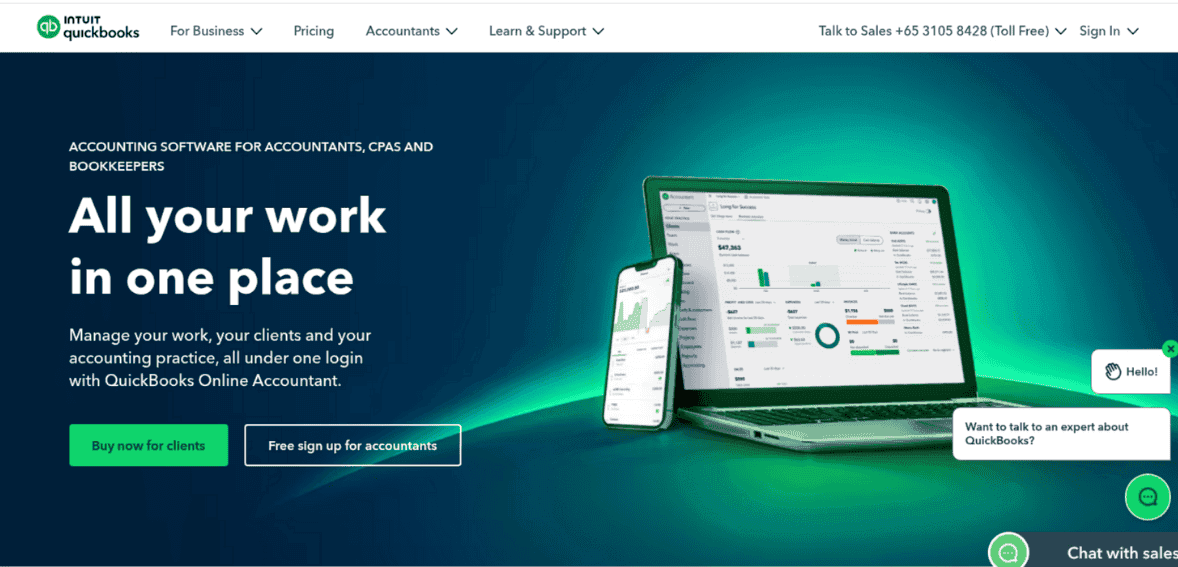
QuickBooks Online (QBO) remains the dominant cloud accounting platform for small and medium businesses, thanks to its user-friendly design and extensive features. It’s popular because it has evolved and keeps pace with today’s business requirements – its AI-enhanced financial hub covers everything from bookkeeping to banking.
Its interface lets business owners work in everyday terms (invoices, bills, sales) while handling the underlying double-entry accounting. Millions of companies rely on QuickBooks’ real-time dashboard to see profitability, expenses, invoices, and bank balances at a glance. The software hides complex accounting jargon, and you get “Profit & Loss” and “Cash Flow” reports instantly, so even non-accountants can manage books. Intuit’s recent updates have focused on automating tasks and deepening financial insights.
In this QBO review, we’ll cover the key features of the software, both good and bad. So, keep on reading!
QBO’s design is made for busy owners, not accountants. Key tasks (invoicing customers, entering bills, tracking mileage, running payroll) are organized by workflow. The menu labels (Sales, Expenses, Payroll, etc.) use plain language. A “Profit & Loss” view replaces a formal income statement, and “Cash Flow” tracks available funds. Because it’s cloud-based, QBO is accessible anywhere on any device.
The mobile app lets you create invoices on the spot, snap receipts with your phone, and reconcile bank transactions on the go. QuickBooks constantly syncs data, so your books always show the latest balances without manual refreshes.
Recent releases in 2024–25 have introduced a refreshed interface to tie everything together. QBO’s new design features a consolidated Business Feed and Customer Hub so you can see tasks, recent activity, and reports in one place. The updated homepage and project centers present critical information (such as upcoming bills or overdue invoices) upfront. Users can pin frequently used reports or tasks for quick access. These UI improvements help business owners navigate the system even faster.
Intuit has also made QBO truly collaborative. Invite your accountant to log in with controlled permissions so you can share books without sharing passwords. Bookkeeping firms often use the QuickBooks Online Accountant portal to manage multiple clients from a single dashboard. The software automatically logs all changes (who did what), preserving an audit trail for compliance.
Non-accountants find it easy to enter data (dates, amounts, descriptions) and let QBO handle the math in the background. Accountants appreciate that QuickBooks continues to provide audit logs, bank-grade security, and GAAP-compliant transaction records to support tax filings and audits.
A primary focus for 2025 is AI-powered accounting. QuickBooks now includes a suite of Intuit AI agents that automate routine work and generate insights.
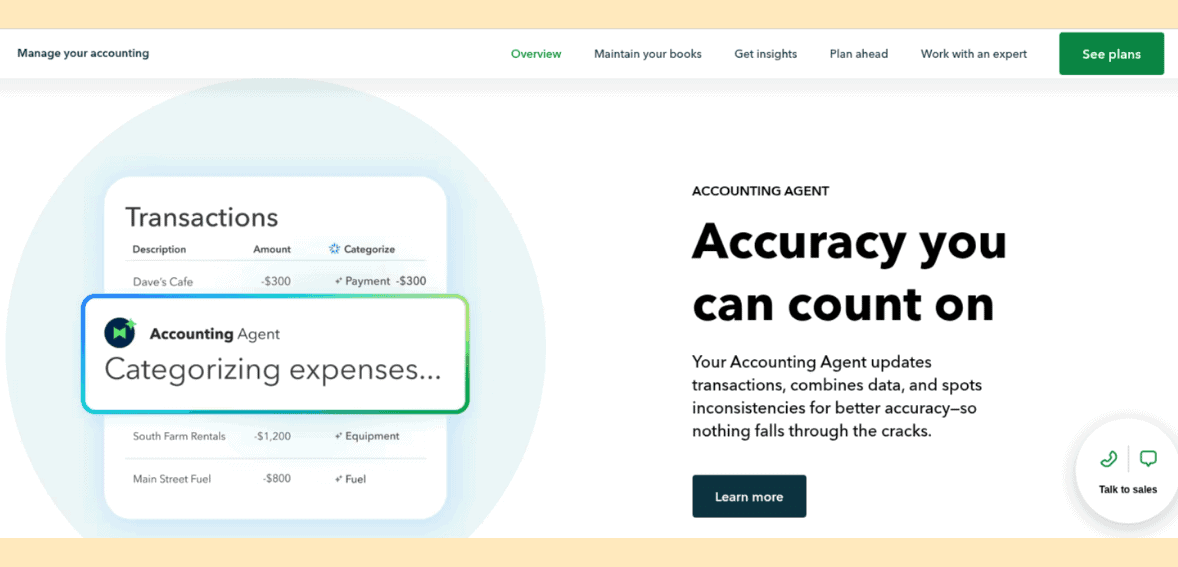
Together, these agents “handle the busywork” so you and your accountant can focus on strategy instead of data entry. So, if a bank deposit is missing a category, the AI will suggest one. Or if your profit is down, it will surface possible causes. Intuit reports that with these agents, 78% of users find running their business easier.
Talking about Intuit Assist, you can snap a photo of a paper invoice, and the AI will extract the vendor, amount, date, and create the bill for you. Automated rules learn from your past edits, so over time, QuickBooks will match and code bank transactions on its own.
These AI tools significantly reduce manual bookkeeping. And importantly, if you prefer human help, QuickBooks Live is still available – now with a new QuickBooks Live Priority plan for $19/month, which gives unlimited expert Q&A on evenings/weekends.
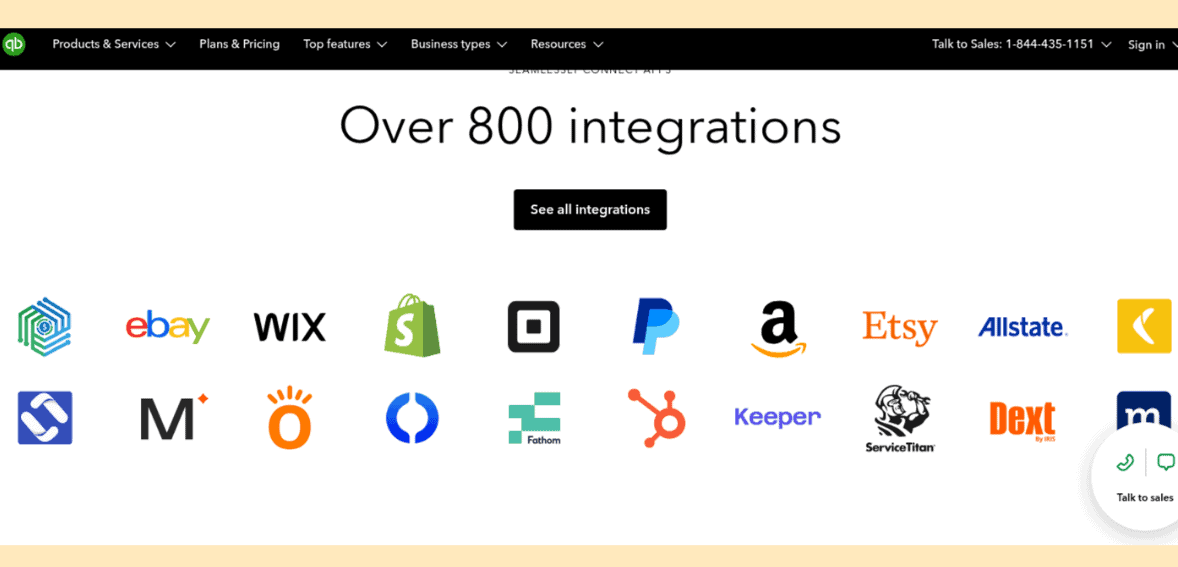
QuickBooks Online integrates seamlessly with hundreds of other business tools, making it a central hub for data. In fact, QBO’s App Center connects with over 800 business apps. There are native connectors to major platforms:
On the payments side, QuickBooks Online has its own payment gateway and merchant account. You can send invoices that let customers pay online instantly by credit/debit card, ACH bank transfer, or digital wallet. Customers can pay an invoice via Apple Pay, Google Pay, or Venmo – giving them flexibility and helping you get paid faster.
QuickBooks Payments processes the transaction and deposits funds directly into your bank account. Recent updates added many payment conveniences. You can now accept deposits on estimates to lock in large projects, and all incoming payments (including tips left by customers) are automatically recorded in your books.
Mail and marketing tools are also supported. QuickBooks will sync customer data with Mailchimp so you can email campaigns without retyping your contacts. You can attach receipts and documents directly in the app (the drag-and-drop receipt upload lets you store backup documents with each transaction).
On the banking side, QBO’s bank feeds pull in transactions from any linked checking or credit card account. In 2025, the banking page got smarter: you can now do inline editing of expenses in the bank screen, and QuickBooks’ AI suggests categories or matches for you, making reconciliation faster than ever.
Popular integrations include:
You can also connect QBO to Excel (Advanced plan) for bulk data edits or to custom databases via API.
Reporting in QBO is highly customizable. The platform includes dozens of built-in reports, like:
You can modify filters or date ranges and save those custom views. Users can now auto-refresh whenever transactions change, and any filters or sorting you apply will “stick” as you drill into details. If you customize a P&L report by department and then click into an account, the report retains your filters.
You can also drill down from summary figures into the underlying entries on any report. Intuit has noted that as of November 2025, the new reporting system will become the default, replacing the old “Classic” view.
Businesses also benefit from QBO’s dashboards and KPIs. The main dashboard can display KPIs and charts (current quarter sales, expense breakdown by category, cash on hand, etc.). You can add custom widgets or bookmark reports on your dashboard. Advanced users on the Higher-tier plans get additional analytics. QBO Plus/Advanced lets you set budgets and compare them to actuals, or add third-party analytics tools like Fathom for deeper forecasting.
The new Finance Agent (AI) proactively identifies trends or anomalies in your reports – for example, flagging unusually high costs or spotting accounts receivable aging issues – and notifies you in the dashboard.
Scheduled reporting is also supported. QuickBooks can email you or your accountant updated financial statements on a recurring schedule. And because QuickBooks is cloud-based, you always view the latest data (no need to import statements).
QuickBooks Online supports payroll processing as an add-on. You can subscribe to QuickBooks Payroll (Core, Premium, or Elite levels), which integrates tightly: payroll expenses and liabilities post automatically to your books. QuickBooks Payroll handles pay runs, tax calculations, W-2/1099 filings, and employee direct deposit. In 2025, Intuit added the ability to correct closed payroll periods directly in QBO. If you need to adjust a past paycheck or amend filings, you can do it in the software and even request the tax agency filings via Payroll Premium/Elite.
New benefits include a built-in employee cost rate calculator on Plus/Advanced plans, which lets project-based companies include benefits, taxes, and overhead into labor costs for better job costing.
For project and service firms, QuickBooks Online offers time tracking and job/project tracking. QBO’s Projects feature (Plus/Advanced) lets you assign income and expenses (including payroll costs) to specific jobs and see project profitability. The new Project Management Agent (Beta) helps automatically allocate costs to projects to keep them on time and budget. (In addition, QBO integrates with timesheet apps like QuickBooks Time for employee hours.)
If you need inventory, QBO Plus supports basic inventory tracking (and you can connect specialized inventory apps like SOS Inventory or DEAR).
Its payroll add-on is robust, but it does cost extra; base payroll starts around $50 to $88 per month plus per-employee fees. Many small businesses combine QBO Online with a payroll service, but the integration means all payroll entries flow automatically into QBO’s books.
Intuit has expanded QuickBooks from accounting into banking and payments. In 2025, QuickBooks launched its own small-business checking account within QBO. You can open a digital QuickBooks Checking account in minutes and use it like any business bank account: accept instant deposits from customers, pay bills, and even put money into “savings envelopes” (sub-accounts) that earn 3.00% APY. All of this happens in QuickBooks, so your bookkeeping is automatically up to date.
For bill payments, QBO now lets you schedule payments to vendors right from the Bills screen; QuickBooks will process and send the payment on the date you choose, and automatically match it in your books. This streamlines payables – no more cut checks or logging into multiple bank sites.
On the receivables side, QuickBooks Payments offers charge-and-cover for disputes. The new Dispute Protection feature automatically insures your credit-card transactions up to $10,000 per dispute (and $25,000 per year).
If a customer disputes a payment, QuickBooks handles the claim so you don’t have to chase paperwork. Plus, QBO now supports tipping on invoices: customers can add an extra gratuity when they pay an invoice, and QuickBooks will automatically record that tip in the correct account. These enhancements make the payment process smoother for both businesses and customers.
QuickBooks still supports all standard payment methods – credit/debit cards, eChecks (ACH), and popular digital wallets (Apple Pay, Google Pay, PayPal, Venmo). There are no monthly fees to send invoices; you pay transaction fees on what you accept. Intuit often offers promotions (e.g. 70% off subscriptions for new users) to lower the entry price, though the list prices have risen.
QuickBooks Online produces the financial statements needed for tax filing and oversight. It handles US GAAP double-entry by default, and the Audit Trail ensures that every entry (and any edits) is logged. There are no built-in multi-user permission locks in the lower plans, but QBO Advanced adds granular user roles so you can limit who sees payroll or pricing.
Data security is very robust – QBO uses 256-bit SSL encryption and stores data on secure, firewall-protected servers (the same encryption used by banks). Your data is backed up redundantly on AWS servers in your region. All access to your books is password-protected, and Intuit’s security team continually monitors for breaches. In short, businesses using QuickBooks Online can trust that financial records are protected to the same standards as online banking.
QuickBooks offers many support channels: a searchable help center with thousands of articles, video tutorials, and an active online community forum. There is a nationwide network of certified QuickBooks ProAdvisors (bookkeepers/accountants trained in QBO) who you can hire for setup or training. For hands-on help, QuickBooks Live connects you with experts who will handle your bookkeeping (for a fee).
As noted, Intuit recently introduced QuickBooks Live Priority (for $19/mo), providing on-demand Q&A with experts even after hours.
However, support remains mixed. Many users praise QBO’s ease of use, but it’s not uncommon to hear complaints about long hold times or outsourced call centers. QuickBooks Online’s cons include “feature limitations” and inconsistent customer support. Minor technical issues can sometimes require creative workarounds or waiting for an update. Intuit addresses this by rolling out community fixes quickly. They’ve accelerated release cycles, so minor bugs are often patched monthly.
Overall, QuickBooks provides ample learning resources and a help network, but businesses should still budget for occasional pro help (especially for complicated tax or payroll issues).
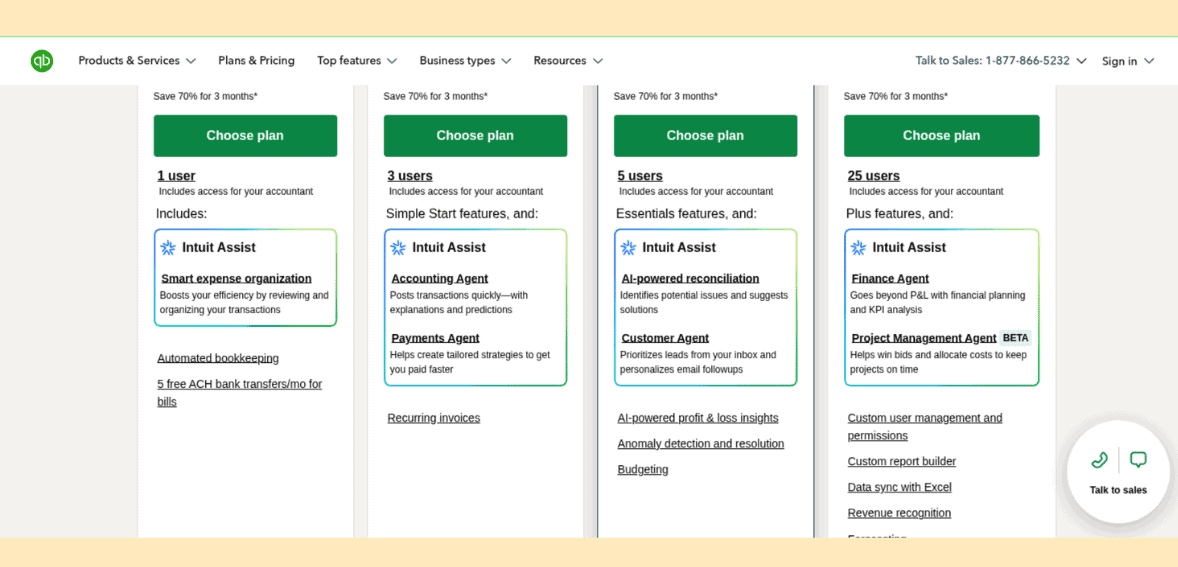
QuickBooks Online is sold by subscription. As of mid-2025, Intuit raised prices to reflect its added AI and feature set. The four main plans are:
*Apparently, Intuit also promotes sales and occasional discounts – e.g., “70% off for 3 months” – so new customers can start at far lower rates. Each plan builds on the prior one: higher tiers include all the lower-tier features plus extras like project profit tracking (Plus), and custom user roles and enhanced reporting (Advanced).
Simple Start drops to $11.40 per month, Essentials to $22.50 per month, Plus to $34.50 per month, and Advanced to $82.50 per month. These temporary prices give new users a lower-cost way to test the features before moving to the regular monthly fees.
Payroll subscriptions (Core, Premium, Elite) are separate add-ons. As of 2025, QuickBooks Payroll Core starts at $50/mo plus $6.50 per employee. While not included in the base QBO plan, payroll costs integrate seamlessly into the books. QuickBooks also offers time and expense management as an optional service.
QuickBooks Online continues to dominate small-business accounting software (over 60% market share) thanks to its comprehensive feature set and ecosystem. It’s often the default choice because nearly every bookkeeper and accountant supports it. QuickBooks Online is the industry standard for accountants, making tax time much easier.
It’s also platform-agnostic – whether you’re on Windows, Mac, or mobile, QBO works the same way. And because it’s cloud-based, updates and backups happen automatically, with no user action required. In fact, Intuit now performs continuous deployment of improvements, so new tools (like the AI agents or dispute protection) appear without needing a new software version.
Over the years, QuickBooks has added needed capabilities – from online bill pay and bank feeds to smartphone apps and payroll – that keep it ahead of competitors. Critics may gripe about cost or occasional support headaches, but it’s hard to beat the breadth of what QBO offers. In 2025, with its new AI features, business banking, and ever-richer integrations, QuickBooks Online remains the most potent yet accessible accounting solution for small businesses.
QuickBooks Online continues to set the benchmark for small-business accounting in 2025. Its blend of intuitive design, deep automation, AI-driven insights, and a massive integration ecosystem makes it far more than a bookkeeping tool; it’s a complete financial command center for modern businesses. While its pricing has increased and support can still be inconsistent, the sheer value of what QBO delivers, streamlined workflows, reliable real-time data, robust reporting, seamless collaboration, and now built-in banking and intelligent automation, keeps it far ahead of most rivals.
Whether you’re a solo entrepreneur sending a handful of invoices each month or a growing company managing payroll, inventory, and complex projects, QuickBooks Online scales with you. And because nearly every accountant and bookkeeper uses it, QBO remains the path of least resistance for accurate books, smoother tax seasons, and better year-round financial visibility.
Yes. QBO is designed for small and medium-sized companies. It covers all core accounting needs (invoicing, expense tracking, bank reconciliation, reporting) through an easy-to-use interface. It’s scalable, so you can start with a simple plan and upgrade as you grow.
Absolutely. QuickBooks Online is cloud-based, meaning you can log in from a PC, Mac, tablet, or smartphone with internet access. Data is synced in real time, so whether you enter a bill on your desktop or snap a receipt on your phone, everything updates instantly. This mobility allows business owners and their teams to manage finances on the go.
QBO offers tiered plans – Simple Start, Essentials, Plus, and Advanced – each with increasing users and features. As of 2025, the list prices are about $38, $75, $115, and $275 per month, respectively (Intuit often runs promotions to reduce these). Each plan’s features are cumulative. For example, Essentials adds bill management over Simple Start, Plus adds project costing and budgeting, and Advanced adds unlimited reports and business analytics.
Yes, but payroll is an optional add-on. QuickBooks Online connects seamlessly with Intuit’s payroll service (Core/Premium/Elite) for running payroll, calculating taxes, and filing forms. You can also integrate third-party payroll providers (like Gusto). Note that you pay extra for payroll.
Yes. Intuit puts a premium on security. QuickBooks Online uses bank‑level encryption and secure data centers to protect your books. All data transmissions are encrypted via SSL, and Intuit’s servers have multiple layers of firewalls and physical security measures. You must log in with a password (and optional two-factor authentication), and Intuit stores backups in various locations. For added privacy, QuickBooks never sells your data.
Definitely, QuickBooks Online connects to hundreds of apps. You can link it to payment processors, CRM systems, ecommerce sites, and more. Popular integrations include Amazon Business, PayPal, Square, Shopify, eBay, Mailchimp, Gusto, and Zapier for custom workflows.
