
The construction industry faces a severe cash-flow crisis due to late payments. Industry surveys indicate that slow payments now cost U.S. construction companies roughly $273 billion each year (about 14% of project costs). More than 70% of subcontractors report waiting over 30 days for progress payments. These recurring delays force contractors to finance jobs out of pocket, slow down project schedules, and, on top of that, even risk work stoppages until funds arrive.
At the same time, the push to modernize payments is underway. Digital platforms and automated billing tools are beginning to overturn the manual and paper-based grind. Early adopters report that technology solutions can cut payment cycles dramatically, often accelerating payments by 80% or more. Moving applications and approvals online, and by automating billing workflows, companies can restore predictability to cash flow and keep projects moving on schedule.
Late payments in construction now cost contractors hundreds of billions each year in lost value and extra financing expenses. More than 70% of firms report waiting over a month to get paid, which ties up working capital, slows projects, and often forces businesses to borrow or dip into personal funds. Modern payment automation and digital invoicing offer a solution, cutting payment times by over 80% and helping firms avoid cash flow challenges.
Progress payments are usually submitted on standardized forms and require thorough documentation. The industry-standard forms are the AIA G702/G703 (the Application and Continuation Sheet) and the ConsensusDocs 710 Application for Payment. Previously, these had to be filled out by hand or in spreadsheets, which was usually a very slow and error-prone process.
Today’s construction billing software can integrate these forms directly into the workflow. Take a schedule of values in the project budget as an example; it can automatically populate the G702 form, and the linked G703 continuation sheet updates as costs or change orders change. This ensures that pay applications are consistently formatted correctly and include current line-item totals and retainage. For projects using ConsensusDocs, similar integrations allow the system to generate that specific form with the required fields, which guarantees compliance with contract terms.
Attaching documentation to payments further streamlines approvals. Contractors can link photos of completed work directly to each line item, providing visual proof of progress alongside the invoice. Likewise, integrating timecard and equipment-hour data means labor costs on the bill automatically match logged hours on the job. All this removes guesswork and speeds approval. Instead of chasing down missing signatures or chasing subcontractors for backup, stakeholders see all the evidence at once, making reviews quick and transparent.
Modern construction software streamlines billing by auto-filling AIA G702/G703 forms with schedule-of-values and retention data directly from project budgets, bypassing the need for manual entry. It also supports ConsensusDocs 710 compliance by generating pay applications that are in line with contract requirements. Adding site photos to invoices provides visual proof of work, builds trust, and accelerates approvals. Additionally, integrating timecards ensures billed labor hours match actual crew hours, reducing errors and guaranteeing accurate labor costs on every payment request.
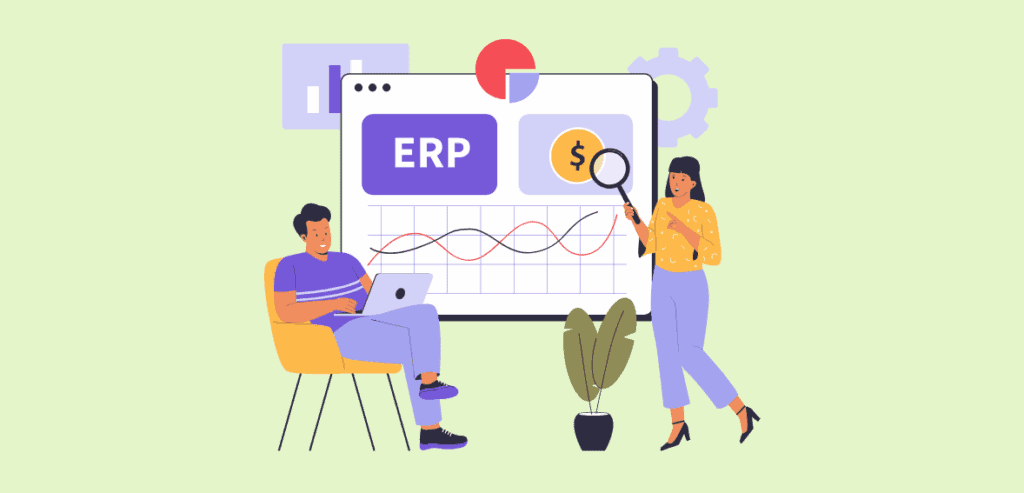
Reliable and efficient payment processing hinges on connecting job data to finance systems. Leading contractors use robust ERP solutions like Sage 300 Construction & Real Estate (formerly Timberline), Viewpoint Vista, or other construction accounting platforms. They use this to manage budgets, invoices, and the general ledger.
The latest payment tools integrate seamlessly with these ERPs. So, when an invoice or payment application is approved, the amount and the recipient’s details sync automatically back to the accounting system. Contrarily, data like cost codes, vendor records, and purchase orders flow from the ERP into the project management software. With this, you get a comprehensive view of project costs and payments that stay in sync in real time across all systems.
This integration also enables powerful automation. A project team can set up specific milestones or % complete triggers in the scheduling tool, and once those are met, the system auto-generates the corresponding invoice. That invoice then posts to the ERP without duplicate data entry.
Similarly, once a receivable is recorded in the ERP, the payment portal can automatically issue funds to subs according to the agreed schedule. With Sage 300, Vista, or other systems integrated to platforms like Procore, financial teams no longer wrestle with spreadsheets to tally costs; everything updates as it happens. Managers gain up-to-the-minute visibility into whether a project is on budget, and the back office spends less time reconciling invoices and more time managing cash.
Lien waivers are a key part of the payment process, which guarantees that once a subcontractor is paid, they give up lien rights. Handling waivers manually is risky and time-consuming, but integrated payment platforms now manage waivers automatically. For each payment run, the software can generate the correct waiver form (conditional or unconditional) and require it before funds release. Conditional waivers are issued “upon payment” (they only take effect when payment arrives), while unconditional waivers apply after payment is received. The system might issue a conditional waiver for a progress draw, and then convert it to an unconditional one once the actual payment is complete.
Advanced systems also handle state-specific waiver rules. Many states have unique lien waiver requirements. Some require specific language or a pre-printed official form. The software ensures that every waiver complies with local law when you code these requirements into the payment workflow. There is no need to guess which state form to use because the system automatically selects and fills out the correct form based on the job location and project type. Digital signature integration further accelerates the process.
Subcontractors and suppliers can sign their waivers electronically on a computer or mobile device as soon as they see the payment, without the need to exchange paper. This means waivers are executed immediately and stored online. Embedding waiver workflows into the payment cycle also slashes processing time (often by more than half), improves accuracy, and guarantees that no payment is made without the proper legal release.
Construction cash flow often swings with the seasons. Many contractors face a slowdown in winter or off-seasons when outdoor work is limited. Planning extensively before the “off-seasons” helps survive these lulls.
To battle this, one key strategy is to build reserves during peak months and set aside a portion of busy-season profits to cover payroll and fixed costs in slow months. Businesses also diversify into winter-friendly work (such as indoor renovations or maintenance projects) to keep crews busy and revenue flowing. Financially, securing a line of credit or other financing before winter hits is advisable to ensure funds are available if cash gets tight.
On the payment side, managing outflows carefully is essential too:
Subcontractor payment scheduling also adjusts for seasonality. Instead of paying subs on a fixed monthly schedule during winter, contractors might tie payments strictly to completed milestones. A contractor may get paid in smaller, milestone-based installments rather than a lump sum upfront. This way, a builder only pays when the corresponding portion of the job is done and the owner’s payment is received, all while avoiding cash gaps. Combining careful budgeting, selective spending, and flexible payment terms helps contractors maintain healthy cash flow even when projects slow down.
Prompt payment legislation imposes strict rules for paying contractors on time. Federally funded projects in the U.S. generally use the Prompt Payment clauses that demand swift payment. Progress invoices must typically be paid within 14 days of approval, and final invoices within 30 days.
If these deadlines slip, the owner must pay interest penalties on the late amount. Likewise, most states have their prompt payment laws (often for public or even private work). Some states require payment within 30 days of a proper invoice, while others allow up to 45 days, each with its stipulated interest rate on overdue amounts. Keeping track of all these deadlines by hand is a recipe for errors and potential fines.
Automated payment solutions can help a business enforce stricter rules regarding timely payment seamlessly. When an invoice is entered or an approval is given, the system immediately timestamps it. It calculates the due date according to the applicable law (taking into account weekends and holidays). If the payment isn’t scheduled by that date, the software can flag it or even auto-schedule the transfer so it goes out exactly on time.
If a payment runs late, many systems can calculate the statutory interest penalty and include it in the payment or accounting entry, which ensures compliance. When you embed the rules into the workflow, contractors and owners avoid missed deadlines and penalties. The result is both regulatory compliance and stronger relationships, since paying partners on time builds trust and avoids costly disputes.
On massive projects, payment workflows can become multi-layered and more complicated. Automated payment platforms are good at coordinating these complex chains. In a multi-tier setup, funds flow from the owner to the general contractor and then down through several layers of subcontractors. A robust system can orchestrate this chain; when the owner’s payment arrives, the software allocates each subcontractor’s portion and schedules payments accordingly. It enforces that each tier only gets paid after satisfying its billing requirements (like providing signed waivers). In this way, every sub and supplier gets the money owed, in the correct order, without manual juggling.
Joint checks are another feature of large projects. Often, an owner will issue a single check jointly to a contractor and a material supplier to ensure the supplier is paid. The payment software can recognize and record joint checks properly, and it splits the check into the contractor’s portion and the supplier’s portion in the accounting records, automatically crediting each party. This removes confusion over how to book those payments.
Finally, retention (retainage) management is a significant concern. Construction contracts usually hold back 5% to 10% of each draw as retainage until final acceptance. Manually tracking who owes how much retained can be a nightmare. Automated tools can calculate retention on every invoice and withhold it systematically. When it’s time for completion, the system triggers the release of the retained amounts, often contingent on final waivers or inspections being logged. This means that on project close-out, the final payments go out smoothly and everyone receives their full balance automatically. No one has to chase down a checklist for who gets what; the software handles it by rule.
Efficient payment processing in construction requires a blend of process discipline and the right technology. By automating progress payments, integrating project data, and streamlining compliance, contractors can break the cycle of chronic payment delays. Enabling software to handle AIA forms, lien waivers, and ERP synchronization means fewer errors and faster approvals. Likewise, planning ahead for seasonal slowdowns and using systems that enforce prompt-pay rules keeps cash flowing all year. In large, multi-layered projects, automation ties together every piece of the payment puzzle, from joint checks to final retainage releases.
Modernizing payment workflows isn’t just a back-office improvement; it’s a strategic necessity. When payments move on time, project schedules stay on track, credit costs drop, and relationships stay strong. Contractors that adopt these automated solutions gain a crucial advantage, healthier cash flow, and smoother projects across the board.
Why are late payments such a significant issue in the construction industry?
Late payments tie up working capital, slow down project schedules, and force contractors or subcontractors to finance jobs out of pocket. Industry surveys show delays now cost U.S. construction firms over $273 billion annually, with more than 70% of subs waiting 30+ days for progress payments.
How can modern payment automation improve cash flow in construction projects?
Automation reduces reliance on paper forms and manual spreadsheets. By integrating AIA G702/G703 or ConsensusDocs 710 forms directly into billing workflows and attaching proof such as site photos and timecards, approvals happen faster. Early adopters report payment cycles shrinking by up to 80%.
What role does ERP integration play in construction payment processing?
ERP systems like Sage 300 and Viewpoint Vista connect budgets, invoices, and payment records. Modern payment tools sync data between project management and accounting systems automatically, eliminating double entry, enabling real-time visibility, and ensuring payments flow seamlessly from project triggers to disbursements.
How do lien waivers and compliance requirements fit into automated payment platforms?
Platforms can automatically generate conditional or unconditional lien waivers, adapting them to state-specific rules. Digital signatures and built-in compliance checks ensure funds aren’t released without the proper legal documentation, reducing disputes and delays.
How do automated systems help contractors comply with prompt payment laws?
Prompt payment rules require strict deadlines (e.g., 14 days on federal projects, 30–45 days in most states). Automated solutions timestamp approvals, calculate due dates, send alerts, and even initiate payments to meet deadlines. They can also compute statutory interest automatically if payments are late, helping avoid penalties.
