
The operational pain of running a contractor job management on fragmented, manual systems is a real concern. The data is scattered among spreadsheets, files, and versions. To effectively monitor business data, you need to understand reactive dispatching and revenue leakage.
Reactive dispatching refers to assigning jobs based on immediate emergencies rather than optimizing routing or technician availability. Unbilled work, forgotten parts, or delayed invoices are the pressure points where your business leaks money. This revenue leakage is caused by poor job tracking. As a business owner, your goal should be to optimize these two processes.
First, you need to understand the hidden cost of manual systems. Although manual systems have no upfront subscription cost, the hidden expenses of running them are usually much higher than the cost of dedicated management software. You might be using WhatsApp or SMS dispatching for your business, but that comes with problems — lost context, miscommunication, and no central source of truth. Manual systems also lead to redundancy. When you move job details from a text message to a calendar and manually generate an invoice later, you expose your database to duplicate entries.
The lag in manual systems affects your business too — a delayed job closing leads to delayed invoicing, which impacts your cash flow and contractor payment processing. The efficiency of your systems shapes customers’ perception of your organization.
For example, a technician finishes a water heater repair but forgets to log the extra valves used. In a manual system, this data will be missed. The office will bill a standard rate. The unaccounted-for part eventually eats up the profit margins.
This section will break down what free contractor management software actually does for business owners. Tracking a job from the initial quote to the final payment — known as job lifecycle tracking — is crucial for any business to assess its growth. Understanding field-to-office sync is also very important: this is the real-time data synchronization between technicians on-site and dispatchers at the desk. Now we will explain the various stages of the job lifecycle so you understand why job management software matters.
The job lifecycle begins with scheduling and dispatching. In job management software, drag-and-drop calendars are provided that account for technician skill sets, locations, and job priority. Next in the process is customer management. The customer relationship management (CRM) system stores gate codes, past invoices, and asset history, including specific HVAC unit models.
The next step in the job management lifecycle is quoting and invoicing. Converting an approved estimate into an active job is as important as converting an active job into a payable invoice with just one click. Another important feature of job management software is automated status updates — triggers that reduce the need for customer follow-up calls.
Lastly, reporting is a crucial feature of a job lifecycle. Turning basic visibility into profitability analysis by job type or technician is essential to gain important insights into customer behavior.
When evaluating free contractor job management software, owners should look beyond basic scheduling and consider the essential features that provide crucial insights into their business operations.
We will now examine the realities of free software tiers. Most contractor job management software available in the market gives you just a glimpse of the advanced features. This includes paywalls and seat limits that restrict the “free” usage and push you toward paying for the software.
Paywall friction refers to features that are visible but locked behind paid upgrades. These upgrades are often very expensive. Another challenge with “free” software is seat limits. The majority of these free tools price their premium tiers based on the number of users in the system, which is often expensive for small contractors looking to scale.
Most software providers use a “Trojan Horse” pricing model. The software is free for the owner, but a fee is charged for each new technician they add. These programs restrict the number of jobs, invoices, or clients you can manage per month — effectively trapping you into a payment cycle. Apart from feature capping, many free tools require you to pay to export your data. They hold your data hostage and prevent you from exporting your customer list if you choose to leave.
Most free contractor management tools lack a dedicated mobile app for technicians. Additionally, there are support gaps. Most of these “free” platforms rely on community forums rather than dedicated onboarding, which makes them too generic for specific business needs.
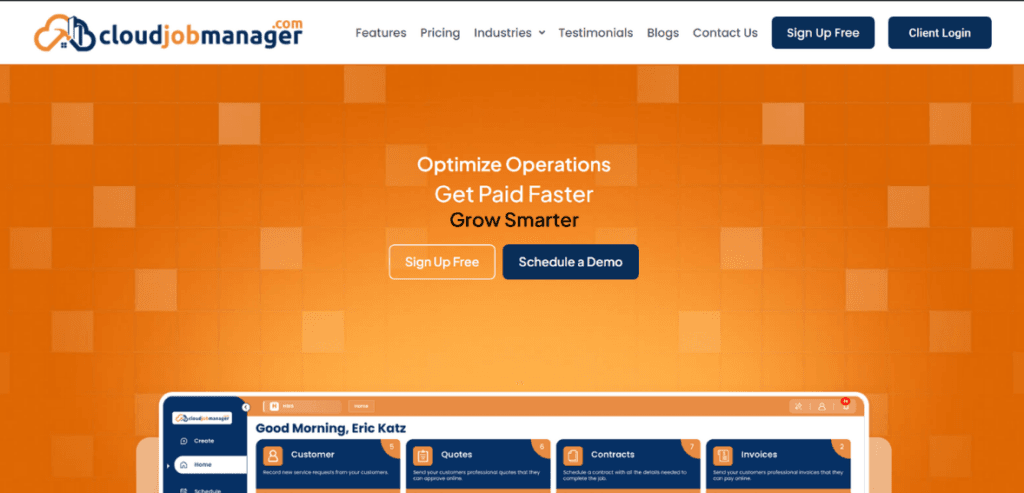
Now that you understand the problems associated with seemingly “free” tools online — most are either gimmicks to get you to buy actual software or too generic to handle a specific business task — let us look at a solution that addresses these gaps. Most paid tools are either very expensive or offer minimal functionality, without unified dashboards or onboarding.
A unified dashboard is the single source of truth for your business, eliminating the need to toggle between separate accounting, scheduling, and quoting tools. Software design that requires minimal technical knowledge to deploy is ideal for any business. Cloud Job Manager is one such solution — a centralized, cloud-based hub designed specifically for field service operational flow. It is built with the needs of service businesses, such as plumbing, electrical, HVAC, and similar trades, in mind.
The free tier of Cloud Job Manager bypasses the limitations of its competitors. It offers generous job limits and accessible core features that other software keeps locked behind a paywall. It is an ideal solution for small businesses looking to scale with minimal overhead. It offers a unified dispatch board that provides clear visual routing and scheduling. The mobile-first design allows technicians to capture photos, signatures, and notes on-site.
The invoicing pipeline provided by Cloud Job Manager accelerates cash flow by reducing the time between job completion and invoice delivery. It is a strong fit for solo operators, small teams, and growing service businesses looking to step away from spreadsheets and whiteboards.
When choosing job management software, you should understand scalability and avoid feature bloat. Scalability is the software’s ability to handle increased job volume and data complexity without breaking or requiring a system migration. Cloud Job Manager allows you to scale your contracting business efficiently while keeping processes optimized. It is suited for all types of business owners, whether you are a solo contractor or a growing business expanding its services.
A common challenge faced by business owners is feature bloat — over-engineered software that slows down simple workflows. For solo contractors who need speed and mobile quoting, a robust, lightweight software solution is required. Complex enterprise tools like ServiceTitan are too heavy and expensive for small operations, whereas Cloud Job Manager provides immediate usability. Small teams of 2 to 5 people need communication and routing. Basic calendar apps like Google Calendar struggle to keep track of job history. Cloud Job Manager solves this by linking the dispatcher’s screen directly to the technician’s phone.
For businesses looking to expand, reporting and cash flow tracking are crucial. While generic CRMs such as HubSpot lack field-service context, Cloud Job Manager tracks truck rolls and part costs.
There are various tools on the market that excel at specific tasks. A tool good at reporting and dashboards might lack invoicing, or tools that have invoicing but charge extra for scheduling. Cloud Job Manager bridges this gap by providing a one-stop solution to all these needs.

This section provides step-by-step guidelines and insights to keep in mind as you transition to contractor job management software. Any implementation of a tool or transition to new software should be phased, and data migration is a critical part of the process.
Start by cleaning the data. Export current client lists and standardize service pricing to prepare the data for migration to the new software.
The next step is setting up the core framework for your data. Start by inputting test schedules and setting up basic invoicing templates to get the basic software up and running.
After setting up a basic workflow, run beta tests on your system. For example, run one technician on the software for a week while the rest use the old system.
The last step of the implementation process is bringing the whole team onto the software. Start onboarding the full team. Set up new SOPs and make it mandatory for any job to be entered into the system.
Some common mistakes business owners make when transitioning to new software include sudden implementation and messy migrations. Always roll out changes in smaller phases rather than radical overhauls. Businesses that fail to train field staff on mobile app basics are prone to human errors when entering data. If the system becomes a headache for the staff, they might refuse to use it entirely, and it would become a liability rather than an optimization.
Manual systems are a ceiling on your growth; they cap the organization’s potential and employee productivity. Having dedicated software to manage your contractor jobs is the foundation for efficiently scaling your business.
Moving from the reactive chaos of manual systems to organized, predictable job flows is essential to achieve sustained growth. Cloud Job Manager is a one-stop solution for contractor job management needs and can be a valuable investment if implemented smartly.
Yes, reputable cloud-based systems use bank-level encryption (like AES-256) to protect customer data and payment details, which is very secure.
Not necessarily. Tools like Cloud Job Manager are designed so owner-operators can dispatch jobs directly from their phone in the field, eliminating the need for dedicated office staff.
No, most modern field service apps do not require expensive equipment to use in the field.
Usually, a small team can migrate core customer data and begin running daily schedules on a new system within 3 to 5 business days.
High-quality field apps cache data locally. The technician can continue taking notes and capturing photos offline, which sync automatically when the connection is restored.
