

Posted: March 28, 2018 | Updated: December 30, 2025 at 10:06 AM
Accepting credit cards is essential for today’s businesses: over 90% of U.S. adults carry a credit or debit card, and many customers expect to pay by card or mobile wallet. However, processing card payments comes with fees and security requirements that can cut into profits if not managed carefully.
When you have a complete understanding of the pricing structures, you avoid hidden costs, maintain strong security, and, by leveraging modern payment technology, businesses can streamline their card payments and save money. Below are five key credit card processing tips to help your company optimize.

Credit card processing involves multiple fee types. Before choosing a processor, review pricing examples to see exactly what you’ll pay. Standard charges include interchange and transaction fees, monthly or statement fees, and one-time costs.
Interchange fees (paid to card issuers) typically run about 2 to 3% of each sale, and processors often add a fixed per-transaction fee on top. There may also be monthly account fees, PCI compliance fees, or gateway fees, regardless of sales volume.
You should always ask potential processors for a sample monthly statement or fee schedule when evaluating options. This lets you see all line-item costs, ensuring no hidden charges slip through.
Compare pricing models directly – interchange-plus (pass-through) pricing tends to be most transparent, while flat or tiered rates can obscure true costs. Whenever possible, negotiate rates or ask to have fees waived as your sales volume grows.

Contracts can easily lock businesses into unfavorable terms, mainly when processors rely on multi-year agreements with hidden penalties. To maintain flexibility and control costs, it’s best to seek arrangements that avoid long-term commitments. A month-to-month contract or one that clearly permits cancellation with minimal notice generally offers the most protection. Before agreeing to anything, read the contract closely for auto-renewal clauses and high early-termination fees. Some providers renew automatically at higher rates if you miss a cancellation deadline, so it’s important to track those dates.
Choosing flexible terms is essential, and processors that avoid locking you in are typically the safest option. It’s critical to compare fee structures, contract terms, and available features, and to prioritize no-contract or short-term agreements whenever possible. Early termination fees also deserve careful attention, as they can reach thousands of dollars. While some companies may waive penalties if asked, it’s better to choose providers known for short or no-commitment terms rather than rely on exceptions.
Another area to review is equipment leases. Hardware offered as “free” in a contract is often paid for indirectly through higher rates or added fees. It is recommended to purchase your own terminals whenever possible, since a reliable EMV terminal can cost around $250 and often saves money compared with leasing.
Overall, negotiation is key. Ask directly about cancellation and renegotiation policies, and if a provider insists on a long-term contract, make sure rates are stable and the agreement has no hidden surprises. A processor that lets you exit or adjust your plan without punitive fees will protect you from being stuck in a costly arrangement later.

Protecting customer data is both legally required and good business. All merchants must comply with PCI DSS standards for handling payment data. Ensure your processor handles the heavy lifting of PCI compliance (such as network scans and validation), but remember that some responsibility remains with you (such as using secure equipment and training staff).
Use a processor that keeps customer card data encrypted from the moment of swipe or entry (point-to-point encryption) and tokenizes information in your systems. This guards against breaches: even if hackers intercept data, encrypted numbers and tokens are useless without the decryption key.
Regularly audit your security. Confirm that all payment processing devices are up to date and that your team understands safe procedures.
Providing staff education on handling customer data can help prevent breaches caused by even well-intentioned employees. Making security a priority saves money by reducing fraud losses and compliance costs.
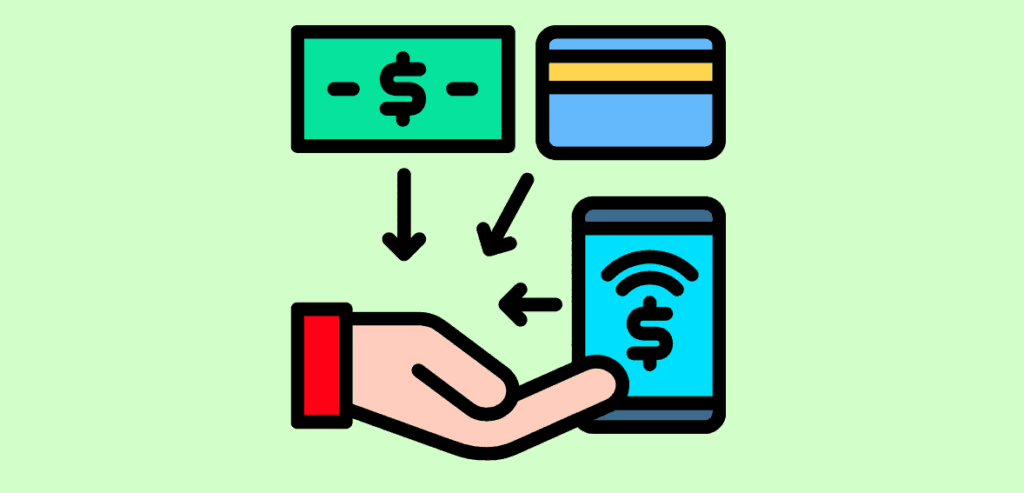
Modern customers expect to pay however they prefer, so your business should support all major card brands along with popular digital payment methods. Many shoppers are relying on digital wallets more frequently, and offering contactless tap-to-pay and mobile wallet options such as Apple Pay. Google Pay can significantly improve satisfaction and checkout speed.
A good payment processor should enable these features without added complexity. It’s equally important to align your in-store and online systems by integrating your e-commerce checkout with the same merchant account to create a consistent, seamless experience.
Taking payments across multiple channels strengthens convenience and efficiency. Accepting transactions in person, online, and on the go through a single provider unifies POS terminals, e-commerce gateways, and mobile readers under a single system, reducing vendor management and controlling costs. Digital wallets and contactless payments should be standard, since tap-to-pay shortens wait times and uses dynamic security codes for stronger protection.
Your payment setup should also connect smoothly with your accounting or ERP software. Many processors and POS platforms can sync sales data directly to systems like QuickBooks or Xero, eliminating manual entry and reducing errors. Beyond basic processing, advanced features such as detailed reporting and analytics offer valuable insights. Comprehensive transaction data can reveal which products perform best, when traffic peaks, and how inventory moves, helping you make better operational decisions.
Regularly evaluate whether you are providing the payment options your customers prefer. For retail locations, ensure your terminals support NFC. For online sales, confirm that your checkout gateway is PCI compliant and optimized for mobile users. Consider adding features such as buy now, pay later or invoicing tools, as these options continue to grow in popularity. A modern, flexible payment stack not only increases sales but also reduces friction and improves accuracy across your operations.

A well-tuned payment system dashes, improves customer satisfaction, and saves money. Outdated equipment or sluggish checkout flows can frustrate customers and even lead to lost sales. Keeping your hardware and software up to date is essential: use modern POS terminals, ensure you have a stable internet connection, and streamline the checkout process by removing unnecessary prompts. These improvements not only make the customer experience smoother but also help increase throughput during busy periods.
Regular maintenance plays a significant role in performance. Update payment terminal firmware and POS software on a routine schedule, and verify that your routers and network configuration are not slowing transactions. A practical guideline is simple: if your checkout ever feels sluggish, it’s time to upgrade your equipment or internet service.
Your system’s data is another valuable resource. Built-in reporting tools can reveal patterns such as which locations or product categories generate the most revenue, when peak purchasing times occur, or where fraud risks may be emerging. Using these insights allows you to optimize inventory, tailor marketing efforts, and adjust staffing to match demand.
Monitoring chargebacks is equally essential. Rising dispute rates may indicate fraud issues or customer dissatisfaction, and resolving them quickly helps prevent unnecessary fees while protecting your revenue. Explicit billing descriptors and responsive customer communication can also reduce disputes.
Continuous improvement keeps your payment stack aligned with your business needs. As your transaction volume increases, it may be time to renegotiate for better rates. If your current provider lacks essential features such as strong mobile payment support or robust analytics, consider alternatives that can scale with you and adapt to new payment methods.
Conduct a complete payment processing audit at least once a year. Compare your fees with competitive offerings, gather staff feedback on system pain points, and determine whether any hardware or software updates are needed. Combine your processor’s analytics with your accounting data to confirm that you’re getting real value. Ongoing optimization ensures your checkout process stays efficient, fast, and cost-effective.
By following these five tips—understanding all fees, avoiding bad contracts, securing transactions, embracing modern payment channels, and continuously optimizing- you’ll keep credit card processing costs in check and provide a smooth experience for customers.
Careful management of your merchant services boosts your bottom line and helps your business grow.
