5 Best Tanning Salon Software

5 Best Tanning Salon Software

Tanning salons have always sought to offer best-in-class differentiated services, resulting in the best possible customer experience for their typical hectic and busy schedules. As more and more consumers are looking for experiences over material items, customers are seeking quality, a seamless visit experience, and hassle-free choice of payment capabilities.

There are a host of services on offer, including UV tanning, sunless tanning, spray-on, and airbrush tanning. These services are often complimented with additional offers such as merchandising, yoga and spa services, and Cryotherapy. All the various service lines offered to a host of customers throughout the year make tanning salon software that much more important for customer satisfaction, as well as efficiently managing the tanning salon.

As a result, we look at the five best tanning salon software that are currently available in the market. Our criteria for this list of the five best tanning salon software include payment processing capabilities, point of sale systems available and their integration capabilities with the tanning software, customer support, pricing, and finally, the ability of the tanning salon software to streamline operations via tertiary services, such as reporting and analytics, customer and employee management, and client outreach.

5 Best Tanning Salon Software

Bonsai

bonsai
Image source

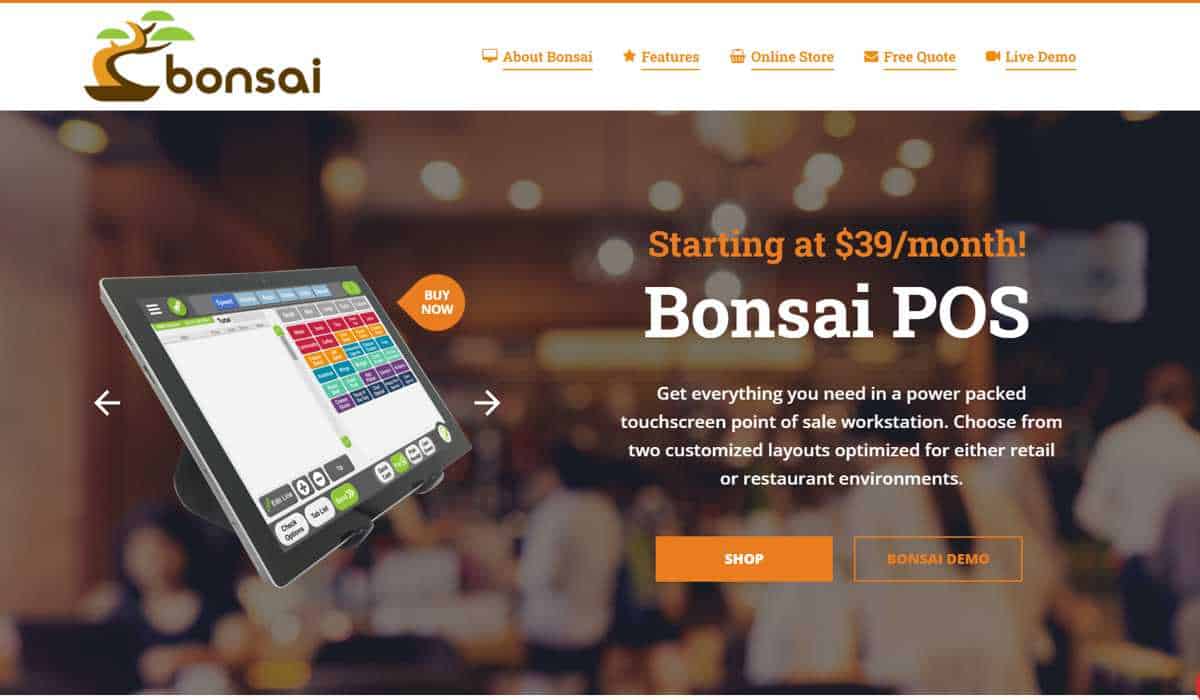
One of the best tanning salon software currently available. Bonsai has made a name for itself in many service-based industries, and the company’s POS offerings offer tremendous value for money.

The tanning salon software provider offers a sophisticated POS system that combines a suite of features, customer outreach and loyalty program capabilities built in, sleek hardware, and staff and inventory management tools.

  • POS systems – The POS solution offered Bonsai is packed with features. Tanning salons can easily integrate secure payment processing and seamlessly process payments for EMV chip cards, collect payments via NFC, and traditional magnetic stripe card processing.
  • Support – This is one of the best features of the tanning salon software provider. The company offers US-based client support, available 24/7/365.
  • Pricing
    • Payment processing is fixed at a lifetime rate of Interchange + an agreed upon markup and per transaction fee negotiated between the merchant and the POS company.
    • Monthly costs for the Bonsai software can range from $39.95 – $69.95
    • The POS system may cost an average of $1,200 based on need and scope at the location.
  • Tertiary Services – There are abundant add-on options available for Bonsai’s tanning salon software solution. The additional features include;
    • Bonsai Mobile Analytics app, which includes real-time sales analytics and customized reporting.
    • Appointment booking and waitlist features.
    • Inventory tracking tools that offer low-stock alerts in real time.
    • Employee management and payroll tools

MangoMint

mangomint
image source

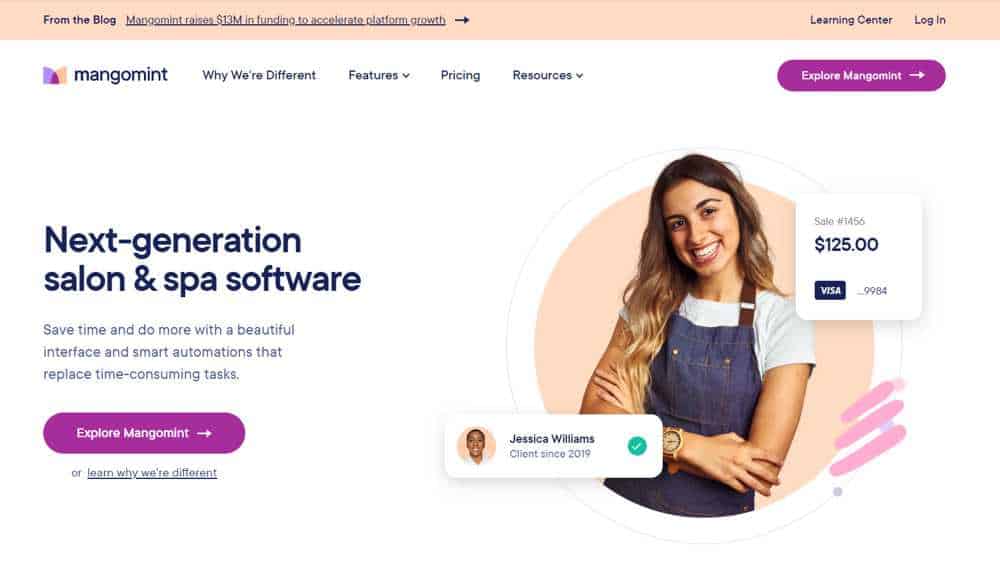
This salon software is a great option for tanning salons that need software which is easily customizable if the business has many service providers. The company has a number of niche features as the software caters mainly to salons and spas.

  • Support – MangoMint has a great feature that allows customers to reach out via the software’s in-app chat support function if businesses have any inquiries and would like help with the salon software at any time. The company also mentions on-demand phone support.
  • Pricing
    • MangoMint’s payment processing rates are 2.4% + $0.15/transaction for in-person payments and 2.8% + $0.20/transaction for online payments. For salons processing payments of more than $50,000 per month, MangoMint offers discounts that are discussed based on specific enterprise-client fee arrangements. The company has no long-term contracts, as it employs a month-to-month billing cycle.
    • MangoMint’s salon software price ranges are as follows;
    • Essentials – $165 per month for small businesses with up ten service providers and three locations. Additional locations cost $95 per month
    • Standard – $245 per month for medium-sized businesses with up 20 service providers and five locations. Additional locations cost $135 per month
    • Unlimited – $375 per month for large, salons with unlimited service providers and locations
    • The company offers several tertiary services for a cost, which include:
    • Integrated forms of all kinds have a standard cost of $50/per month and an additional $25 per month for each additional location.
    • The Essential Plan charges $25 per month for integration with MailChimp and WaiverForever marketing apps, each. There are no costs for this integration with the Standard and Unlimited plan offerings
    • There is Shopify and Webhooks integration available with only the Standard and Unlimited plans which cost $50 per month each, but the Shopify monthly cost is waived as part of the Unlimited plan. 
    • MangoMint offers a display and iPad-based POS solutions, along with a mobile card reader. For $100, the company also offers a Bluetooth card reader that can plug into a smartphone. 
  • Many tertiary services come as part of the MangoMint software, starting with the Essentials plan, which includes:
    • Inventory and staff management tools
    • Reporting and analytics
    • Gift card loyalty programs
    • Online booking and calendar management
    • Mobile app

Square

square pos
image source

A close second to Bonsai in offering one of the best tanning salon softwares currently available to tanning businesses. The company got its start in 2009 and remedied a nerve-wracking pain point for businesses. Square offered a quick payment processing setup procedure and pioneered payment processing with mobile card readers that could easily connect to smartphones, bringing mobility to all types of businesses. The company has expanded its lineup of POS terminals and has launched the Square app store, allowing businesses quickly to add whatever features they need from payments and POS software. Today, the company offers tanning salon software that is ideal for relatively small tanning salons.

  • Support – Square has invested a considerable amount of effort during the past few years to develop the company’s Support team. Square now even offers support via social media. The company has an extensive online resource library to answer any questions users may have. Square also fosters a great seller community that merchants reach out to with any inquiries.
  • Pricing
    • Payment processing rate is 2.6% + $0.10/transaction for in-person dipped, swiped, and tapped transactions. Those rates increase if the transaction is online or the card information has to be keyed in.
    • Monthly costs vary depending on the Square add-on features businesses need to use. Below are some examples of their features and costs
    • Square Appointments – $29/month for the Plus tier / $69/month for the Premium tier
    • Square Payroll – $29/month + $5 for each employee
    • Square Loyalty – $45/month
    • Square Marketing – $15/month
    • Square Invoice – $20/ month
    • The POS system is offered for free.
  • Square also has a range of POS solutions that tanning salons can select from. The company has taken traditional and boxy-looking hardware and has turned them into sleek and sexy devices that include two-way screens called Square Register, a single screen called the Square Stand and host of mobile card readers – one for contactless and chip transactions and another for magnetic stripe card transactions. , ranging from
  • Tertiary Services – As you can see from their pricing options, there are a host of additional services Square offers, mostly for an additional cost. The company has its own app store that businesses can use to select the specific tools and features they need and buy.

Vagaro

vagaro
image source

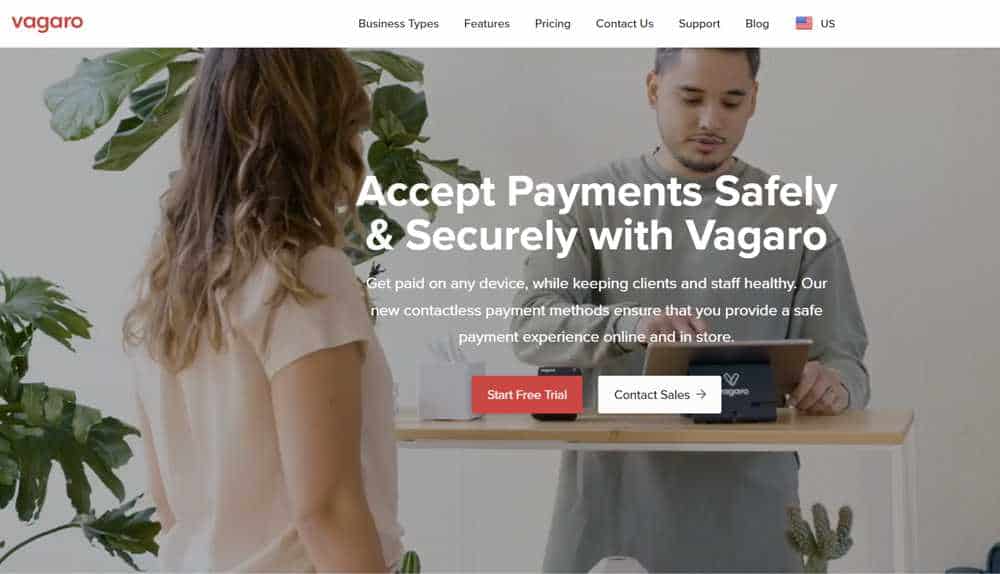
One of the best options for tanning salon softwares, Vagaro also specializes in catering to spas and yoga studios. The company has more than 100 add-on features for businesses to choose from. However, the company’s strongest functionality, which makes it stand out among the competition, is Vagaro’s booking and appointment-setting tool, utilizing a very easy-to-understand drag-and-drop user interface.

  • Support – Vagaro is proud of its Customer Support. There is a section on its website’s landing page showcasing the company’s support record. The company offers 24/7 support via chat, email and phone, and most incoming calls to its support desk are answered within three minutes. Vagaro client’s customer satisfaction rate is an impressive 95%.
  • Pricing
    • The company has processed $2.3 billion in payments for 174,000 businesses in Australia, Canada, the UK, and the US. Vagaro’s payment processing rate is 2.75% for dipped, swiped, and tapped transactions. Those rates increase to 3.5% + $0.15/transaction if the transaction must be keyed in. There is a discount in rates for businesses that processes more than $4,000 per month, the rate of which is 2.2% + $0.19/transaction for dipped, swiped, and tapped transactions and 3.0% + $0.19/transaction for keyed-in transactions.
    • The company has a monthly fee ranging from $25 – $85, depending on appointment volume. Furthermore, there are over a hundred features that are all available at an additional cost of $10 per month per feature. Some of those features include;
    • Customer Reminders via email and texts
    • Customer Tracking
    • Various client outreach forms
    • Accounting and Payroll integration with QuickBooks, Xero, and Gusto
    • Website builder
    • Client Loyalty programs via gift cards
    • Reporting and Analytics
    • The company offers a free mobile card reader when you sign up for the company’s payment processing service. Businesses can purchase other POS equipment directly from the vendor or through Vagaro.

Tan–Link

tan link
image source

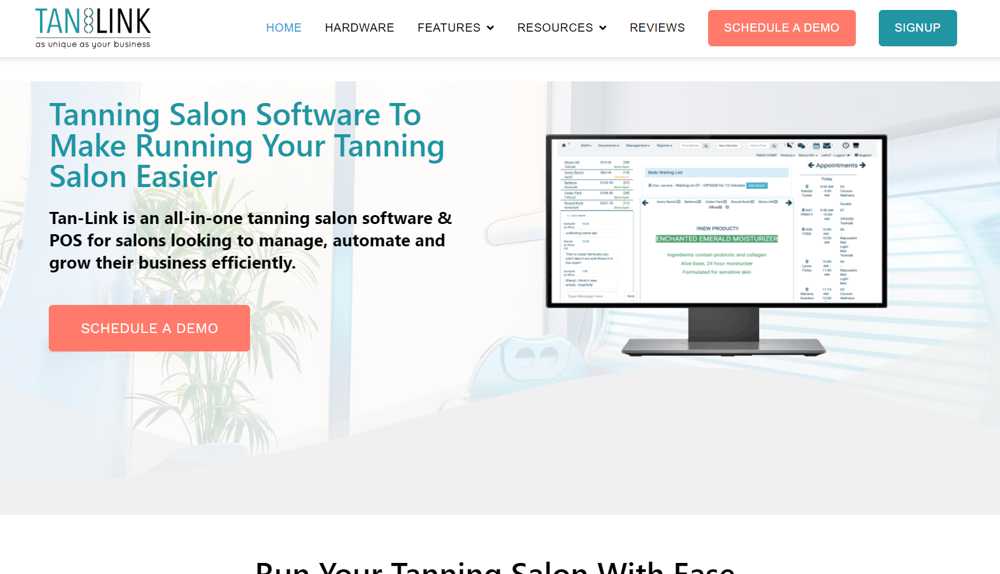
Tan–Link is the best tanning salon software for those salons that have a high rate of membership clients. It’s another software targeted purely to salons and has many features that specifically cater to their needs.

  • Support – Tan–Link has a dedicated page for a comprehensive resource library
  • Pricing
    • Tan–Link software cost is broken down into tiered plans ranging from $129 per month to $199 per month, per location. There is an enterprise plan of $250 per month per location and includes differentiated features such a data imports and custom-made reports.
    • The company offers add-ons such as 24-hour kiosks and customized security offerings, all at additional costs, which the company does not disclose on its website.
    • Tan–Link easily integrates with many different payment providers. However, the company does not mention specific payment processing rates that it has secured with any vendors and offers directly.
    • Tan–Link does not directly sell POS systems, however, the company does advise businesses to use iPad tablets and card readers. Tan–Link recommends adding on additional hardware depending on the need of the business to include a desktop, barcode scanners, etc.
  • Many tertiary services come as standard with the Tan–Link software specifically addressing tanning salon needs, including:
    • Real-time status of tanning beds
    • Curbside check-ins
    • Recurring billing
    • Employees, inventory, and customer management functionality
    • Reporting dashboards and tools
    • Loyalty programs

Making software decisions are never easy. The decision becomes even more pronounced if they involve the financial well-being of a business. Tanning salon software is instrumental in making the operation of the business more efficient, allows the salon to offer top-notch customer service, and save money in the process. In offering the five best tanning salon software, we presented specific options informed by our deep industry expertise in tanning salon payments processing. Certain features are vital to the healthy operation of tanning salons, such as the ability to integrate a range of payment processing options, great customer support, pricing that is value-driven and accommodative to the size of the business and software that offers niche add-ons to address tanning salon needs.

Needless to say, with the range of options available, many service providers will offer free trials. Tanning salon business owners are advised to carefully consider the level of handholding and guidance offered during the trial period to gauge the overall expertise and level of service of the different service providers.

Do Not Honor in credit card processing

Do Not Honor Error Code: What It Means and How to Fix It

Many merchants may scroll through their merchant account statements to review their processed transactions and see unsuccessful payments with the code: ‘05: DoNotHonor.’ So why does the do not honor error code show up? Who’s to blame for the do not honor decline; the merchant, the banks, or the customer?

Unfortunately, the answer is not always straightforward. Most merchants have seen the standard credit card transaction code ‘05’, also known as the Do Not Honor code. While frustratingly vague, this code can be challenging to explain to customers waiting expectantly to complete their transactions.

In this article, we are going to go into detail about what does do not honor mean, some reasons why a do not honor decline occurs, how to fix it, and why it would be necessary for merchants to familiarize themselves with this error code and the reasons for its occurrence. We also offer some recommendations on how to mitigate the fallout in regard to the customer experience once a do not honor decline is fired off from the issuer.

What does Do Not Honor mean?

Decline code 05, also known as the do not honor code, indicates that the credit card issuer has declined the transaction. It occurs when the credit card authorization request returns a decline because the cardholder’s issuing bank refuses to validate the transaction.

There are a variety of reasons that prompt the issuing bank to send back the do not honor decline.

Some reasons for a do no honor decline

There are many issues that the do not honor code may be referring to. The code is very similar to the Error 404 code many online customers encounter on websites they are trying to make purchases on. Much like the error 404 code, the 05: donothonor code is used because even the issuing bank may not be exactly sure why the charge is denied. As a result, this error code is issued by the issuing bank message as a blanket response to encompass the long list of possible defects in the transaction or in the cardholder’s actions that may have caused it.

Some of the main reasons this code is most commonly used include the following:

  • There is an outstanding preauthorization charge on the cardholder’s account, resulting in insufficient funds to process the current transaction
  • The client has attempted to make this payment after a series of denials on behalf of their issuing bank. After those repeated attempts, the bank has decided to block any activity on the card, flagging it as a risk of being a stolen card or otherwise used fraudulently.
  • The issuing bank is situated in a different country. As a result, the issuer has placed a geographical block on the customer’s card, blocking them from using it if they have not been informed that the cardholder may be traveling.
  • In rare cases, the payment is flagged by the issuing bank’s fraud prevention team because the transaction appears unusual in nature for several reasons, such as the payment being processed late at night or at a unique time based on the cardholder’s traditional shopping patterns, several transactions having occurred together in rapid succession, or the amount being charged is unusually high based on the client’s spending history.
  • The cardholder may be exceeding the card’s credit limit and thus cannot pay for the transaction.
  • It’s also a good idea to check if the card is valid and whether the merchant or the customer has entered all the information incorrectly, as these errors could also cause a decline.
  • There may also be a discrepancy in the security codes used. A mismatch between the AVS or CVC code on the card and what the cardholder or an employee entered when processing the transaction can also result in a do not honor decline.
  • There may be a problem authenticating the transaction. 3D Secure is a security protocol that Visa and Mastercard developed to help reduce the risk of fraud in online credit card transactions. It is also known as the “Verified by Visa” or “Mastercard SecureCode” program.

For online purchases with a credit card enrolled in 3D Secure, the consumer may be prompted to enter an additional security code, usually sent to your phone via SMS or your email address. This code must be entered before the transaction can be completed, providing the cardholder with an extra layer of protection. 3D Secure is designed to verify the cardholder’s identity and ensure that the person making the purchase is the actual owner of the card. This can help reduce the risk of fraudulent transactions, as it makes it more difficult for someone else to use your credit card without your knowledge.

  • At other times, a do not honor decline is the best way for the issuer to stop a transaction. The decline could stem from any abovementioned options and may be a precautionary effort to mitigate risk. However, in some instances where actual fraud is suspected, there are limitations around how the issuer can communicate that back to the merchant, based on an international standard messaging format called ISO 8583.

ISO 8583 is widely used in the payment card industry and is supported by many payment card networks, including Visa, Mastercard, and American Express. ISO 8583 defines a common set of data elements and rules for the exchange of payment card data between financial institutions. The standard is used for the exchange of payment card transactions and related messages between payment card issuers, acquirers, and other financial institutions. It is widely used in the banking and financial industry to facilitate the authorization, clearing, and settlement of payment card transactions.

There is a specific code issuer can use to communicate the potential of fraudulent activity, “59: Suspected fraud.” However, Visa maps a 59: Suspected fraud decline to the 05: donothonor decline option. The card network takes this action to avoid an uncomfortable or possibly dangerous situation in an in-store setting.

It is important to note that the 05: donothonor code doesn’t necessarily imply fraudulent behavior. According to an explanation issued by Visa, most Do Not Honor declines happened for transactions that had less to do with fraud than with a customer error.

According to Visa’s analysis of global declined transactions, do not honor declines are on the rise. In fact, 76% of all international do not honor declines were either a result of insufficient funds or do not honor.


How to fix do not honor declines?

The simplest solution is to ask the customer to use a different payment method or another card to process the transaction. If that is not an option, the next best alternative is to request the client that they contact their issuing bank and inform them of the transaction and the issue they are facing, explaining to the issuer any possible reason that may be causing the do not honor decline that is applicable for the customer. If it is the case, the customer should inform their issuing bank that the decline may be happening because they are traveling, are out of the country, and are trying to purchase a large ticket item that exceeds their usual spending behavior.

Finally, you can ask the client to wait for an extended period, for around three to four hours, before trying the transaction again. The client may attempt too many successive purchases simultaneously, failing card networks’ velocity checks.

Outside of the solutions outlined above, the unfortunate reality is that there are not many other options available for solving this error code as in most or almost every case, it is beyond rare to find out what exactly the specific cause for the error code to show up is.

Using automation to mitigate do not honor declines

Do not honor declines for online transactions can be a cause for concern for most merchants due to the potential loss of sales and customers, possibly permanently. Especially if the merchant cannot explain the reason for the decline, it’s possible that customers may attribute the do not honor decline to some issue with the merchant’s system. However, this does not have to be the case. Below are some potential solutions that merchants can use to fortify their processing platform to reduce any impact on revenue and customer relationships. 

The first option is to over-communicate and start by sending automated emails to customers impacted by do not honor declines, informing them of the error code so you can work with them to remedy the situation. Proactiveness would be the best weapon to turn a skeptical, possibly angry, customer into one that views the merchant as a trusted partner and adviser.

Another solution would be to issue a coupon with a follow-up email to those customers explaining what happened, some potential reasons as to why do not honor decline may have occurred, and reminding them of specific steps they should have taken by now. If the client was trying to buy particular items on sale or other limited-time offers, explain to the customer that they will still be eligible for the offer, extending the limited-time offer for a certain number of days upon receipt of the latest email. 

These automated outreach options are just some of the few ways merchants can stay proactive to mitigate the potentially adverse impacts of a complex transaction decline code. Once implemented, these options can immediately over-communicate with customers, not just for not honor code declines but for any possible error code or chargebacks. These efforts can go a long way in improving the customer experience and can be easily scaled.

Conclusion

The error code ‘05: DoNotHonor’ is very common and also vague in its appearance. Essentially Decline code 05, also known as the Do Not Honor code, is when the payment processing attempt results in a rejection of the transaction’s authentication because the issuer refuses to validate the transaction. The ability to pinpoint the exact source of the ‘05: DoNotHonor’ code is complex as there are many issues that this error code could potentially be referring to. The issuing bank issued the do not honor decline code as an umbrella code to encompass the long list of possible defects that may have caused it.

The best solution for the merchant when they receive these decline codes is to try to attempt the processing of the transaction again; if that doesn’t work, then it is recommended to ask the client to either use another card or pay by cash. The client should immediately try to contact their bank to resolve the issue.

Just because the code has shown up doesn’t mean you have lost the revenue. When it comes to online transactions, make sure your payment gateway is not experiencing any issues and communicate to your client about the error code. Most of the time, the do not honor code results from actions taken by the consumer or the merchant. Maybe the client didn’t inform the issuer that they would be traveling, resulting in a geographical block of their card. Perhaps the security code is being entered erroneously.

That’s not to say there is no cause for alarm, and merchants should not be vigilant. Just as there’s an increase in eCommerce sales and noncash payment methods, there has also been a spike in payments fraud. Merchants should be aware that do not honor code declines are very common, and they should have a firm grasp of what such a decline code means some possible reasons it occurs, and some steps to take to remedy the situation.

Frequently Asked Questions

  1. What does it mean when your bank declined the transaction with a u0022Do Not Honouru0022 message?

    When your bank declines a transaction with a u0022Do Not Honouru0022 message, it means that they have chosen not to authorize the transaction. This can happen for various reasons, such as insufficient funds, suspected fraudulent activity, or a security concern. It’s advisable to contact your bank to understand the specific reason for the declined transaction and to address any issues that may have led to the u0022Do Not Honouru0022 response.

  2. What is the meaning of u0022honor creditu0022?

    u0022Honor creditu0022 typically refers to the act of fulfilling financial obligations, particularly in the context of credit or loan agreements. It means making timely payments and meeting the terms and conditions outlined in the agreement, demonstrating responsible financial behavior. By honoring credit obligations, individuals or businesses establish a positive credit history, which can enhance their credibility and improve their chances of obtaining future credit or loan approvals.

  3. What does u0022Do Not Honoru0022 due to AVS CVV settings mean?

    When a transaction is declined with a u0022Do Not Honoru0022 message due to AVS (Address Verification System) CVV (Card Verification Value) settings, it suggests that the information provided during the transaction does not match the cardholder’s billing address or the CVV code on the credit card. This could be due to entering incorrect or incomplete information or using a card that has expired. It’s important to verify and enter accurate billing addresses and CVV information to ensure a successful transaction.

  4. What does u0022honoru0022 mean in banking?

    In the context of banking, u0022honoru0022 typically refers to the act of fulfilling financial obligations or commitments, particularly related to payments or transactions. When a bank honors a payment or transaction, it means they have approved and executed it as per the agreed terms and conditions. This includes processing checks, authorizing credit card transactions, or executing other financial services by the customer’s instructions and the bank’s policies.

  5. How do I fix my u0022Do Not Honoru0022 credit card?

    To address a u0022Do Not Honoru0022 issue with your credit card, there are a few steps you can take. First, ensure that you have sufficient funds in your account or available credit to cover the transaction. If funds are not the issue, contact your bank or credit card issuer to inquire about the specific reason for the declined transaction. They can provide guidance on resolving the issue, which may involve updating your account information, verifying transaction details, or resolving any security concerns.

  6. What is an example of u0022honoru0022 in a banking context?

    An example of u0022honoru0022 in a banking context is when a bank honors a check presented for payment. If a customer writes a check to another party, and there are sufficient funds in the customer’s account, the bank will honor the check by processing it and transferring the specified amount to the payee’s account. This demonstrates the bank’s fulfillment of its obligation to facilitate the payment as per the customer’s instruction and maintains the integrity of the banking system.   

Do Not Honor in credit card processing

Do Not Honor: What Does This Mean in Credit Card Processing?

Many merchants may scroll through their merchant account statements to review their processed transactions and see unsuccessful payments with the code: ‘05: DoNotHonor.’ So why does the do not honor error code show up? Who’s to blame for the do not honor decline; the merchant, the banks, or the customer?

Unfortunately, the answer is not always straightforward. Most merchants have seen the standard credit card transaction code ‘05’, also known as the Do Not Honor code. While frustratingly vague, this code can be challenging to explain to customers waiting expectantly to complete their transactions.

In this article, we are going to go into detail about what does do not honor mean, some reasons why a do not honor decline occurs, how to fix it, and why it would be necessary for merchants to familiarize themselves with this error code and the reasons for its occurrence. We also offer some recommendations on how to mitigate the fallout in regard to the customer experience once a do not honor decline is fired off from the issuer.

What does Do Not Honor mean?

Decline code 05, also known as the do not honor code, indicates that the credit card issuer has declined the transaction. It occurs when the credit card authorization request returns a decline because the cardholder’s issuing bank refuses to validate the transaction.

There are a variety of reasons that prompt the issuing bank to send back the do not honor decline.

Some reasons for a do no honor decline

There are many issues that the do not honor code may be referring to. The code is very similar to the Error 404 code many online customers encounter on websites they are trying to make purchases on. Much like the error 404 code, the 05: donothonor code is used because even the issuing bank may not be exactly sure why the charge is denied. As a result, this error code is issued by the issuing bank message as a blanket response to encompass the long list of possible defects in the transaction or in the cardholder’s actions that may have caused it.

Some of the main reasons this code is most commonly used include the following:

  • There is an outstanding preauthorization charge on the cardholder’s account, resulting in insufficient funds to process the current transaction
  • The client has attempted to make this payment after a series of denials on behalf of their issuing bank. After those repeated attempts, the bank has decided to block any activity on the card, flagging it as a risk of being a stolen card or otherwise used fraudulently.
  • The issuing bank is situated in a different country. As a result, the issuer has placed a geographical block on the customer’s card, blocking them from using it if they have not been informed that the cardholder may be traveling.
  • In rare cases, the payment is flagged by the issuing bank’s fraud prevention team because the transaction appears unusual in nature for several reasons, such as the payment being processed late at night or at a unique time based on the cardholder’s traditional shopping patterns, several transactions having occurred together in rapid succession, or the amount being charged is unusually high based on the client’s spending history.
  • The cardholder may be exceeding the card’s credit limit and thus cannot pay for the transaction.
  • It’s also a good idea to check if the card is valid and whether the merchant or the customer has entered all the information incorrectly, as these errors could also cause a decline.
  • There may also be a discrepancy in the security codes used. A mismatch between the AVS or CVC code on the card and what the cardholder or an employee entered when processing the transaction can also result in a do not honor decline.
  • There may be a problem authenticating the transaction. 3D Secure is a security protocol that Visa and Mastercard developed to help reduce the risk of fraud in online credit card transactions. It is also known as the “Verified by Visa” or “Mastercard SecureCode” program.

For online purchases with a credit card enrolled in 3D Secure, the consumer may be prompted to enter an additional security code, usually sent to your phone via SMS or your email address. This code must be entered before the transaction can be completed, providing the cardholder with an extra layer of protection. 3D Secure is designed to verify the cardholder’s identity and ensure that the person making the purchase is the actual owner of the card. This can help reduce the risk of fraudulent transactions, as it makes it more difficult for someone else to use your credit card without your knowledge.

  • At other times, a do not honor decline is the best way for the issuer to stop a transaction. The decline could stem from any abovementioned options and may be a precautionary effort to mitigate risk. However, in some instances where actual fraud is suspected, there are limitations around how the issuer can communicate that back to the merchant, based on an international standard messaging format called ISO 8583.

ISO 8583 is widely used in the payment card industry and is supported by many payment card networks, including Visa, Mastercard, and American Express. ISO 8583 defines a common set of data elements and rules for the exchange of payment card data between financial institutions. The standard is used for the exchange of payment card transactions and related messages between payment card issuers, acquirers, and other financial institutions. It is widely used in the banking and financial industry to facilitate the authorization, clearing, and settlement of payment card transactions.

There is a specific code issuer can use to communicate the potential of fraudulent activity, “59: Suspected fraud.” However, Visa maps a 59: Suspected fraud decline to the 05: donothonor decline option. The card network takes this action to avoid an uncomfortable or possibly dangerous situation in an in-store setting.

It is important to note that the 05: donothonor code doesn’t necessarily imply fraudulent behavior. According to an explanation issued by Visa, most Do Not Honor declines happened for transactions that had less to do with fraud than with a customer error.

According to Visa’s analysis of global declined transactions, do not honor declines are on the rise. In fact, 76% of all international do not honor declines were either a result of insufficient funds or do not honor.


How to fix do not honor declines?

The simplest solution is to ask the customer to use a different payment method or another card to process the transaction. If that is not an option, the next best alternative is to request the client that they contact their issuing bank and inform them of the transaction and the issue they are facing, explaining to the issuer any possible reason that may be causing the do not honor decline that is applicable for the customer. If it is the case, the customer should inform their issuing bank that the decline may be happening because they are traveling, are out of the country, and are trying to purchase a large ticket item that exceeds their usual spending behavior.

Finally, you can ask the client to wait for an extended period, for around three to four hours, before trying the transaction again. The client may attempt too many successive purchases simultaneously, failing card networks’ velocity checks.

Outside of the solutions outlined above, the unfortunate reality is that there are not many other options available for solving this error code as in most or almost every case, it is beyond rare to find out what exactly the specific cause for the error code to show up is.

Using automation to mitigate do not honor declines

Do not honor declines for online transactions can be a cause for concern for most merchants due to the potential loss of sales and customers, possibly permanently. Especially if the merchant cannot explain the reason for the decline, it’s possible that customers may attribute the do not honor decline to some issue with the merchant’s system. However, this does not have to be the case. Below are some potential solutions that merchants can use to fortify their processing platform to reduce any impact on revenue and customer relationships. 

The first option is to over-communicate and start by sending automated emails to customers impacted by do not honor declines, informing them of the error code so you can work with them to remedy the situation. Proactiveness would be the best weapon to turn a skeptical, possibly angry, customer into one that views the merchant as a trusted partner and adviser.

Another solution would be to issue a coupon with a follow-up email to those customers explaining what happened, some potential reasons as to why do not honor decline may have occurred, and reminding them of specific steps they should have taken by now. If the client was trying to buy particular items on sale or other limited-time offers, explain to the customer that they will still be eligible for the offer, extending the limited-time offer for a certain number of days upon receipt of the latest email. 

These automated outreach options are just some of the few ways merchants can stay proactive to mitigate the potentially adverse impacts of a complex transaction decline code. Once implemented, these options can immediately over-communicate with customers, not just for not honor code declines but for any possible error code or chargebacks. These efforts can go a long way in improving the customer experience and can be easily scaled.

Conclusion

The error code ‘05: DoNotHonor’ is very common and also vague in its appearance. Essentially Decline code 05, also known as the Do Not Honor code, is when the payment processing attempt results in a rejection of the transaction’s authentication because the issuer refuses to validate the transaction. The ability to pinpoint the exact source of the ‘05: DoNotHonor’ code is complex as there are many issues that this error code could potentially be referring to. The issuing bank issued the do not honor decline code as an umbrella code

Many merchants may scroll through their merchant account statements to review their processed transactions and see unsuccessful payments with the code: ‘05: DoNotHonor.’ So why does the do not honor error code show up? Who’s to blame for the do not honor decline; the merchant, the banks, or the customer?

Unfortunately, the answer is not always straightforward. Most merchants have seen the standard credit card transaction code ‘05’, also known as the Do Not Honor code. While frustratingly vague, this code can be challenging to explain to customers waiting expectantly to complete their transactions.

In this article, we are going to go into detail about what does do not honor mean, some reasons why a do not honor decline occurs, how to fix it, and why it would be necessary for merchants to familiarize themselves with this error code and the reasons for its occurrence. We also offer some recommendations on how to mitigate the fallout in regard to the customer experience once a do not honor decline is fired off from the issuer.

What does Do Not Honor mean?

Decline code 05, also known as the do not honor code, indicates that the credit card issuer has declined the transaction. It occurs when the credit card authorization request returns a decline because the cardholder’s issuing bank refuses to validate the transaction.

There are a variety of reasons that prompt the issuing bank to send back the do not honor decline.

Some reasons for a do no honor decline

There are many issues that the do not honor code may be referring to. The code is very similar to the Error 404 code many online customers encounter on websites they are trying to make purchases on. Much like the error 404 code, the 05: donothonor code is used because even the issuing bank may not be exactly sure why the charge is denied. As a result, this error code is issued by the issuing bank message as a blanket response to encompass the long list of possible defects in the transaction or in the cardholder’s actions that may have caused it.

Some of the main reasons this code is most commonly used include the following:

  • There is an outstanding preauthorization charge on the cardholder’s account, resulting in insufficient funds to process the current transaction
  • The client has attempted to make this payment after a series of denials on behalf of their issuing bank. After those repeated attempts, the bank has decided to block any activity on the card, flagging it as a risk of being a stolen card or otherwise used fraudulently.
  • The issuing bank is situated in a different country. As a result, the issuer has placed a geographical block on the customer’s card, blocking them from using it if they have not been informed that the cardholder may be traveling.
  • In rare cases, the payment is flagged by the issuing bank’s fraud prevention team because the transaction appears unusual in nature for several reasons, such as the payment being processed late at night or at a unique time based on the cardholder’s traditional shopping patterns, several transactions having occurred together in rapid succession, or the amount being charged is unusually high based on the client’s spending history.
  • The cardholder may be exceeding the card’s credit limit and thus cannot pay for the transaction.
  • It’s also a good idea to check if the card is valid and whether the merchant or the customer has entered all the information incorrectly, as these errors could also cause a decline.
  • There may also be a discrepancy in the security codes used. A mismatch between the AVS or CVC code on the card and what the cardholder or an employee entered when processing the transaction can also result in a do not honor decline.
  • There may be a problem authenticating the transaction. 3D Secure is a security protocol that Visa and Mastercard developed to help reduce the risk of fraud in online credit card transactions. It is also known as the “Verified by Visa” or “Mastercard SecureCode” program.

For online purchases with a credit card enrolled in 3D Secure, the consumer may be prompted to enter an additional security code, usually sent to your phone via SMS or your email address. This code must be entered before the transaction can be completed, providing the cardholder with an extra layer of protection. 3D Secure is designed to verify the cardholder’s identity and ensure that the person making the purchase is the actual owner of the card. This can help reduce the risk of fraudulent transactions, as it makes it more difficult for someone else to use your credit card without your knowledge.

  • At other times, a do not honor decline is the best way for the issuer to stop a transaction. The decline could stem from any abovementioned options and may be a precautionary effort to mitigate risk. However, in some instances where actual fraud is suspected, there are limitations around how the issuer can communicate that back to the merchant, based on an international standard messaging format called ISO 8583.

ISO 8583 is widely used in the payment card industry and is supported by many payment card networks, including Visa, Mastercard, and American Express. ISO 8583 defines a common set of data elements and rules for the exchange of payment card data between financial institutions. The standard is used for the exchange of payment card transactions and related messages between payment card issuers, acquirers, and other financial institutions. It is widely used in the banking and financial industry to facilitate the authorization, clearing, and settlement of payment card transactions.

There is a specific code issuer can use to communicate the potential of fraudulent activity, “59: Suspected fraud.” However, Visa maps a 59: Suspected fraud decline to the 05: donothonor decline option. The card network takes this action to avoid an uncomfortable or possibly dangerous situation in an in-store setting.

It is important to note that the 05: donothonor code doesn’t necessarily imply fraudulent behavior. According to an explanation issued by Visa, most Do Not Honor declines happened for transactions that had less to do with fraud than with a customer error.

According to Visa’s analysis of global declined transactions, do not honor declines are on the rise. In fact, 76% of all international do not honor declines were either a result of insufficient funds or do not honor.


How to fix do not honor declines?

The simplest solution is to ask the customer to use a different payment method or another card to process the transaction. If that is not an option, the next best alternative is to request the client that they contact their issuing bank and inform them of the transaction and the issue they are facing, explaining to the issuer any possible reason that may be causing the do not honor decline that is applicable for the customer. If it is the case, the customer should inform their issuing bank that the decline may be happening because they are traveling, are out of the country, and are trying to purchase a large ticket item that exceeds their usual spending behavior.

Finally, you can ask the client to wait for an extended period, for around three to four hours, before trying the transaction again. The client may attempt too many successive purchases simultaneously, failing card networks’ velocity checks.

Outside of the solutions outlined above, the unfortunate reality is that there are not many other options available for solving this error code as in most or almost every case, it is beyond rare to find out what exactly the specific cause for the error code to show up is.

Using automation to mitigate do not honor declines

Do not honor declines for online transactions can be a cause for concern for most merchants due to the potential loss of sales and customers, possibly permanently. Especially if the merchant cannot explain the reason for the decline, it’s possible that customers may attribute the do not honor decline to some issue with the merchant’s system. However, this does not have to be the case. Below are some potential solutions that merchants can use to fortify their processing platform to reduce any impact on revenue and customer relationships. 

The first option is to over-communicate and start by sending automated emails to customers impacted by do not honor declines, informing them of the error code so you can work with them to remedy the situation. Proactiveness would be the best weapon to turn a skeptical, possibly angry, customer into one that views the merchant as a trusted partner and adviser.

Another solution would be to issue a coupon with a follow-up email to those customers explaining what happened, some potential reasons as to why do not honor decline may have occurred, and reminding them of specific steps they should have taken by now. If the client was trying to buy particular items on sale or other limited-time offers, explain to the customer that they will still be eligible for the offer, extending the limited-time offer for a certain number of days upon receipt of the latest email. 

These automated outreach options are just some of the few ways merchants can stay proactive to mitigate the potentially adverse impacts of a complex transaction decline code. Once implemented, these options can immediately over-communicate with customers, not just for not honor code declines but for any possible error code or chargebacks. These efforts can go a long way in improving the customer experience and can be easily scaled.

Conclusion

The error code ‘05: DoNotHonor’ is very common and also vague in its appearance. Essentially Decline code 05, also known as the Do Not Honor code, is when the payment processing attempt results in a rejection of the transaction’s authentication because the issuer refuses to validate the transaction. The ability to pinpoint the exact source of the ‘05: DoNotHonor’ code is complex as there are many issues that this error code could potentially be referring to. The issuing bank issued the do not honor decline code as an umbrella code to encompass the long list of possible defects that may have caused it.

The best solution for the merchant when they receive these decline codes is to try to attempt the processing of the transaction again; if that doesn’t work, then it is recommended to ask the client to either use another card or pay by cash. The client should immediately try to contact their bank to resolve the issue.

Just because the code has shown up doesn’t mean you have lost the revenue. When it comes to online transactions, make sure your payment gateway is not experiencing any issues and communicate to your client about the error code. Most of the time, the do not honor code results from actions taken by the consumer or the merchant. Maybe the client didn’t inform the issuer that they would be traveling, resulting in a geographical block of their card. Perhaps the security code is being entered erroneously.

That’s not to say there is no cause for alarm, and merchants should not be vigilant. Just as there’s an increase in eCommerce sales and noncash payment methods, there has also been a spike in payments fraud. Merchants should be aware that do not honor code declines are very common, and they should have a firm grasp of what such a decline code means some possible reasons it occurs, and some steps to take to remedy the situation.

Frequently Asked Questions

  1. What does it mean when your bank declined the transaction with a “Do Not Honour” message?

    When your bank declines a transaction with a “Do Not Honour” message, it means that they have chosen not to authorize the transaction. This can happen for various reasons, such as insufficient funds, suspected fraudulent activity, or a security concern. It’s advisable to contact your bank to understand the specific reason for the declined transaction and to address any issues that may have led to the “Do Not Honour” response.

  2. What is the meaning of “honor credit”?

    “Honor credit” typically refers to the act of fulfilling financial obligations, particularly in the context of credit or loan agreements. It means making timely payments and meeting the terms and conditions outlined in the agreement, demonstrating responsible financial behavior. By honoring credit obligations, individuals or businesses establish a positive credit history, which can enhance their credibility and improve their chances of obtaining future credit or loan approvals.

  3. What does “Do Not Honor” due to AVS CVV settings mean?

    When a transaction is declined with a “Do Not Honor” message due to AVS (Address Verification System) CVV (Card Verification Value) settings, it suggests that the information provided during the transaction does not match the cardholder’s billing address or the CVV code on the credit card. This could be due to entering incorrect or incomplete information or using a card that has expired. It’s important to verify and enter accurate billing addresses and CVV information to ensure a successful transaction.

  4. What does “honor” mean in banking?

    In the context of banking, “honor” typically refers to the act of fulfilling financial obligations or commitments, particularly related to payments or transactions. When a bank honors a payment or transaction, it means they have approved and executed it as per the agreed terms and conditions. This includes processing checks, authorizing credit card transactions, or executing other financial services by the customer’s instructions and the bank’s policies.

  5. How do I fix my “Do Not Honor” credit card?

    To address a “Do Not Honor” issue with your credit card, there are a few steps you can take. First, ensure that you have sufficient funds in your account or available credit to cover the transaction. If funds are not the issue, contact your bank or credit card issuer to inquire about the specific reason for the declined transaction. They can provide guidance on resolving the issue, which may involve updating your account information, verifying transaction details, or resolving any security concerns.

  6. What is an example of “honor” in a banking context?

    An example of “honor” in a banking context is when a bank honors a check presented for payment. If a customer writes a check to another party, and there are sufficient funds in the customer’s account, the bank will honor the check by processing it and transferring the specified amount to the payee’s account. This demonstrates the bank’s fulfillment of its obligation to facilitate the payment as per the customer’s instruction and maintains the integrity of the banking system.   

to encompass the long list of possible defects that may have caused it.

The best solution for the merchant when they receive these decline codes is to try to attempt the processing of the transaction again; if that doesn’t work, then it is recommended to ask the client to either use another card or pay by cash. The client should immediately try to contact their bank to resolve the issue.

Just because the code has shown up doesn’t mean you have lost the revenue. When it comes to online transactions, make sure your payment gateway is not experiencing any issues and communicate to your client about the error code. Most of the time, the do not honor code results from actions taken by the consumer or the merchant. Maybe the client didn’t inform the issuer that they would be traveling, resulting in a geographical block of their card. Perhaps the security code is being entered erroneously.

That’s not to say there is no cause for alarm, and merchants should not be vigilant. Just as there’s an increase in eCommerce sales and noncash payment methods, there has also been a spike in payments fraud. Merchants should be aware that do not honor code declines are very common, and they should have a firm grasp of what such a decline code means some possible reasons it occurs, and some steps to take to remedy the situation.


  1. What does it mean when your bank declined the transaction with a “Do Not Honour” message?

    When your bank declines a transaction with a “Do Not Honour” message, it means that they have chosen not to authorize the transaction. This can happen for various reasons, such as insufficient funds, suspected fraudulent activity, or a security concern. It’s advisable to contact your bank to understand the specific reason for the declined transaction and to address any issues that may have led to the “Do Not Honour” response.

  2. What is the meaning of “honor credit”?

    “Honor credit” typically refers to the act of fulfilling financial obligations, particularly in the context of credit or loan agreements. It means making timely payments and meeting the terms and conditions outlined in the agreement, demonstrating responsible financial behavior. By honoring credit obligations, individuals or businesses establish a positive credit history, which can enhance their credibility and improve their chances of obtaining future credit or loan approvals.

  3. What does “Do Not Honor” due to AVS CVV settings mean?

    When a transaction is declined with a “Do Not Honor” message due to AVS (Address Verification System) CVV (Card Verification Value) settings, it suggests that the information provided during the transaction does not match the cardholder’s billing address or the CVV code on the credit card. This could be due to entering incorrect or incomplete information or using a card that has expired. It’s important to verify and enter accurate billing addresses and CVV information to ensure a successful transaction.

  4. What does “honor” mean in banking?

    In the context of banking, “honor” typically refers to the act of fulfilling financial obligations or commitments, particularly related to payments or transactions. When a bank honors a payment or transaction, it means they have approved and executed it as per the agreed terms and conditions. This includes processing checks, authorizing credit card transactions, or executing other financial services by the customer’s instructions and the bank’s policies.

  5. How do I fix my “Do Not Honor” credit card?

    To address a “Do Not Honor” issue with your credit card, there are a few steps you can take. First, ensure that you have sufficient funds in your account or available credit to cover the transaction. If funds are not the issue, contact your bank or credit card issuer to inquire about the specific reason for the declined transaction. They can provide guidance on resolving the issue, which may involve updating your account information, verifying transaction details, or resolving any security concerns.

  6. What is an example of “honor” in a banking context?

    An example of “honor” in a banking context is when a bank honors a check presented for payment. If a customer writes a check to another party, and there are sufficient funds in the customer’s account, the bank will honor the check by processing it and transferring the specified amount to the payee’s account. This demonstrates the bank’s fulfillment of its obligation to facilitate the payment as per the customer’s instruction and maintains the integrity of the banking system.   
Difference Between Void and Refund

What is the Difference Between Void and Refund in Credit Card Processing?

Businesses across the world process billions of transactions for a variety of products and services daily. These merchants are highly dependent on the seamless processing of payments as most of these transactions are cashless. However, problems can arise in the processing of these payments stemming from systematic errors or mistakes by either the staff of these companies or the cardholders themselves. This is where a voided transaction or a refund is utilized by merchants, both of which are an integral part of the cashless payments’ lifecycle.

In this article, we are going to explore what the different stages of noncash payment processing are. We will explain what a voided transaction is, what a refund is, the difference between void and refund, and how and when each can be utilized by merchants. We’ll also delve deeper into the usual timespan, how different balances show up in customer accounts depending on if they issue a void or refund, and how they are reversed.

What is the credit card transaction process?

When a credit card transaction is made, the following process occurs:

  1. The cardholder presents their credit card to the merchant and provides their signature or enters their PIN to authorize the transaction.
  2. The merchant’s point-of-sale (POS) terminal, card reader, or payments gateway sends the transaction details, including the purchase amount and credit card information, to the merchant’s acquiring bank or payment processor.
  3. The acquiring bank or payment processor verifies the transaction information and sends it to the card issuer, which is the bank that issued the credit card to the cardholder.
  4. The card issuer checks to see if the cardholder has sufficient credit available and, if so, sends an approval message back to the acquiring bank or payment processor. Within this step, the issuing bank authorizes the transaction by issuing a six-digit code transmitted to the acquiring bank – effectively earmarking the required amount to be set on hold, known as a preauthorized charge, but not having physically transferred them yet. This step is also known as authorization.
  5. The acquiring bank or payment processor sends an approval message to the merchant’s POS terminal, indicating that the transaction has been approved.
  6. The merchant completes the transaction and gives the cardholder a receipt.
  7. The merchant processes the batch to the merchant service provider. The batch process in a credit card transaction refers to the process of grouping and submitting multiple transactions at once for processing. This is typically done at the end of the business day or at predetermined intervals. It is this specific step that settles the transaction, and the card issuer charges the cardholder’s account for the amount of each purchase in the batch, and the acquiring bank or payment processor pays the merchant for each transaction in the batch. This step is also known as settlement.
  8. The card issuer charges the cardholder’s account for the amount of the purchase and the acquiring bank or payment processor pays the merchant for the transaction.
  9. The card issuer sends the cardholder a statement showing the transaction and any other charges or payments made to the account during the billing period. The cardholder is responsible for paying the balance on the account by the due date.

What is a voided transaction?

A voided transaction refers to treating the sale as if it never happened. A voided payment is a transaction that was never settled by the merchant because it was promptly identified as an error and never included in the merchant’s batch processing.

When a void is processed, the credit card issuer is notified that the transaction should be reversed, and the funds that were preauthorized or placed on hold from the cardholder’s account at the authorization stage of the credit card processing are released.

Voids are typically used when a transaction is made in error or when the goods or services being purchased are not delivered or are not as expected. For example, if a customer is accidentally double charged on their credit card, they may request a void to reverse the second charge. Or, if a customer orders a product online and it is not delivered, they may request a void of the original transaction.

To process a void, the merchant must have access to the original transaction information, including the transaction number and the amount of the original charge. The void must also be processed before the credit card issuer settles the original transaction, which typically occurs at the end of the business day. If the transaction has already been settled, it may not be possible to void it and the cardholder may need to request a refund instead.

A voided transaction is a great feature in rectifying or correcting team member mistakes or incorrect transactions that have been processed erroneously. It is important to remember that upon voiding a transaction, the client will still have the authorization visible on their credit card, but they will not actually be charged for this transaction. While it may take some time – the authorization will disappear from the customer’s card. Another upside to this feature is that the merchant is not charged for the transaction since the charge is never included in the batch processing. However, it is important to remember that the merchant will still be required to pay the preauthorization charge fee.

How does a voided transaction work?

When a merchant voids a transaction, you are effectively discarding an authorized sale from the batch of sales that the merchant would typically capture at the end of your business day or at specific intervals during business hours. For example, a merchant who processes 25 sales throughout the day and later realizes that one of those was put through mistakenly, that transaction is excluded from the batch. As the merchant processes that batch of transactions, instead of 25 transactions, only 24 are captured. The transaction is voided prior to the settlement phases of the credit card transaction. Hence it is reversed as if it never happened.

When the merchant voids a transaction, the authorization still appears on the cardholder’s account as that step of the credit card transaction was completed. The merchant will be subject to the cost of that step. However, since the transaction was not included in the batch processing, that authorization will reverse without ever having to pay the payment processing rate, and the customer isn’t charged.

The payments gateway or the POS terminal communicates the merchant’s intent not to settle the authorized payment to the issuing bank, the issuing bank releases the funds reserved from the cardholder’s account as part of the authorization stage.

If a merchant needed to process a voided transaction but accidentally included the transaction for batch processing to be settled, the only option is to process a refund.

What is a refund?

A refund is a transaction that involves returning money to a customer whose card or account has been erroneously charged. This can occur for various reasons, such as returning a product, canceling a service, or issuing a credit for a mistake or error.

To process a refund, the merchant initiates the transaction through their payment processor. The transaction will appear on the customer’s credit card statement at first being charged and then as a refund. The merchant will be charged the payment processing rate for the amount that was initially processed. The merchant may also be charged a nominal fee for processing the refund.

It’s important to understand that once a transaction has been settled, the merchant has no other alternative but to process a refund, according to card network guidelines. Before initiating a refund, there are a few steps the merchant should be aware of:

  • The vendor is still charged the payment processing rate by the merchant service provider for the sale that was authorized. This is because the transaction has gone through and is at the next stage, where it is open to dispute from the client. From the perspective of sale and payment processing, that step is complete and subject to the processing fees.
  • The customer’s funds are in limbo as the refund is considered a separate transaction and is processed as an independent, second offsetting sale. All this means is that the money is first withdrawn from the clients account, and upon completion of the refund process, they are provided the equivalent amount of refund. How long these steps usually take are a source of annoyance for some customers, for which the consumer may also be subject to credit card interest and fees.

What is the difference between void and refund?

The difference between void and refund of the transaction is based simply upon the criteria of whether it has undergone step two of the credit card transaction process – was it is settled or not. A void is a type of transaction that cancels a credit card payment before it is settled, while a refund is a transaction that returns money to a customer after a transaction has been settled.

Here is a breakdown of the key differences between voiding a transaction and issuing a refund:

  • Timing: A void must be initiated before a transaction is settled, while a refund can be issued at any time after the transaction has been settled.
  • Purpose: A void is typically used to cancel a transaction that was made in error, such as when a customer realizes they were charged twice for the same item. A refund, on the other hand, is used to return money to a customer for a variety of reasons, such as returning a product or canceling a service.
  • Effect on the customer: When a transaction is voided, the customer’s credit card account is not affected, and a fully authorized, the charged transaction does not appear on their statement. When a refund is issued, the customer’s credit card account is credited with the refund amount, and the transaction will appear on their statement as a credit.
  • Fees: Merchants may be charged a fee by the merchant account provider for issuing a refund, but they generally will not be charged a fee for voiding a transaction.

How long do voided payments and refunds continue to show on a customer’s accounts?

Typically, a voided transaction will not appear on a customer’s credit card statement at all since it is a cancelation of the payment before it is settled. However, it’s possible that a record of the attempted transaction may appear on the statement, with a notation indicating that it was voided. The typical expected timeline for such voided transaction to appear on the statement is within 24 hours.

A refund, on the other hand, will appear on a customer’s credit card statement as a credit. The length of time that the refund appears on the statement will depend on the billing cycle of the credit card issuer. For example, if the refund is issued during the same billing cycle as the original transaction, it may appear on the same statement as the original transaction. If the refund is issued after the billing cycle has closed, it will appear on the customer’s next statement.

In general, it’s a good idea for merchants to keep records of voids and refunds for their own accounting purposes, even if they do not appear on the customer’s credit card statement. This can help with reconciling accounts and tracking financial transactions.

Conclusion

Once a transaction has been processed, it is not yet deposited into the merchant’s account – the funds are simply reserved on the customer’s account as part of the issuing bank’s duties in a credit card transaction. The funds are only deposited once the transaction is settled once the merchant processes a batch. Voiding a sale is the action of stopping the transaction from being settled. If a merchant needs to void a transaction but has sent the batch for settlement, the only alternative is to process a refund. Merchants generally prefer to void transactions rather than process a refund since a voided transaction isn’t charged a processing fee and involves less hassle for their customers.

Samsung Pay MST

MST Payment Explained: Samsung MST compared to NFC

We live in the age of fast. Fast food, fast work, fast payments and more. In today’s increasingly competitive and convenience-focused marketplace, businesses that cannot keep up with the ever-changing demands of consumers are simply left behind.

That’s why payment flexibility grows increasingly vital to how we run our businesses – after all, the ability to reduce barriers between customers and their transaction preferences is essential to efficient payment design. A common tool used for payments by customers is Samsung Pay MST.

Samsung Pay MST is a technology developed by Samsung that allows compatible devices to transmit payment information to a card reader by simulating the magnetic field generated by a traditional credit or debit card swipe. This allows MST Samsung Pay to be used at merchants that do not have near-field communication (NFC) enabled card readers, which makes it more widely accepted than other mobile payment services that rely solely on NFC.

There are two up-and-coming contactless payment technologies, MST payments, and payments via NFC. As businesses don’t want to be at a disadvantage by losing sales due to the payment technology used, it becomes vital to decide whether to quickly understand if a business should be using MST Samsung Pay or NFC, or both.

In this article, we delve deeper into the details of what is Samsung Pay MST, how MST payments work, and how it compares to NFC. Finally, we look to understand whether or not MST Samsung Pay is still relevant as a payment method for merchants.

What is Samsung Pay MST, and how does it work?

Samsung Pay MST uses Magnetic Secure Transmission (MST) technology to allow customers to make payments with their Samsung Pay-enabled devices at a traditional point of sale terminals equipped with magnetic stripe card readers. MST payments work by generating a magnetic field that simulates the magnetic strip on a physical credit or debit card, allowing the user to make a payment by simply hovering their Samsung Pay-enabled device near the terminal’s card reader. Below is a list of steps of how the process works:

  1. Customer opens the Samsung Pay app on their Samsung Pay-enabled device and selects the card they want to use for payment.
  2. The Samsung device is held near the card reader, and the customer simply waits for the payment to be processed within seconds.
  3. If prompted, the customer can enter their Samsung Pay PIN or their device’s biometric authentication method (such as a fingerprint or facial recognition) to confirm the payment.
  4. The payment is processed, and the transaction will be complete.

MST payments are a convenient way to make payments using a Samsung device. It allows you to use Samsung Pay at any merchant that accepts card payments, even if they don’t have the latest contactless payment terminal.

This technology makes secure and convenient transactions accessible within a three-inch radius of the point of sale terminal. The benefit goes both ways as vendors do not have to worry about upgrading their equipment as Samsung Pay MST is designed to operate on older terminals without any issue.

The MST payments technology was designed by a company called LoopPay, which Samsung acquired in 2015[MF1] . As a result, a drawback to Samsung Pay MST is that it is owned and operated exclusively by Samsung for Samsung devices.

How is that different from NFC options like Android Pay or Apple Pay?

We’ve established that Samsung Pay MST technology uses magnetic signals to mimic the connection created when swiping a traditional credit card. This gives it the competitive edge of being able to operate on all NFC-enabled terminals as well as POS terminals that don’t have contactless payment options available.

For example, if a merchant only has a magnetic stripe card reader and not an NFC terminal, you can still use Samsung Pay to make a payment by holding your phone near the card reader and using MST to transmit the payment information.

In contrast, Android Pay and Apple Pay are mobile payment systems that rely solely on NFC technology to make payments. This means they can only be used at merchants with NFC-enabled payment terminals.

Since Samsung Pay also incorporates NFC technology into its system, increasing the accessibility of its payment method across a diverse range of platforms. Overall, Samsung Pay offers customers a more flexible and convenient way to make mobile payments, as it can be used at a broader range of merchants than just those that accept NFC payments. It is, in essence, a more wholesome digital wallet.

What is NFC, and how does NFC work?

NFC stands for Near Field Communication. It is a short-range wireless technology that allows devices to communicate with each other when they are close together, typically a few centimeters or less. While Samsung pay MST technology operates on magnetic signals, payments via NFC are conducted using an electromagnetic induction link established between the merchant’s POS terminal and the consumer’s phone.

NFC works by using electromagnetic fields to transmit data between devices. When two NFC-enabled devices are brought close together, an NFC reader in one machine creates an electromagnetic field that powers an NFC chip in the other device. The NFC chip then uses this energy to transmit data to the reader.

NFC has several advantages over other types of wireless communication, including high security and fast data transfer speeds. It is also easy to use, requiring no setup or pairing between devices.

While the initial journey of NFC technology was off to a rocky start because of a seeming inability to catch on due to limited accessibility – such as Google Wallet – which was unable to convert customers to their convenient contactless channel due to its limiting favoritism to exclusively NFC enabled Android devices, the significant shift in consumer preferences came along with the introduction of Apple’s NFC payment service Apple Pay in September of 2014[MF2] .

NFCs widespread popularity today can be credited to Apple’s strategy of securing agreements from several hundred thousand vendors in advance, simultaneously releasing the iPhone 6 and 6 Plus as part of this two-pronged strategy, which happened to be the first Apple Pay-enabled devices from the tech giant.

Which is better: MST Samsung Pay or NFC

Samsung Pay MST payments and NFC are both technologies that can be used for contactless payments, but they work differently.

Samsung Pay MST payments technology allows a device to communicate with a card reader by simulating the magnetic field emitted when a card is swiped. This means that Samsung Pay MST devices, only certain Samsung phones, can make contactless payments at any terminal that accepts card payments, even if it doesn’t have NFC capabilities.

On the other hand, NFC is a short-range wireless technology that allows devices to exchange data over a distance of a few centimeters at terminals equipped with NFC technology.

Both MST payments and NFC have their advantages and disadvantages. MST payments technology has a potentially broader reach as it can be used at any card terminal. On the other hand, NFC is generally considered more secure and is widely the underlying technology of digital wallets such as Apple Pay and Google Pay.

Although this may not be much of a decision to make for merchants already up to date with their NFC-equipped POS terminals, an NFC-enabled device can also process MST Samsung Pay.

Which is better may depend on what you value most. If you want the ability to make contactless payments at a broader range of terminals, then MST technology might be a good choice. If you value security more, then NFC might be a better option.

If I support NFC, do I already support Samsung Pay MST?

The simple answer is yes. MST payments technology allows compatible devices to emulate a magnetic stripe card. Samsung Pay MST transmits a magnetic field that can be read by the terminal’s card reader as if it were a physical card, allowing them to be used for payment at terminals that only accept magnetic stripe cards.

Why isn’t Samsung Pay MST more broadly used?

The consumer typically does not recognize a significant difference between NFC and MST payments technology. As Apple and Google both aggressively push towards the expansion of NFC technology, Samsung recently announced that from 2021 onwards, Samsung Pay would focus its efforts on the NFC technology as well, starting with their Galaxy devices portfolio.

The company effectively signaled an end to the Samsung Pay MST technology while still leaving it on for those with mobile devices that already have the technology.

This was surprising since Samsung paid $250 million for the technology and was lauded as an Apple Pay competitor at the time[MF3] .

While MST may have had the advantage, the success and popularity of NFC payments have rendered the MST technology obsolete, especially considering that the latest POS terminals come pre-installed with NFC technology to facilitate contactless payments.

Finally, EMV chip-enabled POS terminals are becoming a requirement, given the EMV liability shift.

The EMV liability shift changed liability for certain types of fraudulent credit card transactions in the United States starting in October 2015. As a result of the EMV liability shift, merchants are responsible for any fraudulent credit card transactions that occur at their business unless the transactions are conducted using an EMV chip card dipped into an EMV-enabled POS terminal.

Merchants who did not have EMV-compliant payment terminals are liable for fraudulent transactions if they accepted payment with a chip card but swiped the card’s magnetic stripe instead of inserting the chip into the terminal.

The EMV standard is widely used worldwide and has effectively reduced fraud in countries where it has been implemented. The EMV liability shift was intended to encourage merchants in the United States to upgrade their payment terminals to accept chip cards, which are more secure than magnetic stripe cards. This is rapidly facilitating the adoption of EMV-compliant payment terminals in the US, further antiquating the Samsung Pay MST technology.

Conclusion

Merchants want the capability of omnichannel payments in order to avoid missed sales solely because of payment technology incompatibility. Samsung Pay MST allows specific Samsung devices to communicate with traditional magnetic stripe card readers.

It generates a magnetic field that can be read by the card reader, allowing the device to make payments or access other secure information stored on a magnetic stripe card. The technology works with traditional card readers, which means consumers can use phones or tablets to make payments at merchants that do not have NFC (Near Field Communication) terminals.

NFC is a technology that allows devices to exchange data by bringing them close together, typically within a few centimeters. NFC payments are more widely used than MST since NFC are now included in almost all smartphones, tablets, and smartwatches and are the cornerstone of digital wallets such as Apple Pay and Google Pay.

On the other hand, MST payments are primarily used in Samsung devices for mobile payments. Finally, the EMV liability shift in 2015 may have dealt a death knell to Samsung Pay MST, as it required merchants to upgrade to EMV-compatible POS terminals to avoid liability stemming from the fraudulent activity of swiping an EMV credit card, further making obsolete the use of the magstripe and any related technology.

Samsung Pay MST (Magnetic Secure Transmission) was a technology incorporated by the company into its smartphone devices after the acquisition of LoopPay in 2015. The $250 million transaction was hoped to allow Samsung to better compete with other digital payment solutions such as Apple Pay and Google Pay. However, since 2021, Samsung has signaled an end to the technology, emphasizing its strategic focus on NFC, given the mass industry-wide adoption of the technology and the regulatory environment focused on future technologies such as EMV.


 [MF1]https://news.samsung.com/us/431-2/

 [MF2]https://www.wsj.com/articles/apple-pay-iphone-wallet-apps-11660780139

 [MF3]https://www.vox.com/2015/5/13/11562614/samsung-paid-around-250-million-for-looppay-its-apple-pay-competitor

Pre Authorization Charge

What Is A Pre Authorization Charge? Understanding Preauths and Holds in Credit Card Processing

In today’s digital world, money rapidly evolves from cash to cashless, and vice versal. According to the Federal Reserve Bank of San Francisco’s 2021 Diary of Consumer Payment Choice report, 45% of all payments were with a credit or debit card. As a result, merchants need to be extra diligent with security and ensure that customers who are presenting a card to make a payment have sufficient funds to do so. Thus, the introduction of the pre authorization charge.

The concept may be evident by name: ‘pre-authorized,’ but the actual process itself is more complicated and intricate. In this article, we will look into what exactly is a pre authorization charge, what they are used for, how pre authorized transactions work, what are their pros and cons. Finally, we also explain if there is a time limit to a preauthorization charge that a merchant processes.

What Is a Preauthorization Charge? 

A preauthorization charge is when merchants place a reserve on the credit or debit card used for payment in the amount of the estimated future order that a customer is expected to pay. In this scenario, the issuing bank ensures that there are sufficient funds to process the payment. It places a hold on that amount in the credit card or the cash balance in an account in the event of a preauthorization debit.

The funds hold resulting from a preauthorization charge only temporarily freezes those funds from being used, effectively prioritizing the merchant which placed the preauthorization charge to be paid first.

For example, a preauthorized charge at a hotel is a hold placed on a customer’s credit or debit card for a specific amount of money, usually to cover the cost of the room, taxes, and any additional charges that may be incurred during the stay. This hold is placed before the customer arrives at the hotel and is often used as a guarantee for the reservation. The preauthorized charge is typically released after the customer checks out of the hotel and any additional charges have been processed.

There are a few things to keep in mind when it comes to hotel preauthorized charges:

  1. The amount of the hold may be higher than the actual cost of the room and any additional charges. This is because hotels often use a pre authorization charge on a customer’s card to cover any incidentals or unexpected expenses that may occur during the stay.
  2. The hold may appear on the customer’s credit or debit card statement as a pending transaction, but it will not actually be charged until the customer checks out of the hotel.
  3. If the customer wishes to use a different form of payment for the final bill, they should inform the hotel at the time of booking or at check-in. The hotel will then release the pre authorization charge on the original form of payment and process the final payment with the new method.
  4. If the customer cancels their reservation, the pre authorization charge should be released automatically. However, it’s always a good idea to check with the hotel to confirm that the hold has been removed.

What are Pre Authorization Charges used for?

Preauths and Holds

Any activity requiring a security deposit is where preauthorization charges are often used. In essence, a pre-authorized charge is a guarantee for both merchant and the consumer. An insurance policy that ensures that the consumer is clear about the charges being incurred with a decent estimate of the overall costs. The merchant is ensured that their business is sufficiently covered for the various services the customer expects to procure.

There are a number of industries that use a pre authorization charge or holds as a way to guarantee a payment or secure a reservation. Some examples include:

Many car rental companies use a pre authorization charge on a customer’s credit or debit card when the customer reserves a vehicle. This hold is usually for the estimated total cost of the rental, including the base rate, taxes, and any additional charges that may be incurred during the rental period. The hold is typically released after the customer returns the vehicle and any additional charges have been processed.

Some airlines may use a pre authorization charge on a customer’s credit or debit card when the customer books a flight. This hold is usually for the total cost of the ticket, including taxes and fees. The hold is typically released after the customer completes the flight and any additional charges have been processed.

Cruise lines may use a pre authorization charge on a customer’s credit or debit card when the customer books a cruise. This hold is usually for the total cost of the cruise, including the base fare, taxes, fees, and any additional charges that may be incurred during the cruise. The hold is typically released after the customer returns from the cruise and any additional charges have been processed.

Many event ticketing companies use a pre authorization charge on a customer’s credit or debit card when the customer purchases tickets. This hold is usually for the total cost of the tickets, including any fees or taxes. The hold is typically released after the event has taken place and any additional charges have been processed.

How do preauthorized charges work? 

The first step consists of choosing your preferred charging method in the online settings section of the merchant’s checkout software. This way, any transactions that go through your online store or website will have the ability to be a pre-authorized charge as opposed to a fully authorized one.

The second step is called ‘capturing funds’, and this is typically a function offered by the payment processor. This process can also be completed over the phone, pretty much the same way you would carry out a standard payment, however, in such an instance, it is important to make sure you explain the pre-authorization to your customer and explain how the funds will be reserved instead of being charged.

Merchants should have the appropriate options adjusted in their payment gateway so that they are able to activate the function that allows pre-authorization. However, it might be under the name reserve as it’s derived from the action of reserving the funds from the customer’s available balance. Once this has been properly set up, there shouldn’t be any issue in authorizing a transaction.

Is there a time limit to a pre authorized charge?

Yes, there is usually a time limit for a pre authorized charge. A pre authorized charge is an authorization given by the cardholder to the merchant to charge their credit or debit card for a certain amount at a later time. This authorization is typically valid for five days.

For hotels, a preauthorization charge is often used to hold a reservation or to secure a room rate. In this case, the pre authorized charge is usually released after the guest checks out of the hotel. However, the length of time for which the preauthorized charge is held may vary depending on the hotel’s policies and the payment processing system they use. Some hotels may hold preauthorized charges for a longer period of time, while others may release them more quickly.

Generally, fully authorized payment from your end has to be concluded and captured before the end of business hours on the fifth day, as typically, the pre-authorized funds are held in the customer’s account until this time period.

Once the five-day limit has lapsed, and the pre-authorization charge has expired, the funds are released, and the cardholder is free to use that balance as they please.

Are there benefits to a preauthorization charge?

Yes, there can be several benefits to a preauthorization charge. Here are a few examples:

  1. Hold a reservation: A preauthorized charge can be used by a hotel to hold a reservation or to secure a room rate. This can be especially useful if you are booking a room well in advance or if you are booking a room during a busy travel season.
  2. Protect against no-shows: A preauthorized charge can also help a business protect against no-shows, the event in which a guest or a renter of a vehicle makes a reservation but did not show up to claim their room or car. By obtaining a preauthorization charge, the merchant can ensure that they will receive payment even if the customer did not show up.
  3. Simplify the process: A pre authorized charge can also make the whole process simpler and more efficient, as the merchant will already have the necessary payment information on file. This can save time for both the customer and the merchant.
  4. Protect against fraud: A preauthorized charge can also help protect against fraud by ensuring that the hotel has the necessary payment information on file before the guest arrives. This can help prevent issues such as unauthorized charges or stolen credit card information.

Overall, a pre authorized charge can be a useful tool for many businesses to secure reservations and protect against fraud, while also simplifying the entire process for both customers and merchants.

The drawbacks of a pre authorized charge

There can be several disadvantages to a pre authorized charge, depending on the specifics of the charge and the merchant’s policies. Here are a few examples:

  1. Limited flexibility: A preauthorized charge can limit the flexibility to change travel plans or to cancel reservations. For example, if customers need to cancel their reservation or if they need to change the dates of their stay, companies may charge a cancellation fee or may not allow them to make the change at all.
  2. Limited funds: A preauthorized charge can also limit the number of funds available on the customer’s credit or debit card, as the charge will be held against the available balance until it is released. This can be an issue if customers need to use their cards for other expenses during their stay.
  3. Hidden fees: Some merchants may also charge additional fees that are not disclosed upfront, such as fees for amenities or services that were not requested. These fees can be added to your preauthorized charge, which may result in unexpected costs.
  4. Difficulty disputing charges: If customers have an issue with a pre authorized charge, such as an unauthorized charge or a billing error, it may be difficult to dispute the charge with the merchant or with your credit card issuer. This can be especially frustrating if isn’t a resolution while the services are being used.

Overall, it is important to carefully review the terms and conditions of a pre authorized charge and to clarify any questions or concerns among the parties well in advance. This can help with the potential risks and limitations of a preauthorized charge for both the merchant and the consumer.

Conclusion

Digital payments are becoming increasingly common worldwide. According to a report by World Bank, the use of digital payments has grown significantly in recent years, particularly in developing countries. Many people now use contactless payments to make purchases online, pay bills, and transfer money to others. Many factors contribute to the increasing popularity of digital payments, including the convenience of making payments from any device with an internet connection, the ability to make payments without carrying cash or credit cards, and the increased security of electronic payments compared to traditional methods.

In this environment of digital payments, the pre authorization charge is a modern-day solution for an ever-evolving and fast-changing digital marketplace where all transactions are slowly moving to cards and digital wallets. This service is increasingly useful for many industries, especially those where a security deposit is essential to ensure the safety and security of both the consumer and the merchant’s best interests.

Merchants typically have five days once a pre authorization charge has been applied, within which time you have to authorize the payment and close out the hold. There are many benefits to using a pre authorization charge, such as safety and security for the merchant, as well as an increase in customer satisfaction and a reduction in charges, such as refunds and processing fees.


 [MF1]https://www.frbsf.org/cash/publications/fed-notes/2021/may/2021-findings-from-the-diary-of-consumer-payment-choice/

Retail Strategies

5 Key Retail Strategies to Prepare for the Holiday Season in 2022

The holiday season is one of the retailers’ busiest times. With so many shopping days packed into such a short period, it’s a critical time for brands to drive sales and stand out from the competition.

If you want to leverage the upcoming holiday season to grow your brand or business, read our top five retail strategies to prepare you for the 2022 holiday season. The holidays are the peak selling time for numerous brands and businesses in nearly every industry. From department stores and specialty retailers to e-commerce sites, many companies use this time of year as their primary opportunity to profit, and with good reason.

The holiday season offers consumers an abundance of opportunities to spend money on gifts, clothes, food, decorations, and more. This is the time when people do not hesitate to spend a lot for their families and friends and because of this, it’s a perfect time for businesses to capitalize on consumer spending habits.

What are Retail Strategies?

Retail strategies are the specific plans retailers use to execute their marketing and sales initiatives. Some of the most important retail strategies include choosing the right product mix, managing inventory, and setting the correct markups. Retailers use the data generated from past seasons to inform their future strategies.

Retailers who develop strong strategies are better equipped to attract customers, increase sales and remain profitable. Successful retail strategies are often crucial in differentiating one retailer from another in an increasingly competitive landscape, especially as online shopping grows.

Why are Retail Strategies Important?

The holiday period is one of the most profitable times of the year for retailers. It’s estimated that holiday sales account for approximately 25% of retailers’ annual revenue in the US. That’s why it’s so important to have a good retail strategy in place to prepare for this period.

To increase sales, retailers should have a clear idea of what their customers want, and their target audience. In addition, retailers should also give customers a reason to shop with them. An attractive sales promotion, for example, is a good way to do this. Another strategy is to offer extremely competitive prices.

This will help retailers attract customers who want to buy products at cheaper prices. Keeping these tips in mind, retailers can make the most of the holiday season by increasing sales during this period.

5 Key Retail Strategies to Prepare for the Holiday Season in 2022

Markups and product mix

One of the first things retailers must do is decide on their product mix. This means determining which items will be stocked on shelves during the holiday season. Retailers need to consider not only what will sell well, but also what will be cost-effective to purchase in bulk. Retailers also need to decide on their markups ahead of time before purchasing inventory.

This is the difference between the price retailers pay for an item and the price they sell. Markups are important because they help retailers understand their profit margins. This information is crucial for retailers who want to make a large profit during the holiday season.

Inventory management

Retailers need to be careful not to overstock items during the holiday season. This can create huge problems around inventory management. Retailers need to be able to forecast how much each item will sell, schedule reorders, and analyzes inventory data to make the most of their inventory.

Customer demand is unpredictable, and retailers can never be sure which items will sell out and remain in stock. To help control the situation, retailers should use a demand-driven inventory management system. This allows retailers to adjust inventory as needed and not make uneducated decisions.

Marketing and promotion

Retailers can use several different strategies to promote their products and boost sales. You can try out different marketing tactics, such as in-store advertising and online marketing. They can also consider running special promotions throughout the holiday season.

These can help retailers generate additional sales and encourage customers to shop with them. While retailers can try out different promotion types to see what works best, promotional discounts are the most common.

Retailers can also consider partnering with other brands to generate additional sales. For example, a coffee shop could partner with a gift card company. This can help the coffee shop promote itself and earn revenue from the gift card company.

Customer service and experience

Retailers can also improve their sales and profits by focusing on the customer experience. This includes everything from how easily customers can find products on the website or the app to how quickly they receive their orders.

This can help improve retailers’ reputations and encourage customers to buy more. Retailers should also create a great shopping experience for customers. This includes having enough employees on the sales floor, answering questions promptly, and shipping orders on time.

Making the most of the holiday season doesn’t just happen during the shopping period. Retailers must prepare for this time of year well in advance. With the right retail strategies, they can better position their brands to thrive during this crucial time of year.

Free shipping and CoD privileges to customers

Finally, retailers can try to take advantage of the rise of free shipping and Cash on Delivery (CoD) privileges this holiday season. More and more customers are expecting these privileges and may be less likely to shop with retailers who don’t offer them. Retailers can try offering customers free shipping or CoD privileges to secure additional sales.

This will help retailers generate additional revenue and encourage customers to shop with them. Retailers who offer these benefits will likely see an increase in sales over the holiday season.

Conclusion

The holiday season is the perfect opportunity for retailers to stand out and increase sales. With so many products being bought during this period, retailers who leverage the upcoming holiday season well can expect an increase in sales. The best way to do this is to create strong retail strategies to help retailers better prepare for the upcoming holiday season.

Retailers need to determine their product mix, when they need to purchase products, how much they’ll spend on them, and more. This will help retailers better position their brands and companies to thrive during this crucial time of year.

Surviving the MATCH List

A Comprehensive Guide to Surviving the MATCH List in 2022

Receiving a high volume of chargebacks can have major repercussions for businesses. If a merchant’s chargeback ratio reaches a specific level, the merchant may be subject to monthly penalties and extra chargeback costs until the problem is resolved.

If the issue persists, the merchant’s account could be closed, and their company name would be put on the MATCH list. A merchant’s worst nightmare is being a part of the MATCH list, which is a list that indicates that you were problematic enough for your prior acquirer that they decided to cancel your account, which will make prospective acquirers apprehensive of working with you. This comprehensive guide will help you understand surviving the MATCH list in 2022 and beyond.

The best way to keep your company from being added to the MATCH list is to be aware of the things that can lead to your placement on it, the steps you can take to prevent being added, and the processing alternatives available to you if you do happen to be listed.

The MATCH List: What it is?

The MATCH list keeps tabs on businesses with questionable safety records. This list is used by financial institutions such as banks and payment processors to determine which retailers they should not conduct business with.

What we now know as MATCH was formerly known as the Terminated Merchant File, a list that was far more accurately called (TMF). It was developed by Mastercard to aid acquiring banks in spotting potentially risky merchants before committing to merchant partnerships with them.

Acquirers who work with Mastercard are obligated to check the list before accepting a new merchant, and they will almost always refuse to work with any business that appears on it.

Some payment processors may accept high-risk merchants, but only if they are willing to pay astronomical fees.

No official notification is sent out when a store is added to the MATCH list. If a company’s application for a new account is denied, that’s usually when they discover they’re on the list.

Reasons You May Be Listed

blacklisted merchant

If you have a lot of chargebacks, you can get yourself on the MATCH list. However, it is more likely that your acquiring bank will add you to the list than that Mastercard will.

Your acquirer must put you on the MATCH list if your merchant account is closed due to an excessive number of chargebacks. There are increased security, illicit activities, insolvency, fraud, or noncompliance-related reasons why your name might be listed.

Several reason codes confront perfectly reasonable grounds for terminating a merchant’s relationship with a credit card processor, such as the merchant’s involvement in illegal activities like money laundering or collusion with other merchants to manipulate pricing or otherwise deceive customers.

There are also merchant reason codes for those that can’t handle the regular stream of chargebacks and fraudulent activities modern e-commerce businesses face.

Even the most honest and diligent merchants can fall victim to fraud and chargebacks, but there are techniques to combat and avoid them. The MATCH list is another piece of evidence of the importance of this battle for business owners.

Although Mastercard stipulates that every merchant whose account has been cancelled must be put on the MATCH list, the decision as to if or not to add any other merchant is left mainly up to the acquiring bank.

Mastercard does not undertake extensive control for these selections because it believes that all acquirers will act in accordance with the list’s rules if given the opportunity. Accordingly, a merchant who believes they were mistreated by their acquirer has no recourse to Mastercard.

How Being on the MATCH List Affects You

If your merchant account is canceled by your acquiring bank, it will send a strong warning signal to other financial institutions. You will be branded a high-risk merchant, and thus, many financial institutions will refuse to work with you (or will only do so with excessive fees).

The inability to accept credit card payments is far more of an issue than losing access to opening new merchant accounts. It will be difficult for businesses on the MATCH list to sign up for payment processing services, and they may potentially be banned by credit card companies. It’s easy to see why not being able to accept credit cards would be the kiss of death for many businesses nowadays.

Surviving the MATCH List

Host Merchant Services Review

How You Can Remove Your Name From the MATCH Database

You can remove yourself from the list (reason code 12) by demonstrating compliance with PCI-DSS. If you were mistakenly added to the list for any other reason code, you are out of luck. Waiting for the required five years is the only way to get removed from the list.

Your acquirer is the place to go to argue your case if you think you were wrongly included on the MATCH list. If this happens, the acquirer may notify Mastercard that you were mistakenly added. The acquirer has no choice but to keep you on the list if the basis on why you were included is valid.

There is a possible exit from the MATCH list after five years if the issues that got you there are resolved. The same merchant might have additional entries on the MATCH list if more issues arise.

The best course of action for businesses on the list is to fix the issues that led to their inclusion as soon as possible to not put the accounts of other merchants at risk. The usage of chargeback alerts is a helpful temporary fix for businesses coping with excessive chargebacks since they can temporarily halt incoming chargebacks and allow the merchant to make a refund instead. Long-term strategies to stop chargebacks are also available.

If your business is listed and you need to open a different merchant account, you will likely be forced to work with a “risky” processor that charges exorbitant fees. The only thing you can do is hunt for the most favorable supplier and conditions you can and work to eliminate the causes of your chargebacks.

Tips for Staying Off the MATCH List

happy 30s young man celebrating getting purchase from internet store 207761398

Obeying all regulations and guidelines and having low chargeback and fraud rates are the best ways for merchants to avoid getting included on the MATCH list.

Since chargebacks might end up costing you more than twice as much as the initial purchase value after fees and hidden charges are included, having a lower chargeback ratio is usually ideal. The industry standard for acceptable chargeback ratios is 0.9%.

It’s understandable that we feel terrible when a merchant is placed on the MATCH list for reason 04 (frequent chargebacks) when there is a plethora of ways to avoid this. To recover income and deter chargeback fraud, Merchants should investigate where the chargebacks come from and work to enhance customer satisfaction and company activities that may cause chargebacks and strategies to prevent them.

Merchants can avoid being placed on the MATCH list, even if they are engaged in high-risk sectors or employ business models with a high propensity for chargebacks, by employing effective chargeback management. If it sounds unattainable, you should talk to a chargeback management business about what your choices are.

restaurant promotion

Restaurant Holiday Promotions and Strategies to Win in 2022

With the rise of digital adoption and social media, savvy consumers are now more informed and more demanding than ever. In addition, new food trends like Veganism, Flexitarianism, and Vegetarianism continue to reshape the dining scene.

Even in this increasingly competitive environment, restaurants continue to find new ways to stand out. Restaurant holiday promotions usually offer a great opportunity for operators to effectively drive traffic in their locations during an otherwise slow time of year. However, many restaurants still struggle with developing strategies that can help them win during these key months.

However, this does not imply that you cannot succeed with your holiday promotion strategy in 2022. You can still win big this winter if you understand your target audience and develop an effective business plan.

What You Should Know About Restaurant Holiday Promotions in 2022

While staying on top of current trends is important, it’s also important to look back at how things were done in the past. Restaurant holiday promotions have been a mainstay in the Food and Beverage industry for decades. You can learn many things from past promotions to tailor your future strategies better.

For example, many restaurants have offered gifts such as a free dessert, drinks, or appetizers with the purchase of an entrée. While these can be great for drawing in customers, the gifts themselves don’t have any significance, leading to their effectiveness wearing off over time.

Similarly, many restaurants have run holiday promotions that involve giving away gift certificates. While giving away holiday gift cards can be a great way to encourage visits, it doesn’t offer additional incentives for customers to come back to your location over and over.

Strategies to Win with Restaurant Holiday Promotions in 2022

Restaurant Holiday Promotions

While there are many different strategies you can employ for your restaurant promotions, it’s important to choose the right ones that align with your restaurant’s strengths. We recommend you look at the following ideas to see which can be best utilized for your business this holiday season.

Food Tastings and Sampling Events

Food tastings and samplings are still one of the best ways to drive business during the holiday season. If you run a bakery or restaurant that serves desserts, it may make the most sense to do sampling events for desserts. On the other hand, if you own a Chinese buffet, you may want to hold Chinese food sampling events to drive more guests to your location.

Additionally, as you implement your food sampling events, you should remember that guests come to your restaurant for more than just the food. They are there for the entire experience, so you must deliver on all fronts.

What does that mean in practice? You have to have the food ready and served promptly, which means having enough staff to serve the guests. You also need to ensure that the guests are comfortable and have enough space to enjoy their food.

Giveaway Events and Activities

Like food sampling, giveaway events and activities are also a great way to drive guests to your restaurant during the holidays. You can do gift card giveaways, raffles, or even door prizes by giving away free meals or desserts. However, unlike food sampling events, you don’t need to have the giveaways on the premises.

You can easily organize these types of events online. If you offer gift cards or certificates as part of your promotion, check with your state to ensure this is a legal form of promotion. Some states require you to have a limit on the number of gift certificates you can give away at any given time.

A la Carte Dinner Event

Another restaurant promotion idea to consider is hosting an a la carte dinner event during the holidays. This works well for restaurants that serve full meals but also offer smaller dishes or appetizers. It can also work well if you’re trying to drive more business to your lounge or bar.

An a la carte dinner event can be a great way to attract businesspeople and executives in your area. If you want to host this type of event, you can offer an a la carte menu, with the price based on the number of courses that the customers order. You can also offer an a la carte menu for a fixed price.

Give out a card for every purchase

Giving something away when guests buy something from your business may appear illogical. However, the holidays is a time for giving. Giving your clients a special holiday present when they come to your business may be just what they need to get them in the door. In 2019, one Hampton restaurant made waves by delivering special gifts and stockings to every kid who attended on a specified day.

You can also promote the holiday spirit by giving away holiday apparel with your restaurant’s branding. Starbucks, for instance, is well-known for providing free reusable coffee mugs throughout the holiday season.

Promote your business online

Promoting your products online is an excellent strategy to bring in more clients. You can use social media, a site, email campaigns, and paid advertising to spread the word.

For instance, if you specialize in handcrafted pies and other festive delicacies. You can send out coupons or free dessert offers via email to urge folks to choose your restaurant over others in town.

Simultaneously, market your business on social media. Capture eye-catching images to demonstrate how you’re prepared for the Christmas season. You should also publicize your holiday menu options to attract more customers.

Why is a Holiday Promotion Important for Restaurants?

Restaurants benefit greatly from the holiday season. The holidays can account for up to half of a restaurant’s annual income in some cases. Because of the number of individuals visiting and dining out, restaurants are among the busiest venues during this period.

84% of restaurant owners expect pre-pandemic sales levels to be met or exceeded during the holidays. 33% of operators anticipate a return of corporate Christmas parties throughout the holidays.

During those periods of the year, people prefer to spend more than they normally would. It is also when most diners arrive in groups (with friends or family). To win in this competitive industry, you must guarantee that your business is ready for the festive season.

Conclusion

Restaurants can utilize many ideas and strategies to better appeal to their customers during the holiday season. Of course, you’ll have to come up with something specific to your type of establishment, but the general rule of thumb is to do something value-added.

That means going beyond what your customers are used to and ensuring they walk away from experience feeling like it’s worth the price they paid.

Restaurant Payment Resources covers holiday promotions alongside tips, POS and card fees, all in one place.

WorldPay Suspends Residuals on Commissions

WorldPay Suspends Residuals on Commissions to Mercury ISOs

WorldPay is arguably one of the biggest names in the payment processing industry. Being founded back in 1989 and being one of the pioneers of online payments, the impact of WorldPay on the payment industry cannot be ignored. It survived a major acquisition by another huge payment processor in 2018. The companies merged and became WorldPay Inc. this acquisition made the provider big enough to be called the biggest Merchant Acquirer Globally.

As you would expect with a provider of this size, WorldPay has always had many online complaints. WorldPay did a great job maintaining its online reputation for a while, but recently, there has been an explosive increase in the number of complaints. It has been under constant scrutiny by its clients and, recently, by its partners too!

WorldPay is a symbol of traditional merchant account processing in a world striving to change and revolutionize the payment industry. While merchant service providers have moved on from opaque fee structures and hefty early termination fees, WorldPay has not shown any significant changes in how it operates. Online WorldPay reviews show merchants are unhappy with the early termination fees.

Cutting Off Residuals to Inactive Mercury ISOs

worldpay merchant solutions
image source

A recent move by WorldPay has made it a highlight of criticism in the business world. WorldPay communicated to several of its ISOs that there would be no commissions on the residual reports of September. This note itself was sent almost a month after the suspension of residual payments.

WorldPay claims to have done this for two main reasons. The first one is the prolonged inactivity at the end of the ISOs. Here it says that some ISOs had added less or no merchants to the services of WorldPay over the course of a year. The second reason that has been the focus of negative attention on the internet is the increased attrition of merchant accounts.

WorldPay claims that this indicates solicitation against the services of the provider. WorldPay has pegged the blame of this solicitation at the end of the ISOs, and the cancellation of residual payments is a way to penalize the ISOs for the above two reasons.

Feedback From Businesses and Online Platforms

WorldPay has come under attack due to its latest move against Mercury ISOs, and understandably so. The first and most reasonable question surfacing is about the legality of this move. The payments have been suspended since 30th September 2022, and the ISOs were notified about this development on 26th October. Business owners and merchants analyze this move as another new rule made up by a legacy processor to get their way.

Furthermore, the fact that a new rule has suspended residual payments is a move that is not sitting well with many. The actual legal vitality of the matter can only be determined by the contract the ISOs had signed; at a distance, it is uncertain that the move was kosher.

Furthermore, the fact that WorldPay blames the ISOs for merchant attrition caused by solicitation was amusing to many. Several discussions online highlight so many reasons why merchants would choose to leave the provider and why merchants are unsatisfied with the merchants. People also highlighted this controversial move as one of the many reasons they keep their distance from WorldPay.

Analysts online claim that this move of suspending residual payments had less to do with holding ISOs accountable for lack of business, rather inclined towards WorldPay not wanting to pay the dues ISOs are entitled to. According to tweets and discussions regarding payment processing, this move may give them a bump in short-term revenue, but it will come at the cost of trust and deterrence of future business.

Other Factors Causing Loss of Clients

While WorldPay claims that merchant attrition is based on solicitation against WorldPay services, merchants face several downsides with the provider. Merchant service providers ignore these issues and put merchant grievances on the backburner; sooner or later, those problems cause loss of business. Here are a few major and repetitive grievances merchants have with WorldPay;

Three-Year Long Contract

Lengthy contract terms have become increasingly unpopular as more merchant-friendly processors have entered the market. Currently, providers with these lengthy contracts are seen as below-average and exploitative. The contract is not only non-cancellable but also has an auto-renewal clause for one year, which is tricky to avoid. There is no need to trap merchants in a three-year contract, especially if the offered services are competitive with modern payment industry standards. It is safe to assume that merchants will avoid processors with such contract terms.

Early Termination Fee

Initially, WorldPay used to charge a flat $495 for the early termination of a contract, but in recent years it has been lowered to $295 and prorated, so you have to pay lesser in consecutive years of the contract. Although the fees have been reduced, they are still there. Merchants would choose a provider that allows them an option to leave if they are not happy with the services over a provider that burdens them with hefty fees in the name of early termination.

Withholding of Funds/Account Termination

While excessive chargebacks and suspicious transactions are the main reasons for withheld funds, merchants face this issue ever too often with WorldPay. Unexpected fund holds can be a major setback for the businesses of WorldPay clients. This is a significant reason for merchant attrition and deterrence of new clients.

Undisclosed Terms

While this can be partly blamed on the ISOs, it is not why WorldPay cut off the payments. This is the exact opposite of solicitation and lack of activity. ISOs use undisclosed terms to attract merchants toward a provider; ironically, the most common terms that go undisclosed are the early termination fee and the three-year-long contract. It is no wonder merchants have complaints with WorldPay considering all these issues.

Verdict

Considering all the factors discussed above, WorldPay’s move to cut off residual payments to ISOs seems more like the provider didn’t want to pay partners rather than action on ineffective partners. Incompetent processing services can by WorldPay can be the reason for merchant attrition, and the claim of solicitation is just a way to avert the attention from the real problem. The suspension of payments refreshed all merchants’ and business owners’ grievances with the provider. The theme of the online backlash is very well described as a loss of reputation and trust with future and current partners and clients.